
In this video editing app, you can trim, crop, splice, and adjust video speed easily. Includes tools for noise reduction, subtitle editing, visual filters, and sticker customization.
AppRecs review analysis
AppRecs rating 4.5. Trustworthiness 68 out of 100. Review manipulation risk 27 out of 100. Based on a review sample analyzed.
★★★★☆
4.5
AppRecs Rating
Ratings breakdown
5 star
80%
4 star
8%
3 star
3%
2 star
2%
1 star
6%
What to know
✓
Low review manipulation risk
27% review manipulation risk
✓
High user satisfaction
80% of sampled ratings are 5 stars
✓
Authentic reviews
No red flags detected
About KwaiCut - Video Editor
KwaiCut provides you with completely free, powerful and easy-to-use professional video editing capabilities to help you efficiently realize creativity at zero cost.
[Free & Easy]
· Precise video segmentation, cropping, splicing, rewind, and speed adjustment
· Supports exporting in multiple ultra-high definition resolutions, compatible with various platforms
[Rich Sound]
· Professional audio noise reduction for clear vocal performance
· Multi-style sound effect library for easily adding video music
[Smart Subtitles]
· Convenient manual subtitle adding and editing tools
· Hundreds of professional subtitle styles and dynamic effects library
[Cinematic Filters]
· Offers advanced visual effects for professional dynamic results
· Massive movie-grade filters with adjustable intensity
[Creative Stickers]
· Extensive static and dynamic sticker library covering multiple themes
· Supports custom sticker import and management, convenient sticker addition, scaling, and adjustment
[Inspiration Center]
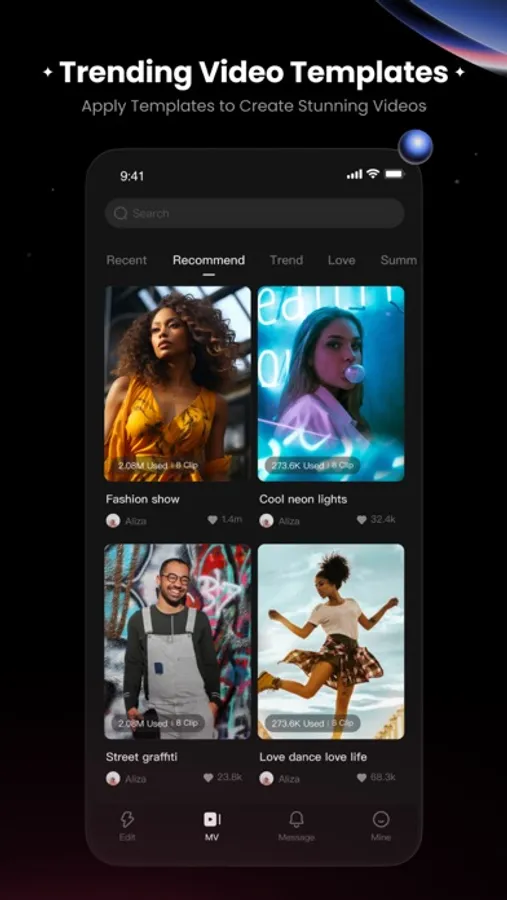
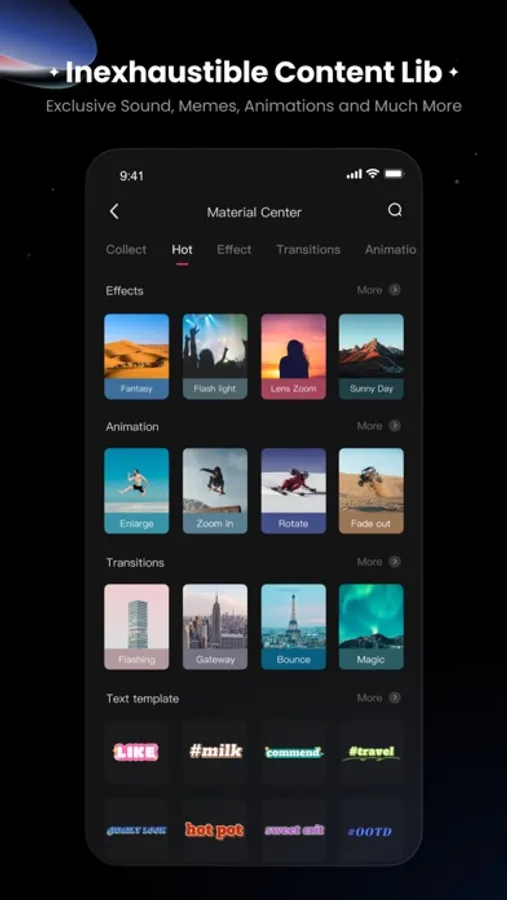
· Material center upgraded - apply trending materials with one click
· Vast exclusive design materials - endless creative inspiration
User Agreement Address:
https://ky.kuaishou.com/ky-agreement?luban8Cid=viptiaokuan_3&bgColor=#fff
Privacy Policy Address:
https://h5.kwaiying.com/protocol?luban8Cid=KyPrivacyPolicy&bgColor=#fff
[Free & Easy]
· Precise video segmentation, cropping, splicing, rewind, and speed adjustment
· Supports exporting in multiple ultra-high definition resolutions, compatible with various platforms
[Rich Sound]
· Professional audio noise reduction for clear vocal performance
· Multi-style sound effect library for easily adding video music
[Smart Subtitles]
· Convenient manual subtitle adding and editing tools
· Hundreds of professional subtitle styles and dynamic effects library
[Cinematic Filters]
· Offers advanced visual effects for professional dynamic results
· Massive movie-grade filters with adjustable intensity
[Creative Stickers]
· Extensive static and dynamic sticker library covering multiple themes
· Supports custom sticker import and management, convenient sticker addition, scaling, and adjustment
[Inspiration Center]
· Material center upgraded - apply trending materials with one click
· Vast exclusive design materials - endless creative inspiration
User Agreement Address:
https://ky.kuaishou.com/ky-agreement?luban8Cid=viptiaokuan_3&bgColor=#fff
Privacy Policy Address:
https://h5.kwaiying.com/protocol?luban8Cid=KyPrivacyPolicy&bgColor=#fff
KwaiCut - Video Editor Screenshots


Tap to Rate:
Reviews for KwaiCut - Video Editor
OMPVR
Way better than CapCut
EO GOOOOOOOD as an editor in tt
ali suri
You are the best
Superior quality editing software. Very very versatile, easy to explore and use.