AppRecs review analysis
AppRecs rating 5.0. Trustworthiness 69 out of 100. Review manipulation risk 22 out of 100. Based on a review sample analyzed.
★★★★★
5.0
AppRecs Rating
Ratings breakdown
5 star
67%
4 star
0%
3 star
0%
2 star
0%
1 star
33%
What to know
✓
Low review manipulation risk
22% review manipulation risk
✓
High user satisfaction
67% of sampled ratings are 5 stars
About Violin Vista
Violin Vista is a pocket violin reference and also can help improve your sight reading and intonation skills.
Whether you are a beginner or an expert, you will find useful features and exercises to improve your intonation and sight reading skills. Violin Vista is more than just an app, it's a virtual teacher that guides you through the essential aspects of violin playing. Violin Vista is designed to help you learn faster and have more fun with your instrument.
New Features in v2.1
1. Advanced Harmony Support
Added advanced harmonic support for arpeggios, intervals, and fragments, featuring a color-split display directly on note buttons for clearer visual distinction.
2. Interval Display Toggle
Introduced an interval display switch that lets you choose between formats such as 1, b2, 2 or R, m2, M2, based on your learning or theory preference.
3. Microphone Sensitivity Control
Added a microphone sensitivity control (levels 1–10). Higher values increase mic sensitivity for more responsive audio input detection.
Here are some of the features that make Violin Vista the best app for violinists:
● KEY Features:
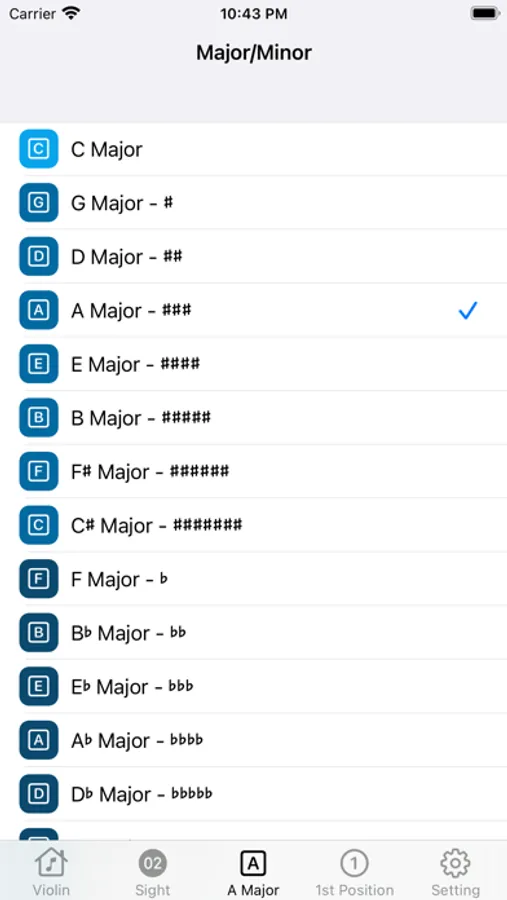
‣ 15 Major/Minor Keys:
You can learn and practice the 15 major and minor keys that are commonly used in violin music, such as C Major, G Major, D Major, A Major, E Major, B Major, F#Major, C# major, F Major, B Major, and more.
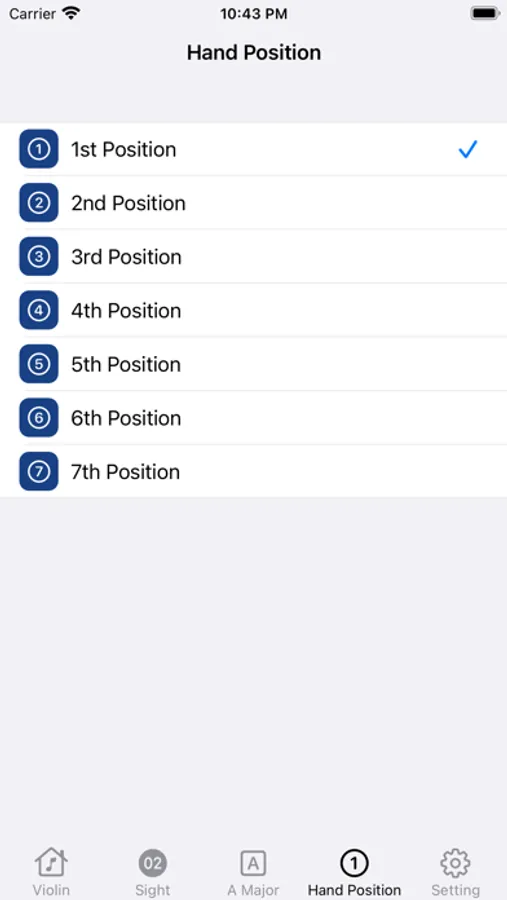
‣ 7 Hand Postions:
You can also learn and practice the 7 hand positions. By combining the 15 major and minor keys and 7 positions, you can access 105 different fingerboard patterns.
‣ 4 Learning Modes:
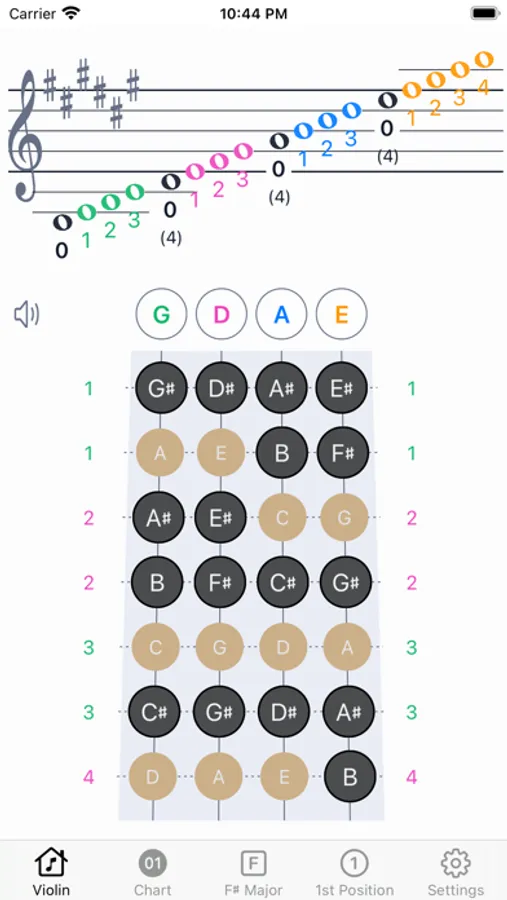
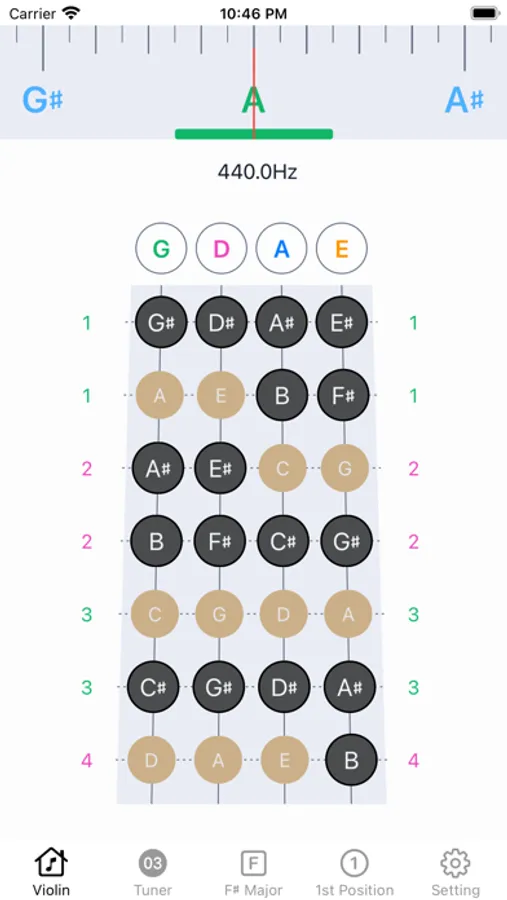
1. Finger Chart with Touch Screen
This mode helps you memorize the fingerboard pattern by showing you a static view of the fingerboard charts. You can also hear the sound of each note by pressing the key on the screen.
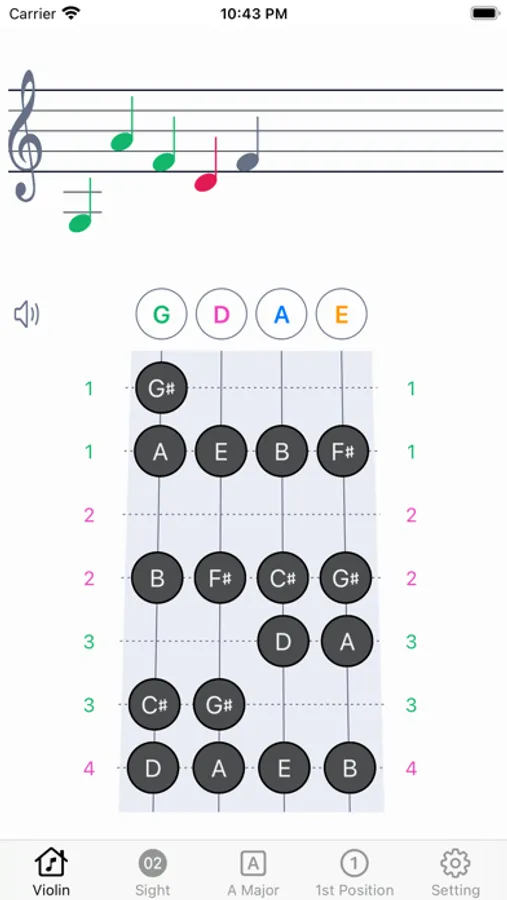
2. Sight Reading Practice with Touch Screen
This mode tests your memory of the finger pattern and the notes on the staff. You have to select the correct note on the screen for each test.
3. Intonation Trainer & Tuner - with Violin
This mode helps you tune your violin and practice your intonation. The app can detect the pitch of your violin and guide you to find the accurate finger spot on the strings. Violin is required for this mode.
4. Examination with Violin
This mode evaluates your proficiency of the intonation for each key and position. You have to play the notes on your violin based on the notes displayed on the screen. Violin is required for this mode.
● ADDITONAL FEATURES:
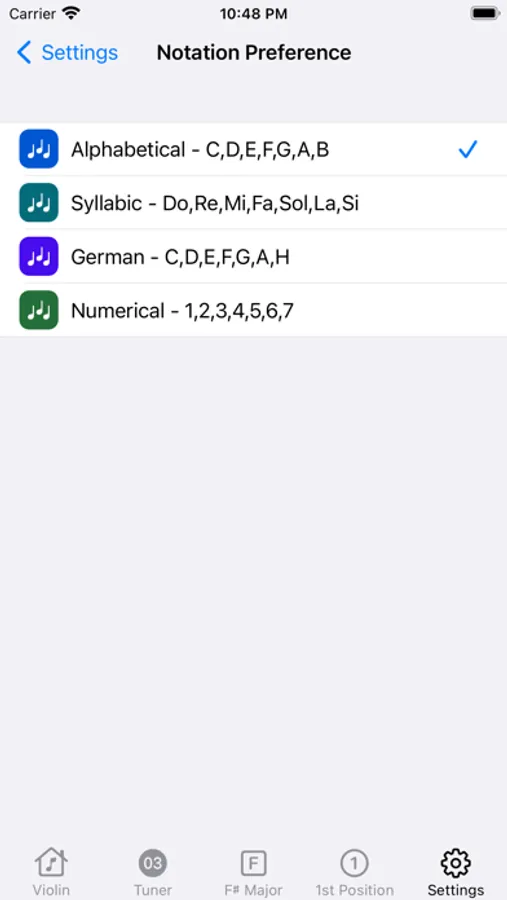
You can choose your preferred notation system from four options:
‣ Alphabetical - C,D,E,F,G,A,B
‣ Syllabic - Do,Re,Mi,Fa,Sol,La,Si
‣ Numerical - 1,2,3,4,5,6,7
You can also adjust the A4 frequency for tuning your violin from two options:
‣ A4 = 440HZ - 445HZ
If you have any questions or feedback, please email us at support@vista8studio.com. We hope you enjoy learning violin with Violin Vista.
Whether you are a beginner or an expert, you will find useful features and exercises to improve your intonation and sight reading skills. Violin Vista is more than just an app, it's a virtual teacher that guides you through the essential aspects of violin playing. Violin Vista is designed to help you learn faster and have more fun with your instrument.
New Features in v2.1
1. Advanced Harmony Support
Added advanced harmonic support for arpeggios, intervals, and fragments, featuring a color-split display directly on note buttons for clearer visual distinction.
2. Interval Display Toggle
Introduced an interval display switch that lets you choose between formats such as 1, b2, 2 or R, m2, M2, based on your learning or theory preference.
3. Microphone Sensitivity Control
Added a microphone sensitivity control (levels 1–10). Higher values increase mic sensitivity for more responsive audio input detection.
Here are some of the features that make Violin Vista the best app for violinists:
● KEY Features:
‣ 15 Major/Minor Keys:
You can learn and practice the 15 major and minor keys that are commonly used in violin music, such as C Major, G Major, D Major, A Major, E Major, B Major, F#Major, C# major, F Major, B Major, and more.
‣ 7 Hand Postions:
You can also learn and practice the 7 hand positions. By combining the 15 major and minor keys and 7 positions, you can access 105 different fingerboard patterns.
‣ 4 Learning Modes:
1. Finger Chart with Touch Screen
This mode helps you memorize the fingerboard pattern by showing you a static view of the fingerboard charts. You can also hear the sound of each note by pressing the key on the screen.
2. Sight Reading Practice with Touch Screen
This mode tests your memory of the finger pattern and the notes on the staff. You have to select the correct note on the screen for each test.
3. Intonation Trainer & Tuner - with Violin
This mode helps you tune your violin and practice your intonation. The app can detect the pitch of your violin and guide you to find the accurate finger spot on the strings. Violin is required for this mode.
4. Examination with Violin
This mode evaluates your proficiency of the intonation for each key and position. You have to play the notes on your violin based on the notes displayed on the screen. Violin is required for this mode.
● ADDITONAL FEATURES:
You can choose your preferred notation system from four options:
‣ Alphabetical - C,D,E,F,G,A,B
‣ Syllabic - Do,Re,Mi,Fa,Sol,La,Si
‣ Numerical - 1,2,3,4,5,6,7
You can also adjust the A4 frequency for tuning your violin from two options:
‣ A4 = 440HZ - 445HZ
If you have any questions or feedback, please email us at support@vista8studio.com. We hope you enjoy learning violin with Violin Vista.
Violin Vista Screenshots
Tap to Rate:
Reviews for Violin Vista
KevkevL2025
V2 update!
Loving this new V2 update. Great changes. This will help beginners and amateurs like me.
Tyler Newkirk
Highly Recommended!
Very good app that is helping me greatly in my intonation.