AppRecs review analysis
AppRecs rating 4.4. Trustworthiness 52 out of 100. Review manipulation risk 30 out of 100. Based on a review sample analyzed.
★★★★☆
4.4
AppRecs Rating
Ratings breakdown
5 star
95%
4 star
0%
3 star
0%
2 star
5%
1 star
0%
What to know
✓
High user satisfaction
95% of sampled ratings are 5 stars
About Collage Frame Widget
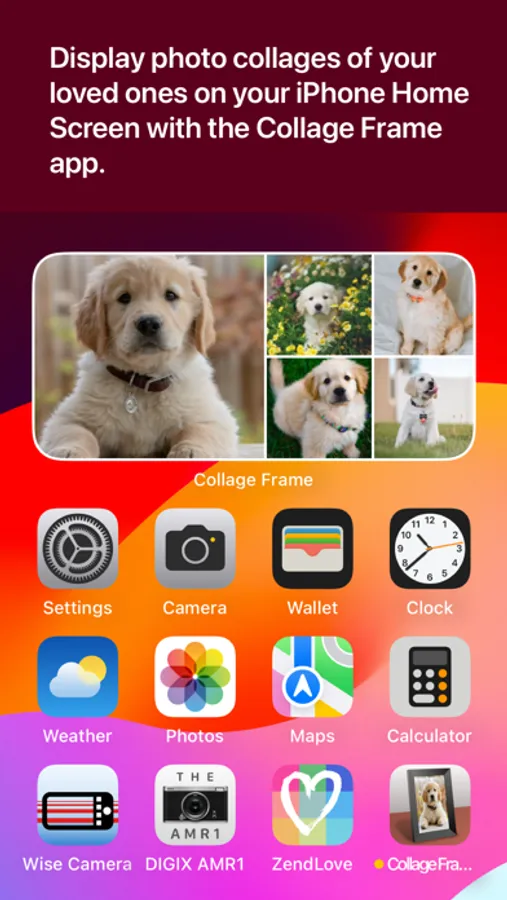
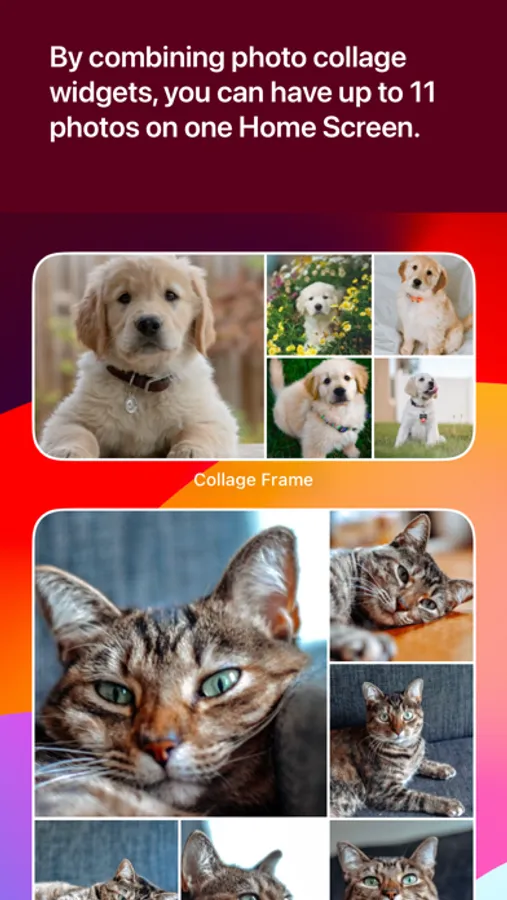
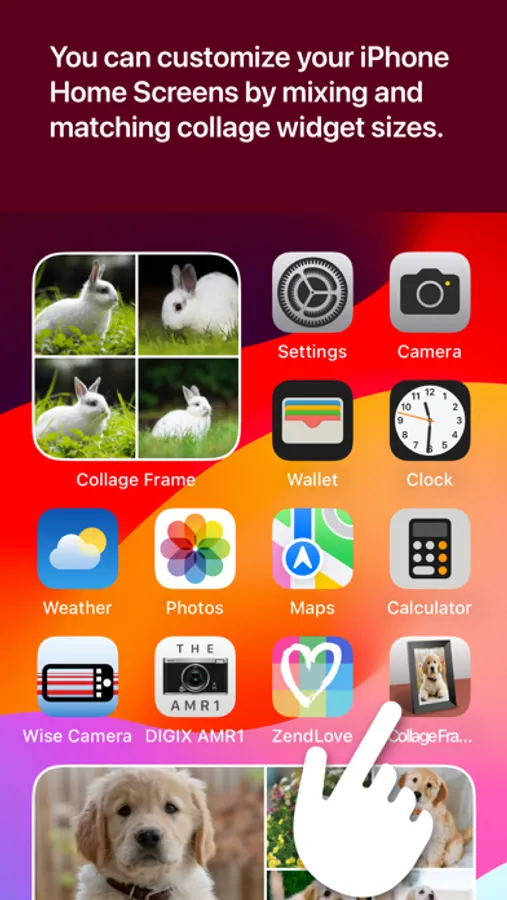
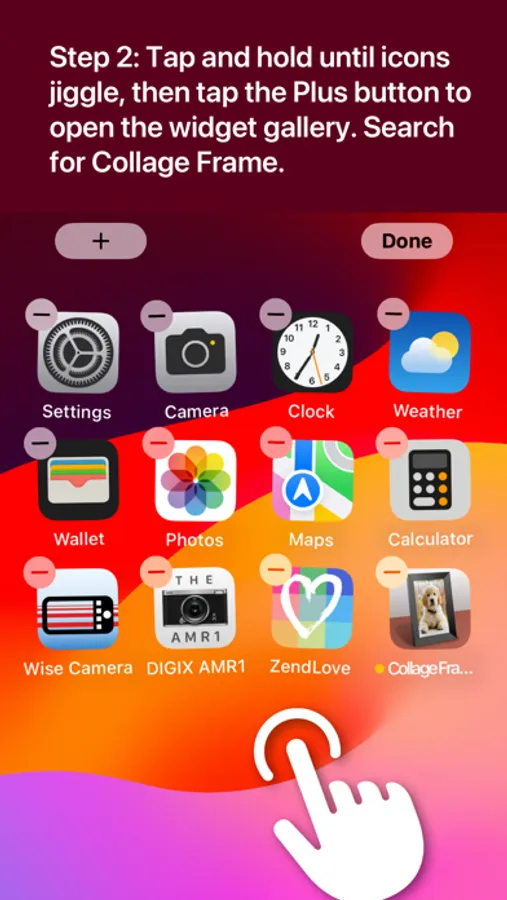
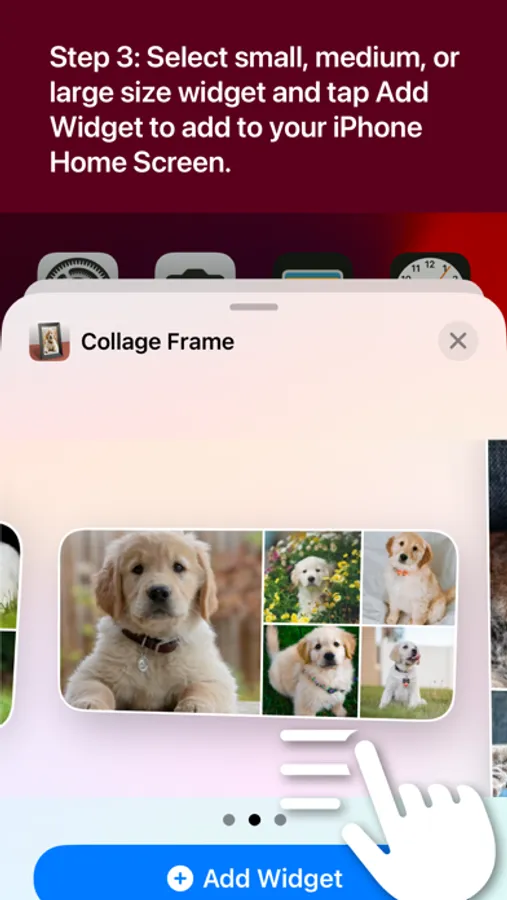
Collage Frame is like having a collage picture frame on your iPhone Home Screen! Create photo collages with your favorite photos of your loved ones. Mix and match photos on a small, medium, or large widget. By combining widgets, you can have up to 11 photos on one home screen. Your iPhone Home Screen will always have your cherished photos on it. Collage Frame provides easy-to-follow step-by-step video tutorials, so it's easy to create and display your photo collages quickly.
Collage Frame is entirely FREE! There is no monthly cost, subscription, or membership required.
+ Collage Frame uses iOS Widgets to display photos
+ Create a small widget with 4 photos
+ Create a medium widget with 5 photos
+ Create a large widget with 6 photos
+ By combining widgets, you can have 4, 5, 6, 9, 10, or 11 photos on one screen
+ Includes easy-to-follow step-by-step how-to videos
SUPPORT:
For support, go to https://www.digiguys.com
FAQ:
Q: Is the Collage Frame app FREE?
A: Yes, the app is free! We will keep it free forever!
Q: I don't know how to use widgets. Does the app provide help?
A: Yes, we have helpful video tutorials explaining widgets and how to display them.
Q: What photos can I add to my iPhone Home Screen?
A: You can add any photos in your Apple Photos library.
Q: Can I use the Collage Frame app on my iPad?
A: Yes, you can use the app on your iPad. As the iPad has more screen real estate, you have more room for widgets.
Q: Will the Collage Frame app work on any iPhone?
A: The app will work on any iPhone running iOS 14 and newer. Note that iOS 14 was released in 2020.
MORE APPS:
Check out all our apps at https://digiguys.com
FACEBOOK PAGE:
Join our Facebook Page for tips, ideas, support, and much more... be part of the community!
https://www.facebook.com/digiguysapps
Collage Frame is entirely FREE! There is no monthly cost, subscription, or membership required.
+ Collage Frame uses iOS Widgets to display photos
+ Create a small widget with 4 photos
+ Create a medium widget with 5 photos
+ Create a large widget with 6 photos
+ By combining widgets, you can have 4, 5, 6, 9, 10, or 11 photos on one screen
+ Includes easy-to-follow step-by-step how-to videos
SUPPORT:
For support, go to https://www.digiguys.com
FAQ:
Q: Is the Collage Frame app FREE?
A: Yes, the app is free! We will keep it free forever!
Q: I don't know how to use widgets. Does the app provide help?
A: Yes, we have helpful video tutorials explaining widgets and how to display them.
Q: What photos can I add to my iPhone Home Screen?
A: You can add any photos in your Apple Photos library.
Q: Can I use the Collage Frame app on my iPad?
A: Yes, you can use the app on your iPad. As the iPad has more screen real estate, you have more room for widgets.
Q: Will the Collage Frame app work on any iPhone?
A: The app will work on any iPhone running iOS 14 and newer. Note that iOS 14 was released in 2020.
MORE APPS:
Check out all our apps at https://digiguys.com
FACEBOOK PAGE:
Join our Facebook Page for tips, ideas, support, and much more... be part of the community!
https://www.facebook.com/digiguysapps
Collage Frame Widget Screenshots

Tap to Rate:
Reviews for Collage Frame Widget
Photolove1234
Cute app
Simple and easy to use I can have several photos in one widget at the same time
Mari Rosales
Fun screen photo frame!
This is a fun little free photo frame for your screens 🖼️