
About Stripe Pay - Easily add cards
In today's business, we go cashless, everyone knows that.
That's why many businesses turn to Stripe for payment processing. Simple and productive.
So here's the situation:
You're with your client, and he/she asks, "Do you accept card?"
Traditionally, you'd say, "Yes I do, let me just log in to my Stripe account, go to add customer, get particulars, go to payment methods, add cards, bla, bla, bla..."
All these while using your SMALL phone browser, scrolling and zooming HAPHAZARDLY around, finding the desired button.
All these while your client is watching you STRUGGLING in your own phone, watching closely if their card details are saved SECURELY.
You feel nervious, your client feels nervous, and he/she says, "Maybe next time, I'm in a rush."
That's it. Game over (for you).
Now this is where we come in:
Stripe account already logged in to Stripe Pay.
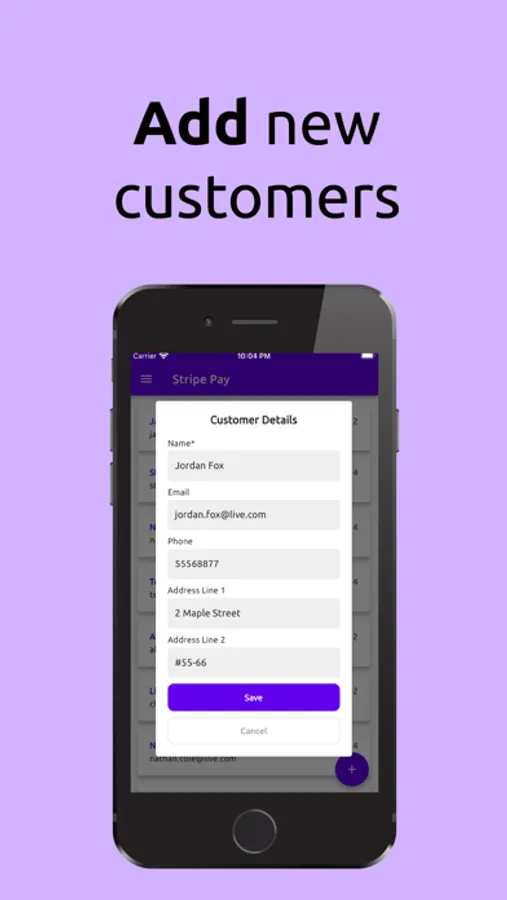
Step 1: Add your client from the THUMB-SIZED button right from the main screen.
Step 2: Automatically add your client's card details by simply pointing your camera on his/her card.
Two steps and that's it. Game over (for your client).
Go back to your office (or home) and process it backend. It's that simple.
Disclaimer: Stripe Pay uses the official Stripe API and is developed by Fidz Technologies, which is not affiliated with Stripe.
That's why many businesses turn to Stripe for payment processing. Simple and productive.
So here's the situation:
You're with your client, and he/she asks, "Do you accept card?"
Traditionally, you'd say, "Yes I do, let me just log in to my Stripe account, go to add customer, get particulars, go to payment methods, add cards, bla, bla, bla..."
All these while using your SMALL phone browser, scrolling and zooming HAPHAZARDLY around, finding the desired button.
All these while your client is watching you STRUGGLING in your own phone, watching closely if their card details are saved SECURELY.
You feel nervious, your client feels nervous, and he/she says, "Maybe next time, I'm in a rush."
That's it. Game over (for you).
Now this is where we come in:
Stripe account already logged in to Stripe Pay.
Step 1: Add your client from the THUMB-SIZED button right from the main screen.
Step 2: Automatically add your client's card details by simply pointing your camera on his/her card.
Two steps and that's it. Game over (for your client).
Go back to your office (or home) and process it backend. It's that simple.
Disclaimer: Stripe Pay uses the official Stripe API and is developed by Fidz Technologies, which is not affiliated with Stripe.
Stripe Pay - Easily add cards Screenshots





Tap to Rate: