
AppRecs review analysis
AppRecs rating 4.5. Trustworthiness 55 out of 100. Review manipulation risk 43 out of 100. Based on a review sample analyzed.
★★★★☆
4.5
AppRecs Rating
Ratings breakdown
5 star
100%
4 star
0%
3 star
0%
2 star
0%
1 star
0%
What to know
⚠
Questionable review patterns
43% review manipulation risk - some review patterns appear unusual
⚠
Unusually uniform ratings
100% of sampled ratings are 5 stars with very little variation
About Video Bookmark
Video Bookmark is your go-to app for effortlessly saving timestamps in YouTube videos on your iOS device. Follow these simple steps to get started:
Install the Video Bookmark app and sign in with your Google or Apple account.
Open the YouTube iOS app and select any video you want to bookmark.
Tap the share button below the video and choose 'Video Bookmark' from the list (you might need to click the 'more' button represented by ...).
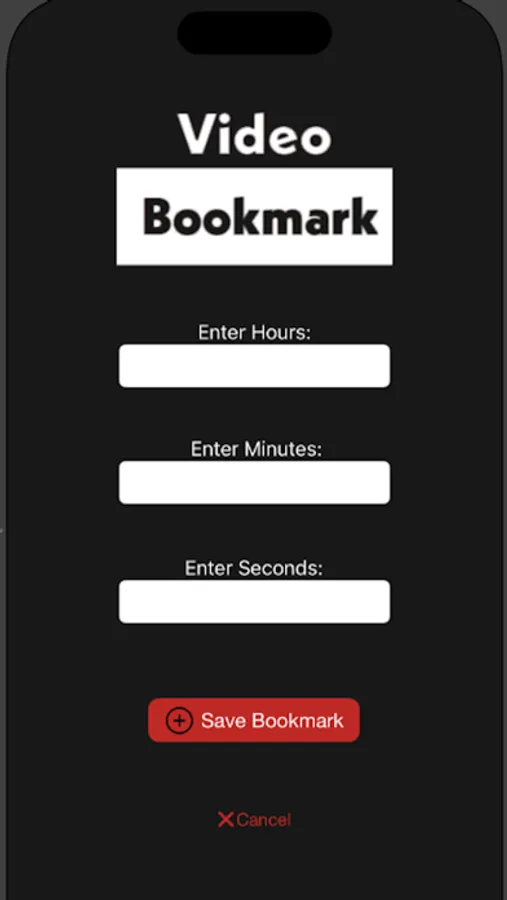
The share extension will appear, allowing you to enter the timestamp.
To access your saved bookmarks, open the Video Bookmark app and refresh the screen by pulling it down.
But that's not all! You can also easily share timestamped links with friends. Simply press and hold the URL link on your saved bookmark to bring up the sharing option.
Video Bookmark is perfect for keeping track of long YouTube videos, including audiobooks, classes, speeches, and more. It's the ideal solution for saving important videos outside of the clutter of YouTube.
And here's the best part: Video Bookmark is the only bookmarking app with a compatible Chrome extension, so you can seamlessly save bookmarks on both your phone and computer!
Install the Video Bookmark app and sign in with your Google or Apple account.
Open the YouTube iOS app and select any video you want to bookmark.
Tap the share button below the video and choose 'Video Bookmark' from the list (you might need to click the 'more' button represented by ...).
The share extension will appear, allowing you to enter the timestamp.
To access your saved bookmarks, open the Video Bookmark app and refresh the screen by pulling it down.
But that's not all! You can also easily share timestamped links with friends. Simply press and hold the URL link on your saved bookmark to bring up the sharing option.
Video Bookmark is perfect for keeping track of long YouTube videos, including audiobooks, classes, speeches, and more. It's the ideal solution for saving important videos outside of the clutter of YouTube.
And here's the best part: Video Bookmark is the only bookmarking app with a compatible Chrome extension, so you can seamlessly save bookmarks on both your phone and computer!
Video Bookmark Screenshots
Tap to Rate:
Reviews for Video Bookmark
Rico42069<3
BEST APP EVER!!
Most excellent!
1253463710
Love it!🫶🏼
Very useful app, I can easily save and access important parts of lectures and tutorials📚and the option to add notes is a nice touch