
With this app, you can sync, filter, and organize your Steam library and wishlist using various criteria. Includes game details, sorting options, and compatibility insights.
AppRecs review analysis
AppRecs rating 4.3. Trustworthiness 77 out of 100. Review manipulation risk 24 out of 100. Based on a review sample analyzed.
★★★★☆
4.3
AppRecs Rating
Ratings breakdown
5 star
89%
4 star
4%
3 star
1%
2 star
1%
1 star
4%
What to know
✓
Low review manipulation risk
24% review manipulation risk
✓
Credible reviews
77% trustworthiness score from analyzed reviews
✓
High user satisfaction
89% of sampled ratings are 5 stars
About DeckFilter
Make the most of every gaming session with DeckFilter, the ultimate tool for Steam Deck users. Filter your Steam library and wishlist effortlessly by playtime, ProtonDB ratings, Deck Verified status, tags, and more, so you can quickly discover games that fit both your mood and schedule.
Sync and Organize Your Steam Library
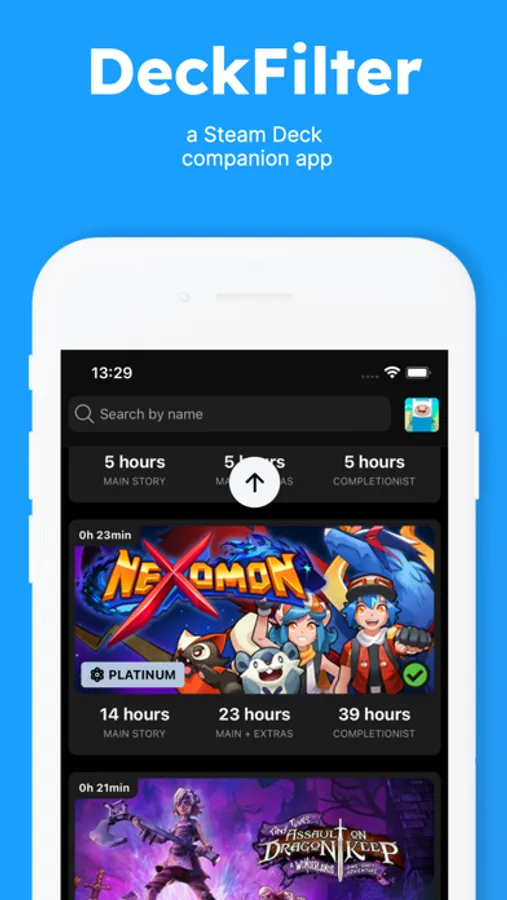
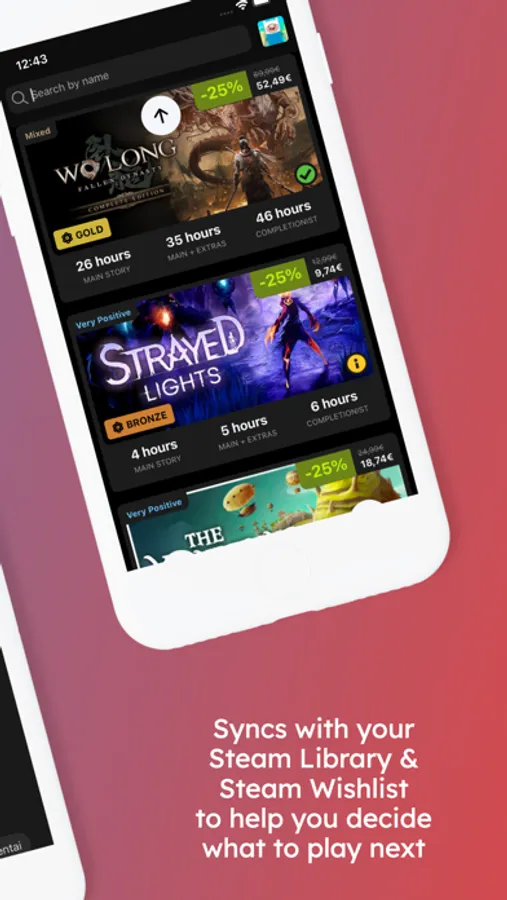
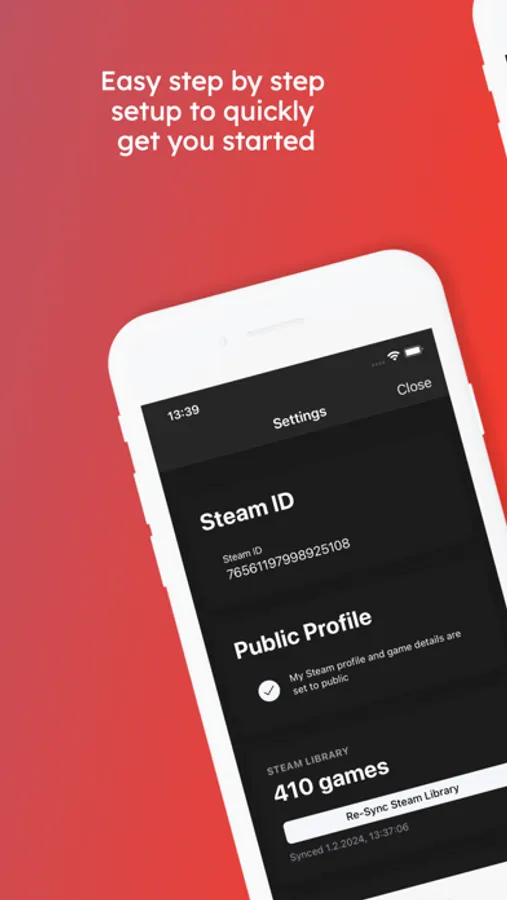
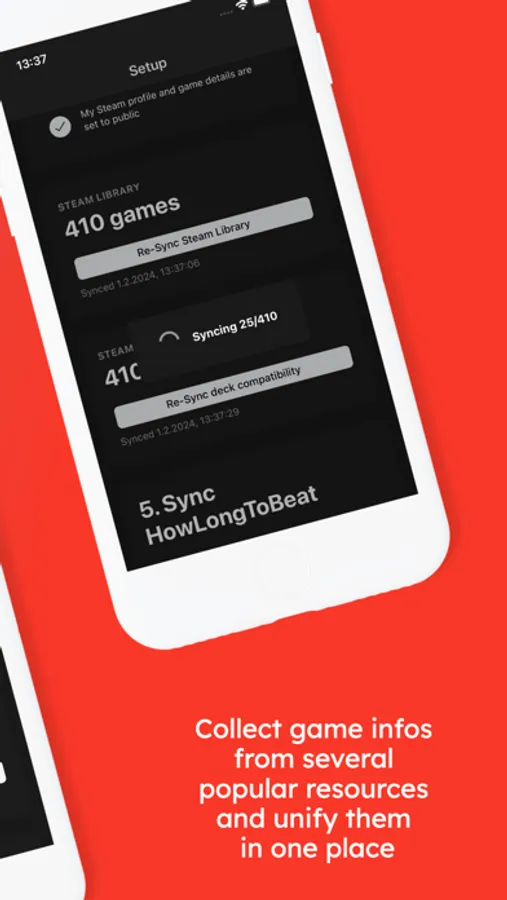
Stay up-to-date by syncing your Steam library and wishlist to DeckFilter. Instantly access vital game information like playtime, ProtonDB ratings, Deck Verified status, and estimated Time to Beat—everything you need at a glance.
Powerful Filtering and Sorting
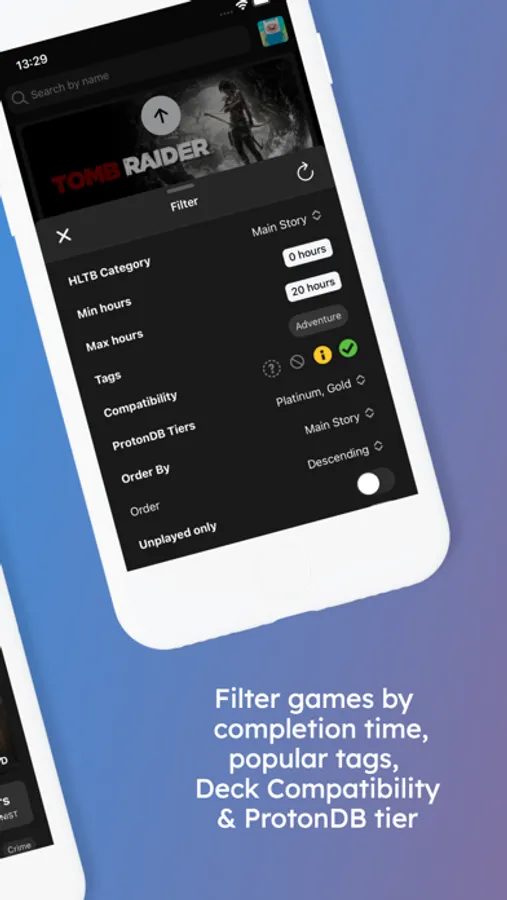
Fine-tune your game search with advanced filters based on completion time, ProtonDB tiers, and Deck Verified compatibility. Sort by playtime, alphabetically, or even by the last sync date. Highlight unplayed or unfinished games, so you’re always ready to tackle the perfect game next.
In-Depth Game Insights
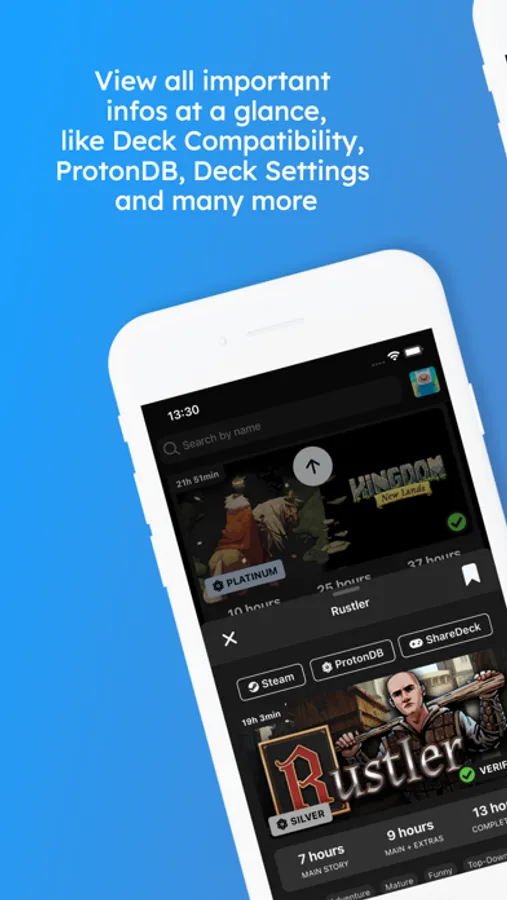
Access detailed information about each game, including playtime, ProtonDB ratings, and completion time. Get personalized recommendations and dive into optimized game settings through DeckFilter’s integration with SteamDeckHQ and ShareDeck for a flawless gaming experience.
Seamless Wishlist Management
Keep your Steam wishlist organized and always synced. With DeckFilter, instantly view discounts, reviews, compatibility, and playtime estimates, helping you prioritize your next purchase or playthrough. Sort by release date, price, or review score to find the best deal or game to play.
Effortless Game Bookmarking
Bookmark games with ease, creating personalized playlists or saving your favorite titles for later. DeckFilter helps you keep track of your top picks, right at your fingertips.
Optimized Game Settings
Get the best performance out of your Steam Deck by accessing community-tested settings powered by SteamDeckHQ and ShareDeck. Compare configurations and effortlessly balance performance and battery life for a superior gaming experience.
Precision Tag Filtering
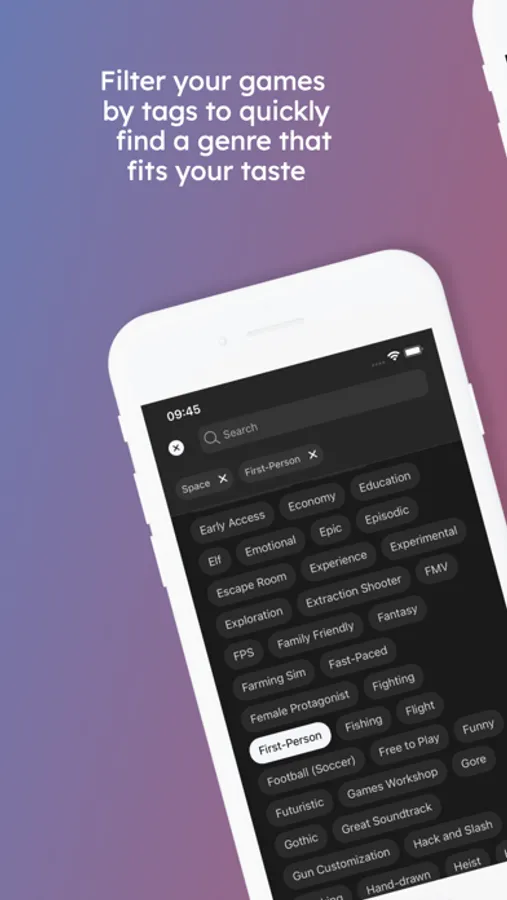
Looking for a specific genre or theme? With DeckFilter's powerful tag system, you can refine your search using tags like Action-Adventure, RPG, or niche categories. Whatever you're in the mood for, you’ll find it fast.
Why Choose DeckFilter?
Maximize Playtime. Spend less time searching and more time gaming. DeckFilter helps you instantly find the games that fit your available time.
No Guessing. Get precise recommendations based on your preferences and play history.
Discover Hidden Gems. Uncover games you may have missed that perfectly align with your mood and schedule.
Stay Updated. Always keep your library and wishlist synced with your latest Steam purchases.
Play with Confidence. Know which games are fully optimized for your Steam Deck with instant Deck Verified checks.
Designed for You. Enjoy a personalized gaming experience that fits your unique habits and available time.
Elevate Your Steam Deck Experience
Download DeckFilter and enjoy a gaming experience that’s perfectly tailored to you. Whether you’re looking to fill a short session or dive deep into a longer adventure, DeckFilter ensures you’ll always find the right game at the right time. Join now and transform how you game on your Steam Deck.
Disclaimer:
DeckFilter is not affiliated with, endorsed by, or sponsored by Valve Corporation, Steam, or Steam Deck.
All trademarks, logos, and images related to Steam Deck are the property of Valve. Game images and logos belong to their respective owners.
HowLongToBeat is a trademark of IGN Entertainment, Inc.
DeckFilter Screenshots
Tap to Rate:
Reviews for DeckFilter
jbc3
Headache start
I heard about this app due to a sponsorship on deckready and it took me well over two hours to get this sorted. I started this process hopeful and with very minimal pc literacy so that wasnt doing me any favors. But i kept at it, i learned a lot and i finally got it to work two hours later. The major hangup it being christmas eve and repeated failure of the steam app, it not letting me get an api key, and the security thinking im a scammer. Lets hope your install is a lot smoother.
Ektheo
Solid
I really like the app. Very handy for one place to view my Steam wishlist, ProtonDB, and options for purchasing games. Good on the developer for coming up with this app! I also look the look of it - clean and pops with game pics.