AppRecs review analysis
AppRecs rating 4.3. Trustworthiness 65 out of 100. Review manipulation risk 21 out of 100. Based on a review sample analyzed.
★★★★☆
4.3
AppRecs Rating
Ratings breakdown
5 star
72%
4 star
12%
3 star
0%
2 star
4%
1 star
12%
What to know
✓
Low review manipulation risk
21% review manipulation risk
✓
High user satisfaction
84% of sampled ratings are 4+ stars (4.3★ average)
About Drawing Sketch: AR Draw by Cam
Unleash your creativity with Drawing Sketch AR – the ultimate augmented reality drawing experience for artists of all levels. Whether you're a beginner or an expert, this intuitive app helps you learn and enjoy drawing in a fun, immersive, and innovative way.
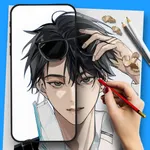
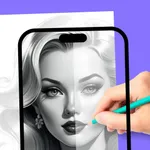
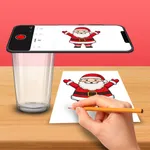
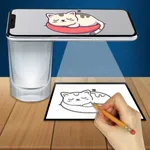
▶ Draw Using Your Camera
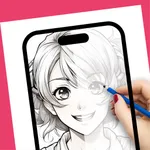
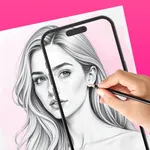
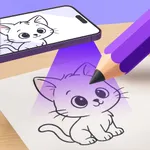
Turn your phone into a sketching assistant! Use the AR camera mode to trace sketches directly onto paper. Just follow the outlines through your screen and bring your art to life.
▶ Templates and Gallery Photos
Access a vast collection of drawing templates or import your own photos from the gallery. Practice by tracing structured images or recreate real-life scenes with precision.
▶ Paint and Customize
Use the Paint tool to freely sketch with vibrant colors, adjustable brush sizes, and multiple tool options. Add creative text using custom fonts to personalize your designs.
▶ Learn with Lessons
Step-by-step drawing tutorials are organized into Beginner, Intermediate, and Expert levels. Follow the guided paths to improve your skills over time in a structured way.
▶ Explore and Discover
Browse through creative templates, featured artworks, and trending categories to stay inspired. Find new ideas and learn different drawing styles right inside the app.
▶ Save Your Art
All your drawings and traced sketches are saved in the My Creations section.
Drawing Sketch AR makes sketching easier, more enjoyable, and accessible for everyone. Whether you want to learn how to draw or refine your existing skills, this app provides the tools and guidance to help you succeed. No matter your experience level, you'll find something fun and rewarding in this smart drawing app powered by AR.
Let’s start your Artistic journey today!
▶ Draw Using Your Camera
Turn your phone into a sketching assistant! Use the AR camera mode to trace sketches directly onto paper. Just follow the outlines through your screen and bring your art to life.
▶ Templates and Gallery Photos
Access a vast collection of drawing templates or import your own photos from the gallery. Practice by tracing structured images or recreate real-life scenes with precision.
▶ Paint and Customize
Use the Paint tool to freely sketch with vibrant colors, adjustable brush sizes, and multiple tool options. Add creative text using custom fonts to personalize your designs.
▶ Learn with Lessons
Step-by-step drawing tutorials are organized into Beginner, Intermediate, and Expert levels. Follow the guided paths to improve your skills over time in a structured way.
▶ Explore and Discover
Browse through creative templates, featured artworks, and trending categories to stay inspired. Find new ideas and learn different drawing styles right inside the app.
▶ Save Your Art
All your drawings and traced sketches are saved in the My Creations section.
Drawing Sketch AR makes sketching easier, more enjoyable, and accessible for everyone. Whether you want to learn how to draw or refine your existing skills, this app provides the tools and guidance to help you succeed. No matter your experience level, you'll find something fun and rewarding in this smart drawing app powered by AR.
Let’s start your Artistic journey today!
Tap to Rate:
Reviews for Drawing Sketch: AR Draw by Cam
🤩🤩 AWESOMMMMMMMMMMEEEEEEEE
𝚂𝚄𝙲𝙺𝚂
𝚃𝚑𝚒𝚜 𝚊𝚙𝚙 𝚒𝚜 𝚜𝚘 𝚋𝚊𝚍 𝚝𝚑𝚊𝚝 𝚠𝚑𝚎𝚗 𝙸 𝚛𝚎𝚖𝚘𝚟𝚎 𝚖𝚢 𝚙𝚑𝚘𝚗𝚎 𝚒𝚝'𝚜 𝚕𝚘𝚘𝚔𝚜 𝚕𝚒𝚔𝚎 𝚜𝚕𝚘𝚙𝚙𝚢 𝚖𝚎𝚜𝚜. 𝙸𝚝'𝚜 𝚜𝚘 𝚋𝚊𝚍 𝚝𝚑𝚊𝚝 𝚒𝚝 𝚕𝚘𝚘𝚔𝚜 𝚕𝚒𝚔𝚎 𝚊 𝟺 𝚢𝚎𝚊𝚛 𝚘𝚕𝚍 𝚍𝚛𝚎𝚠 𝚝𝚑 𝚙𝚒𝚌𝚝𝚞𝚛𝚎 𝚠𝚒𝚝𝚑 𝚝𝚑𝚎𝚒𝚛 𝚗𝚘𝚗 𝚍𝚘𝚖𝚒𝚗𝚊𝚝𝚎 𝚑𝚊𝚗𝚍. 𝙳𝙾𝙽'𝚃 𝙱𝚄𝚈 ( 𝙸'𝚟𝚎 𝚠𝚊𝚛𝚗𝚎𝚍 𝚢𝚘𝚞)