
AppRecs review analysis
AppRecs rating 4.5. Trustworthiness 71 out of 100. Review manipulation risk 27 out of 100. Based on a review sample analyzed.
★★★★☆
4.5
AppRecs Rating
Ratings breakdown
5 star
33%
4 star
67%
3 star
0%
2 star
0%
1 star
0%
What to know
✓
Low review manipulation risk
27% review manipulation risk
✓
Credible reviews
71% trustworthiness score from analyzed reviews
✓
High user satisfaction
100% of sampled ratings are 4+ stars (4.5★ average)
About Typos • Phone Keyboard
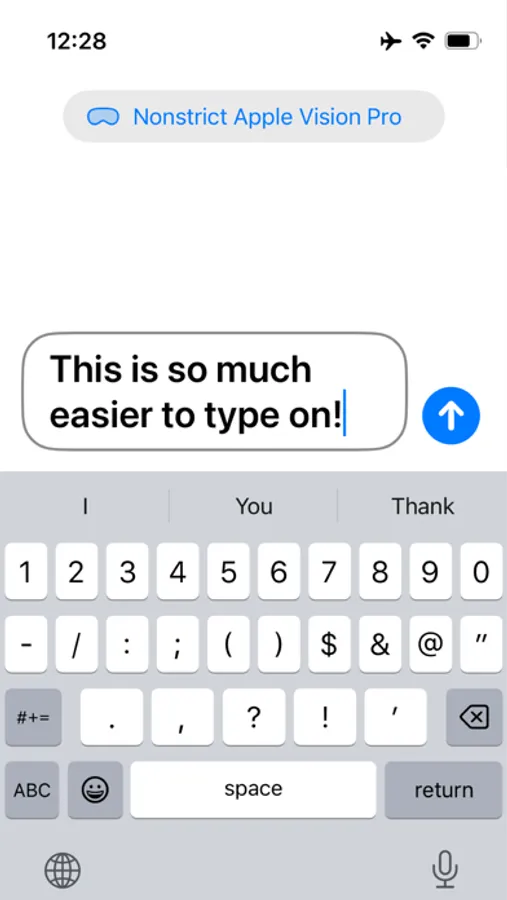
Stop typing on the slow and cumbersome floating virtual keyboard, just take your iPhone from your pocket and type on there. The text will appear instantly inside Typos on Vision Pro where you can drag or paste it to wherever you want to use it.
• Type on iPhone & iPad
Quickly input text on Vision Pro using the keyboard you've been using for years to send messages and input URLs.
• Drag & drop support
Pick up the text from the window in Vision Pro and drag it to anywhere you want to use it. Or just paste in the field you want to use the text.
• iPad keyboard support
You can also use the Magic Keyboard or folio keyboard attached to your iPad. Makes typing even more convenient!
Typos • Phone Keyboard Screenshots
Tap to Rate:
Reviews for Typos • Phone Keyboard
Given it to ya straight
Elegant solution, but…
This is an elegant solution to the problem of text entry on the AVP. I really like that you can press the “Send” button on the iPhone app which then pastes the content onto the AVP clipboard remotely without further interaction needed on the AVP. Two things I’d really like: First, the ability to set an alternate background color in the iPhone app so that I can read the screen more readily with AVP pass-through (dark mode might fix that, but I only use light mode on my phone). Second, maybe a bit more accommodation for longer text than a single text field, and/or a history of previous text I’ve typed. Thanks!
Techadopter
Helpful but…
Not always handy as a result of the inability of iPhone/avp to do facial recognition to access the Typos app. Waiting for the iPhone to present the login screen is a real drag on the efficiency this app helps to improve.