
AppRecs review analysis
AppRecs rating 3.0. Trustworthiness 80 out of 100. Review manipulation risk 11 out of 100. Based on a review sample analyzed.
★★★☆☆
3.0
AppRecs Rating
Ratings breakdown
5 star
50%
4 star
0%
3 star
0%
2 star
0%
1 star
50%
What to know
✓
Low review manipulation risk
11% review manipulation risk
✓
Credible reviews
80% trustworthiness score from analyzed reviews
About ZippySync - Cloud Photos
Effortless Backup. Privacy First. Your Personal & Secure Cloud Album!
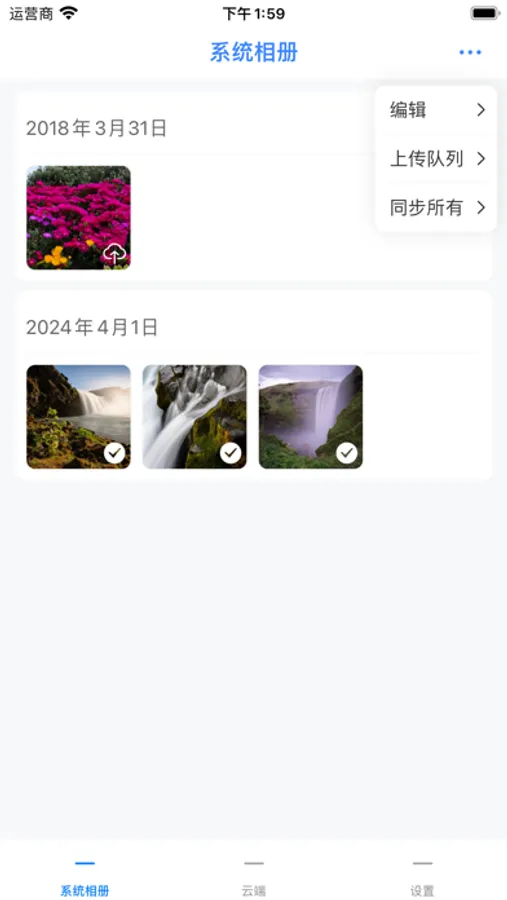
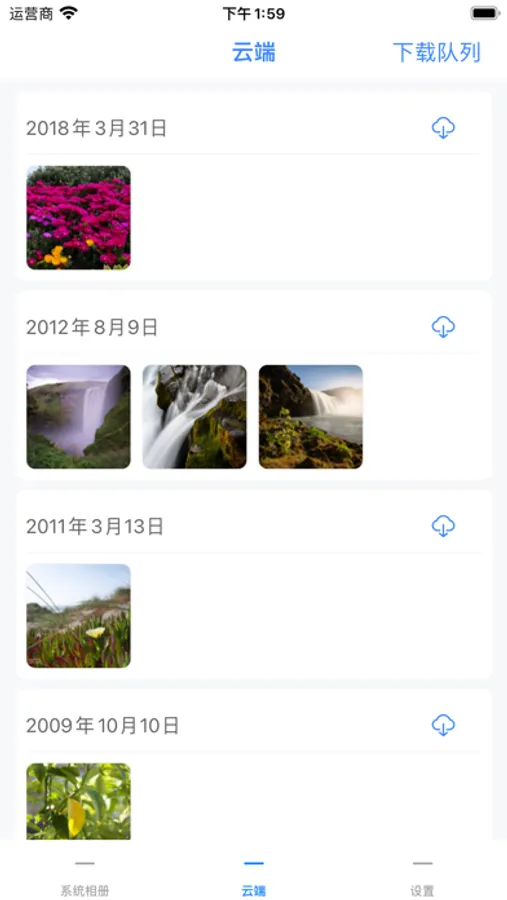
SuixinChuan helps you easily build a private cloud photo album at home. With just a router, computer (supporting SMB protocol), and a hard drive or USB stick, you can back up photos, live photos, and videos. Original quality is preserved, freeing up phone storage — safe, simple, and convenient.
【Key Features】
1. Secure Private Cloud Storage
Back up photos and videos using your home devices. Original files are preserved with full EXIF metadata — no compression, no loss.
2. Flexible Sync Options
Choose from full sync, incremental sync, or selective sync to suit various scenarios.
3. Efficient Management Tools
Browse, upload, download, delete, and share — all in one place for maximum convenience.
【Use Cases】
• Free Up Mobile Storage:
Offload your photos and videos to a hard drive or USB stick and keep your phone light and fast.
• Protect Your Privacy:
All data stays local on your own devices — no third-party cloud involved. Say goodbye to privacy concerns.
• Share Family Moments:
Back up precious memories like your baby’s first steps or family gatherings, and share them easily with loved ones.
【Three-Level Backup Principle】
We follow the “Local Backup + Private Cloud + Public Cloud” model to ensure your data is triple protected and reliably stored.
【Supported Protocols】
• SMB Protocol:
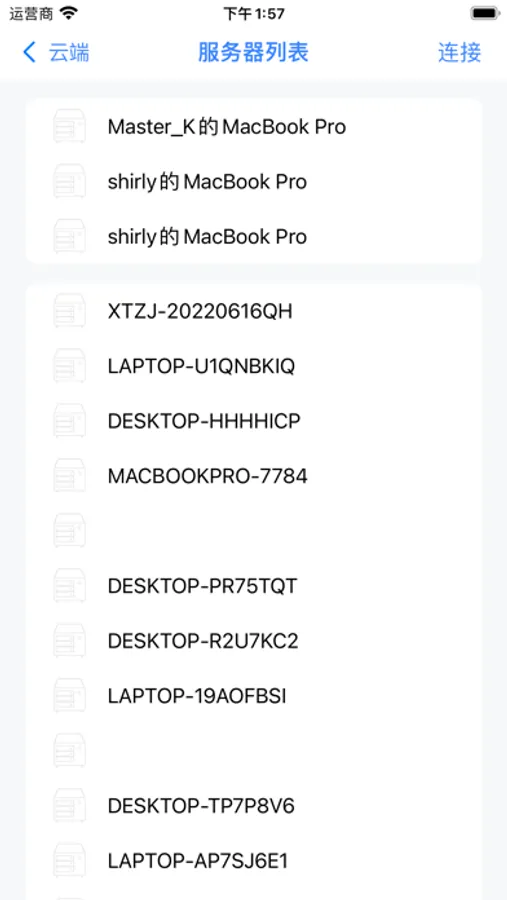
Seamlessly connect to compatible routers, computers, and storage devices.
• WebDAV Protocol:
Enables remote access and sync.
• Aliyun Drive, Baidu Cloud:
Combine local and cloud storage for added security and flexibility.
【How to Enable SMB Protocol】
On Routers:
1. Log in to the router’s admin page (usually 192.168.1.1 or 192.168.0.1).
2. Find the file sharing/SMB settings and enable SMB.
3. Set up shared folders with a username and password, then save and apply.
On Windows:
1. Go to “Control Panel” > “Programs and Features”.
2. Click “Turn Windows features on or off” and check “SMB 1.0/CIFS File Sharing Support”.
3. Restart your computer to apply changes.
On macOS:
1. Open “System Preferences” > “Sharing”.
2. Enable “File Sharing” and under “Options”, check “Share files and folders using SMB”.
3. Select folders and set user permissions as needed.
Once set up, the SuixinChuan app can access your local storage via SMB for secure and seamless backup.
Download SuixinChuan Now and Start Your Private Cloud Journey!
SuixinChuan helps you easily build a private cloud photo album at home. With just a router, computer (supporting SMB protocol), and a hard drive or USB stick, you can back up photos, live photos, and videos. Original quality is preserved, freeing up phone storage — safe, simple, and convenient.
【Key Features】
1. Secure Private Cloud Storage
Back up photos and videos using your home devices. Original files are preserved with full EXIF metadata — no compression, no loss.
2. Flexible Sync Options
Choose from full sync, incremental sync, or selective sync to suit various scenarios.
3. Efficient Management Tools
Browse, upload, download, delete, and share — all in one place for maximum convenience.
【Use Cases】
• Free Up Mobile Storage:
Offload your photos and videos to a hard drive or USB stick and keep your phone light and fast.
• Protect Your Privacy:
All data stays local on your own devices — no third-party cloud involved. Say goodbye to privacy concerns.
• Share Family Moments:
Back up precious memories like your baby’s first steps or family gatherings, and share them easily with loved ones.
【Three-Level Backup Principle】
We follow the “Local Backup + Private Cloud + Public Cloud” model to ensure your data is triple protected and reliably stored.
【Supported Protocols】
• SMB Protocol:
Seamlessly connect to compatible routers, computers, and storage devices.
• WebDAV Protocol:
Enables remote access and sync.
• Aliyun Drive, Baidu Cloud:
Combine local and cloud storage for added security and flexibility.
【How to Enable SMB Protocol】
On Routers:
1. Log in to the router’s admin page (usually 192.168.1.1 or 192.168.0.1).
2. Find the file sharing/SMB settings and enable SMB.
3. Set up shared folders with a username and password, then save and apply.
On Windows:
1. Go to “Control Panel” > “Programs and Features”.
2. Click “Turn Windows features on or off” and check “SMB 1.0/CIFS File Sharing Support”.
3. Restart your computer to apply changes.
On macOS:
1. Open “System Preferences” > “Sharing”.
2. Enable “File Sharing” and under “Options”, check “Share files and folders using SMB”.
3. Select folders and set user permissions as needed.
Once set up, the SuixinChuan app can access your local storage via SMB for secure and seamless backup.
Download SuixinChuan Now and Start Your Private Cloud Journey!
ZippySync - Cloud Photos Screenshots
Tap to Rate:
Reviews for ZippySync - Cloud Photos
你的系统没我的强大
连不上webdav
连不上也没有用提示,还不如支持webdav文件管理器有用,强烈怀疑存在的意义
始于哀
动态照片播放
后期是否支持动态照片播放,目前本地和云端都无法播放动态照片