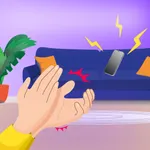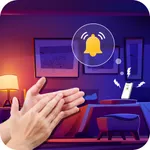
In this app, you can activate sound responses to claps, snaps, or whistles to locate your phone. Includes customizable alarm sounds and multiple trigger options for sound detection.
AppRecs review analysis
AppRecs rating 4.2. Trustworthiness 79 out of 100. Review manipulation risk 37 out of 100. Based on a review sample analyzed.
★★★★☆
4.2
AppRecs Rating
Ratings breakdown
5 star
70%
4 star
5%
3 star
8%
2 star
4%
1 star
12%
What to know
✓
Credible reviews
79% trustworthiness score from analyzed reviews
✓
High user satisfaction
76% of sampled ratings are 4+ stars (4.2★ average)
✓
Authentic reviews
Natural distribution, no red flags
About Clap Finder: Find My Phone !
Our app offers a convenient way to easily locate your device. By activating the "Clap Finder" feature, all you need to do is clap, snap your fingers, whistle, or do all three, and wait for your phone to emit a response, enabling you to quickly locate it without any difficulties.
Sound Collection
You can select the phone's alarm sound from a list. As a signal emitted by your phone, you can choose one of our 20 custom sounds. Clap your hands and wait for the phone to "respond". You will definitely not confuse them with melodies from other devices. Not enough? You can also set your own melody from your files.
Easily and quickly find your misplaced phone with the help of this app. The Clap to Find My Phone - Clap Finder application is designed to assist you in locating your device effortlessly, whether you're in a crowded area, in the dark, or somewhere at home.
How to use Clap Finder:
1. Start our application (Clap Finder section).
2. Change the alarm sound (if necessary).
3. Choose what sound your phone should respond to (clap, whistle, finger snap, or all of them together).
4. Click the "START" button to activate the "Clap Finder" mode.
5. Lock your phone without closing the application.
6. Start clapping (whistling or snapping your fingers) if you forget where your phone is.
7. Our application will detect the search sound and respond with a sound signal.
8. Your phone has been found.
Unplugged Charging Alarm Mode
Do you often encounter a problem when someone unplugs your phone from charging? Now you can activate the continuous charging mode, and if someone disconnects your phone from charging, our application will start beeping to notify you about it.
How to use Charging Alarm:
1. Go to the Charging Alarm section.
2. Make sure the phone is charging with a wire.
3. Press the "START" button and lock the application.
4. Now if someone disconnects your phone from charging, it will start beeping.
● Description of auto-renewal subscription:
- Subscription service: Auto-renewal membership.
- Subscription periods: 1 week (for continuous weekly payment products), 1 month (for continuous monthly payment products), 12 months (for continuous annual payment products).
- Subscription prices: $3.99 per week for continuous weekly payment products, $9.99 per quarter for continuous monthly payment products, and $19.99 per year for continuous annual payment products.
- Payment: After the user confirms the purchase and makes the payment, it will be credited to the iTunes account.
- Renewal: The Apple iTunes account will deduct the fee within 24 hours before the expiration, and after the successful deduction, the subscription period will be extended by one subscription period.
- Cancel renewal: If you need to cancel the renewal, please manually turn off the auto-renewal function in the iTunes/Apple ID setting management before 24 hours before the expiration of the current subscription period.
- Privacy policy: https://note.youdao.com/s/MwqPjkpL
- Term of us: https://note.youdao.com/s/Hut62bH7
- Membership service agreement: https://note.youdao.com/s/2k38ZoEc
Tap to Rate:
Reviews for Clap Finder: Find My Phone !
Sheikhs bc dgdj
Great app
This is a great app and o rated this a five because I always wanted this app to be a thing.😍😍
Girl that appreciates all apps
I love this, but I do want something else to happen
Hey people who made this app? I love it. You should totally add something though to the music list. Why don’t you add a happy birthday song to it? You know even though it’s not anyone’s birthday but still it would be funny and cool. Got this from my birthday, I got my phone for my birthday, this was my 13th birthday so I can add that short I still like it and sorry if my review sounds a bit weird or anything there’s a mistake but it’s okay all I’m saying is it would be funny if that actually happened if you could happy birthday to it just in case it is someone’s birthday in the phone is lost sometimes even my phone lost so sometimes I have to ask my mom to call my phone and one good thing about this app is that you don’t have to ask anyone to call your phone it’ll just call itself which is pretty cool. I’m not feeling. bad.