In this classroom management app, instructors can mark attendance, view reports, and send notifications. Includes QR code scanning, automatic sign-in, and cloud synchronization features.
AppRecs review analysis
AppRecs rating 4.5. Trustworthiness 79 out of 100. Review manipulation risk 21 out of 100. Based on a review sample analyzed.
★★★★☆
4.5
AppRecs Rating
Ratings breakdown
5 star
85%
4 star
6%
3 star
3%
2 star
1%
1 star
5%
What to know
✓
Low review manipulation risk
21% review manipulation risk
✓
Credible reviews
79% trustworthiness score from analyzed reviews
✓
High user satisfaction
85% of sampled ratings are 5 stars
About AccuClass
Need to track classroom attendance? We are glad you found AccuClass, the easy way to track classroom attendance. Instructors and students can use this app to:
Students:
• View your attendance status and history.
• Sign in to class by scanning a QR code.
• Sign in automatically by simply entering the classroom (if set up by your instructors).
• View your AccuClass profile and upload your avatar.
• Read announcements from your instructor.
Instructors:
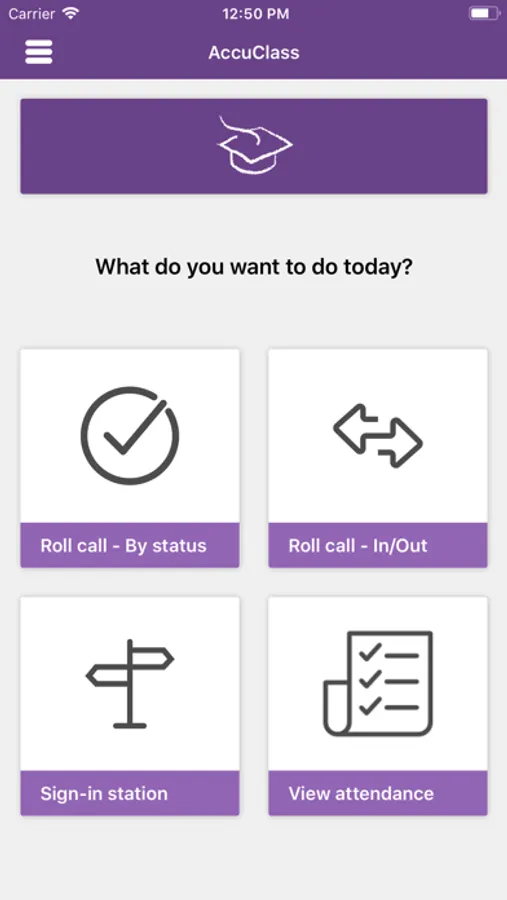
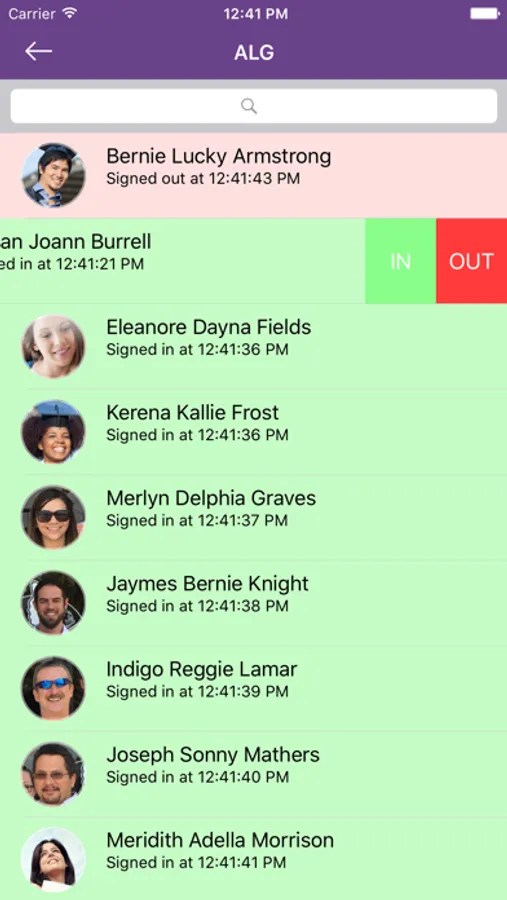
• Call the roll with your Apple device . Simply mark the appropriate attendance status for each student: present, absent, tardy. Also add your own custom status.
• Track attendance by proximity. Students who are in the classroom will be signed in automatically.
• Allow students to sign in or out by showing them a class QR code.
• Use the back camera of the Apple device to read a QR barcode on the ID card to sign students in.
• Use the front camera of an iPad placed in a kiosk display stand to read a QR barcode and sign students in.
• Use a magnetic strip reader that attaches to the Apple device to swipe ID cards and sign students in.
• View the attendance status of your class.
• Send live polls to the students.
• Send notifications to the students.
• Sync with the AccuClass portal in the cloud.
AccuClass simplifies the attendance data management as it allows you to import and export your data in the cloud. Simply log in to the AccuClass portal site to import your students and class schedule. Sync the Apple device with the portal to transfer this data to the device and to transfer the attendance data from the device to the portal. Access your attendance reports online from anywhere at any time.
AccuClass can work for a single instructor / teacher tracking the attendance of their own classes, or for an institution tracking the attendance at several or all classes.
The AccuClass app is provided for free. An account for the AccuClass cloud-based portal is also required to use the system. A complimentary 30-day trial account is available via the AccuClass website at http://www.accuclass.com.
Students:
• View your attendance status and history.
• Sign in to class by scanning a QR code.
• Sign in automatically by simply entering the classroom (if set up by your instructors).
• View your AccuClass profile and upload your avatar.
• Read announcements from your instructor.
Instructors:
• Call the roll with your Apple device . Simply mark the appropriate attendance status for each student: present, absent, tardy. Also add your own custom status.
• Track attendance by proximity. Students who are in the classroom will be signed in automatically.
• Allow students to sign in or out by showing them a class QR code.
• Use the back camera of the Apple device to read a QR barcode on the ID card to sign students in.
• Use the front camera of an iPad placed in a kiosk display stand to read a QR barcode and sign students in.
• Use a magnetic strip reader that attaches to the Apple device to swipe ID cards and sign students in.
• View the attendance status of your class.
• Send live polls to the students.
• Send notifications to the students.
• Sync with the AccuClass portal in the cloud.
AccuClass simplifies the attendance data management as it allows you to import and export your data in the cloud. Simply log in to the AccuClass portal site to import your students and class schedule. Sync the Apple device with the portal to transfer this data to the device and to transfer the attendance data from the device to the portal. Access your attendance reports online from anywhere at any time.
AccuClass can work for a single instructor / teacher tracking the attendance of their own classes, or for an institution tracking the attendance at several or all classes.
The AccuClass app is provided for free. An account for the AccuClass cloud-based portal is also required to use the system. A complimentary 30-day trial account is available via the AccuClass website at http://www.accuclass.com.
AccuClass Screenshots


Tap to Rate:
Reviews for AccuClass
Acelleration
It does not record properly!!
AccuClass
student zaqo
Attendance
I shouldn’t have to keep track of my attendance, my teachers should