AppRecs review analysis
AppRecs rating 4.0. Trustworthiness 80 out of 100. Review manipulation risk 16 out of 100. Based on a review sample analyzed.
★★★★☆
4.0
AppRecs Rating
Ratings breakdown
5 star
78%
4 star
0%
3 star
0%
2 star
0%
1 star
22%
What to know
✓
Low review manipulation risk
16% review manipulation risk
✓
Credible reviews
80% trustworthiness score from analyzed reviews
✓
High user satisfaction
78% of sampled ratings are 4+ stars (4.1★ average)
About JSON Editor Mobile
JSON Editor is a beautiful viewer and editor for JSON data. It allows you to create, visualize, modify, validate, format and save your JSON documents.
The app has the smarts needed to make the minimum changes when editing a file, even in the "outline" mode.
This is especially useful when you keep the files in a repository, because only the relevant changes will be shown when diff-ing the edited files.
MAJOR FEATURES
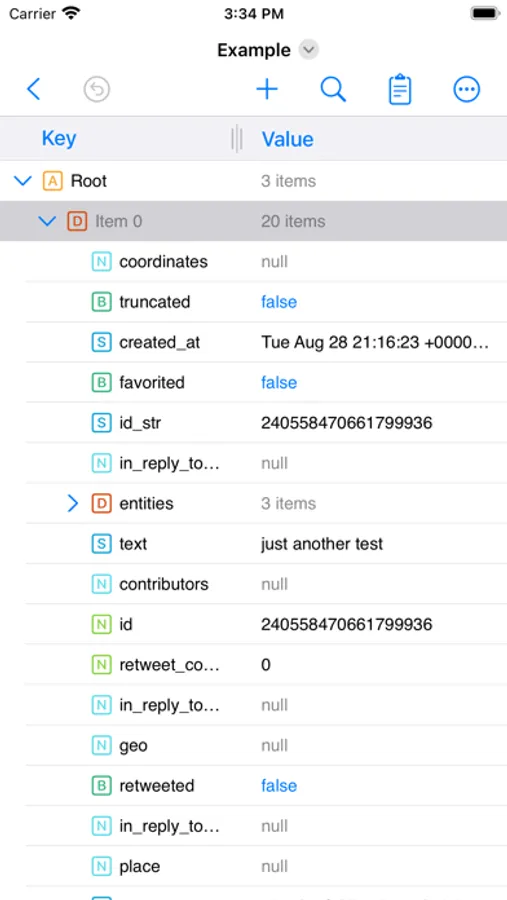
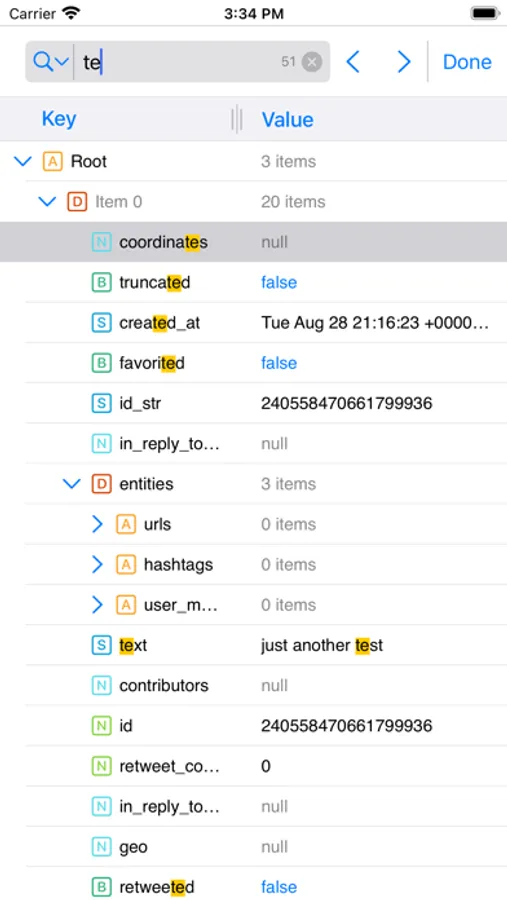
• View and edit your JSON documents in "outline" (aka "tree") or "text" modes
• The "outline" mode offers a great and error proof way to manipulate your JSON, by allowing you to easily add, reorder, delete, copy & paste the items
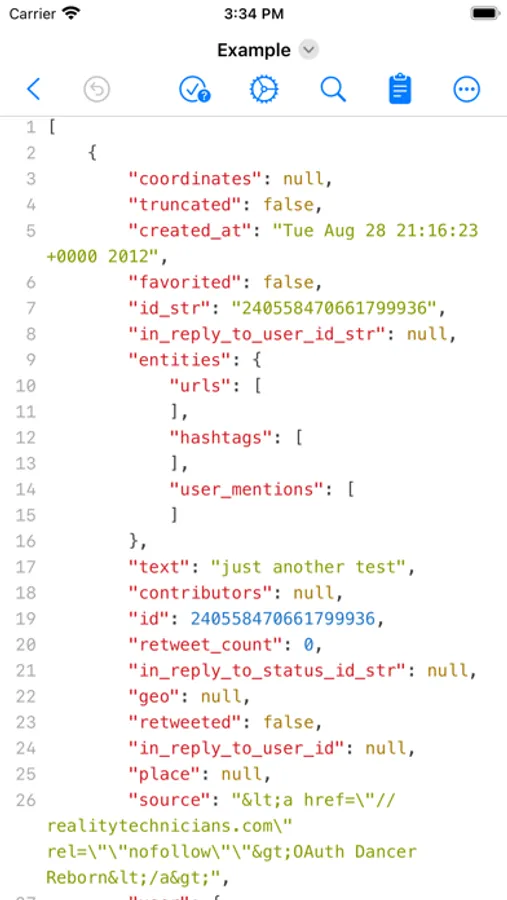
• The "text" mode offers a quick way to interact with the raw text which makes up the JSON and to investigate invalid JSONs
OUTLINE MODE
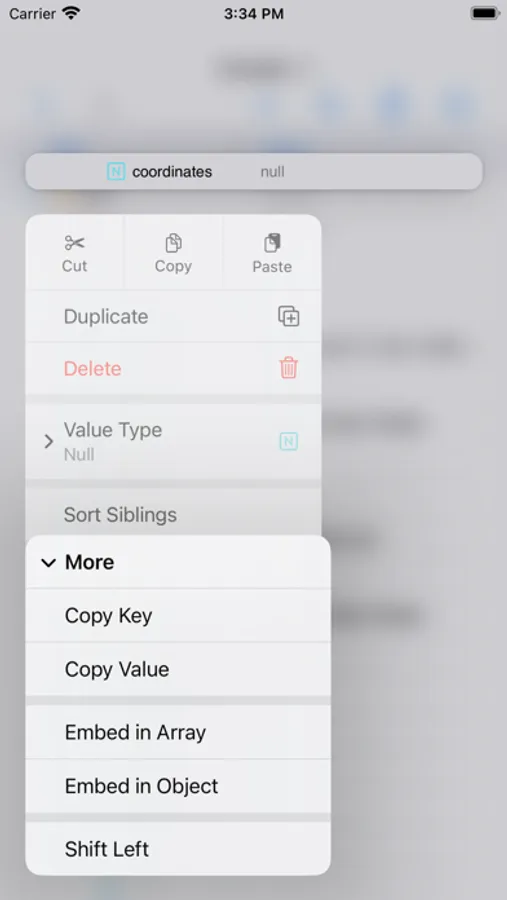
• Perform standard operations: cut, copy, paste, delete, reorder
• Edit keys & values
• Sort sibling items or the children of a parent item
• Sort the entire JSON by tapping the "Key" or "Value" columns
• Auto-detect if the document is human readable or compact, and preserve this format
• Find & Replace - configure where the Find (and replace) will take place: in "Key" column or "Value" column or both.
• Duplicate items
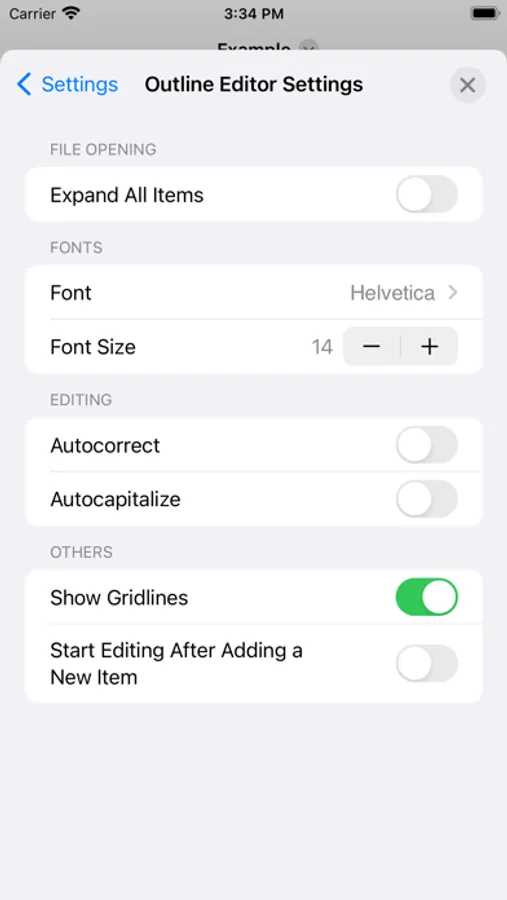
• Change font & font size for better readability
• Undo & redo
• More customization options available in "More →Settings → Outline Editor"
TEXT MODE
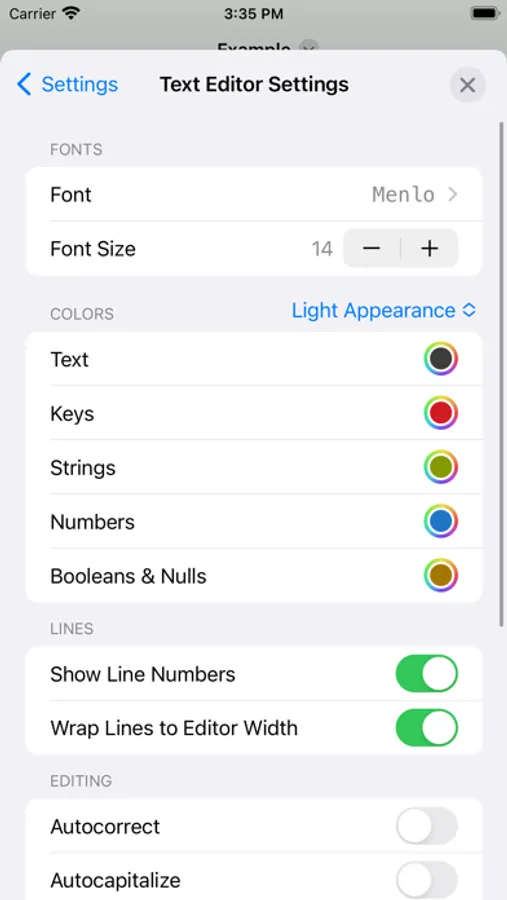
• Syntax coloring, auto-indentation and line numbers
• Customize the syntax colors, both for the light and dark appearances
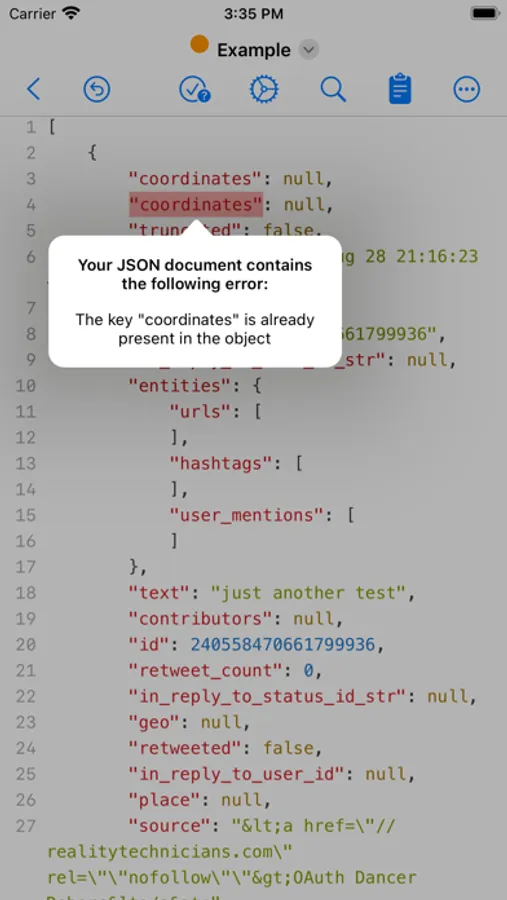
• Validate the JSON document
• Highlight of the validation errors, along with a description of them
• Make the JSON document human readable or compact, even if it is not entirely valid
• Find & Replace
• Change font & font size for better readability
• Undo & redo
• More customization options available in "More → Settings → Text Editor"
IMPORTANT: JSON Editor is available as free to download, but a few features are disabled by default: Save documents, Find & Replace, Sort.
In order to get the most out of the app, and to enable the aforementioned features, "Premium" is recommended to be purchased ("Premium" is a one-time in-app purchase).
The app has the smarts needed to make the minimum changes when editing a file, even in the "outline" mode.
This is especially useful when you keep the files in a repository, because only the relevant changes will be shown when diff-ing the edited files.
MAJOR FEATURES
• View and edit your JSON documents in "outline" (aka "tree") or "text" modes
• The "outline" mode offers a great and error proof way to manipulate your JSON, by allowing you to easily add, reorder, delete, copy & paste the items
• The "text" mode offers a quick way to interact with the raw text which makes up the JSON and to investigate invalid JSONs
OUTLINE MODE
• Perform standard operations: cut, copy, paste, delete, reorder
• Edit keys & values
• Sort sibling items or the children of a parent item
• Sort the entire JSON by tapping the "Key" or "Value" columns
• Auto-detect if the document is human readable or compact, and preserve this format
• Find & Replace - configure where the Find (and replace) will take place: in "Key" column or "Value" column or both.
• Duplicate items
• Change font & font size for better readability
• Undo & redo
• More customization options available in "More →Settings → Outline Editor"
TEXT MODE
• Syntax coloring, auto-indentation and line numbers
• Customize the syntax colors, both for the light and dark appearances
• Validate the JSON document
• Highlight of the validation errors, along with a description of them
• Make the JSON document human readable or compact, even if it is not entirely valid
• Find & Replace
• Change font & font size for better readability
• Undo & redo
• More customization options available in "More → Settings → Text Editor"
IMPORTANT: JSON Editor is available as free to download, but a few features are disabled by default: Save documents, Find & Replace, Sort.
In order to get the most out of the app, and to enable the aforementioned features, "Premium" is recommended to be purchased ("Premium" is a one-time in-app purchase).
JSON Editor Mobile Screenshots
Tap to Rate:
Reviews for JSON Editor Mobile
Cladidotti
Not working!!
I paid for the app and it’s not working
Freedlun
Awesome to finally have this on iOS!
I’ve used this app on the Mac for years and I love it! I have looked, but never found a json editor on iOS that worked as simply and effectively as this one. Thanks for bringing this to mobile!