AppRecs review analysis
AppRecs rating 4.0. Trustworthiness 74 out of 100. Review manipulation risk 25 out of 100. Based on a review sample analyzed.
★★★★☆
4.0
AppRecs Rating
Ratings breakdown
5 star
50%
4 star
0%
3 star
0%
2 star
50%
1 star
0%
What to know
✓
Low review manipulation risk
25% review manipulation risk
✓
Credible reviews
74% trustworthiness score from analyzed reviews
About MigraineMapper
MigraineMapper was developed by a chronic migraine patient who wanted one straightforward place to track patterns and treatments—without the overwhelm.
What you can do
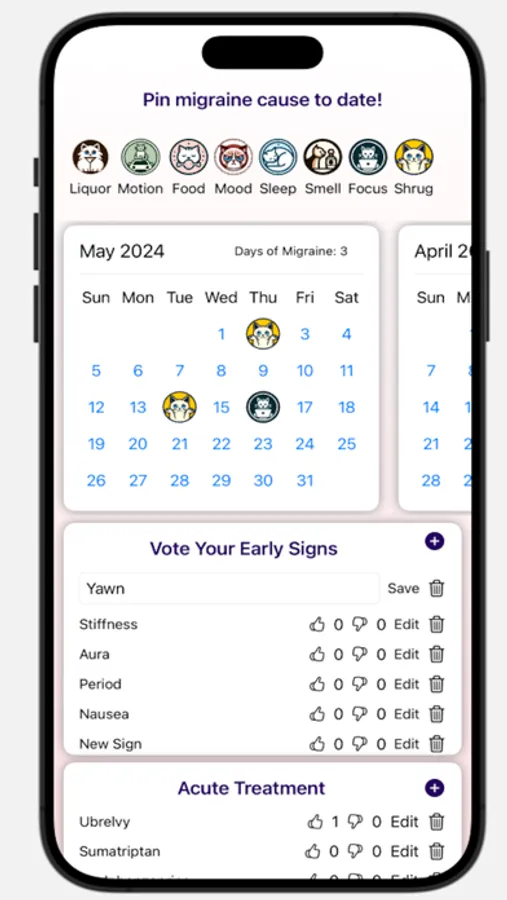
Pin days on a calendar: one tap to log cause and severity; see your month at a glance.
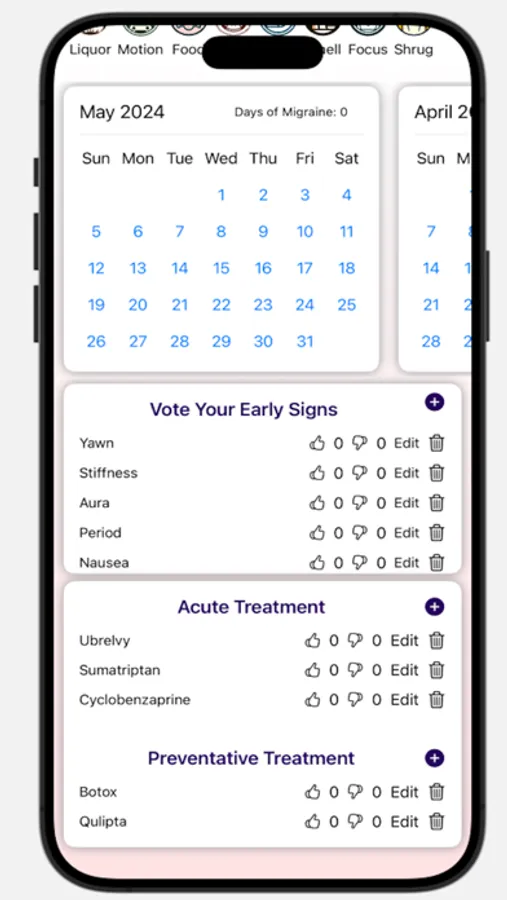
Capture early signs: note yawning, stiffness, aura, and more to spot trends sooner.
Track treatments: record acute & preventive meds/therapies and what actually helped.
Mark recurring events: add your own colored dots (e.g., period, meds, sleep changes).
See simple stats: monthly trends and days since your last event, by color.
Keep your data private: stays on your device, with optional email export.
No gimmicks—just the essentials to help you and your clinician see what’s changing over time.
MigraineMapper is not a medical device and doesn’t provide medical advice. Always consult your healthcare provider for diagnosis and treatment.
MigraineMapper Screenshots
Tap to Rate:
Reviews for MigraineMapper
Davdennis
Nice
Like the app. I like how simple it is. Easy to record my migraines and other stuff.
Aki✨Lucky
Has Potential, Needs Some Help
I'm on a quest to find a great migraine tracker that works for me, and this is better than the majority that I've found, but could still use some work. Pros: -Free -Can add as many early signs, acute treatment methods, and preventative treatment methods as you want -Cat theme, which is fun because most apps don't have any themes or fun Cons: -Can't record pain intensity -Can't record any symptoms during your migraine/headache, only warning symptoms -Can only choose one trigger for the entire day, which is a (fun) cat pin you place on the calendar day -Can customize all of the early signs, acute/preventative treatment methods to be whatever you want them to be -Only 10 trigger options Improvement Suggestion: Doesn't have ANY guidance at all, so it's just pushing some buttons until you figure out how it works, which doesn't take TOO long, but just a smidge of instruction would be appreciated.