
AppRecs review analysis
AppRecs rating 2.5. Trustworthiness 45 out of 100. Review manipulation risk 44 out of 100. Based on a review sample analyzed.
★★☆☆☆
2.5
AppRecs Rating
Ratings breakdown
5 star
100%
4 star
0%
3 star
0%
2 star
0%
1 star
0%
What to know
⚠
Questionable review patterns
44% review manipulation risk - some review patterns appear unusual
About FalconX VPN&Routing
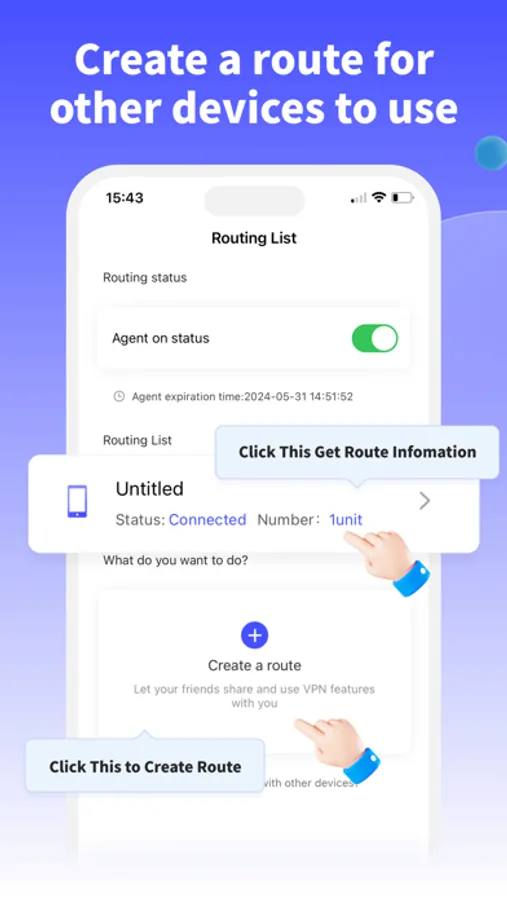
FalconX Routing App is built on our proprietary network traffic optimization technology, ensuring exceptional stability, broad device compatibility, and a seamless user experience.
At the heart of the app lies an innovative routing feature that enables the device to function as a smart network hub. This allows nearby devices connected to the same Wi-Fi network to benefit from optimized network settings—without the need to activate traditional VPN services.
By leveraging advanced routing configuration, FalconX helps reduce bandwidth overhead and user-side setup complexity, delivering more efficient and cost-effective connectivity.
We are committed to ongoing innovation and will continue to explore user-centric enhancements to make network optimization more accessible and intelligent.
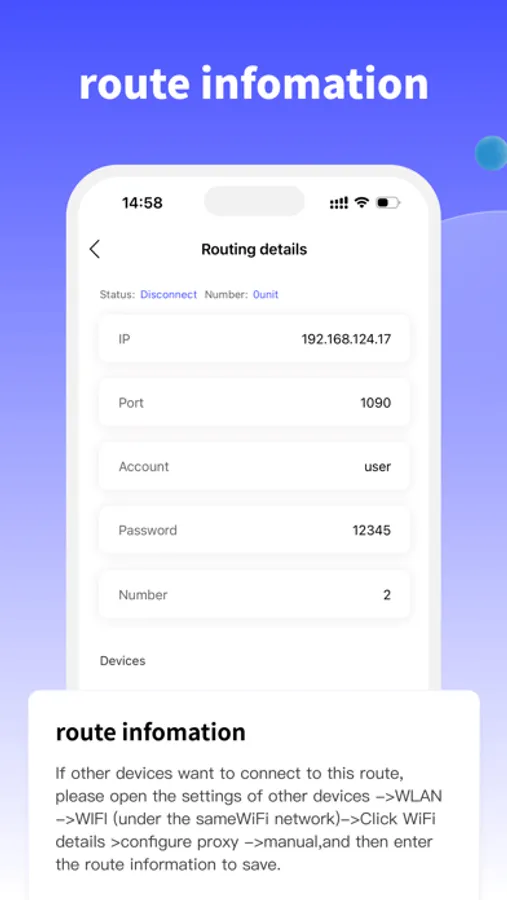
To enable network optimization on other devices:
Go to the device’s Settings → WLAN → Connected Wi-Fi Network → Configure Proxy → Manual, then input the routing information provided by the FalconX device and save.
At the heart of the app lies an innovative routing feature that enables the device to function as a smart network hub. This allows nearby devices connected to the same Wi-Fi network to benefit from optimized network settings—without the need to activate traditional VPN services.
By leveraging advanced routing configuration, FalconX helps reduce bandwidth overhead and user-side setup complexity, delivering more efficient and cost-effective connectivity.
We are committed to ongoing innovation and will continue to explore user-centric enhancements to make network optimization more accessible and intelligent.
To enable network optimization on other devices:
Go to the device’s Settings → WLAN → Connected Wi-Fi Network → Configure Proxy → Manual, then input the routing information provided by the FalconX device and save.
FalconX VPN&Routing Screenshots

Tap to Rate:
Reviews for FalconX VPN&Routing
user_gd
is good
is so good