AppRecs review analysis
AppRecs rating 4.5. Trustworthiness 45 out of 100. Review manipulation risk 25 out of 100. Based on a review sample analyzed.
★★★★☆
4.5
AppRecs Rating
Ratings breakdown
5 star
100%
4 star
0%
3 star
0%
2 star
0%
1 star
0%
What to know
⚠
Unusually uniform ratings
100% of sampled ratings are 5 stars with very little variation
About GPS Maps Camera
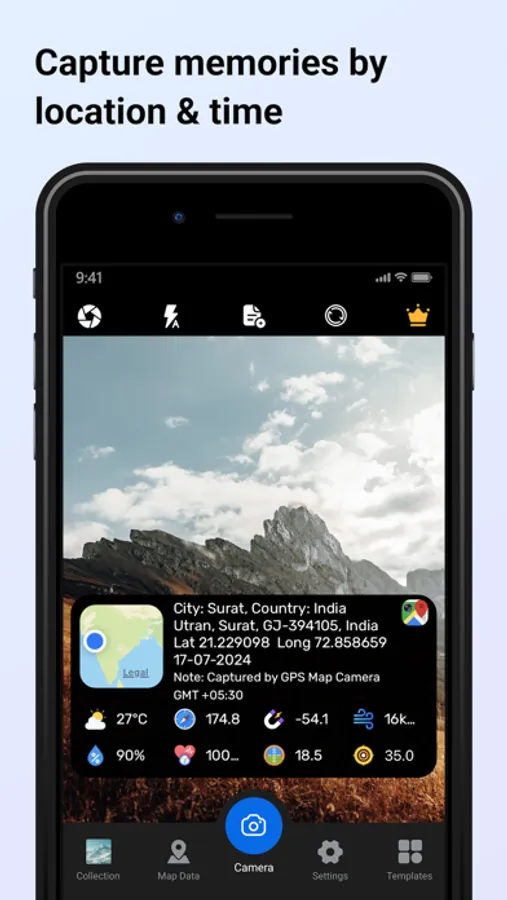
Capture and customise your photos with our all-in-one GPS Maps Camera app, designed for photographers, traveler’s, and outdoor enthusiasts. Discover a comprehensive suite of features that allow you to enhance your images with detailed map data, weather conditions, and more. Here’s what you can do with our app:
Camera Features:
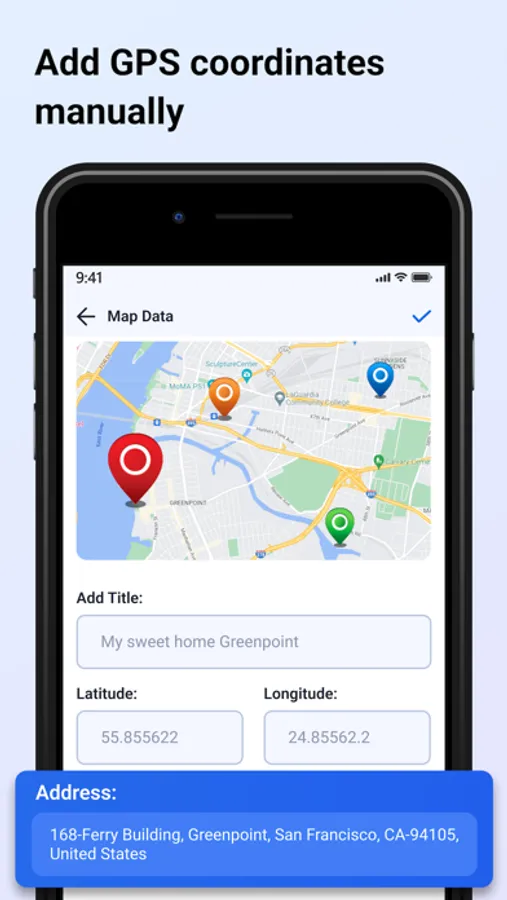
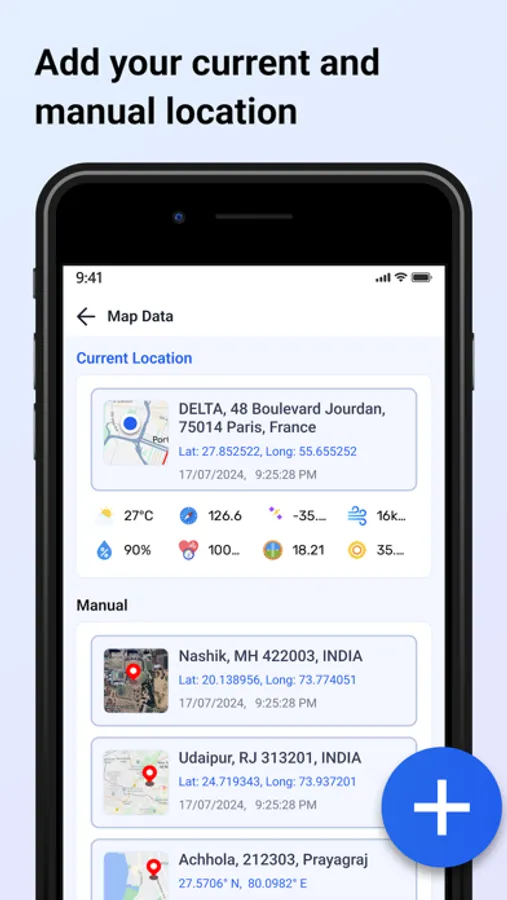
- Map Data Integration: Choose between manual or automatic map data settings.
- Custom Camera Options: Utilise a grid, select your preferred aspect ratio, toggle between front and back cameras, enable flash, adjust focus, and set a timer.
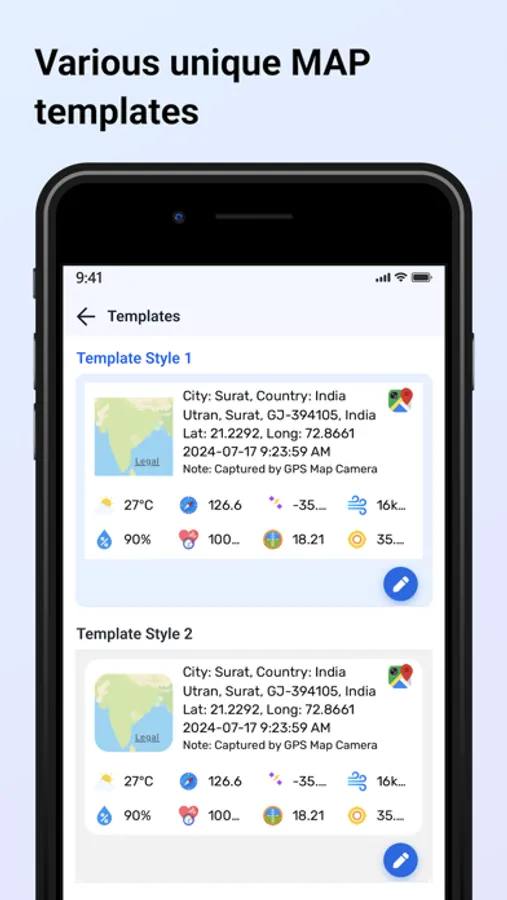
- Template Selection: Pick any template and arrange formats according to your needs.
Advanced Template Options:
- Map Types: Switch between Normal, Satellite, and Hybrid views.
- Address Formats: Choose between long and short address displays.
- GPS Coordinates: Select from Decimal, MGRS, or UTM formats.
- Date and Time: Display date and time in various formats.
- Time Zone: Select any time zone to match your location.
- Weather Information: Display temperature in Fahrenheit or Celsius.
- Wind Speed: Measure wind speed in your chosen units.
- Compass Direction: Automatically show the compass direction.
- Magnetic Field: Display magnetic field details automatically.
- Pressure Measurement: Choose between hPa and inHG units.
- Accuracy: Automatically get accuracy details in two formats.
- Altitude Calculation: Automatically calculate and display altitude.
- Customisable Features: Hide or show any feature based on your preferences.
Photo Management:
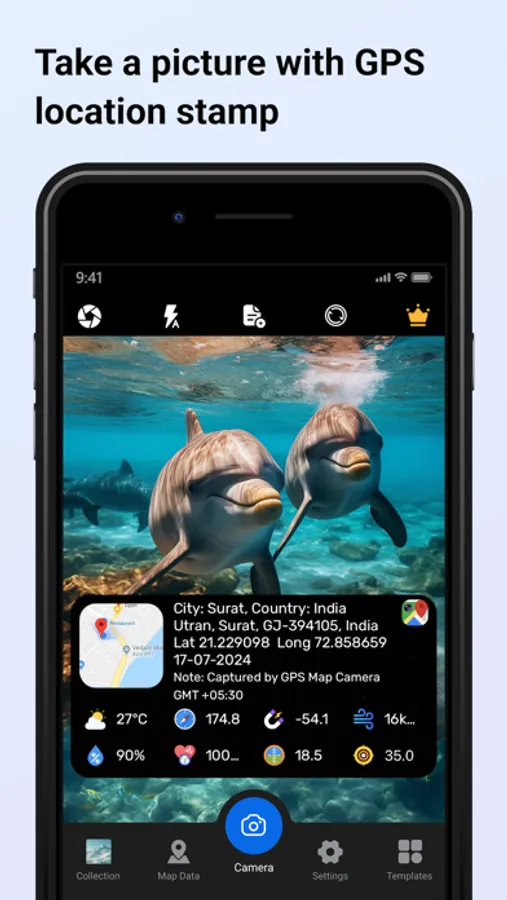
- Image Capture: Take photos with a stamp and easily delete, share, or save them to your gallery.
- QR Code Scanning: Scan QR codes to get direct links.
- Location Data: Set manual or current location data on your camera stamp for accurate geotagging.
Subscription Details: -
- Payment will be charged to iTunes Account at confirmation of purchase.
- Subscription automatically renews unless auto-renew is turned off at least 24 hours before the end of the current period.
- Account will be charged for renewal within 24 hours prior to the end of the current period, and identify the cost of the renewal.
- No cancellation of the current subscription is allowed during the active subscription period.
- Any unused portion of a free trial period, if offered, will be forfeited when the user purchases a subscription to that publication, where applicable
For Further Information:
Privacy Policy = https://www.privacypolicycenter.com/view_custom.php?v=MFdkTkp3N2pMemNjQlNITWdTVENrZz09&n=Privacy-Policy
Terms of Use = https://www.privacypolicycenter.com/view_custom.php?v=SXVpV05FV3g4TmtsdS9YOEttWjAvdz09&n=Terms-
Camera Features:
- Map Data Integration: Choose between manual or automatic map data settings.
- Custom Camera Options: Utilise a grid, select your preferred aspect ratio, toggle between front and back cameras, enable flash, adjust focus, and set a timer.
- Template Selection: Pick any template and arrange formats according to your needs.
Advanced Template Options:
- Map Types: Switch between Normal, Satellite, and Hybrid views.
- Address Formats: Choose between long and short address displays.
- GPS Coordinates: Select from Decimal, MGRS, or UTM formats.
- Date and Time: Display date and time in various formats.
- Time Zone: Select any time zone to match your location.
- Weather Information: Display temperature in Fahrenheit or Celsius.
- Wind Speed: Measure wind speed in your chosen units.
- Compass Direction: Automatically show the compass direction.
- Magnetic Field: Display magnetic field details automatically.
- Pressure Measurement: Choose between hPa and inHG units.
- Accuracy: Automatically get accuracy details in two formats.
- Altitude Calculation: Automatically calculate and display altitude.
- Customisable Features: Hide or show any feature based on your preferences.
Photo Management:
- Image Capture: Take photos with a stamp and easily delete, share, or save them to your gallery.
- QR Code Scanning: Scan QR codes to get direct links.
- Location Data: Set manual or current location data on your camera stamp for accurate geotagging.
Subscription Details: -
- Payment will be charged to iTunes Account at confirmation of purchase.
- Subscription automatically renews unless auto-renew is turned off at least 24 hours before the end of the current period.
- Account will be charged for renewal within 24 hours prior to the end of the current period, and identify the cost of the renewal.
- No cancellation of the current subscription is allowed during the active subscription period.
- Any unused portion of a free trial period, if offered, will be forfeited when the user purchases a subscription to that publication, where applicable
For Further Information:
Privacy Policy = https://www.privacypolicycenter.com/view_custom.php?v=MFdkTkp3N2pMemNjQlNITWdTVENrZz09&n=Privacy-Policy
Terms of Use = https://www.privacypolicycenter.com/view_custom.php?v=SXVpV05FV3g4TmtsdS9YOEttWjAvdz09&n=Terms-
GPS Maps Camera Screenshots
Tap to Rate:
Reviews for GPS Maps Camera
Rvr V
Rvprasad
This app is excellent