
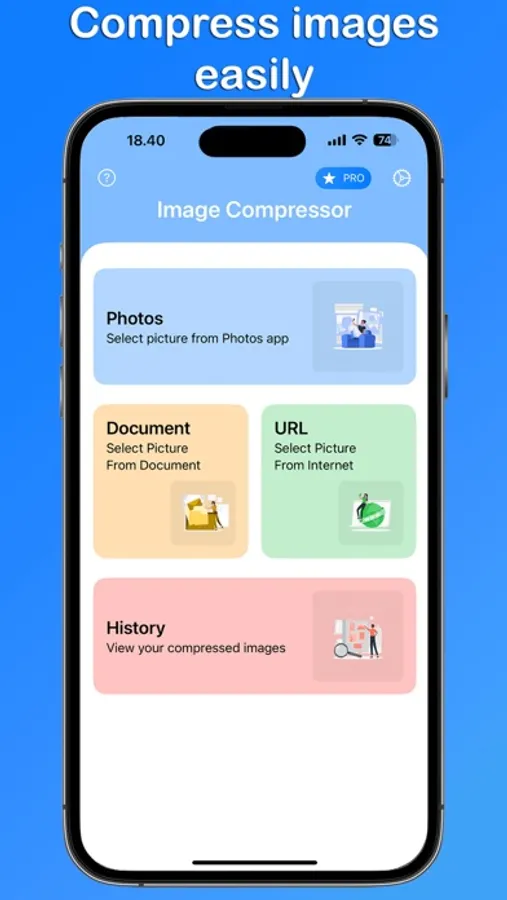
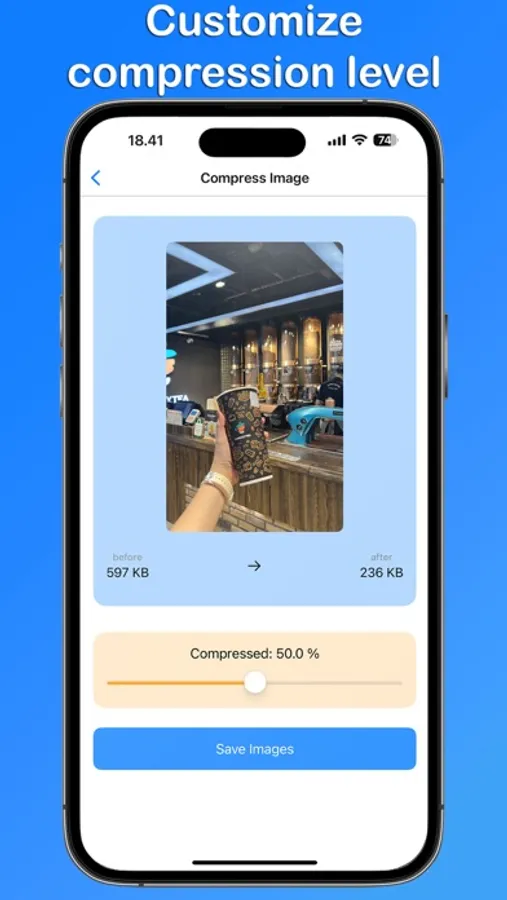
In this image compression app, you can select photos, documents, or URLs to reduce image sizes while preserving quality. Includes adjustable compression levels, batch processing, and a preview feature.
AppRecs review analysis
AppRecs rating 4.6. Trustworthiness 65 out of 100. Review manipulation risk 29 out of 100. Based on a review sample analyzed.
★★★★☆
4.6
AppRecs Rating
Ratings breakdown
5 star
94%
4 star
6%
3 star
0%
2 star
0%
1 star
0%
What to know
✓
Low review manipulation risk
29% review manipulation risk
✓
High user satisfaction
94% of sampled ratings are 5 stars
✓
Authentic reviews
No red flags detected
About Image Compressor ™
Image Compressor is an app designed to reduce image file sizes while maintaining high quality. Perfect for anyone needing to save storage space or share images quickly, our app combines simplicity with powerful functionality.
Key Features:
High-Quality Compression: Ensure your images retain their quality even after compression.
Multiple Sources: Choose images from photos, documents, or URLs.
Batch Processing: Compress multiple images simultaneously to save time.
Adjustable Compression Levels: Set your desired compression level for optimal results.
Preview Before Saving: See the results of your compression before saving the images.
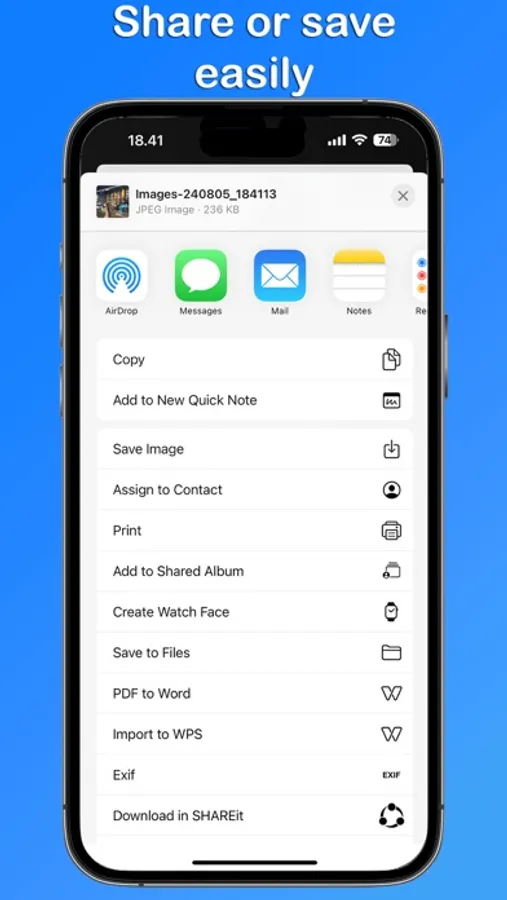
Save and Share: Save compressed images to your device or share them directly from the app.
History: Keep track of your compressed images with the history feature.
How to Use:
Select Images: Choose images from your photo library, documents, or enter a URL.
Adjust Compression: Set the compression level that suits your needs.
Compress: Tap the compress button to reduce the file size of your images.
Preview: View the compressed images before finalizing.
Save or Share: Save the images to your device or share them instantly.
Image Compressor is ideal for:
Photographers: Compress high-resolution photos to save device storage.
Social Media Enthusiasts: Share images faster by reducing their file sizes.
Businesses: Optimize images for faster loading on websites and applications.
Download Image Compressor now and make image management effortless!
Image Compressor app is free. You can use it forever, at no cost. However, Image Compressor does offer premium features for its subscribers. If you decide to purchase an upgrade, you will unlock additional features.
Terms of Use: https://kociapp.github.io/Image-Compressor/term-of-use
Privacy Policy: https://kociapp.github.io/Image-Compressor/privacy-policy
Key Features:
High-Quality Compression: Ensure your images retain their quality even after compression.
Multiple Sources: Choose images from photos, documents, or URLs.
Batch Processing: Compress multiple images simultaneously to save time.
Adjustable Compression Levels: Set your desired compression level for optimal results.
Preview Before Saving: See the results of your compression before saving the images.
Save and Share: Save compressed images to your device or share them directly from the app.
History: Keep track of your compressed images with the history feature.
How to Use:
Select Images: Choose images from your photo library, documents, or enter a URL.
Adjust Compression: Set the compression level that suits your needs.
Compress: Tap the compress button to reduce the file size of your images.
Preview: View the compressed images before finalizing.
Save or Share: Save the images to your device or share them instantly.
Image Compressor is ideal for:
Photographers: Compress high-resolution photos to save device storage.
Social Media Enthusiasts: Share images faster by reducing their file sizes.
Businesses: Optimize images for faster loading on websites and applications.
Download Image Compressor now and make image management effortless!
Image Compressor app is free. You can use it forever, at no cost. However, Image Compressor does offer premium features for its subscribers. If you decide to purchase an upgrade, you will unlock additional features.
Terms of Use: https://kociapp.github.io/Image-Compressor/term-of-use
Privacy Policy: https://kociapp.github.io/Image-Compressor/privacy-policy
Image Compressor ™ Screenshots
Tap to Rate:
Reviews for Image Compressor ™
mr.downtown
First Impression
I liked the simple format screen and used it easily. Was impressed of the quality on a 75% compression. I didn’t understand why there was no options to save original photo file date, nor one to delete the original pic. Will update after there is response to issues