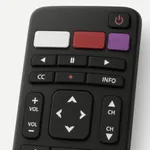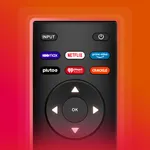
With this remote control app, you can connect to your Vizio TV for instant device control and manage TV apps directly from your phone. Includes Wi-Fi connection setup, volume adjustment, and navigation features.
AppRecs review analysis
AppRecs rating 4.3. Trustworthiness 49 out of 100. Review manipulation risk 33 out of 100. Based on a review sample analyzed.
★★★★☆
4.3
AppRecs Rating
Ratings breakdown
5 star
89%
4 star
4%
3 star
1%
2 star
2%
1 star
4%
What to know
✓
Authentic reviews
No red flags detected
⚠
Rating authenticity concerns
High rating concentration (89% 5-star) in sampled ratings
⚠
Low-content positive reviews
Many 5-star reviews use very limited vocabulary
About Vizio TV Remote: VizCast
Simplify your viewing with intuitive navigation from your smartphone, enhancing your TV experience.
1. Connect instantly to TV for immediate control.
2. Navigate with ease using intuitive arrow keys for smooth TV interaction.
3. Open and manage your favorite TV apps directly from the remote interface.
4. Adjust volume with responsive controls.
5. Connect your phone to smart TV, ensuring both devices are on the same Wi-Fi network for seamless control.
Customer Support
◇ You can reach customer support to provide feedback and expect a prompt response. Your feedback is valuable for the improvement of this Vizio TV remote app.
◇ Updates are continuously rolled out to enhance its performance.
Disclaimer
This app is not affiliated with official brand. It has been created solely for user convenience, enabling them to control their TV from their mobile device.
Upgrade to subscription plan
Get access to the remote control experience with ads free, weekly, monthly and yearly subscription plan.
Your payment will be charged to your iTunes Account at confirmation of purchase. Secondly, your subscription will renew automatically, but you can turn off auto-renewal by accessing your Account Settings 24 hours before the end of the current period.
Terms of Use: https://www.apple.com/legal/internet-services/itunes/dev/stdeula/
Contact us at: zsmapps2024@gmail.com
Download now and experience the future of Vizio TV Remote control today!
1. Connect instantly to TV for immediate control.
2. Navigate with ease using intuitive arrow keys for smooth TV interaction.
3. Open and manage your favorite TV apps directly from the remote interface.
4. Adjust volume with responsive controls.
5. Connect your phone to smart TV, ensuring both devices are on the same Wi-Fi network for seamless control.
Customer Support
◇ You can reach customer support to provide feedback and expect a prompt response. Your feedback is valuable for the improvement of this Vizio TV remote app.
◇ Updates are continuously rolled out to enhance its performance.
Disclaimer
This app is not affiliated with official brand. It has been created solely for user convenience, enabling them to control their TV from their mobile device.
Upgrade to subscription plan
Get access to the remote control experience with ads free, weekly, monthly and yearly subscription plan.
Your payment will be charged to your iTunes Account at confirmation of purchase. Secondly, your subscription will renew automatically, but you can turn off auto-renewal by accessing your Account Settings 24 hours before the end of the current period.
Terms of Use: https://www.apple.com/legal/internet-services/itunes/dev/stdeula/
Contact us at: zsmapps2024@gmail.com
Download now and experience the future of Vizio TV Remote control today!
Tap to Rate:
Reviews for Vizio TV Remote: VizCast
Pingi0421
You don’t have to pay
It’s great because all the other apps you need to pay but this one is completely free and working
seaman solange
fantastic
Saves time using TV