SnoreClock - Do you snore?
Ralph-Ruediger Schiffhauer
4.6 ★
53 ratings
$9.99
In this sleep monitoring app, you can record and analyze nighttime sounds to detect snoring, talking, and disturbances. Includes sound detection, recording duration up to 11 hours, and local data storage.
AppRecs review analysis
AppRecs rating 4.6. Trustworthiness 84 out of 100. Review manipulation risk 23 out of 100. Based on a review sample analyzed.
★★★★☆
4.6
AppRecs Rating
Ratings breakdown
5 star
83%
4 star
4%
3 star
8%
2 star
2%
1 star
4%
What to know
✓
Low review manipulation risk
23% review manipulation risk
✓
Credible reviews
84% trustworthiness score from analyzed reviews
✓
High user satisfaction
83% of sampled ratings are 5 stars
About SnoreClock - Do you snore?
Do you talk in your sleep?
Do other sounds disturb your sleep?
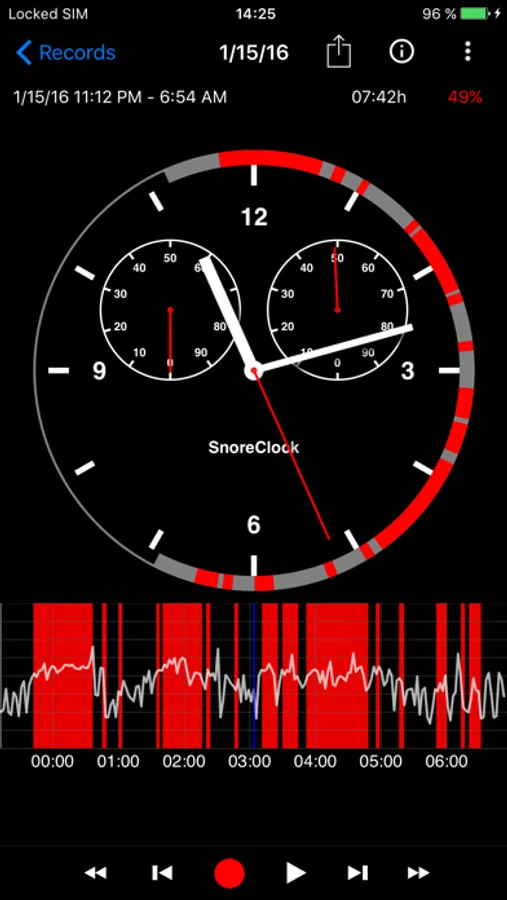
SnoreClock records sleep sounds during user-initiated sleep sessions and detects snoring events. Because SnoreClock can record throughout the night, you can review snoring and other sleep sounds in context and better understand what happens while you sleep.
Check if you snore, if your partner snores, if you talk in your sleep, or if something disturbs your sleep.
Tip: Pinch to zoom and drag to move in the chart.
Features:
• Records and analyzes sleep sounds during a user-started sleep session
• Reliable snore detection
• Highlights likely snoring events
• Marks other sounds such as talking, whispering, or coughing
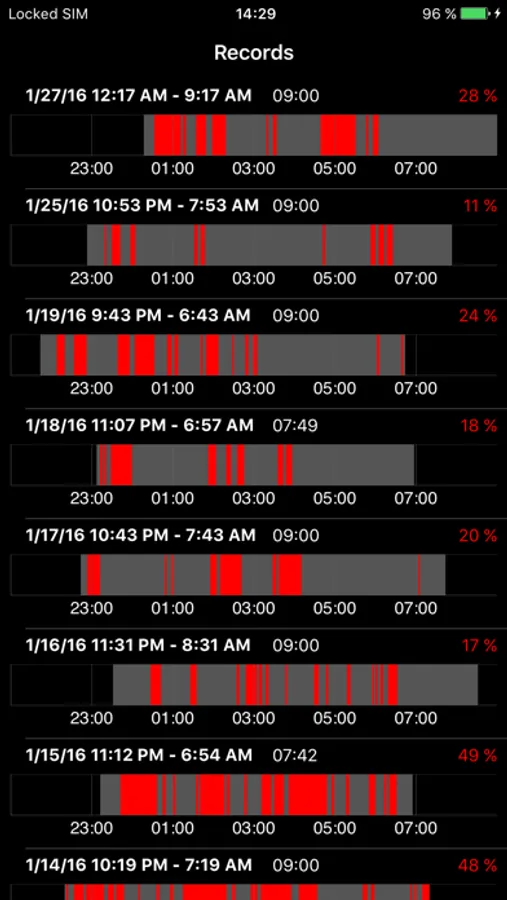
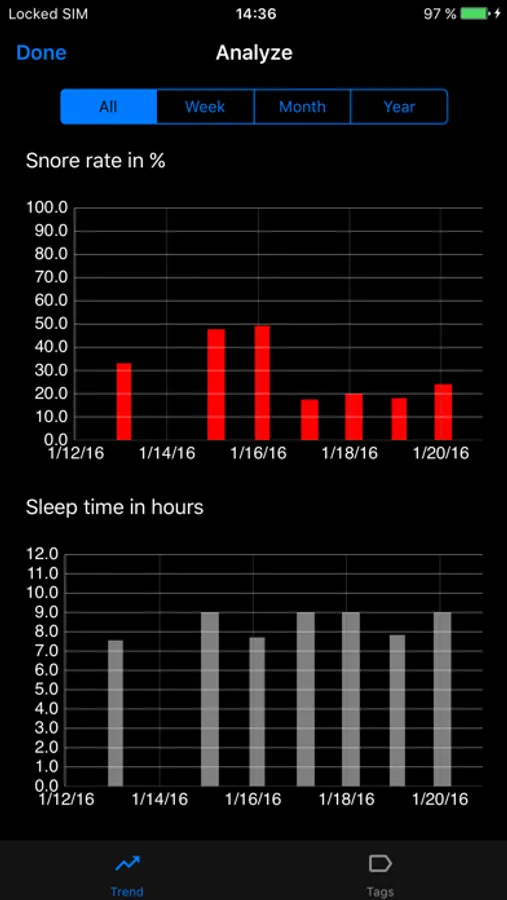
• Compare recordings to observe changes in snoring over time
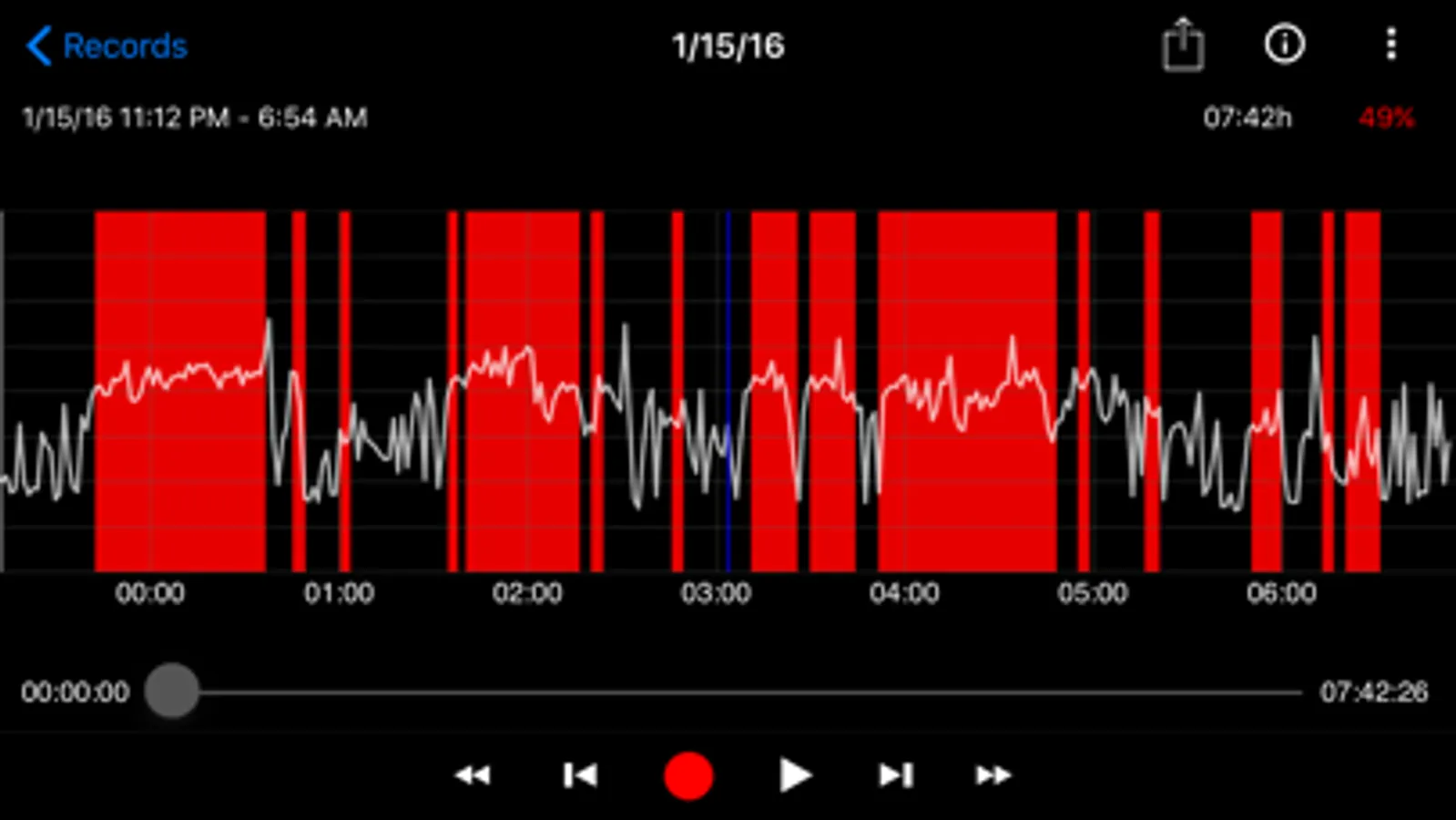
• Displays volume levels across the entire recording
• Recording time up to 11 hours
• Automatically stops recording on low battery
• Gesture-based zooming and scrolling in the graph
Privacy:
• No registration required
• No tracking
• No advertising or data monetization
• No cloud storage
• All recordings are processed and stored locally on your device
How to use SnoreClock:
1. Place the smartphone near the bed
2. Plug in the phone if you need sufficient battery in the morning
3. Press the red button to start recording
4. Press the red button again in the morning to stop recording
5. Tap anywhere in the chart to listen. Pinch to zoom and drag to move
If you need help, tap the help icon in SnoreClock to access documentation or contact support.
SnoreClock is not a medical device. This app is intended for informational purposes only and does not provide medical advice, diagnosis, or treatment. If you have concerns about snoring or possible sleep disorders, please consult a qualified healthcare professional.
SnoreClock - Do you snore? Screenshots
Tap to Rate:
Reviews for SnoreClock - Do you snore?
Hugh R Heinsohn
Minimally useful
No subscription, which is nice. But it’s minimally useful. Snorelab provides much better analysis and has a vastly better UI. Snoreclock has a confusing UI. Pretty much no documentation available on the developer website. At $10, it’s overpriced for what it does.
Mauiers
Great!
I love this app, no stupid subscription, only complaint is a recent update made it have to analyze the recording after the recording instead of during, resulting in a loading bar when recording stops instead of instant results like it used to. Still the best app.