AppRecs review analysis
AppRecs rating 1.0. Trustworthiness 45 out of 100. Review manipulation risk 20 out of 100. Based on a review sample analyzed.
★☆☆☆☆
1.0
AppRecs Rating
Ratings breakdown
5 star
0%
4 star
0%
3 star
0%
2 star
0%
1 star
100%
What to know
⚠
Mixed user feedback
Average 1.0★ rating suggests room for improvement
About TV Remote For Android
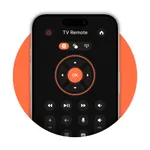
Control your Smart TV directly from your iPhone or iPad. This app allows you to easily navigate through TV settings, change channels, adjust volume, and perform other essential functions. With Wi-Fi support and auto-discovery, setup is quick and seamless, turning your device into a full-featured remote for your TV.
• Easily switch channels with the TV remote control feature of the Remote app.
• Enjoy quick access to play and pause your TV with just a tap.
• Transform your smartphone into a full-featured remote controller, giving you complete control over your TV from your mobile device.
• Manage your TV seamlessly with the remote control app, available directly on your phone.
Connection & Compatibility:
• Wi-Fi Connectivity: Easily connects through the same Wi-Fi network.
• Automatic Discovery: Automatically detects your Smart TV for quick setup.
Features Remote Control of TV:
• Power ON / OFF.
• Home
• Volume Up.
• Volume Down.
• Channel Up.
• Channel Down.
• Search / Setting button.
• Menu Button with up / down and left / right.
• Red / Green / Blue / Yellow (Multiple purpose soft keys).
• Channel Digits buttons.
Subscription Details:-
- Payment will be charged to iTunes Account at confirmation of purchase.
- Subscription automatically renews unless auto-renew is turned off at least 24 hours before the end of the current period.
- Account will be charged for renewal within 24 hours prior to the end of the current period, and identify the cost of the renewal.
- No cancellation of the current subscription is allowed during the active subscription period.
- Any unused portion of a free trial period, if offered, will be forfeited when the user purchases a subscription to that publication, where applicable
For Further Information:
Privacy Policy = https://sites.google.com/jksol.com/privacy?usp=sharing
Terms of Use = https://sites.google.com/jksol.com/terms-of-use?usp=sharing
• Easily switch channels with the TV remote control feature of the Remote app.
• Enjoy quick access to play and pause your TV with just a tap.
• Transform your smartphone into a full-featured remote controller, giving you complete control over your TV from your mobile device.
• Manage your TV seamlessly with the remote control app, available directly on your phone.
Connection & Compatibility:
• Wi-Fi Connectivity: Easily connects through the same Wi-Fi network.
• Automatic Discovery: Automatically detects your Smart TV for quick setup.
Features Remote Control of TV:
• Power ON / OFF.
• Home
• Volume Up.
• Volume Down.
• Channel Up.
• Channel Down.
• Search / Setting button.
• Menu Button with up / down and left / right.
• Red / Green / Blue / Yellow (Multiple purpose soft keys).
• Channel Digits buttons.
Subscription Details:-
- Payment will be charged to iTunes Account at confirmation of purchase.
- Subscription automatically renews unless auto-renew is turned off at least 24 hours before the end of the current period.
- Account will be charged for renewal within 24 hours prior to the end of the current period, and identify the cost of the renewal.
- No cancellation of the current subscription is allowed during the active subscription period.
- Any unused portion of a free trial period, if offered, will be forfeited when the user purchases a subscription to that publication, where applicable
For Further Information:
Privacy Policy = https://sites.google.com/jksol.com/privacy?usp=sharing
Terms of Use = https://sites.google.com/jksol.com/terms-of-use?usp=sharing
Tap to Rate:
Reviews for TV Remote For Android
𝓝𝓪𝓽𝓱𝓪𝓷 𓃰
No not delen
It is so hard