AppRecs review analysis
AppRecs rating 2.0. Trustworthiness 65 out of 100. Review manipulation risk 21 out of 100. Based on a review sample analyzed.
★★☆☆☆
2.0
AppRecs Rating
Ratings breakdown
5 star
0%
4 star
0%
3 star
0%
2 star
100%
1 star
0%
What to know
✓
Low review manipulation risk
21% review manipulation risk
⚠
Mixed user feedback
Average 2.0★ rating suggests room for improvement
About Tengwar Messaging
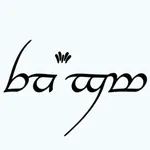
Type in the beautiful Tengwar script with this custom iOS keyboard and messaging app.
Tengwar Keyboard lets you:
• Type in the elegant Elvish-inspired script
• Use a familiar QWERTY layout that's easy to learn
• See both Latin and Tengwar characters on each key
• Send messages that display as Tengwar to all your friends via iMessage - even if they don't have the app!
• Convert regular text to Tengwar script with the built-in transliteration tool
• Install the included Tengwar fonts on your device for viewing Tengwar text in other apps
Perfect for fantasy language enthusiasts who want to write messages, notes, and social media posts in this beautiful script!
PLEASE NOTE: Text written with this keyboard will only display as Tengwar for people who have a compatible Tengwar font installed on their device if sent directly. Otherwise, they will see "boxes" or other placeholder characters. However, the iMessage extension sends images that display correctly for everyone!
Tengwar Keyboard lets you:
• Type in the elegant Elvish-inspired script
• Use a familiar QWERTY layout that's easy to learn
• See both Latin and Tengwar characters on each key
• Send messages that display as Tengwar to all your friends via iMessage - even if they don't have the app!
• Convert regular text to Tengwar script with the built-in transliteration tool
• Install the included Tengwar fonts on your device for viewing Tengwar text in other apps
Perfect for fantasy language enthusiasts who want to write messages, notes, and social media posts in this beautiful script!
PLEASE NOTE: Text written with this keyboard will only display as Tengwar for people who have a compatible Tengwar font installed on their device if sent directly. Otherwise, they will see "boxes" or other placeholder characters. However, the iMessage extension sends images that display correctly for everyone!
Tap to Rate:
Reviews for Tengwar Messaging
WFPII
Close but…
I learned Tengwar from online resources and a workbook. I was excited to use this app but the letters are incorrect for their sounds and vowels are often in the the wrong order. Pretty script but unusable in its current form.