AppRecs review analysis
AppRecs rating 4.5. Trustworthiness 45 out of 100. Review manipulation risk 25 out of 100. Based on a review sample analyzed.
★★★★☆
4.5
AppRecs Rating
Ratings breakdown
5 star
100%
4 star
0%
3 star
0%
2 star
0%
1 star
0%
What to know
⚠
Unusually uniform ratings
100% of sampled ratings are 5 stars with very little variation
About DSClock: Retro Clock Widget
Bring a slice of handheld-era charm to iPhone.
Highlights
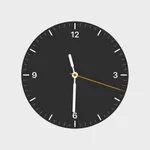
• Authentic DS-inspired dial design
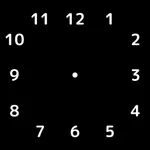
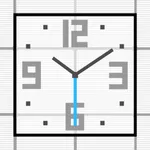
• Separate light & dark widgets (S, M, L)
• Works on Home Screen, Lock Screen, StandBy
• Zero ads, zero data collection
• Tiny footprint, battery-friendly
Setup
Open DS Clock Widget once.
Long-press a screen → + → search “DS Clock”.
Pick light or dark, choose a size.
DS Clock Widget is an independent homage and is not affiliated with Nintendo.
Highlights
• Authentic DS-inspired dial design
• Separate light & dark widgets (S, M, L)
• Works on Home Screen, Lock Screen, StandBy
• Zero ads, zero data collection
• Tiny footprint, battery-friendly
Setup
Open DS Clock Widget once.
Long-press a screen → + → search “DS Clock”.
Pick light or dark, choose a size.
DS Clock Widget is an independent homage and is not affiliated with Nintendo.
Tap to Rate:
Reviews for DSClock: Retro Clock Widget
Jerpenttheserpent
Really good
This widget looks so good