AppRecs review analysis
AppRecs rating 3.2. Trustworthiness 65 out of 100. Review manipulation risk 28 out of 100. Based on a review sample analyzed.
★★★☆☆
3.2
AppRecs Rating
Ratings breakdown
5 star
100%
4 star
0%
3 star
0%
2 star
0%
1 star
0%
What to know
✓
Low review manipulation risk
28% review manipulation risk
✓
Good user ratings
100% positive sampled reviews
About TUNO - Universal TV remote
One Remote for Everything. Right on Your Phone.
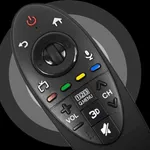
Forget about multiple remotes and confusing interfaces. This app lets you control your TV, media player, soundbar, and other devices directly from your smartphone or tablet. It supports a wide range of brands and models - from older TVs to the latest Smart TVs with advanced features.
Touchpad Instead of Buttons
Navigation works through swipes and taps - no more pressing "down" and "right" over and over again.
Everything is fast, convenient, and keeps your focus where it should be - finding something to watch.
Supported Popular Brands:
- Samsung
- LG
- Sony
- Philips
- Roku
And many more
Can You Turn On the TV Without a Physical Remote?
Yes, if your device supports the Wake-on-LAN feature and has already been connected previously. You will still need a regular remote for the initial setup. After that - just the app.
Features:
- power on and off
- app control
- touchpad and numpad
- volume adjustment
- media playback control
- virtual keyboard
Easy Setup
Connecting takes just a couple of minutes. No need to deal with codes or complicated settings - just open the app and select your device.
Subscription
Full access is available through a 1-week subscription. Payment will be charged to your Apple account upon purchase confirmation.
Auto-renewal is enabled by default - you can turn it off in your account settings at least 24 hours before the current period ends. More details at: https://support.apple.com/HT202039
Important:
This app is not an official product or affiliated with any of the mentioned brands.
Download now and ditch the extra remotes. Control everything from one app.
Terms of Use: https://tunoapp.com/terms
Privacy Policy: https://tunoapp.com/privacy
Forget about multiple remotes and confusing interfaces. This app lets you control your TV, media player, soundbar, and other devices directly from your smartphone or tablet. It supports a wide range of brands and models - from older TVs to the latest Smart TVs with advanced features.
Touchpad Instead of Buttons
Navigation works through swipes and taps - no more pressing "down" and "right" over and over again.
Everything is fast, convenient, and keeps your focus where it should be - finding something to watch.
Supported Popular Brands:
- Samsung
- LG
- Sony
- Philips
- Roku
And many more
Can You Turn On the TV Without a Physical Remote?
Yes, if your device supports the Wake-on-LAN feature and has already been connected previously. You will still need a regular remote for the initial setup. After that - just the app.
Features:
- power on and off
- app control
- touchpad and numpad
- volume adjustment
- media playback control
- virtual keyboard
Easy Setup
Connecting takes just a couple of minutes. No need to deal with codes or complicated settings - just open the app and select your device.
Subscription
Full access is available through a 1-week subscription. Payment will be charged to your Apple account upon purchase confirmation.
Auto-renewal is enabled by default - you can turn it off in your account settings at least 24 hours before the current period ends. More details at: https://support.apple.com/HT202039
Important:
This app is not an official product or affiliated with any of the mentioned brands.
Download now and ditch the extra remotes. Control everything from one app.
Terms of Use: https://tunoapp.com/terms
Privacy Policy: https://tunoapp.com/privacy
Tap to Rate:
Reviews for TUNO - Universal TV remote
Roman Alyse_9
Pretty useful
Works fine most of the time, sometimes it takes a few seconds to connect but overall super handy when I lose my remote.