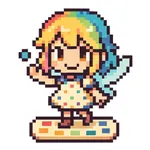
About Pixel Art Creator Pixee
Create beautiful pixel art masterpieces with Pixee!
KEY FEATURES:
• Gallery View - Organize and browse all your pixel art creations
• Custom Canvas - Create artworks from 5x5 to 100x100 pixels
• Numerous Tools - Color palette, eyedropper, eraser, and custom colors
• Precision - Zoom and pan for detailed pixel-perfect work
• Undo/Redo - Never lose your progress with unlimited undo support
• Export & Share - Save to Photos or share your creations instantly
PERFECT FOR:
• Digital artists and designers
• Game developers creating sprites
• Hobbyists exploring pixel art
• Students learning digital art
• Anyone wanting to create retro-style artwork
EASY TO USE:
Start creating immediately with our intuitive interface. Choose your canvas size, pick colors from the palette or create custom ones, and begin drawing pixel by pixel. Use zoom and pan to work on fine details, and the eraser tool for corrections.
Your artwork is automatically saved and organized in the gallery, making it easy to continue working on projects or start new ones. Export finished pieces to your photo library or share them directly with friends and social media.
Whether you're creating game sprites, icons, or artistic expressions, Pixee provides all the tools you need in a clean, distraction-free environment optimized for touch interfaces.
KEY FEATURES:
• Gallery View - Organize and browse all your pixel art creations
• Custom Canvas - Create artworks from 5x5 to 100x100 pixels
• Numerous Tools - Color palette, eyedropper, eraser, and custom colors
• Precision - Zoom and pan for detailed pixel-perfect work
• Undo/Redo - Never lose your progress with unlimited undo support
• Export & Share - Save to Photos or share your creations instantly
PERFECT FOR:
• Digital artists and designers
• Game developers creating sprites
• Hobbyists exploring pixel art
• Students learning digital art
• Anyone wanting to create retro-style artwork
EASY TO USE:
Start creating immediately with our intuitive interface. Choose your canvas size, pick colors from the palette or create custom ones, and begin drawing pixel by pixel. Use zoom and pan to work on fine details, and the eraser tool for corrections.
Your artwork is automatically saved and organized in the gallery, making it easy to continue working on projects or start new ones. Export finished pieces to your photo library or share them directly with friends and social media.
Whether you're creating game sprites, icons, or artistic expressions, Pixee provides all the tools you need in a clean, distraction-free environment optimized for touch interfaces.
Tap to Rate: