About HEIC to JPG Converter Tool
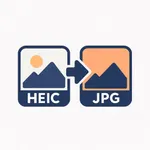
This app converts images from HEIC or HEIF format to JPG.
HEIC is the default photo format used by iPhones, but it’s not always supported by all devices, apps, or websites.
Use this app to make your photos compatible anywhere by converting them to the widely supported JPG format.
Features
• Convert images from HEIC/HEIF to JPG
• Choose the output quality and size
• Convert multiple files at once without limits
• All conversions are done locally on your device — nothing is uploaded or shared
• Simple interface with no unnecessary options or ads
How to use
1. Select one or more HEIC/HEIF files from your device.
2. Choose the desired quality and size.
3. Tap Convert to create JPG versions of your files.
The converted images will be saved locally and can be easily shared or transferred to other apps or devices.
Privacy policy: https://docs.google.com/document/d/1Y_4vqT2soA98OBSMXfNft65-IX3ZzaDw/edit?usp=sharing&ouid=112512807375102253305&rtpof=true&sd=true
Terms of use: https://www.apple.com/legal/internet-services/itunes/dev/stdeula
HEIC is the default photo format used by iPhones, but it’s not always supported by all devices, apps, or websites.
Use this app to make your photos compatible anywhere by converting them to the widely supported JPG format.
Features
• Convert images from HEIC/HEIF to JPG
• Choose the output quality and size
• Convert multiple files at once without limits
• All conversions are done locally on your device — nothing is uploaded or shared
• Simple interface with no unnecessary options or ads
How to use
1. Select one or more HEIC/HEIF files from your device.
2. Choose the desired quality and size.
3. Tap Convert to create JPG versions of your files.
The converted images will be saved locally and can be easily shared or transferred to other apps or devices.
Privacy policy: https://docs.google.com/document/d/1Y_4vqT2soA98OBSMXfNft65-IX3ZzaDw/edit?usp=sharing&ouid=112512807375102253305&rtpof=true&sd=true
Terms of use: https://www.apple.com/legal/internet-services/itunes/dev/stdeula
Tap to Rate: