About WINdowsAMP, The Old School
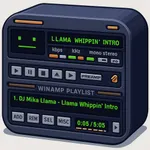
Instant nostalgia. Classic WINdowsAMP-style design with modern iOS polish.
Retro equalizer. Local files. Zero ads.
Own your music. Plays files you add. Works offline.
Sound your way. 10-band parametric EQ, presets, and loudness you control.
No clutter. No ads, accounts, or streaming lock-in.
True file-based library: add MP3/AAC/FLAC/WAV/M4A from the Files app or iCloud Drive.
Precise playback engine: gap-free start/stop, reliable seek, and background audio.
Live visualizers: bar spectrum, oscilloscope, and waveform with neon glow.
Persistent playlists: quick “Add” from Recents, auto-saved order, easy clear or delete.
Classic transport: shuffle, repeat-one, repeat-all, previous/next, stop, and play/pause.
System integration: Lock Screen controls, Control Center, and headset/CarPlay remote commands.
Volume + EQ control in one screen for fast tuning.
Tutorial for first-time setup with legal free-music sources.
100% local playback. No subscriptions.
Zero analytics by default. No sign-in.
Designed for one-hand use with big transport buttons and readable monospaced text.
Retro look without skeuomorphic lag. Smooth, 60-fps visual feedback.
10-band EQ with on/off toggle and presets.
Real-time spectrum bars and oscilloscope.
Shuffle, repeat modes, and persistent volume.
Playlist manager with play and delete per track.
File picker with multi-select.
Stereo indicator, elapsed and remaining time, mm:ss display.
Offline-first architecture.
Download songs to Files.
Tap Add in the app and select tracks from Recents.
Press Play. Your playlist is saved and persistent.
Retro equalizer. Local files. Zero ads.
Own your music. Plays files you add. Works offline.
Sound your way. 10-band parametric EQ, presets, and loudness you control.
No clutter. No ads, accounts, or streaming lock-in.
True file-based library: add MP3/AAC/FLAC/WAV/M4A from the Files app or iCloud Drive.
Precise playback engine: gap-free start/stop, reliable seek, and background audio.
Live visualizers: bar spectrum, oscilloscope, and waveform with neon glow.
Persistent playlists: quick “Add” from Recents, auto-saved order, easy clear or delete.
Classic transport: shuffle, repeat-one, repeat-all, previous/next, stop, and play/pause.
System integration: Lock Screen controls, Control Center, and headset/CarPlay remote commands.
Volume + EQ control in one screen for fast tuning.
Tutorial for first-time setup with legal free-music sources.
100% local playback. No subscriptions.
Zero analytics by default. No sign-in.
Designed for one-hand use with big transport buttons and readable monospaced text.
Retro look without skeuomorphic lag. Smooth, 60-fps visual feedback.
10-band EQ with on/off toggle and presets.
Real-time spectrum bars and oscilloscope.
Shuffle, repeat modes, and persistent volume.
Playlist manager with play and delete per track.
File picker with multi-select.
Stereo indicator, elapsed and remaining time, mm:ss display.
Offline-first architecture.
Download songs to Files.
Tap Add in the app and select tracks from Recents.
Press Play. Your playlist is saved and persistent.
Tap to Rate: