About Notes to Reminders
Transform your Apple Notes checklists into actionable Reminders with just one tap.
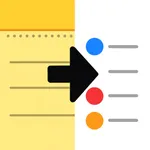
Notes To Reminders bridges the gap between Apple Notes and the Reminders app, letting you seamlessly convert your to-do lists without retyping a single item.
HOW IT WORKS
• Create a checklist in Apple Notes
• Share it using the iOS share sheet
• Select your Reminders list
• Done! Your tasks are imported instantly
KEY FEATURES
• One-Tap Import
Share any checklist from Notes directly to Reminders using the native iOS share extension.
• Preserves Completion Status
Checked items stay checked, unchecked items remain active, your progress is never lost.
• Smart Format Detection
Automatically recognizes multiple checklist formats including Apple Notes bullets and Markdown syntax.
• Intelligent List Naming
Automatically detects your note title or section headers to name your Reminders list appropriately.
• Privacy-First Design
All processing happens entirely on your device. Your notes never leave your phone. No data collection, no tracking, no analytics.
• Works Anywhere
Use the share extension from Notes, Mail, Messages, or any app that supports sharing text.
PERFECT FOR
• Students organizing assignments and study tasks
• Professionals managing project checklists
• Anyone who prefers Reminders for task management but loves Notes for capturing ideas
• People who want to migrate their notes to the Reminders app
Notes To Reminders bridges the gap between Apple Notes and the Reminders app, letting you seamlessly convert your to-do lists without retyping a single item.
HOW IT WORKS
• Create a checklist in Apple Notes
• Share it using the iOS share sheet
• Select your Reminders list
• Done! Your tasks are imported instantly
KEY FEATURES
• One-Tap Import
Share any checklist from Notes directly to Reminders using the native iOS share extension.
• Preserves Completion Status
Checked items stay checked, unchecked items remain active, your progress is never lost.
• Smart Format Detection
Automatically recognizes multiple checklist formats including Apple Notes bullets and Markdown syntax.
• Intelligent List Naming
Automatically detects your note title or section headers to name your Reminders list appropriately.
• Privacy-First Design
All processing happens entirely on your device. Your notes never leave your phone. No data collection, no tracking, no analytics.
• Works Anywhere
Use the share extension from Notes, Mail, Messages, or any app that supports sharing text.
PERFECT FOR
• Students organizing assignments and study tasks
• Professionals managing project checklists
• Anyone who prefers Reminders for task management but loves Notes for capturing ideas
• People who want to migrate their notes to the Reminders app
Tap to Rate: