AppRecs review analysis
AppRecs rating 3.1. Trustworthiness 84 out of 100. Review manipulation risk 25 out of 100. Based on a review sample analyzed.
★★★☆☆
3.1
AppRecs Rating
Ratings breakdown
5 star
50%
4 star
0%
3 star
0%
2 star
13%
1 star
38%
What to know
✓
Low review manipulation risk
25% review manipulation risk
✓
Credible reviews
84% trustworthiness score from analyzed reviews
About TestCard ProHD 4k
Professionals use test cards to calibrate broadcast systems and cinemas use them too, so why shouldn’t home cinemas or theatres use them too? TestCard ProHD is the innovative means to calibrating your screen to ensure a consistent and correct representation of display media. (In-App purchase required after ensuring this will work on your TV / Display.)
** In-App purchase required after compatibility testing for full functionality. See below for why. **
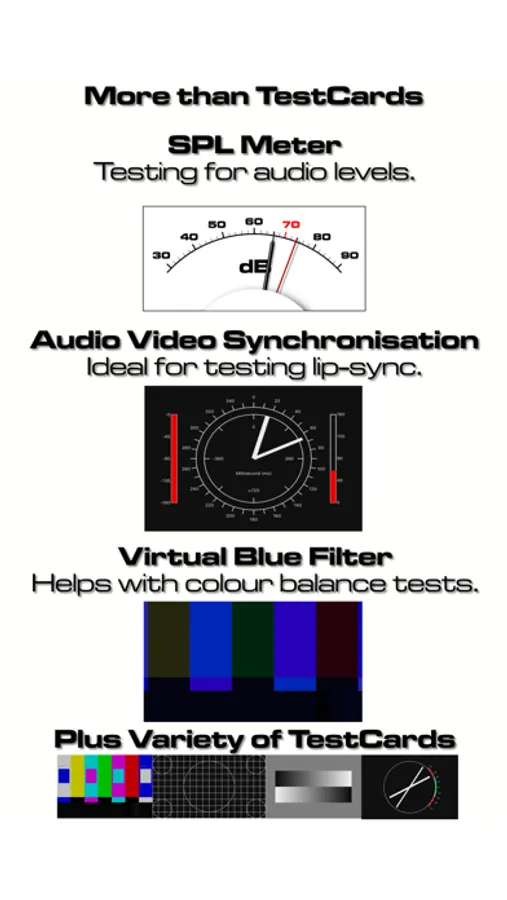
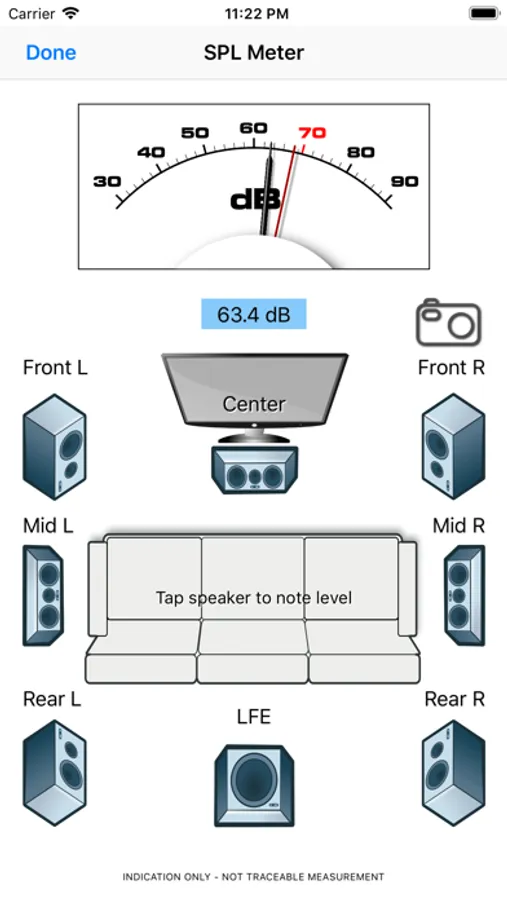
Additionally, TestCard ProHD also now includes an SPL or “decibel” meter to assist with setting up surround sound sources. It’s a solution for calibrating both audio and visual elements within the home that can also be used in professional environments.
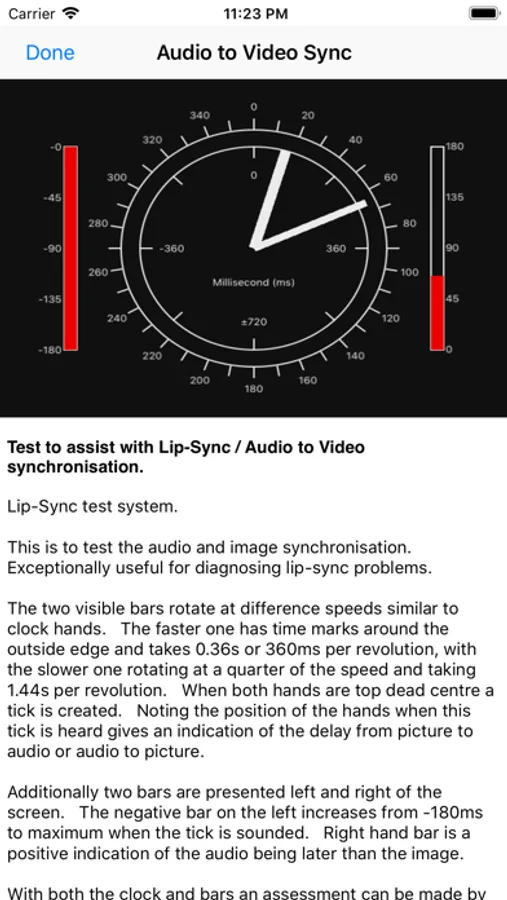
Newest version now includes a Audio Visual Synchronisation test to help diagnose lip-sync issues.
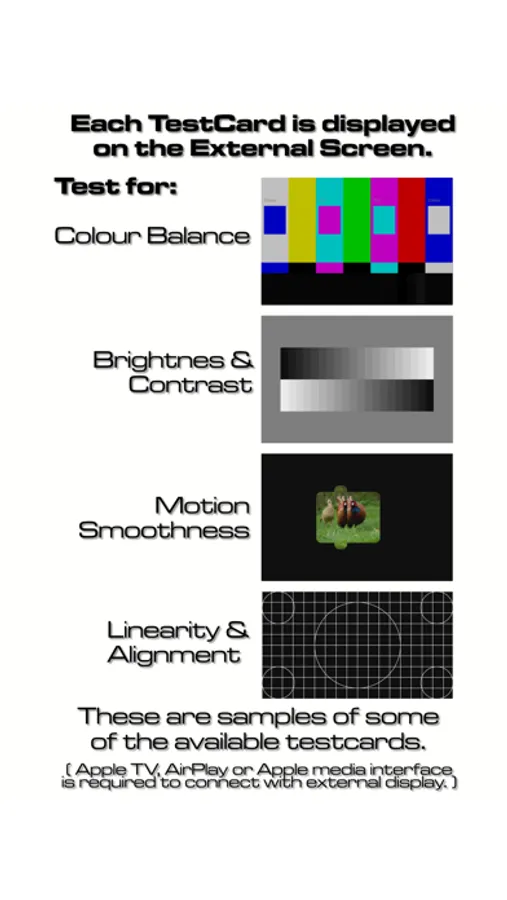
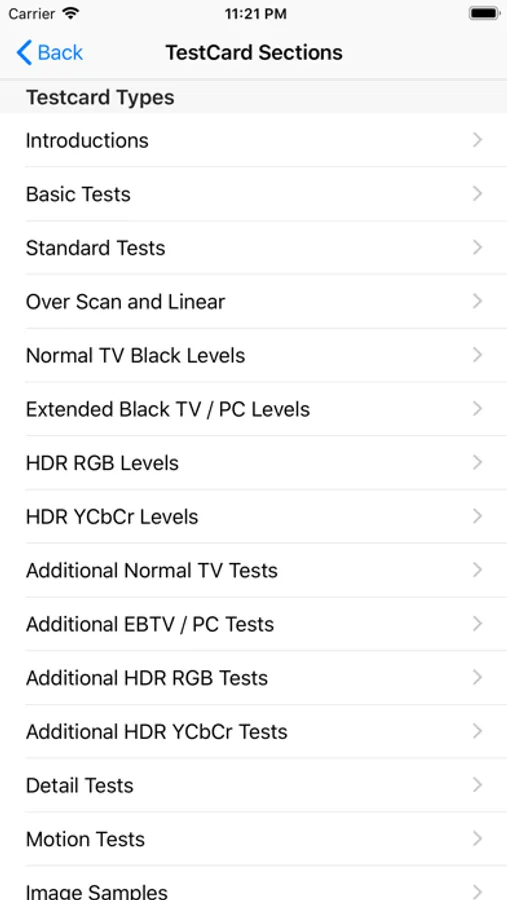
TestCard ProHD is the application for setting up a modern High Definition TV or projector. We’ve grouped together some common types of test cards as well as some new ones that will help set up home theaters to a professional standard.
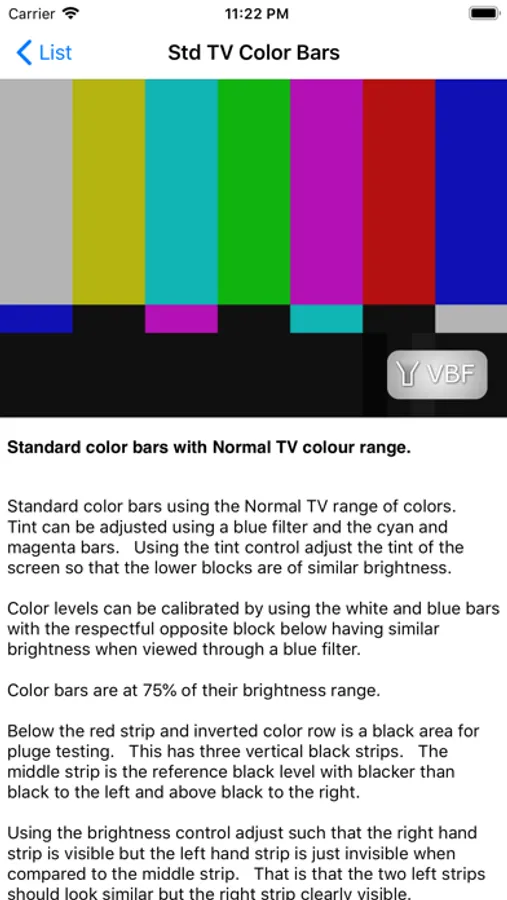
Adjusting the contrast and brightness is essential to ensuring that you get the best from your TV or projector, but color is vitally important too. Further, test cards for motion and sharpness tweak more performance from your screen. Using these test cards and their instructions you’ll be able to tweak to get the best you can without the expensive of a dedicated calibration service.
Only by applying test cards in a controlled manner will you to get the best from your home theater and TestCard ProHD is the right tool, taking advantage of the unique abilities of the iPhone and iPad.
Within modern screens there are many techniques used to smooth motion. These can also have a detrimental effect, yet correctly set some do improve the picture. Having a repeating pattern to assist the setting of motion controls is essential. TestCard ProHD has test cards specifically design for motion testing on a screen.
Further, each test card has an information section to give you concise information and instruction on how to use it. The more that can be gained form each test card, the more information is provided. For ease of use the instruction are displayed on the iPhone / iPad while simultaneously displaying the test card on the external display.
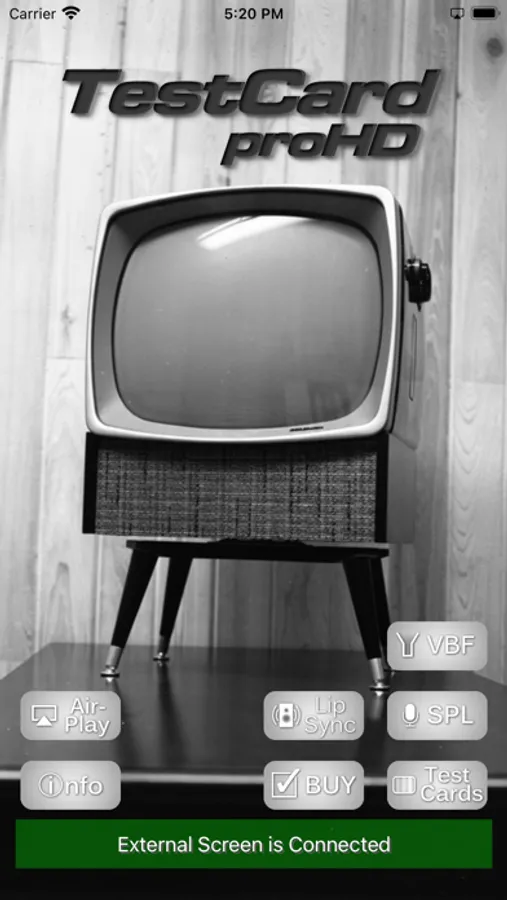
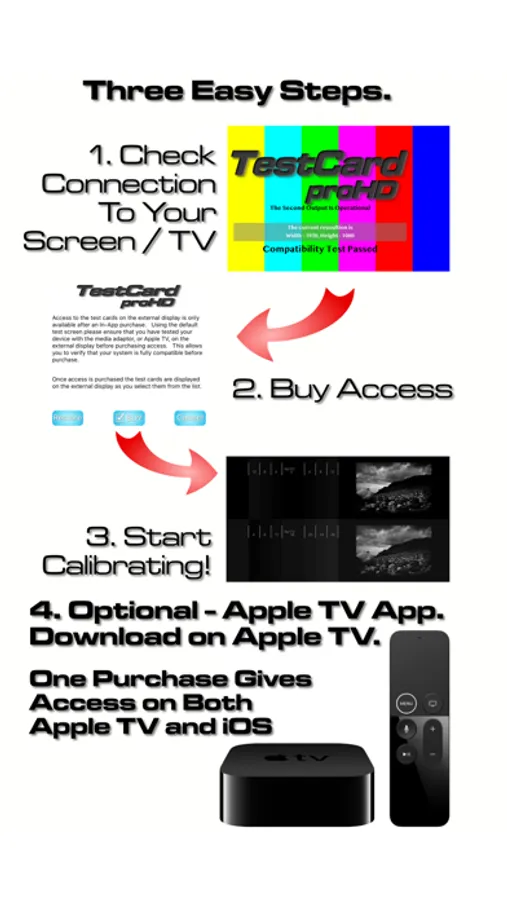
Access to the test cards on the external display, Virtual Blue Filter and the SPL meter are only available after an In-App purchase. Using the default test screen please ensure that you have tested your device with the media adaptor, or Apple TV, on the external display before purchasing access. This is to allow you to verify that your system is fully compatible before purchase, and to share a single purchase with your iOS devices and Apple TV.
TestCard ProHD can be used with Apple TV V2, V3, V4 or V5 / 4k, or with the Apple media interfaces for HDMI or VGA.
Apple TV V2 and V3 can be used as the external display interface using AirPlay Mirroring. Simply switch on AirPlay on the iPhone or iPad and select Mirroring. See below for instructions on AirPlay Mirroring.
For HDMI or VGA Apple produces two types of media interface. While we’ve included some test cards for VGA / computer calibration, the home cinema user who is looking for 1080p compatibility should opt for the HDMI based media interface.
Apple TV version of the app is also available. Once access to the testcards is bought on either iOS or Apple TV app, you can have access on the other type of device without additional purchase. The In-App-Purchase is shared between all compatible devices registered on your Apple ID.
Apple TV AirPlay Instructions:
To enable AirPlay Mirroring connect your iOS device and your Apple TV to the same Wi-Fi network. For iOS 7 swipe up from the bottom of your screen to access Control Center. Tap on the AirPlay icon, select your Apple TV and switch on Mirroring. More details can be found on Apple’s support page http://support.apple.com/kb/ht5209
** In-App purchase required after compatibility testing for full functionality. See below for why. **
Additionally, TestCard ProHD also now includes an SPL or “decibel” meter to assist with setting up surround sound sources. It’s a solution for calibrating both audio and visual elements within the home that can also be used in professional environments.
Newest version now includes a Audio Visual Synchronisation test to help diagnose lip-sync issues.
TestCard ProHD is the application for setting up a modern High Definition TV or projector. We’ve grouped together some common types of test cards as well as some new ones that will help set up home theaters to a professional standard.
Adjusting the contrast and brightness is essential to ensuring that you get the best from your TV or projector, but color is vitally important too. Further, test cards for motion and sharpness tweak more performance from your screen. Using these test cards and their instructions you’ll be able to tweak to get the best you can without the expensive of a dedicated calibration service.
Only by applying test cards in a controlled manner will you to get the best from your home theater and TestCard ProHD is the right tool, taking advantage of the unique abilities of the iPhone and iPad.
Within modern screens there are many techniques used to smooth motion. These can also have a detrimental effect, yet correctly set some do improve the picture. Having a repeating pattern to assist the setting of motion controls is essential. TestCard ProHD has test cards specifically design for motion testing on a screen.
Further, each test card has an information section to give you concise information and instruction on how to use it. The more that can be gained form each test card, the more information is provided. For ease of use the instruction are displayed on the iPhone / iPad while simultaneously displaying the test card on the external display.
Access to the test cards on the external display, Virtual Blue Filter and the SPL meter are only available after an In-App purchase. Using the default test screen please ensure that you have tested your device with the media adaptor, or Apple TV, on the external display before purchasing access. This is to allow you to verify that your system is fully compatible before purchase, and to share a single purchase with your iOS devices and Apple TV.
TestCard ProHD can be used with Apple TV V2, V3, V4 or V5 / 4k, or with the Apple media interfaces for HDMI or VGA.
Apple TV V2 and V3 can be used as the external display interface using AirPlay Mirroring. Simply switch on AirPlay on the iPhone or iPad and select Mirroring. See below for instructions on AirPlay Mirroring.
For HDMI or VGA Apple produces two types of media interface. While we’ve included some test cards for VGA / computer calibration, the home cinema user who is looking for 1080p compatibility should opt for the HDMI based media interface.
Apple TV version of the app is also available. Once access to the testcards is bought on either iOS or Apple TV app, you can have access on the other type of device without additional purchase. The In-App-Purchase is shared between all compatible devices registered on your Apple ID.
Apple TV AirPlay Instructions:
To enable AirPlay Mirroring connect your iOS device and your Apple TV to the same Wi-Fi network. For iOS 7 swipe up from the bottom of your screen to access Control Center. Tap on the AirPlay icon, select your Apple TV and switch on Mirroring. More details can be found on Apple’s support page http://support.apple.com/kb/ht5209
TestCard ProHD 4k Screenshots

Tap to Rate:
Reviews for TestCard ProHD 4k
???😡
Can’t use the test cards after payment
Even after I pay for it and I connected my phone to my tv the test cards don’t display on my tv and when I try to use the blue filter it acts like I haven’t paid for it I tried resetting the app but I can’t rebuy the test cards do y’all know how to fix this
Dr Bob NYC
Bargain
$4.99 gives you a complete selection of video test cards as well as sound adjustments.