
Workterra Online FSA System
Employee Benefit Specialists, Inc.
1.9 ★
14 ratings
Free
AppRecs review analysis
AppRecs rating 1.9. Trustworthiness 81 out of 100. Review manipulation risk 24 out of 100. Based on a review sample analyzed.
★☆☆☆☆
1.9
AppRecs Rating
Ratings breakdown
5 star
14%
4 star
7%
3 star
0%
2 star
7%
1 star
71%
What to know
✓
Low review manipulation risk
24% review manipulation risk
✓
Credible reviews
81% trustworthiness score from analyzed reviews
⚠
Mixed user feedback
Average 1.9★ rating suggests room for improvement
About Workterra Online FSA System
Easy, Convenient & Secure
● Simply login to the intuitive app using your same health benefits website username and password (or follow alternative instructions if provided)
● No sensitive account information is ever stored on your mobile device
● Use Touch ID or Face ID to quickly log in to the mobile app
Connects You with the Details
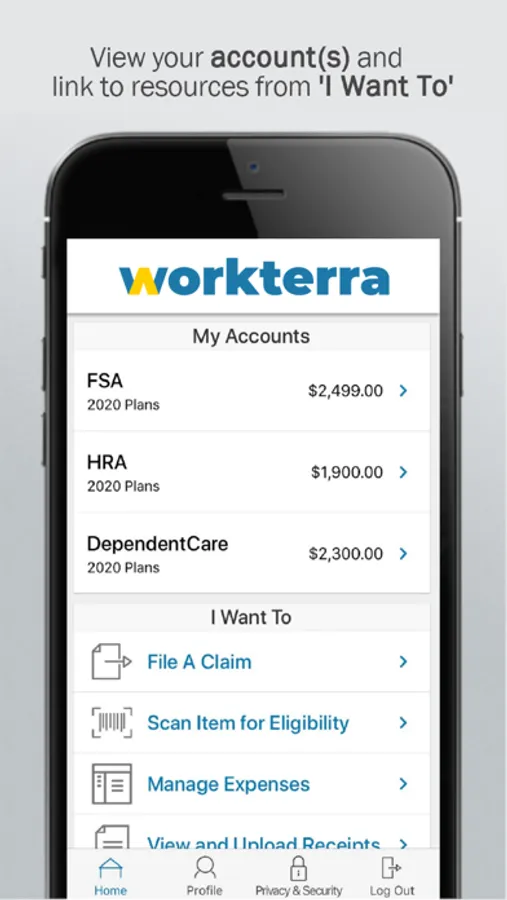
● Quickly check available balances 24/7
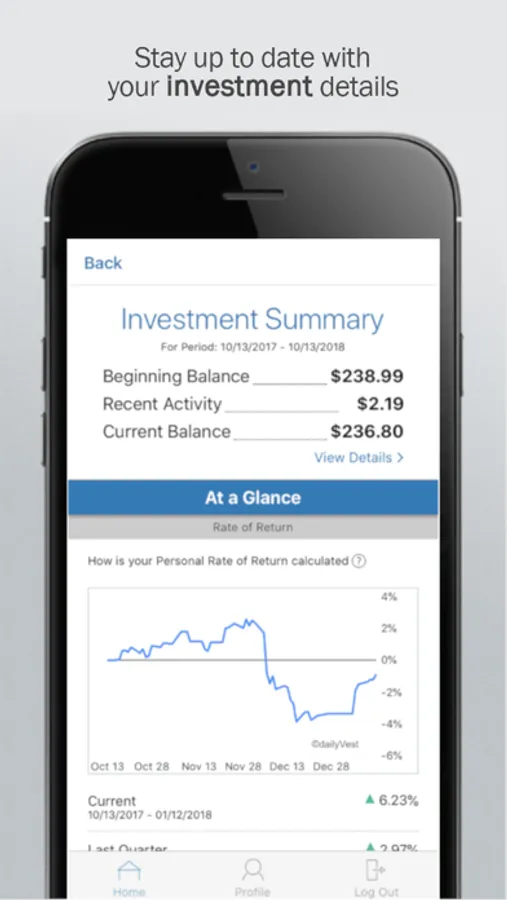
● View charts summarizing account(s)
● View existing claims
● Click to call or email customer service
● View your statements and notifications
● Scan product barcodes to determine their eligibility
Provides Additional Time-Saving Options (if supported or applicable to your account(s))
● Reimburse yourself from your FSA or HSA
● Take or upload a picture of a receipt and submit for a new or existing claim
● View, contribute and distribute HSA transactions
● Send payment to providers from any account
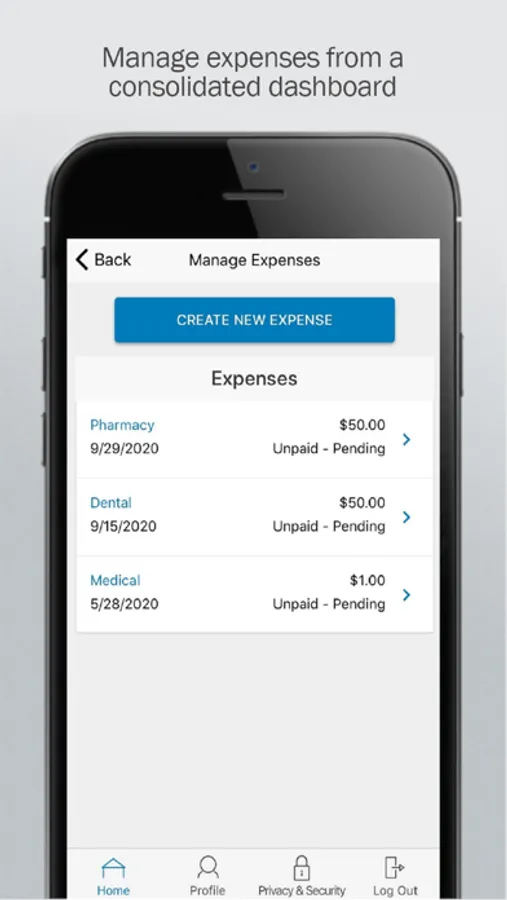
● Manage your expenses by entering medical expense information and supporting documentation
● View and manage your HSA investments
● Retrieve your forgotten username/password
● Report a debit card as lost or stolen
Powered by WEX©
Workterra Online FSA System Screenshots

Tap to Rate:
Reviews for Workterra Online FSA System
Cflow1992
Not Utilitarian
The sucky thing about this app is that you can’t upload documents directly. You have to print them to take a picture to upload. This is as huge annoyance and completely unnecessary. Needs to be fixed.
escobam
Works well
After calling my service provider (customer service seem stressed out) and setting my account online, 3 different calls. I was able to sign in and finally see my account for the first time. I’m not sure why logging company information does not show when cards are mailed, I was able to use the website, update my profile and find proper application for my phone. This appt is workable, can definitely get an update but overall it’s ok.