
AppRecs review analysis
AppRecs rating 3.8. Trustworthiness 75 out of 100. Review manipulation risk 26 out of 100. Based on a review sample analyzed.
★★★☆☆
3.8
AppRecs Rating
Ratings breakdown
5 star
50%
4 star
20%
3 star
10%
2 star
0%
1 star
20%
What to know
✓
Low review manipulation risk
26% review manipulation risk
✓
Credible reviews
75% trustworthiness score from analyzed reviews
✓
Good user ratings
70% positive sampled reviews
About CS Customizer
The CS Customizer app allows users of Sound World Solutions' CS50/CS50+ Bluetooth Series personal sound amplifier, Companion, or Sidekick products to personalize their settings and control the device via Bluetooth link from their smartphone.
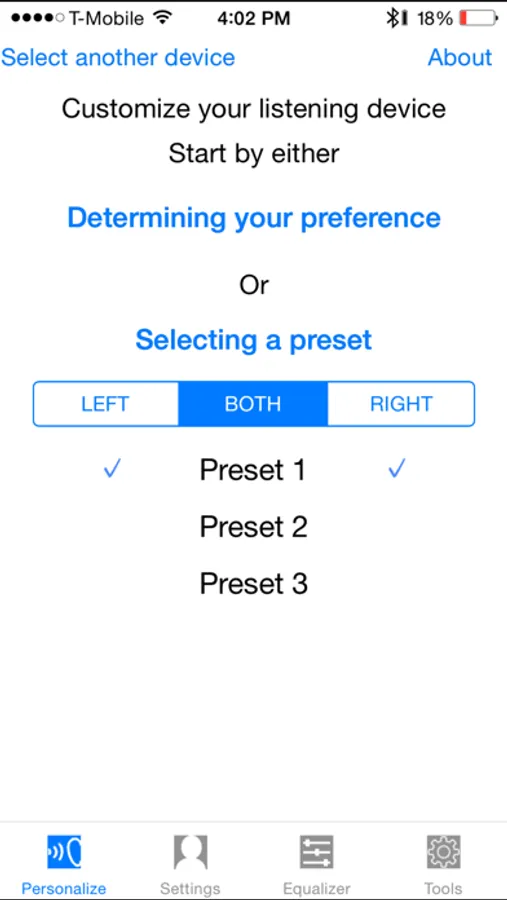
Under the "Personalize" tab of the app, an automated program will walk you through the steps in tailoring the performance of the listening device to your individual preferences. This tab also gives you the option to adjust the baseline setting of your listening device to one of three preset listening profiles, or to your personal profile
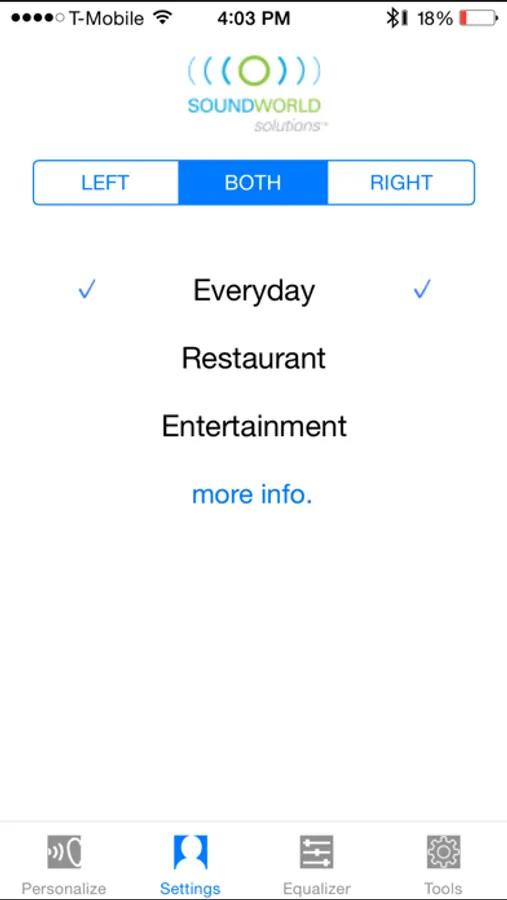
The "Settings" tab allows you to select two additional environmental settings designed to optimize the performance of the listening device in specific situations.
Restaurant Setting emphasizes the directional microphone to focus on sounds coming from in front of you and provide rejection of unwanted sounds in noisy environments. Entertainment Setting provides increased low frequency response for a more natural, balanced sound at musical or theatrical events.
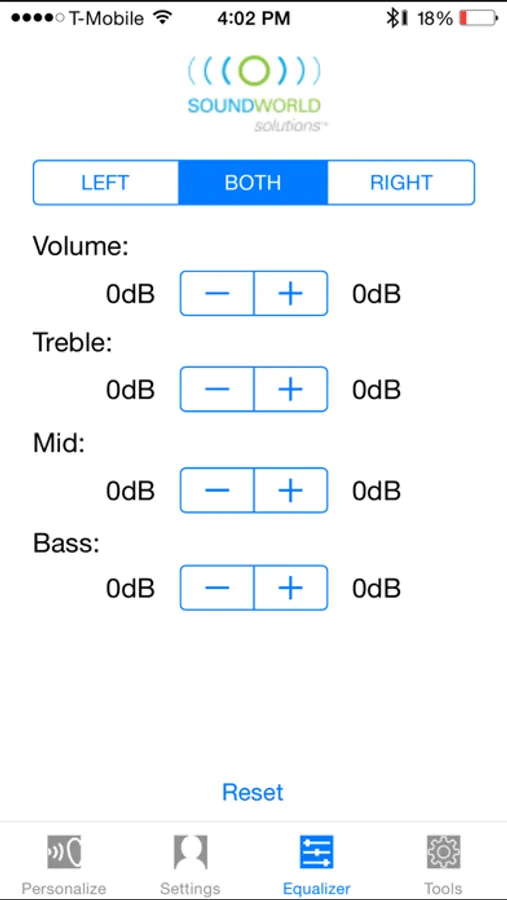
The app also provides an "Equalizer" tab to adjust individual settings for treble, mid, and bass frequencies for a truly customized user experience. You can also adjust the volume, similar to the volume button on the listening device.
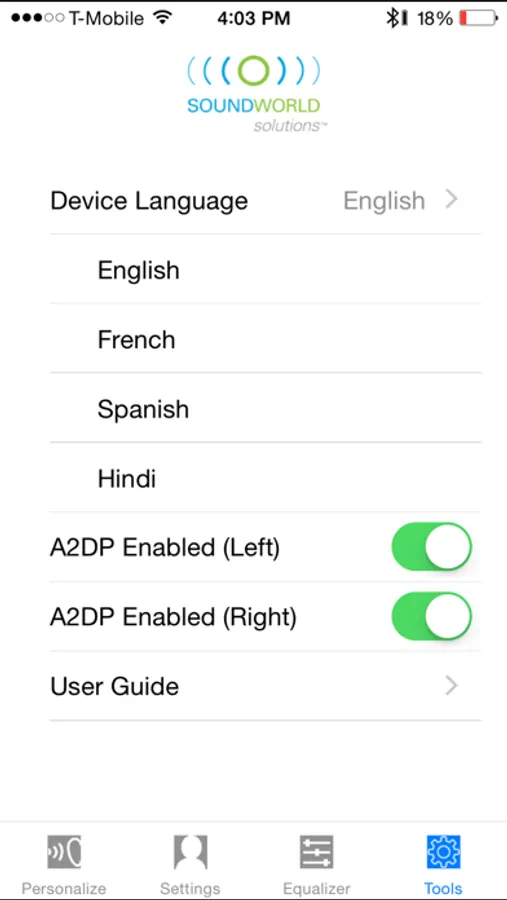
Finally, the "Tools" tab gives you the ability to change the language of the voice prompts in the CS50+, Companion, and Sidekick. You can also turn of the A2DP music setting if you do not use it and you don't care for the sound effects from the phone. You can also access the User Guide for the CS Customizer from the "Tools" tab.
Under the "Personalize" tab of the app, an automated program will walk you through the steps in tailoring the performance of the listening device to your individual preferences. This tab also gives you the option to adjust the baseline setting of your listening device to one of three preset listening profiles, or to your personal profile
The "Settings" tab allows you to select two additional environmental settings designed to optimize the performance of the listening device in specific situations.
Restaurant Setting emphasizes the directional microphone to focus on sounds coming from in front of you and provide rejection of unwanted sounds in noisy environments. Entertainment Setting provides increased low frequency response for a more natural, balanced sound at musical or theatrical events.
The app also provides an "Equalizer" tab to adjust individual settings for treble, mid, and bass frequencies for a truly customized user experience. You can also adjust the volume, similar to the volume button on the listening device.
Finally, the "Tools" tab gives you the ability to change the language of the voice prompts in the CS50+, Companion, and Sidekick. You can also turn of the A2DP music setting if you do not use it and you don't care for the sound effects from the phone. You can also access the User Guide for the CS Customizer from the "Tools" tab.
CS Customizer Screenshots
Tap to Rate:
Reviews for CS Customizer
DickS_1357986420
CS Customizer
Program works but halts when attempting to perform personalization .
Long Island trucker
Me
Does not work on my iPhone.