
AppRecs review analysis
AppRecs rating . Trustworthiness 45 out of 100. Review manipulation risk 18 out of 100. Based on a review sample analyzed.
★
AppRecs Rating
Ratings breakdown
5 star
100%
4 star
0%
3 star
0%
2 star
0%
1 star
0%
What to know
⚠
Unusually uniform ratings
100% of sampled ratings are 5 stars with very little variation
About BarcodeHelper
BarcodeHelper is a user-friendly barcode management tool that supports camera scanning and photo album image recognition. With this app, you can easily create various formats of 1D and 2D barcodes, and benefit from powerful history management and export features that cater to both personal and business barcode processing needs.
【Features】
- Camera Scan Recognition
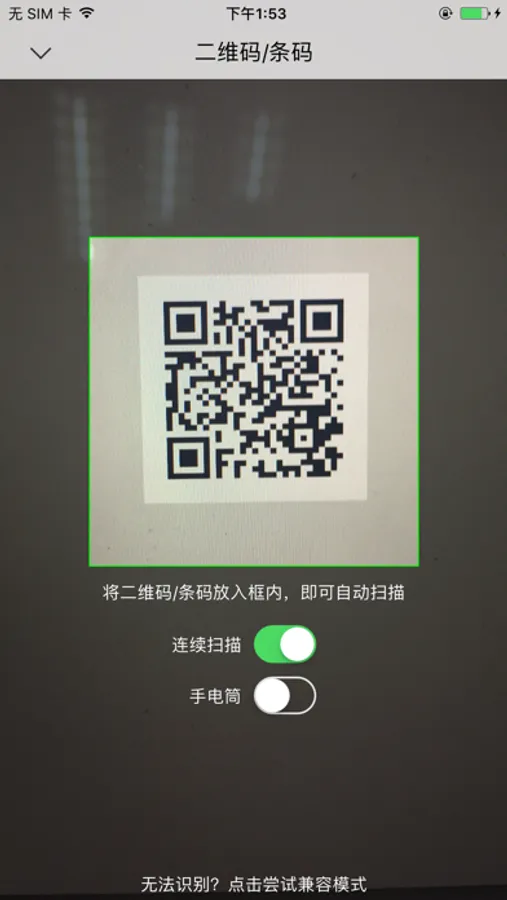
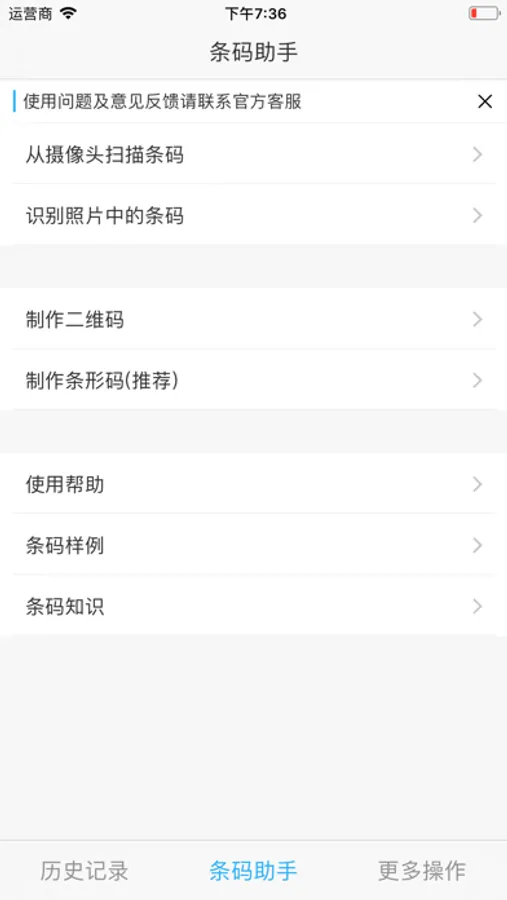
Simply tap "Scan from camera" on the home screen to start scanning instantly. The app automatically recognizes barcode information when the scanning area is aligned with the barcode. Use two fingers to zoom and adjust focus for clear recognition in any environment. Supports QR codes, Code39, Code128, EAN-8, EAN-13, UPC-A, UPC-E, Codabar and many other formats. Also features continuous scanning, scan counting, and barcode image saving.
- Album Photo Recognition
Select "Scan from photo" on the home screen, navigate to your photo album, choose a barcode image, and the information will be instantly and accurately recognized.
- Create 2D and 1D Barcode Images
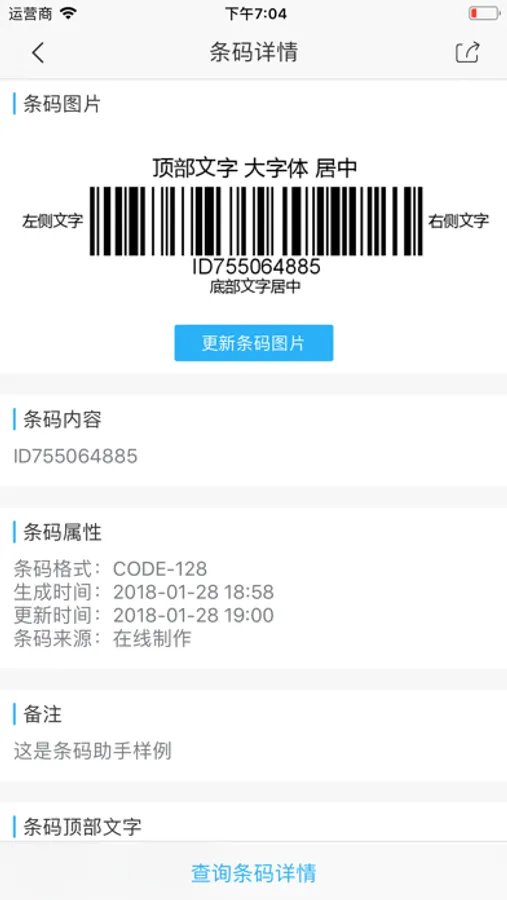
Easily generate various types of barcode images. The created barcodes are clear and accurate, with customizable text display positions and the ability to add personal notes.
- History Record Management
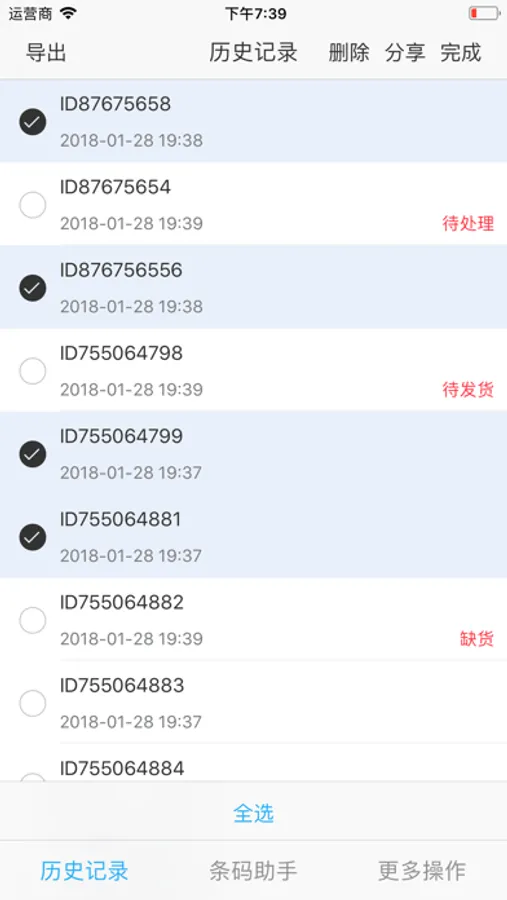
All scan results are automatically saved. On the record details page, you can instantly view all notes and related information. History can be easily filtered by time and source. You can also customize actions when duplicate barcodes are detected.
- iCloud Sync and Data Export
With iCloud sync enabled, your barcode records are automatically synchronized across all your iOS devices. You can also export history to Excel files (with images), text files, and other formats.
【Premium Subscription】
Benefits: Unlock all premium features.
Renewal: Your subscription will automatically renew unless turned off at least 24 hours before the end of the current period.
Cancel: You can manage your subscription and turn off auto-renewal in your iPhone's Settings > [Your Name] > Subscriptions.
【Terms of Service and Privacy Policy】
Apple Standard License Agreement: https://www.apple.com/legal/internet-services/itunes/dev/stdeula/
App Privacy Policy: https://app.kanchuan.com/en/barcodehelper/policy
【Contact and Feedback】
Email: ch@kanchuan.com
Website: https://app.kanchuan.com/en/barcodehelper
【Features】
- Camera Scan Recognition
Simply tap "Scan from camera" on the home screen to start scanning instantly. The app automatically recognizes barcode information when the scanning area is aligned with the barcode. Use two fingers to zoom and adjust focus for clear recognition in any environment. Supports QR codes, Code39, Code128, EAN-8, EAN-13, UPC-A, UPC-E, Codabar and many other formats. Also features continuous scanning, scan counting, and barcode image saving.
- Album Photo Recognition
Select "Scan from photo" on the home screen, navigate to your photo album, choose a barcode image, and the information will be instantly and accurately recognized.
- Create 2D and 1D Barcode Images
Easily generate various types of barcode images. The created barcodes are clear and accurate, with customizable text display positions and the ability to add personal notes.
- History Record Management
All scan results are automatically saved. On the record details page, you can instantly view all notes and related information. History can be easily filtered by time and source. You can also customize actions when duplicate barcodes are detected.
- iCloud Sync and Data Export
With iCloud sync enabled, your barcode records are automatically synchronized across all your iOS devices. You can also export history to Excel files (with images), text files, and other formats.
【Premium Subscription】
Benefits: Unlock all premium features.
Renewal: Your subscription will automatically renew unless turned off at least 24 hours before the end of the current period.
Cancel: You can manage your subscription and turn off auto-renewal in your iPhone's Settings > [Your Name] > Subscriptions.
【Terms of Service and Privacy Policy】
Apple Standard License Agreement: https://www.apple.com/legal/internet-services/itunes/dev/stdeula/
App Privacy Policy: https://app.kanchuan.com/en/barcodehelper/policy
【Contact and Feedback】
Email: ch@kanchuan.com
Website: https://app.kanchuan.com/en/barcodehelper
BarcodeHelper Screenshots
Tap to Rate:
Reviews for BarcodeHelper
玛丽雅爱你
老用户
已经使用几年时间了,这次终于有新版本了,点赞。
zzuliko
好用的条码app
能制作条形码二维码,能增加备注信息,正是我需要的。