With this call filtering app, you can identify suspected spam calls and adjust blocking settings easily. Includes spam alerts, automatic blocking, and reporting features.
AppRecs review analysis
AppRecs rating 4.4. Trustworthiness 79 out of 100. Review manipulation risk 27 out of 100. Based on a review sample analyzed.
★★★★☆
4.4
AppRecs Rating
Ratings breakdown
5 star
82%
4 star
11%
3 star
3%
2 star
1%
1 star
2%
What to know
✓
Low review manipulation risk
27% review manipulation risk
✓
Credible reviews
79% trustworthiness score from analyzed reviews
✓
High user satisfaction
82% of sampled ratings are 5 stars
About Verizon Call Filter
Verizon Call Filter takes the guesswork out of answering your phone, with features that screen and automatically block incoming spam calls.
With Call Filter, you can:
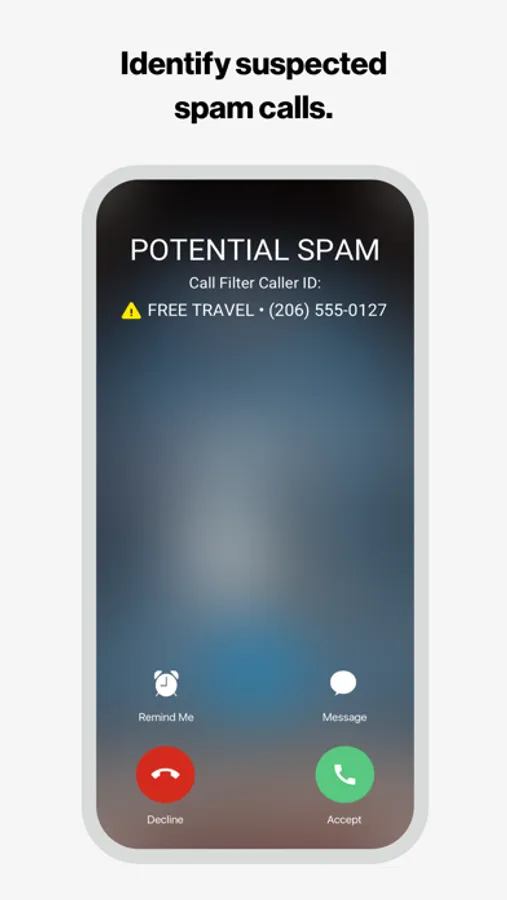
• Identify suspected spam calls with alerts.
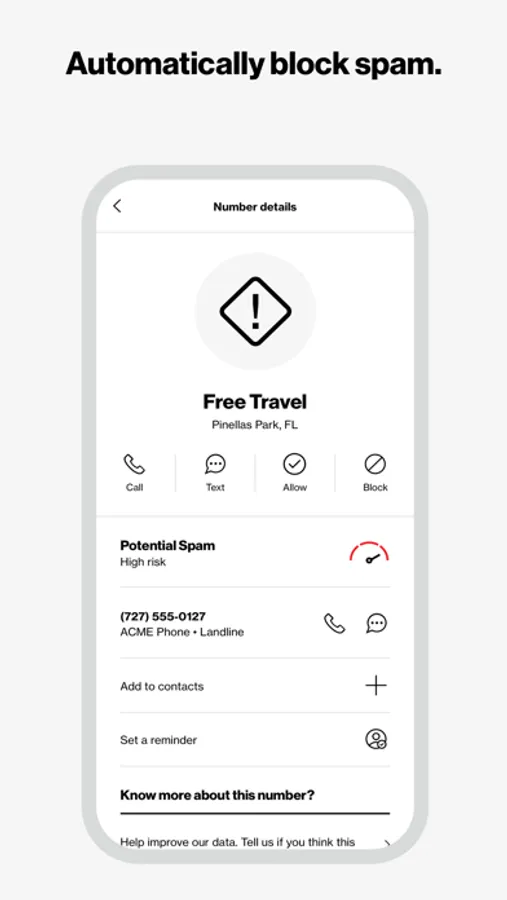
• Automatically block spam based on their risk level and send them to voicemail (Call Filter automatically blocks high-risk callers).
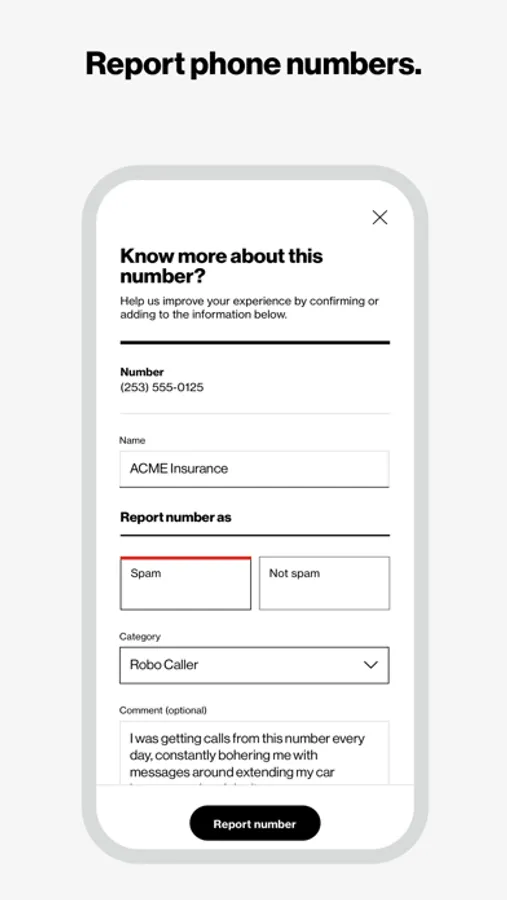
• Report phone numbers as spam.
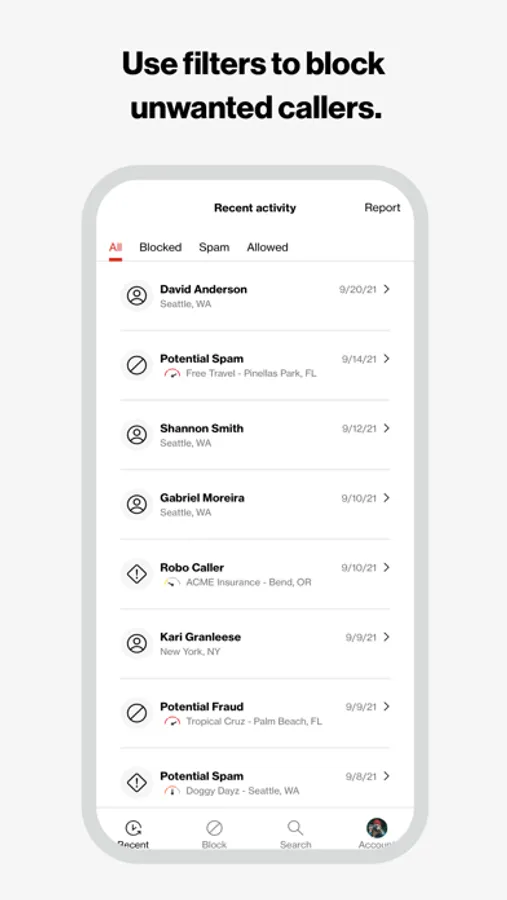
• Use filters to block other unwanted callers, such as robocalls.
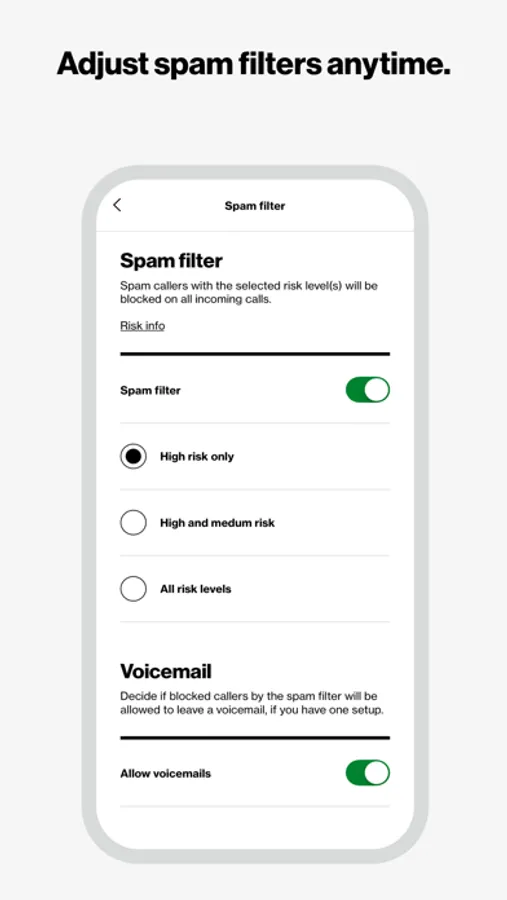
• Adjust spam filter settings any time.
For added security, upgrade to Call Filter Plus*. Features such as Caller ID and blocking neighborhoods give you even more control over incoming calls.
Download Verizon Call Filter and start answering calls with confidence.
*Eligible customers get a 15-day trial for Call Filter Plus. At the end of the trial, customers can choose to subscribe to Call Filter Plus at $3.99 per month, per line. If no action is taken, customers will be auto enrolled in the free version of Call Filter. Accounts with 3 or more eligible lines can subscribe to Call Filter Plus (Multi-line) for $10.99/mo by logging in to My Verizon. The spam filter will be automatically set to block high-risk spam callers, but you can change your block settings at any time. Data charges apply.
Verizon's Call Filter App requires a Verizon standard monthly account on an eligible device.
Please reference https://www.vzw.com/support/how-to-use-call-filter/ and https://www.vzw.com/support/call-filter-faqs/ for step-by-step instructions on how to use the app
With Call Filter, you can:
• Identify suspected spam calls with alerts.
• Automatically block spam based on their risk level and send them to voicemail (Call Filter automatically blocks high-risk callers).
• Report phone numbers as spam.
• Use filters to block other unwanted callers, such as robocalls.
• Adjust spam filter settings any time.
For added security, upgrade to Call Filter Plus*. Features such as Caller ID and blocking neighborhoods give you even more control over incoming calls.
Download Verizon Call Filter and start answering calls with confidence.
*Eligible customers get a 15-day trial for Call Filter Plus. At the end of the trial, customers can choose to subscribe to Call Filter Plus at $3.99 per month, per line. If no action is taken, customers will be auto enrolled in the free version of Call Filter. Accounts with 3 or more eligible lines can subscribe to Call Filter Plus (Multi-line) for $10.99/mo by logging in to My Verizon. The spam filter will be automatically set to block high-risk spam callers, but you can change your block settings at any time. Data charges apply.
Verizon's Call Filter App requires a Verizon standard monthly account on an eligible device.
Please reference https://www.vzw.com/support/how-to-use-call-filter/ and https://www.vzw.com/support/call-filter-faqs/ for step-by-step instructions on how to use the app
Verizon Call Filter Screenshots
Tap to Rate:
Reviews for Verizon Call Filter
strawberrybomb656
Really worth having having
This app really saves time and eliminates the aggravation
bodybybarbeque
Bummer
Worked well for a while. About two weeks ago it stopped working and threw a “Name retrieval error” when I try to get to the settings menu. Guess I’m gonna go use something else.