AppRecs review analysis
AppRecs rating 4.3. Trustworthiness 84 out of 100. Review manipulation risk 25 out of 100. Based on a review sample analyzed.
★★★★☆
4.3
AppRecs Rating
Ratings breakdown
5 star
50%
4 star
0%
3 star
0%
2 star
50%
1 star
0%
What to know
✓
Low review manipulation risk
25% review manipulation risk
✓
Credible reviews
84% trustworthiness score from analyzed reviews
About Voice Over Stopwatch
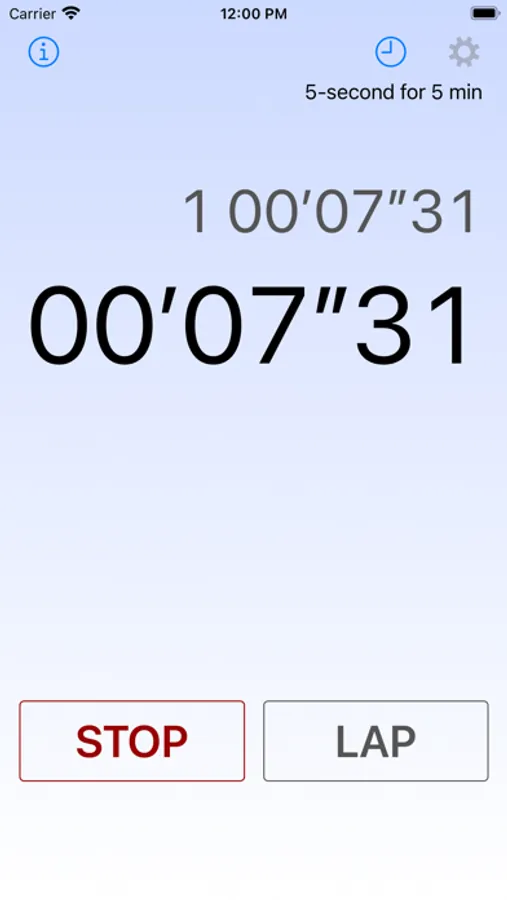
Buttons:
- App Information (i button): Access app details.
- Records: Review a log of up to 1,000 measurements.
- Settings: Open the Settings screen.
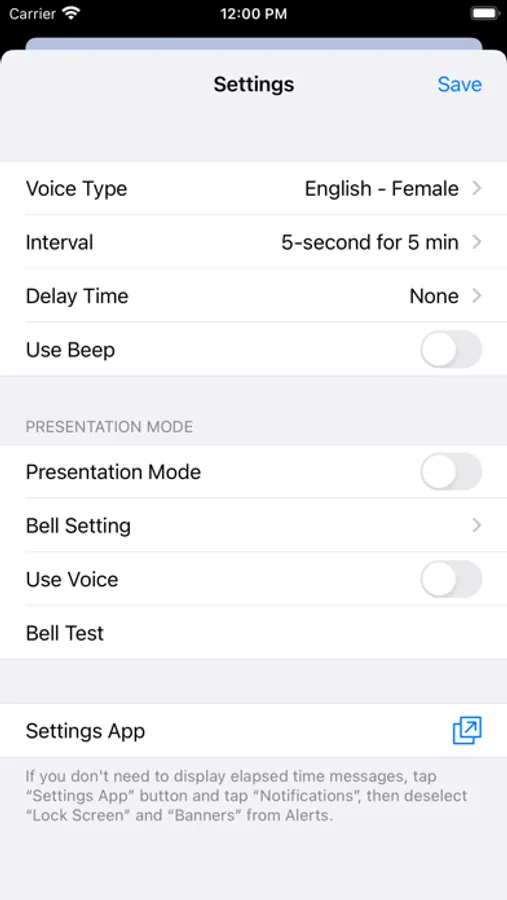
Settings:
- Voice Type: Select a language and voice style.
- Interval: Choose the time interval for announcements.
- Delay Time: Set a delay time before starting the measurement.
- Use Beep: Enable operation sounds.
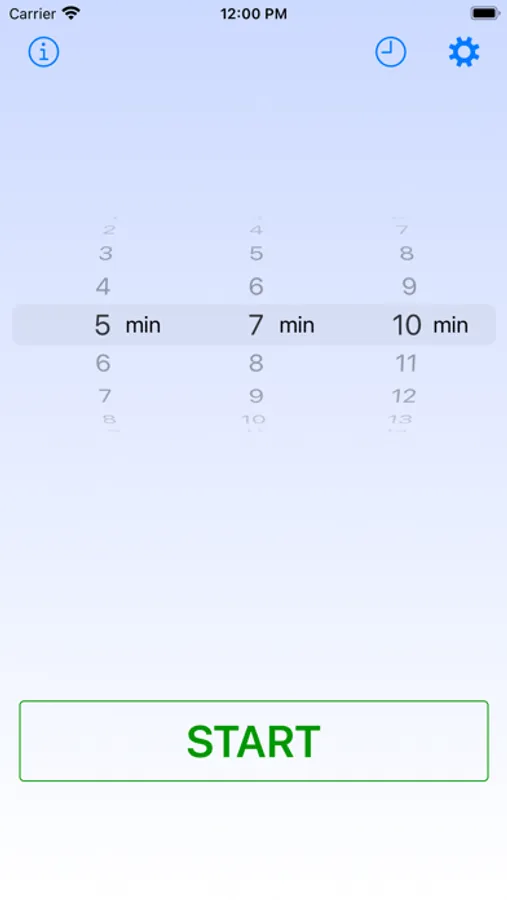
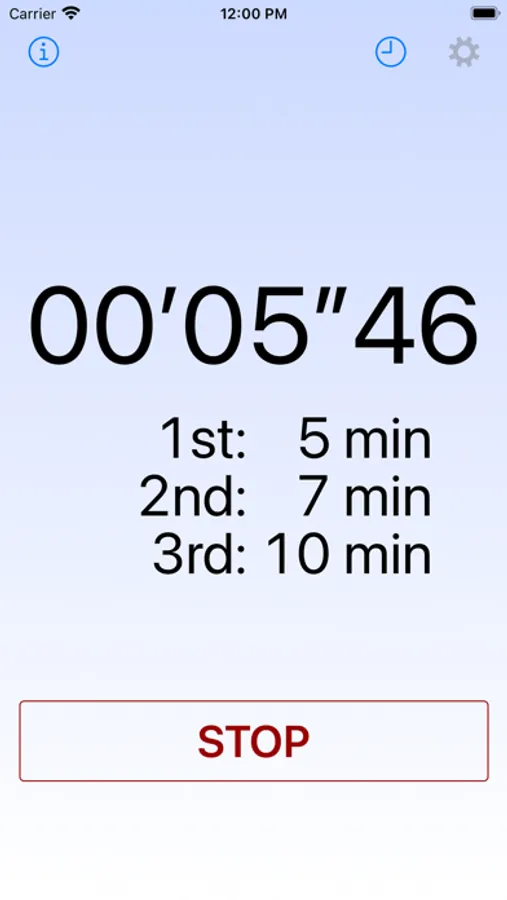
- Presentation Mode: Define the timing for the first, second, and third bell, such as during an academic presentation. You can change the mode by swiping left or right on the spinning wheel.
- Bell Setting: Save and restore a presentation setting.
- Use Voice: Enable vocal announcements in place of the presentation bell.
- Bell Test: Play the bell sound at any time, regardless of the current time.
Voice Over Stopwatch Screenshots
Tap to Rate:
Reviews for Voice Over Stopwatch
RubenRuiz5
Poor audio
The functionality of this app would be great if just the audio would be louder. I intended to use it for my running HIIT but I was unable to listen to the voice, even if I had the volume of my iPhone all the way to the maximum level.
iRuthenium
Am I Using My Life Well?
This app is wonderful. It helps keep me on track and makes me realize how much I can do in a minute or five minutes. It’s funny how days fly by but the minutes can fit so much in them.The speaking is very clear, it’s very easy to use, and there’s no cost. I am very grateful to this developer for all of the apps that measure and announce time!! Domo arigato gozaimasu!!