AppRecs review analysis
AppRecs rating 3.1. Trustworthiness 66 out of 100. Review manipulation risk 24 out of 100. Based on a review sample analyzed.
★★★☆☆
3.1
AppRecs Rating
Ratings breakdown
5 star
33%
4 star
0%
3 star
33%
2 star
11%
1 star
22%
What to know
✓
Low review manipulation risk
24% review manipulation risk
About TSW Mobile Client
Access Simplex® Fire Alarm Network information by connecting to a TrueSite Workstation (TSW) using a Mobile Client:
• Enables an iPhone, iPad, or iPod touch mobile device to become a TSW Mobile Client providing fire alarm network annunciation access with restricted features similar to a PC based Remote Client
• Mobile device must be able to access the local area network (LAN) where the TrueSite Workstation server is connected
• Compatible with 3G and 4G cellular service via VPN (virtual private network) connection
• Connect an essentially unlimited number of TSW Mobile Clients for simultaneous status information access
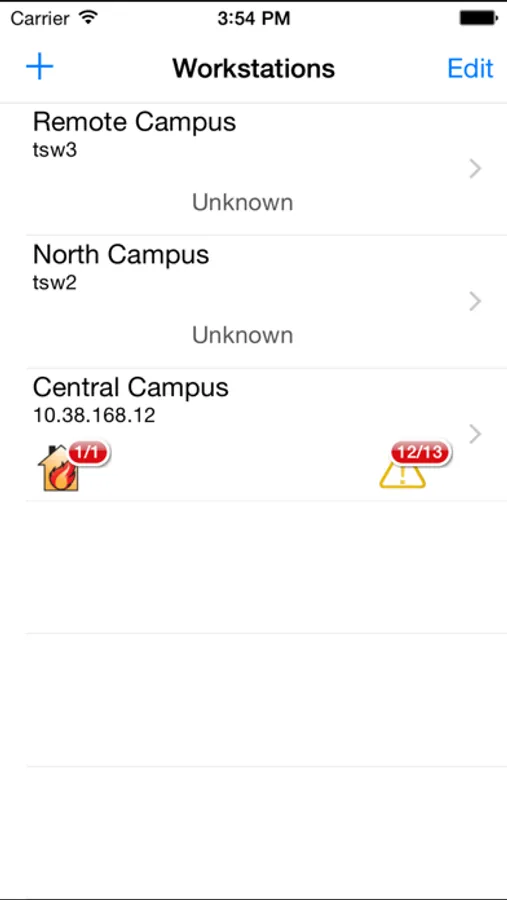
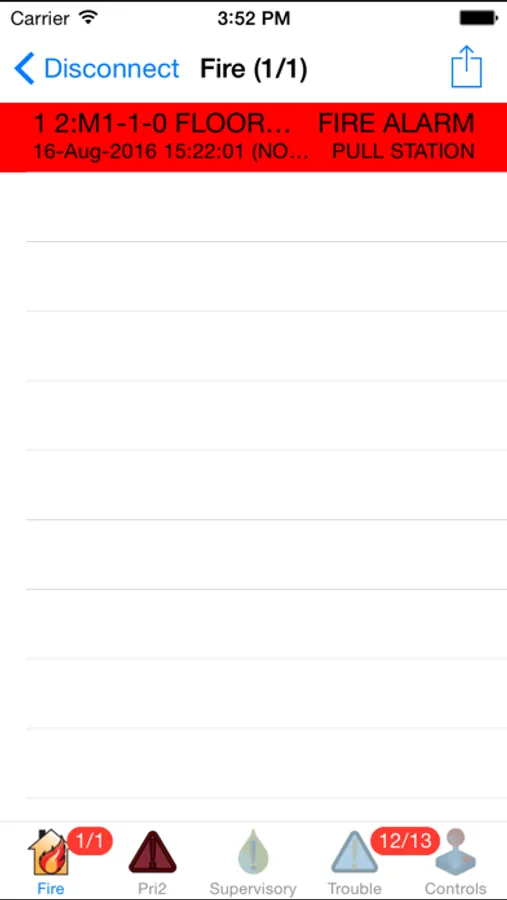
• View the TrueSite Workstation status of: Fire Alarm, Priority 2, Supervisory, and Trouble conditions
Limited control functions can be accessed by password controlled login and by designated mobile device for system testing:
• For applications where agency listing and approvals are not required, and where operation is permitted by the local authority having jurisdiction (AHJ), Civil Defense, or equal; and for qualified and authorized fire responder/life safety site personnel to use during system testing
• Non-listed control functions include: Alarm, Priority 2, Supervisory, and Trouble Acknowledge; Alarm Silence, Priority 2 Reset, and System Reset; utility and audio controls
• Mobile control functions provide a convenient and efficient method for authorized personnel to access system information during initial system setup, system commissioning, and subsequent system service activity
• With the TSW Mobile Client, the TrueSite Workstation response to system testing is readily available to authorized personnel at the test location without requiring someone at the TSW to respond, and without requiring use of a laptop computer
• Enables an iPhone, iPad, or iPod touch mobile device to become a TSW Mobile Client providing fire alarm network annunciation access with restricted features similar to a PC based Remote Client
• Mobile device must be able to access the local area network (LAN) where the TrueSite Workstation server is connected
• Compatible with 3G and 4G cellular service via VPN (virtual private network) connection
• Connect an essentially unlimited number of TSW Mobile Clients for simultaneous status information access
• View the TrueSite Workstation status of: Fire Alarm, Priority 2, Supervisory, and Trouble conditions
Limited control functions can be accessed by password controlled login and by designated mobile device for system testing:
• For applications where agency listing and approvals are not required, and where operation is permitted by the local authority having jurisdiction (AHJ), Civil Defense, or equal; and for qualified and authorized fire responder/life safety site personnel to use during system testing
• Non-listed control functions include: Alarm, Priority 2, Supervisory, and Trouble Acknowledge; Alarm Silence, Priority 2 Reset, and System Reset; utility and audio controls
• Mobile control functions provide a convenient and efficient method for authorized personnel to access system information during initial system setup, system commissioning, and subsequent system service activity
• With the TSW Mobile Client, the TrueSite Workstation response to system testing is readily available to authorized personnel at the test location without requiring someone at the TSW to respond, and without requiring use of a laptop computer
TSW Mobile Client Screenshots
Tap to Rate:
Reviews for TSW Mobile Client
Marcsantoro17
Doesn’t work
Ever since the update, none of our iPhones will work with the app. However, Our android users work
Duhduh dub
Last update killed it for IOS
Hasn’t worked since they updated it to the atrocious new design.