DoubleVision - Sync Screen with Computer & other iPhones in Realtime
DoubleVision Labs
1.8 ★
64 ratings
Free
In this app, you can sync videos, links, and apps between your computer and iPhone or iPad in real time. Includes devices connection, screen sharing, and social sharing features.
AppRecs review analysis
AppRecs rating 1.7. Trustworthiness 71 out of 100. Review manipulation risk 28 out of 100. Based on a review sample analyzed.
★☆☆☆☆
1.7
AppRecs Rating
Ratings breakdown
5 star
16%
4 star
3%
3 star
2%
2 star
2%
1 star
78%
What to know
✓
Low review manipulation risk
28% review manipulation risk
⚠
Mixed user feedback
Average 1.8★ rating suggests room for improvement
⚠
High negative review ratio
80% of sampled ratings are 1–2 stars
About DoubleVision - Sync Screen with Computer & other iPhones in Realtime
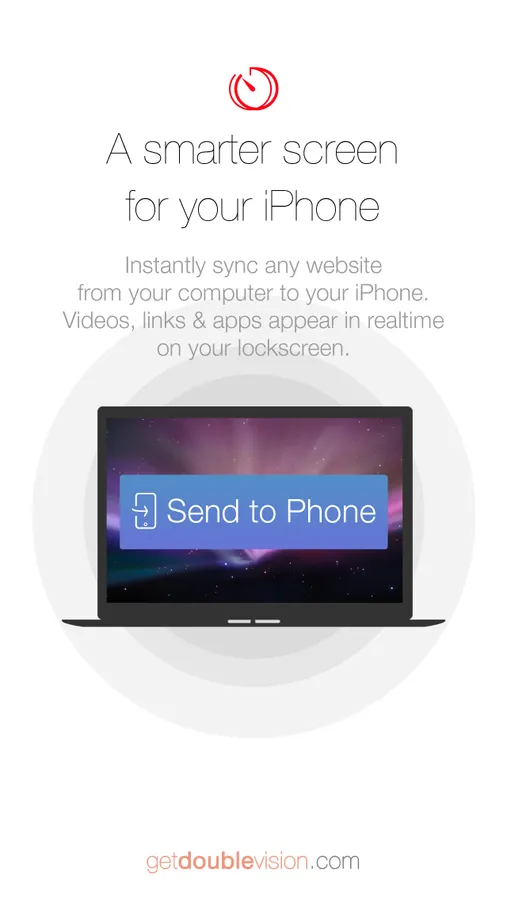
Instantly sync from your computer to your iPhone, or with other iPhones & iPads. Videos, links & apps appear in realtime even on your lockscreen. DEMO bit.ly/syncscreen
UPGRADE TO A SMARTER IPHONE/IPAD
DoubleVision is the missing link between your computer & iPhone. Never again will you need to email yourself just so you can view something on another screen; with DoubleVision everything is sync'd to your other devices automatically:
- Links
- Videos
- Directions
- Apps
- Anything on the web, including GMAPS, GDOCS, FACEBOOK, INSTAGRAM, TWITTER, GDRIVE, GMAIL, YOUTUBE & much more!
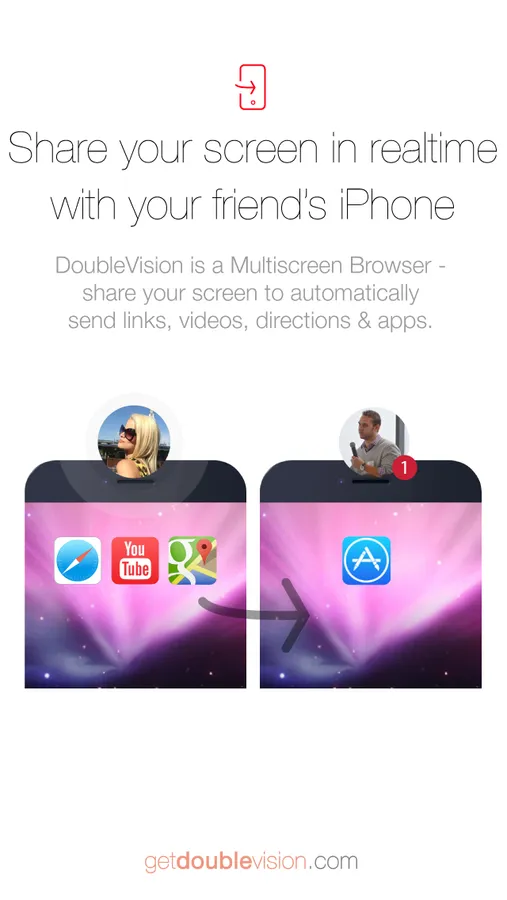
SYNC YOUR SCREEN IN REALTIME WITH ANOTHER IPHONE/IPAD
It just works, whether you are in the same room or on the other side of the planet!
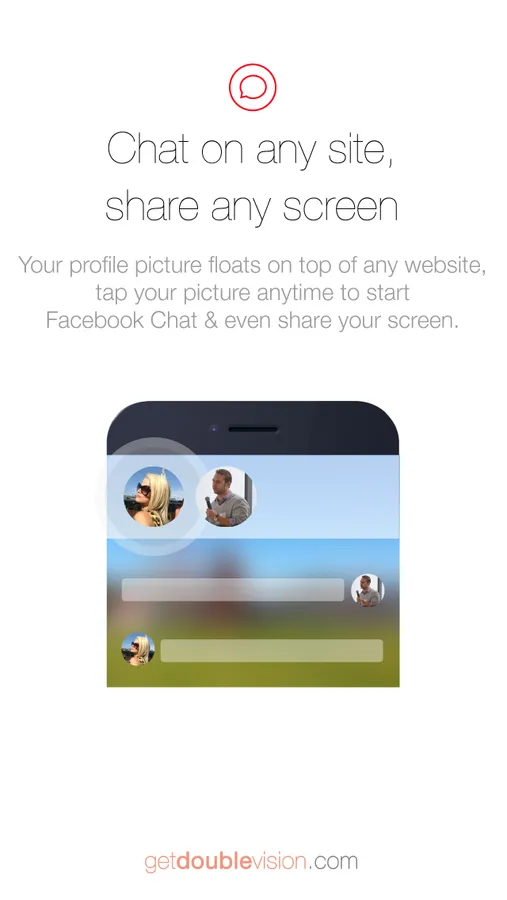
CHAT & SHARE ANY SCREEN
Just login & you're ready to share your screen with anyone -- No confusing setup or "servers", simply tap your profile photo to Facebook Chat & share your screen (even if they don't have DoubleVision!).
>>>>>>>>>>>>>>>>>>>>>>>>>>
TO ALSO LINK YOUR COMPUTER, VISIT:
GetDoubleVision.com
????????????
CANT SYNC?
1) Push Notifications must be ON
Settings> Notification Center> DoubleVision>ON
2) Facebook must be ALLOWED
Settings> Facebook> DoubleVision>ON
3) Link your computer (optional)
On computer visit: GetDoubleVision.com
????????????
NEED HELP?
Tweet us @GetDoubleVision
DoubleVision - Sync Screen with Computer & other iPhones in Realtime Screenshots
Tap to Rate:
Reviews for DoubleVision - Sync Screen with Computer & other iPhones in Realtime
3TN4D
It wouldn’t even open DONT DOWNLOAD
I downloaded this because it look just like what I needed but when it was downloaded I I opened it and it didn’t work it asked to send me notifications I said no and it sent me to my home page DONT DOWNLOAD from what I read it’s a scam and hacks you so DONT DOWNLOAD
oohingman582
Do not download it
It is A waste of space on your Device