
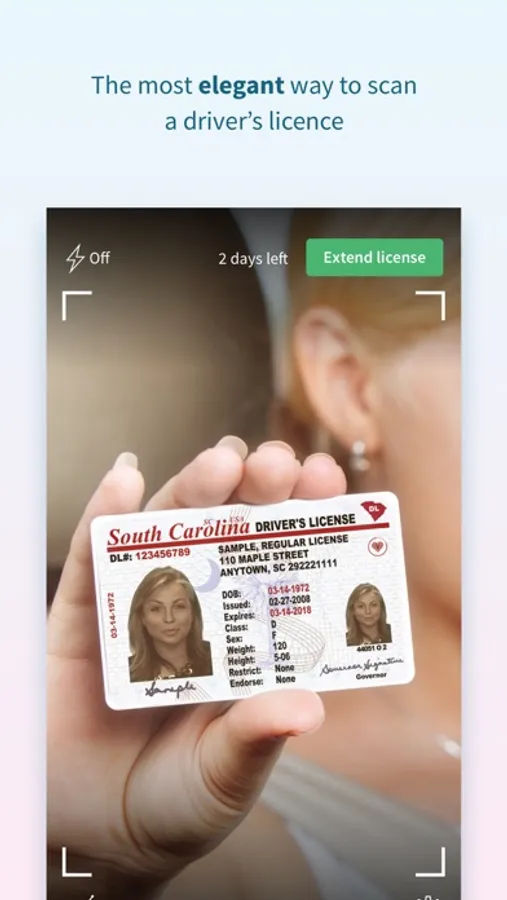
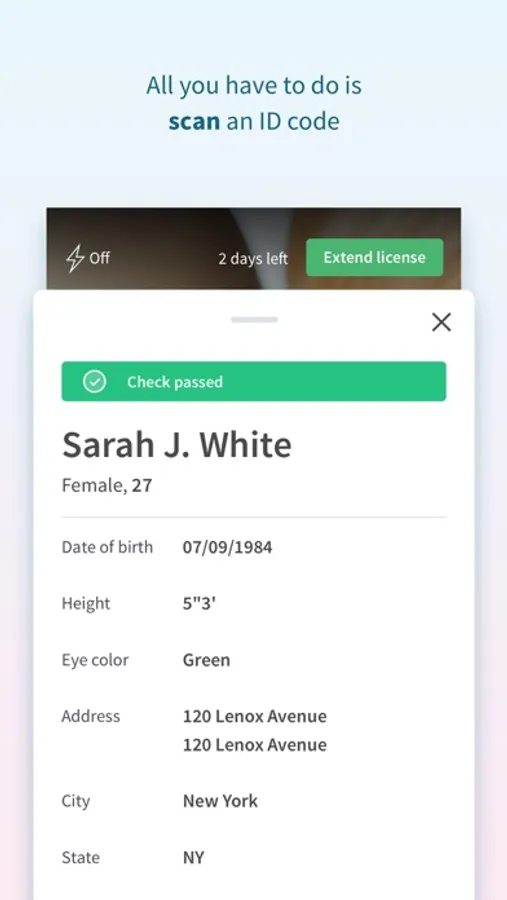
In this ID check app, you can scan driver’s licenses using your phone’s camera to retrieve information from barcodes. Includes data decoding, customizable data sharing options, and age verification features.
AppRecs review analysis
AppRecs rating 3.8. Trustworthiness 0 out of 100. Review manipulation risk 0 out of 100. Based on a review sample analyzed.
★★★☆☆
3.8
AppRecs Rating
Ratings breakdown
5 star
68%
4 star
6%
3 star
5%
2 star
2%
1 star
20%
What to know
✓
High user satisfaction
74% of sampled ratings are 4+ stars (4.0★ average)
⚠
Pricing complaints
Many low ratings mention paywalls or pricing
About Scannr (ID check)
Did you ever wonder what information your driver’s licence holds? With Scannr, you can quickly get all the information from a driver’s licence. It’s easy to use and integrate into your existing system!
*** IMPORTANT!!! ***
Scannr app cannot detect fake driver’s licences.
HOW DOES IT WORK?
Scannr uses the iPhone camera for scanning the barcode on the back of a US and Canadian driver’s license. By using BlinkID, a technology used in banking applications, information from the barcode is deciphered and turned into a human-readable form.
WHAT IS BOUNCER MODE?
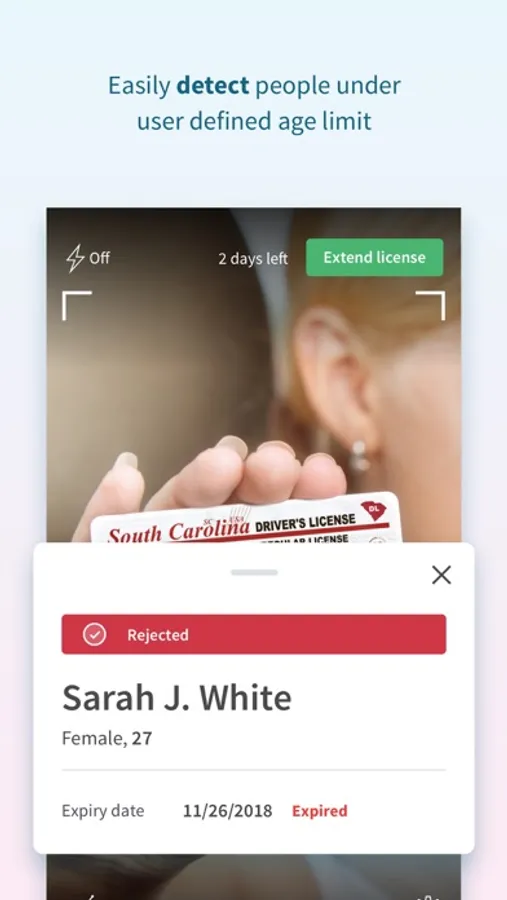
The app offers the so-called bouncer mode – the ability to set the age limit and filter people accordingly. If the person is above the age limit, the scanned data is shown on the green background. If not, the background is red. It can also detect expired licenses.
IS THE DATA LOGGED?
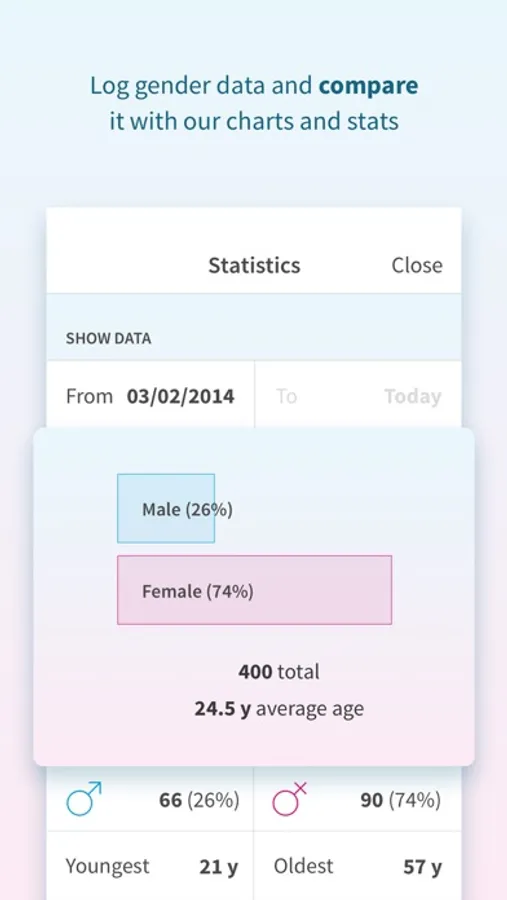
Data logging can be switched on or off, depending on your preferences and/or state law. With logging turned on, Scannr can turn recorded data into informative charts. Charts can be further refined by selecting the start and end date.
WHICH DATA IS STORED?
Only aggregated gender and age data. Everything else is ignored. The scanned data never leaves your mobile phone, unless you configure Scannr to send data to a custom URL.
IS SCANNR FREE?
You can download the app for free and take a limited number of scans. If you find it useful enough, there’s an option of buying an unlimited-scans license for a time period.
HOW DO I RECOVER THE 'UNLIMITED SCANS FOREVER' LICENSE?
In older versions, there was an option of buying unlimited scans forever. If you bought such a license, you can recover it in the settings screen of the app after logging in.
HOW DO I INTEGRATE SCANNR INTO MY SYSTEM?
In settings, you can set Scannr up to send the scand data to a URL of your choosing so you can save the data for later if you have a need to do so.
You can find more info on https://scannrapp.com/.
*** IMPORTANT!!! ***
Scannr app cannot detect fake driver’s licences.
HOW DOES IT WORK?
Scannr uses the iPhone camera for scanning the barcode on the back of a US and Canadian driver’s license. By using BlinkID, a technology used in banking applications, information from the barcode is deciphered and turned into a human-readable form.
WHAT IS BOUNCER MODE?
The app offers the so-called bouncer mode – the ability to set the age limit and filter people accordingly. If the person is above the age limit, the scanned data is shown on the green background. If not, the background is red. It can also detect expired licenses.
IS THE DATA LOGGED?
Data logging can be switched on or off, depending on your preferences and/or state law. With logging turned on, Scannr can turn recorded data into informative charts. Charts can be further refined by selecting the start and end date.
WHICH DATA IS STORED?
Only aggregated gender and age data. Everything else is ignored. The scanned data never leaves your mobile phone, unless you configure Scannr to send data to a custom URL.
IS SCANNR FREE?
You can download the app for free and take a limited number of scans. If you find it useful enough, there’s an option of buying an unlimited-scans license for a time period.
HOW DO I RECOVER THE 'UNLIMITED SCANS FOREVER' LICENSE?
In older versions, there was an option of buying unlimited scans forever. If you bought such a license, you can recover it in the settings screen of the app after logging in.
HOW DO I INTEGRATE SCANNR INTO MY SYSTEM?
In settings, you can set Scannr up to send the scand data to a URL of your choosing so you can save the data for later if you have a need to do so.
You can find more info on https://scannrapp.com/.
Scannr (ID check) Screenshots
Tap to Rate:
Reviews for Scannr (ID check)
MacJoeS
Does not work
Maybe the 20 free scans aren’t supposed to work, but this is trash app
Pineapple Bandit
Camera doesn’t focus to scan anything
The camera doesn’t focus to scan anything. Waste of money and time