Use this QR Code Reader & Generator App to scan various barcode types and create customized QR codes with logos and color options. Includes batch scanning, code sharing, and editing features.
AppRecs review analysis
AppRecs rating 4.7. Trustworthiness 69 out of 100. Review manipulation risk 31 out of 100. Based on a review sample analyzed.
★★★★☆
4.7
AppRecs Rating
Ratings breakdown
5 star
84%
4 star
7%
3 star
4%
2 star
2%
1 star
4%
What to know
✓
High user satisfaction
84% of sampled ratings are 5 stars
About QR Code Reader & Generator App
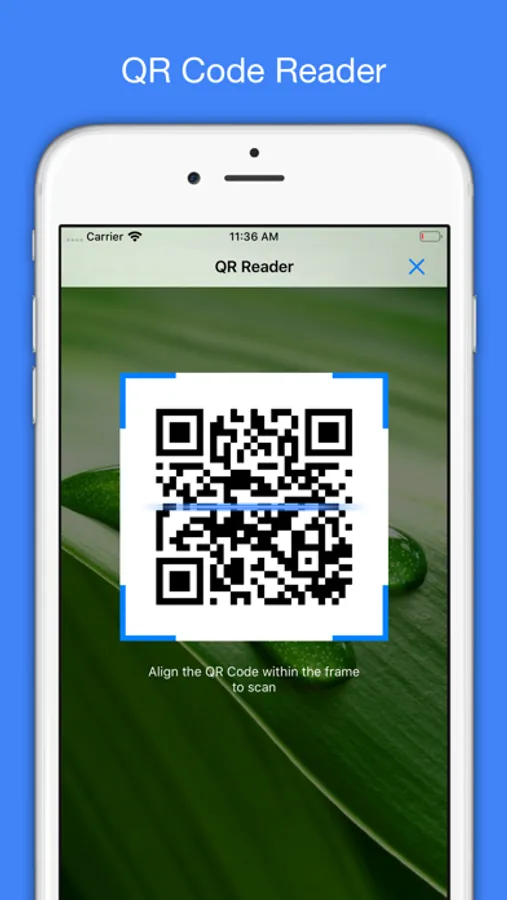
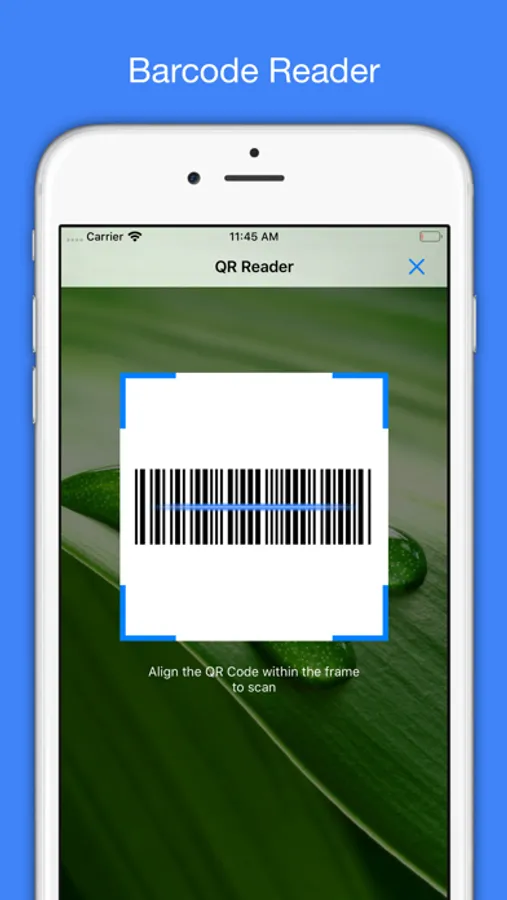
QR Reader lets you scan and create QR Code & Barcode.
Reader Features:
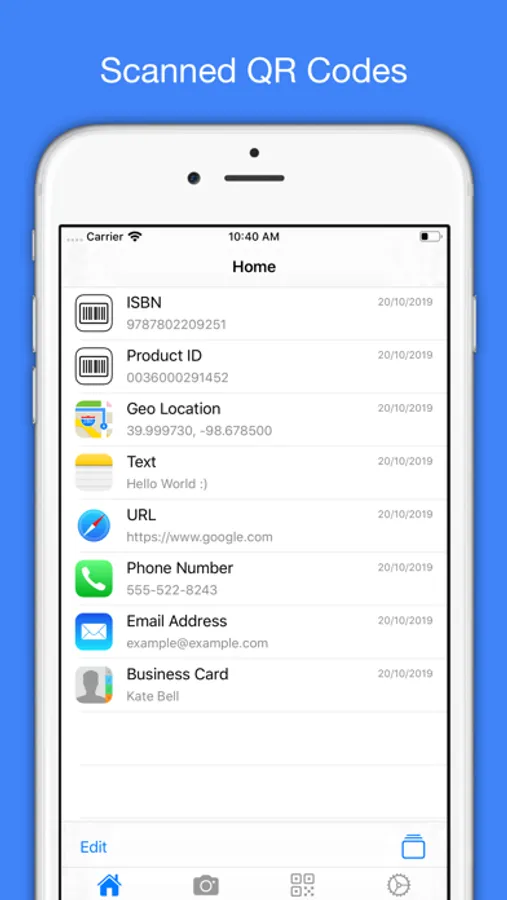
- Preview scanned code: URL, Phone Number, Email Address, SMS Message, Text, Geo Location, Business Card and WiFi.
- Support batch scan.
- Support code types: QR Code, UPCE, Code39, Code93, Code128, EAN13, EAN8, PDF417, Aztec, Data Matrix and ITF.
- Share scanned QR Code and Barcode.
Creator Features:
- Support create Barcode.
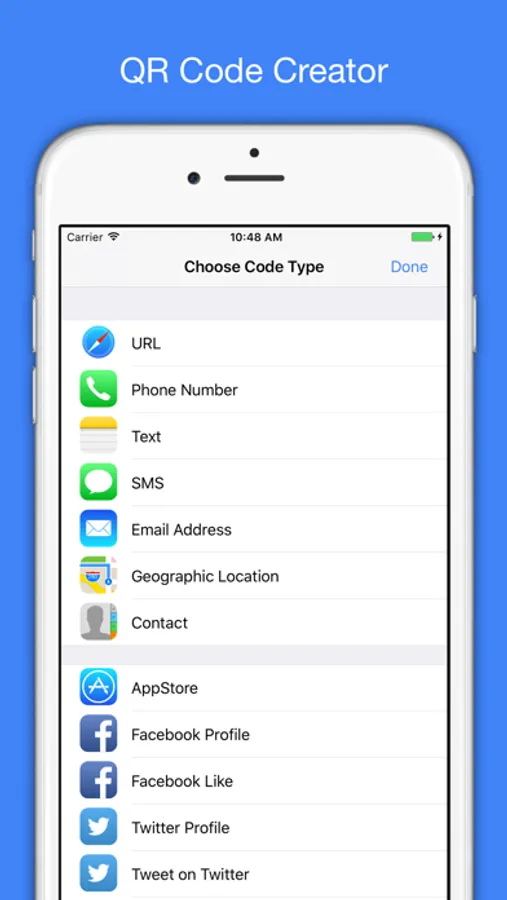
- Support create QR Code for: URL, Phone Number, Email Address, SMS Message, Text, Geo Location, vCard, MeCard, BizCard and WiFi.
- Customize the body and background color of QR Code.
- Add logo image on QR Code.
- Customize logo image shape and border.
- Share created QR Code and Barcode.
Subscription details:
- Payment will be charged to your iTunes account at confirmation of purchase.
Subscription automatically renews unless auto-renew is turned off at least 24 hours before the end of the current period.
- Account will be charged for renewal within 24 hours of the end of the current period, and the cost of the renewal will be provided.
- No cancellation of the current subscription is allowed during active subscription period.
- Any unused portion of a free trial period, if offered, will be forfeited when the user purchases a subscription to that publication.
- Subscriptions may be managed by the user: you can modify or cancel your subscription at any time by signing in to your iTunes account on your computer or iOS and changing the settings.
For more details on this please visit: https://support.apple.com/kb/HT4098
Please see QR Code Reader Terms of Service and Privacy Policy:
Terms of Service: https://www.fingerjoystudios.com/qrcode/terms-of-service/
Privacy Policy: https://www.fingerjoystudios.com/qrcode/privacy-policy/
Reader Features:
- Preview scanned code: URL, Phone Number, Email Address, SMS Message, Text, Geo Location, Business Card and WiFi.
- Support batch scan.
- Support code types: QR Code, UPCE, Code39, Code93, Code128, EAN13, EAN8, PDF417, Aztec, Data Matrix and ITF.
- Share scanned QR Code and Barcode.
Creator Features:
- Support create Barcode.
- Support create QR Code for: URL, Phone Number, Email Address, SMS Message, Text, Geo Location, vCard, MeCard, BizCard and WiFi.
- Customize the body and background color of QR Code.
- Add logo image on QR Code.
- Customize logo image shape and border.
- Share created QR Code and Barcode.
Subscription details:
- Payment will be charged to your iTunes account at confirmation of purchase.
Subscription automatically renews unless auto-renew is turned off at least 24 hours before the end of the current period.
- Account will be charged for renewal within 24 hours of the end of the current period, and the cost of the renewal will be provided.
- No cancellation of the current subscription is allowed during active subscription period.
- Any unused portion of a free trial period, if offered, will be forfeited when the user purchases a subscription to that publication.
- Subscriptions may be managed by the user: you can modify or cancel your subscription at any time by signing in to your iTunes account on your computer or iOS and changing the settings.
For more details on this please visit: https://support.apple.com/kb/HT4098
Please see QR Code Reader Terms of Service and Privacy Policy:
Terms of Service: https://www.fingerjoystudios.com/qrcode/terms-of-service/
Privacy Policy: https://www.fingerjoystudios.com/qrcode/privacy-policy/
QR Code Reader & Generator App Screenshots
Tap to Rate:
Reviews for QR Code Reader & Generator App
qtohdxh
Won’t focus
iPhone 17 Pro Max uses the wrong camera will not focus on QR codes
newmexpj
Doesn’t work
Every time I scan, it takes me to a blank screen that says Home at the top, that just takes me back