With this vocal recorder app, you can record, add layers, and apply effects to musical ideas using your device's microphone. Includes built-in loops, beats, harmonies, and sharing options.
AppRecs review analysis
AppRecs rating 4.4. Trustworthiness 78 out of 100. Review manipulation risk 25 out of 100. Based on a review sample analyzed.
★★★★☆
4.4
AppRecs Rating
Ratings breakdown
5 star
79%
4 star
7%
3 star
4%
2 star
2%
1 star
7%
What to know
✓
Low review manipulation risk
25% review manipulation risk
✓
Credible reviews
78% trustworthiness score from analyzed reviews
✓
High user satisfaction
86% of sampled ratings are 4+ stars (4.5★ average)
About Take Creative Vocal Recorder
Sing. Hum. Rap. Strum. Capture your musical ideas—anytime, anywhere.
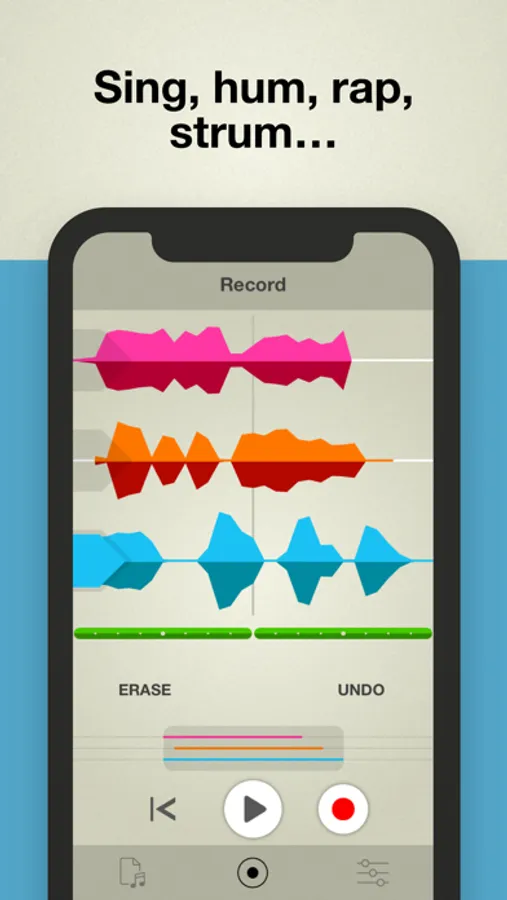
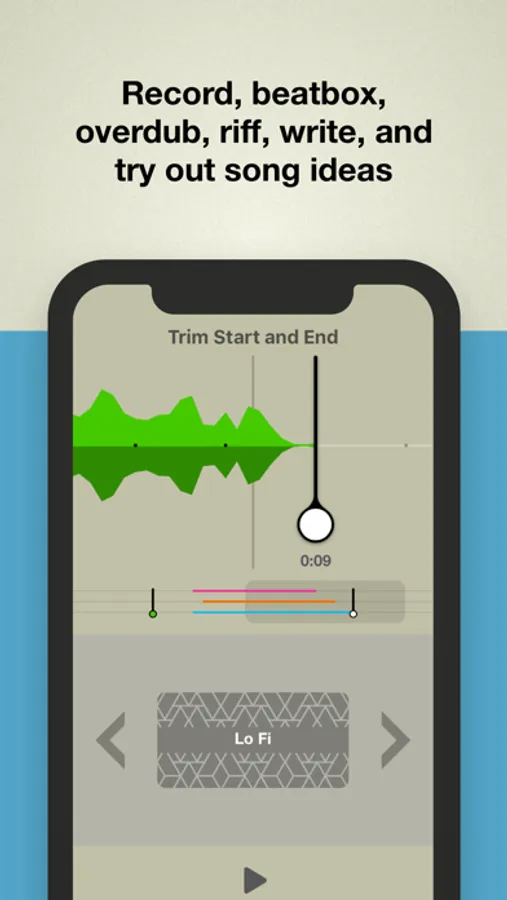
Take is the creative vocal recorder. With a single tap you’ll be recording, beatboxing, overdubbing, riffing, writing and sketching out song ideas.
App of the Day, Europe (Aug. 2018)
“A versatile mobile song sketchpad.” – Electronic Musician
“Tremendously easy to use.” – Engadget
TOP FEATURES:
• Kickstart your creativity with inspiring built-in loops and beats.
• Sound like a superstar on your phone’s built-in mic.
• Feel the groove. Stay on the beat. Keep in time.
• Add new parts. Double them up. Create harmonies.
• Build your tune and flesh out your ideas with three tracks.
• Polish your tracks with built-in effects, mastering and more.
• Subtly tune your voice to stay in key or go full-on robot voice with Voice Tune.
• Open an audio file and add your own voice to become the star.
• Share your recordings to social, email, AirDrop and other apps.
Take combines drop-dead simplicity with features that are custom-tailored for vocalists. Record harmonies along with your voice, blend in effects to sweeten the sound and sing along to an array of beats and rhythms. Take is the ultimate voice memo sketchpad for capturing your musical ideas.
Note: Take is optimized for the built-in microphone on your iOS device. To eliminate feedback and hollow-sounding tracks, wearing headphones is recommended while recording. Best results come from using headphones without an integrated microphone, and recording directly into your iPhone/iPod/iPad.
** Requirements: iOS 11 or higher.
Take is the creative vocal recorder. With a single tap you’ll be recording, beatboxing, overdubbing, riffing, writing and sketching out song ideas.
App of the Day, Europe (Aug. 2018)
“A versatile mobile song sketchpad.” – Electronic Musician
“Tremendously easy to use.” – Engadget
TOP FEATURES:
• Kickstart your creativity with inspiring built-in loops and beats.
• Sound like a superstar on your phone’s built-in mic.
• Feel the groove. Stay on the beat. Keep in time.
• Add new parts. Double them up. Create harmonies.
• Build your tune and flesh out your ideas with three tracks.
• Polish your tracks with built-in effects, mastering and more.
• Subtly tune your voice to stay in key or go full-on robot voice with Voice Tune.
• Open an audio file and add your own voice to become the star.
• Share your recordings to social, email, AirDrop and other apps.
Take combines drop-dead simplicity with features that are custom-tailored for vocalists. Record harmonies along with your voice, blend in effects to sweeten the sound and sing along to an array of beats and rhythms. Take is the ultimate voice memo sketchpad for capturing your musical ideas.
Note: Take is optimized for the built-in microphone on your iOS device. To eliminate feedback and hollow-sounding tracks, wearing headphones is recommended while recording. Best results come from using headphones without an integrated microphone, and recording directly into your iPhone/iPod/iPad.
** Requirements: iOS 11 or higher.
Take Creative Vocal Recorder Screenshots

Tap to Rate:
Reviews for Take Creative Vocal Recorder
vjghtdhtfyrd,h5ytd
Ugggh
When I downloaded the app I was expecting to have fun singing but when I clicked forgot password put in my email and clicked reset, it said network error. Please check your connection. But I had perfect internet service.
Golden Light22
Best recording app
Never delete this app keep it up , best recording app out there 🔥🔥🔥🔥