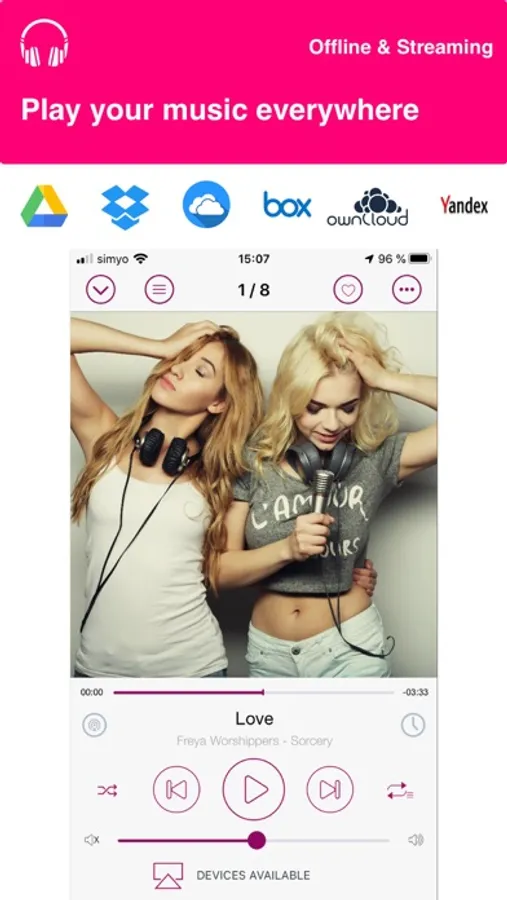
In this music streaming app, you can listen to downloaded or streaming tracks from cloud storage services and manage playlists. Includes offline playback, support for multiple cloud services, and browsing free music on Audius.
AppRecs review analysis
AppRecs rating 3.7. Trustworthiness 79 out of 100. Review manipulation risk 25 out of 100. Based on a review sample analyzed.
★★★☆☆
3.7
AppRecs Rating
Ratings breakdown
5 star
62%
4 star
15%
3 star
6%
2 star
3%
1 star
14%
What to know
✓
Low review manipulation risk
25% review manipulation risk
✓
Credible reviews
79% trustworthiness score from analyzed reviews
⚠
Ad complaints
Many low ratings mention excessive ads
About Cloud Music - Stream & Offline
- 4/5 stars with more than 2000 reviews
- Continue evolution: more than 17 updates on the last two years
- Support by mail on lees than 24h
- CarPlay support
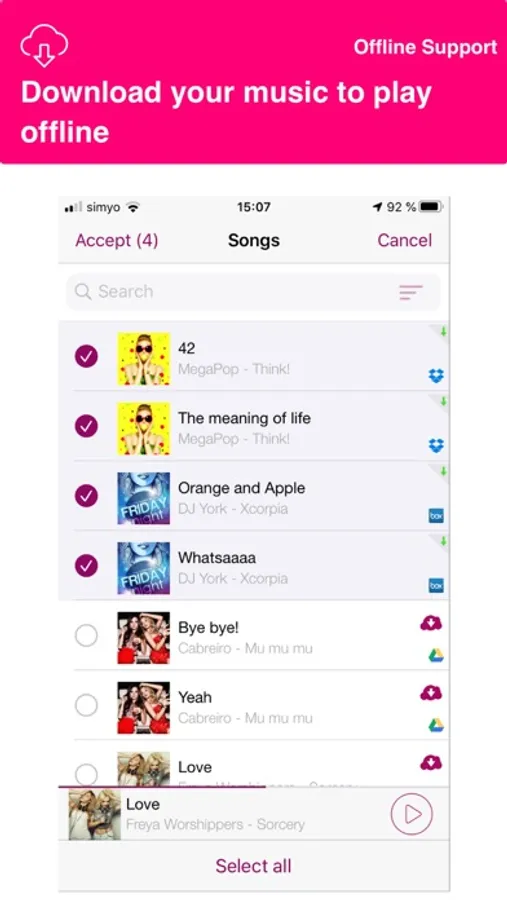
Cloud Music allow you to play Offline (Download) or in Streaming all your music stored on your favorite cloud:
- Dropbox
- Box
- Google Drive
- OneDrive
- ownCloud
- Yandex.Disk
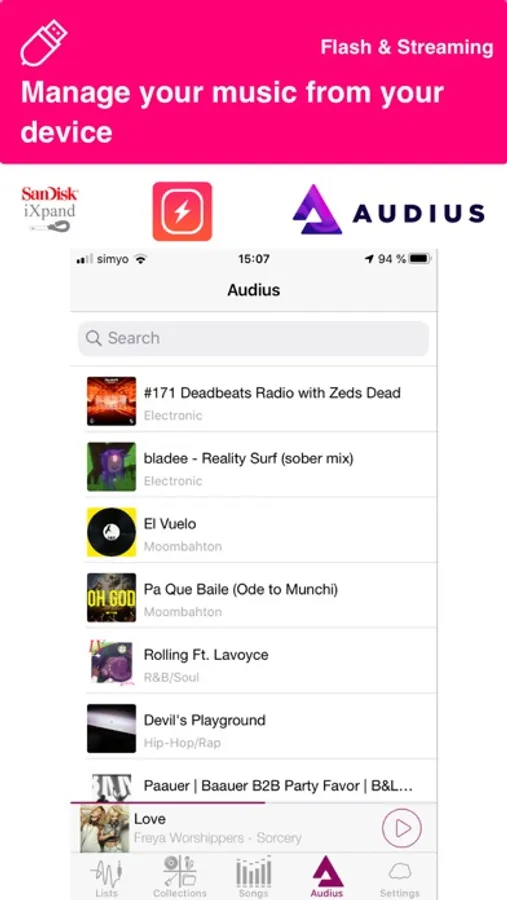
Cloud Music also allow you to play music from Flash Memories like:
- SanDisk iXpand
- PowerDrive devices
Upload thousands of songs to several clouds and see them all toughener in a single collection on Cloud Music.
The easiest way to add Music to an iPhone or iPad.
Also you can find Free Music on Audius:
Browse, search and listen unlimited free music to your iPhone/iPod/iPad.
Discover & search directly with different categories:
Classical, Rock, Jazz, Dance, Country, Folk, Hip Hop, Alternative, Ambient, Disco, Electronic, House, Indie, Latin, Metal, Pop, Reggae, Trance…
Key features:
√ Download and play your songs without internet (offline)
√ Supported formats: MP3, FLAC, M4A, M4B
√ Playlist organizer by title or date
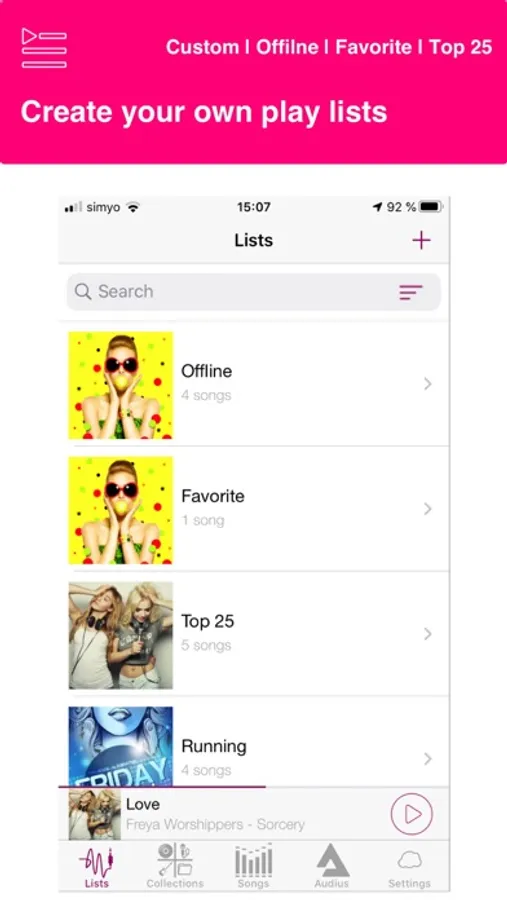
√ Automatic Playlists (Offline, Favorites, Top 25)
√ “Force Touch” for iPhone 6s and iPhone 7
√ Automatic shutdown to listen your music when you go to sleep
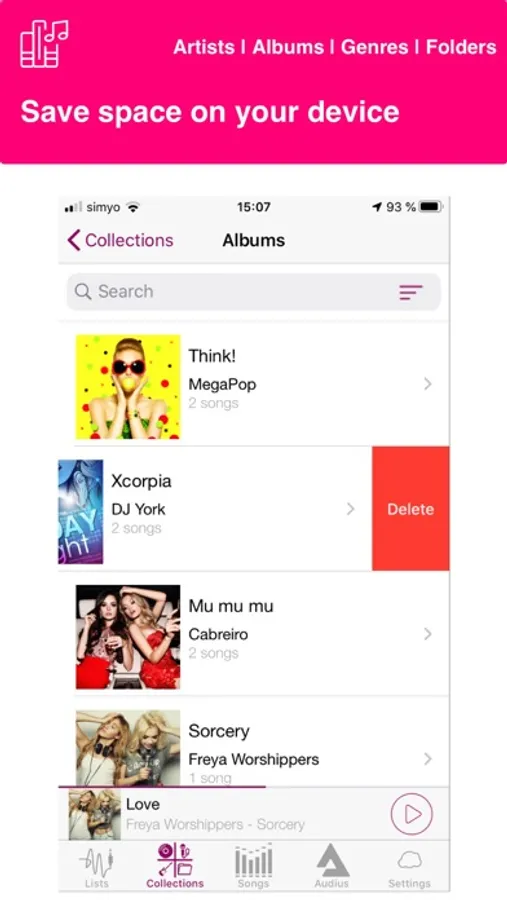
√ Organize your music by artist, album and song regardless where they are stored
√ Find your song, album or artist using the search bar
√ Mark a song as favorite to have it on the Favorite Playlist
√ Order your music by title, added by date or artist
√ Play in background with control of your headphones
√ Playback with repeat of song or list and shuffle
√ Share with your friend the music that you are playing
√ Complete your music collection looking for free music on Audius (Only streaming. The download is not available)
Twitter: @CloudMusicApp
Facebook: https://www.facebook.com/CloudMusicPlayer/
Youtube: https://www.youtube.com/channel/UCGdpzrn59y7YHpHJatSxQ6w
* Please note that the app cannot play drm protected files purchased on iTunes Store.
Cloud Music - Stream & Offline Screenshots
Tap to Rate:
Reviews for Cloud Music - Stream & Offline
areelii12
Horrible
Got to listen to 3 songs the most and a pop up appeared saying I needed to buy the full version to keep enjoying MY music. Pffft I immediately uninstalled it.
Gorooch
Cloud Music - Stream and Offlie App
So I downloaded this App onto my iPad and opened it. All I see is a picture of a mobile device with a message at top saying “It is difficult to have all the music on your iPad.” What does that mean? I see no way to do anything with this App. What am I missing?