In this voice recorder app, you can record high-quality audio, transcribe voice to text, and organize files with folder management. Includes file sharing options, editing tools, and support for various audio formats.
AppRecs review analysis
AppRecs rating 4.3. Trustworthiness 79 out of 100. Review manipulation risk 22 out of 100. Based on a review sample analyzed.
★★★★☆
4.3
AppRecs Rating
Ratings breakdown
5 star
82%
4 star
10%
3 star
3%
2 star
1%
1 star
4%
What to know
✓
Low review manipulation risk
22% review manipulation risk
✓
Credible reviews
79% trustworthiness score from analyzed reviews
✓
High user satisfaction
82% of sampled ratings are 5 stars
About Awesome Voice Recorder
■■■ #Rank 1 Business app in 35 Countries ■■■
■■■ #Rank 5 Business app in 85 Countries ■■■
AVR is the best voice recording application with a cool interface and perfect functionality for business people, reporters, tutors, audio experts, sound engineers, school personnel, university students and those who need to manage voice memos.
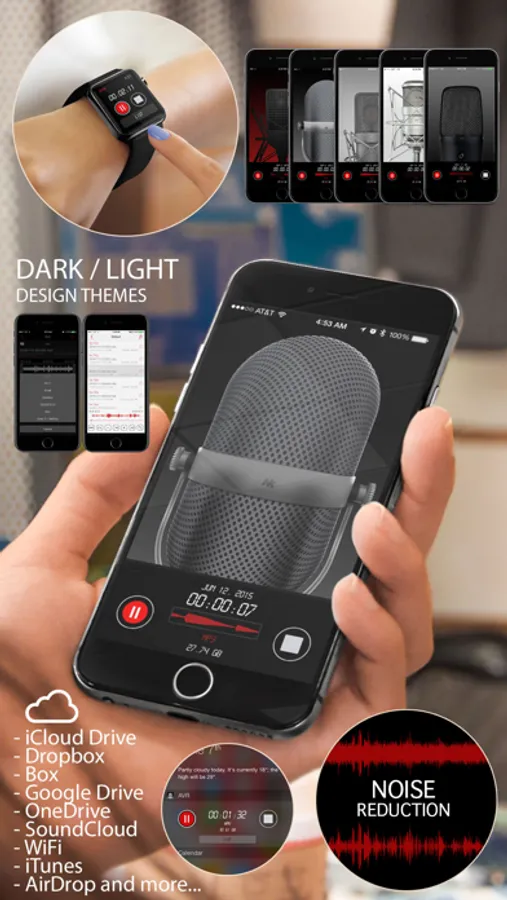
Support for Apple Watch
Available on both iPhone and iPad.
■ Main functions
- Direct recording MP3, WAV, M4A audio format
- Voice to text transcription
- High quality audio recording
- Unlimited recording time
- Background recording
- Wave display for recording status
- Various audio quality options (11,025KHz, 22,050KHz, 44,100KHz,48,000KHz)
- Mono/stereo recording
- Records playable in various media
- Restart voice recordings after phone call pause (Up to 3 minutes recording pause)
- Add description to voice records
- Fast and easy to use
- Display recording file size
- Safe stop for low battery and storage space
- Bluetooth support
- Supported audio formats (MP3,WAV,M4A,M4R)
- 5 microphone designs. (Professional,Classic,Studio,Studio Pro)
- App colour Themes (Dark / Light)
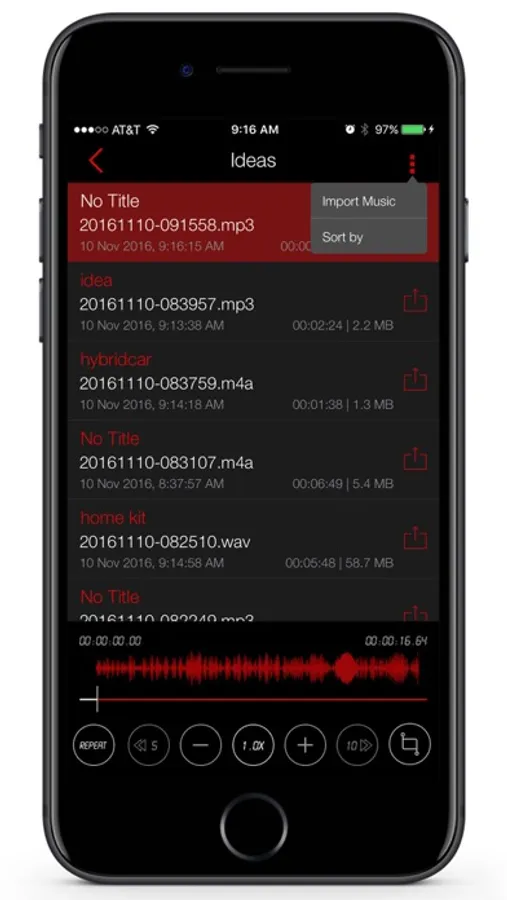
- Added music library import function
- Create a ringtone
- File creation function with noise reduction
- Sorting file function
- Earphone remote control playback
■ Powerful file Sharing & Management
- Transfer files using iTunes
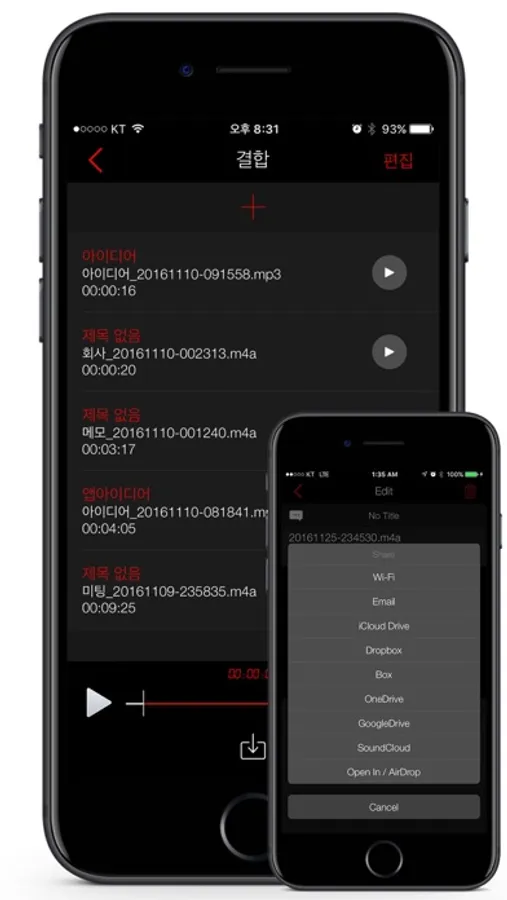
- iCloud Drive , Dropbox , Box , GoogleDrive , OneDrive , SoundCloud
- Email
- AirDrop
- Wi-Fi file management (upload,download,edit...)
- File sharing / send files in another app “Open in”
■ Folder management
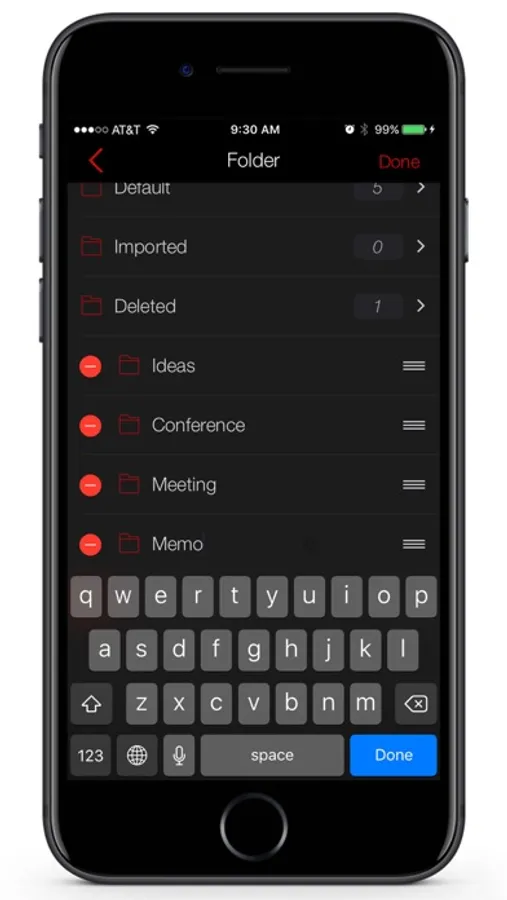
You can create folders to save and control files
Creating/editing/deleting/changing/moving
■ Repeated, slow or fast play
You play repeatedly, slow or fast.
Replay,Rewind,Forward / 0.1x ~ Play
Fine-tune the playback speed
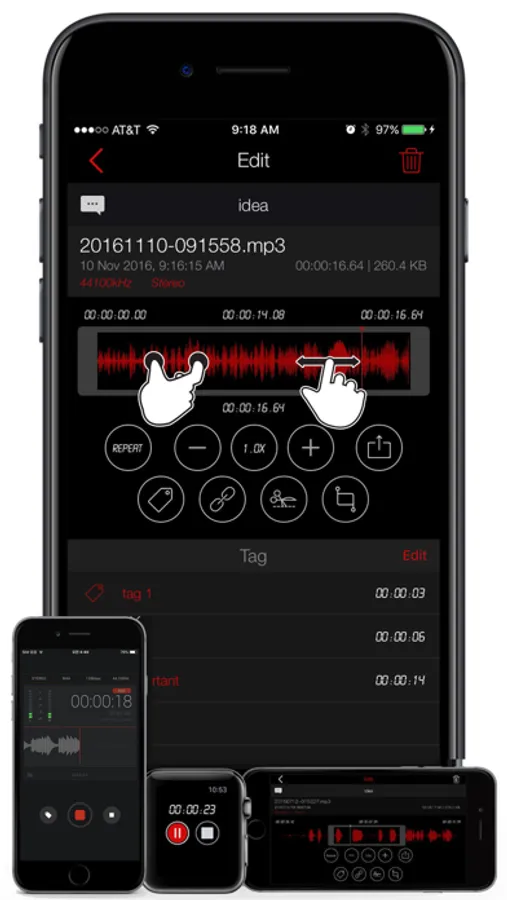
■ Trim&cut audio records
You can trim&cut the voice records as you want.
You can use the left/right pointers to trim&cut the voice records and save it (mp3,wav,m4a,m4r)
■ Audio visualisation
Voice records are visualised so that you can easily identify voice sections
Sound visualisation
■ Sound tag
You can play immediately by adding several tags to one audio file at selected time
Play at the location of tag
■ Sound file combination
You can create one new file out of several audio file.
Create a file by setting play sequence of several files
■ Noise Reduction
Noise Reduction can reduce constant background sounds
■■■ #Rank 5 Business app in 85 Countries ■■■
AVR is the best voice recording application with a cool interface and perfect functionality for business people, reporters, tutors, audio experts, sound engineers, school personnel, university students and those who need to manage voice memos.
Support for Apple Watch
Available on both iPhone and iPad.
■ Main functions
- Direct recording MP3, WAV, M4A audio format
- Voice to text transcription
- High quality audio recording
- Unlimited recording time
- Background recording
- Wave display for recording status
- Various audio quality options (11,025KHz, 22,050KHz, 44,100KHz,48,000KHz)
- Mono/stereo recording
- Records playable in various media
- Restart voice recordings after phone call pause (Up to 3 minutes recording pause)
- Add description to voice records
- Fast and easy to use
- Display recording file size
- Safe stop for low battery and storage space
- Bluetooth support
- Supported audio formats (MP3,WAV,M4A,M4R)
- 5 microphone designs. (Professional,Classic,Studio,Studio Pro)
- App colour Themes (Dark / Light)
- Added music library import function
- Create a ringtone
- File creation function with noise reduction
- Sorting file function
- Earphone remote control playback
■ Powerful file Sharing & Management
- Transfer files using iTunes
- iCloud Drive , Dropbox , Box , GoogleDrive , OneDrive , SoundCloud
- AirDrop
- Wi-Fi file management (upload,download,edit...)
- File sharing / send files in another app “Open in”
■ Folder management
You can create folders to save and control files
Creating/editing/deleting/changing/moving
■ Repeated, slow or fast play
You play repeatedly, slow or fast.
Replay,Rewind,Forward / 0.1x ~ Play
Fine-tune the playback speed
■ Trim&cut audio records
You can trim&cut the voice records as you want.
You can use the left/right pointers to trim&cut the voice records and save it (mp3,wav,m4a,m4r)
■ Audio visualisation
Voice records are visualised so that you can easily identify voice sections
Sound visualisation
■ Sound tag
You can play immediately by adding several tags to one audio file at selected time
Play at the location of tag
■ Sound file combination
You can create one new file out of several audio file.
Create a file by setting play sequence of several files
■ Noise Reduction
Noise Reduction can reduce constant background sounds
Awesome Voice Recorder Screenshots
Tap to Rate:
Reviews for Awesome Voice Recorder
Friendlyiphone
Terrible app
Just a poor app
JCZGRL
Great!
I love it