Use this timesheet app to create, sign, and email PDFs for various reporting periods. Includes features for time entry, expense tracking, overtime calculations, and customization options.
AppRecs review analysis
AppRecs rating 4.7. Trustworthiness 74 out of 100. Review manipulation risk 26 out of 100. Based on a review sample analyzed.
★★★★☆
4.7
AppRecs Rating
Ratings breakdown
5 star
80%
4 star
13%
3 star
3%
2 star
1%
1 star
2%
What to know
✓
Low review manipulation risk
26% review manipulation risk
✓
Credible reviews
74% trustworthiness score from analyzed reviews
⚠
Pricing complaints
Many low ratings mention paywalls or pricing
About Timesheet PDF
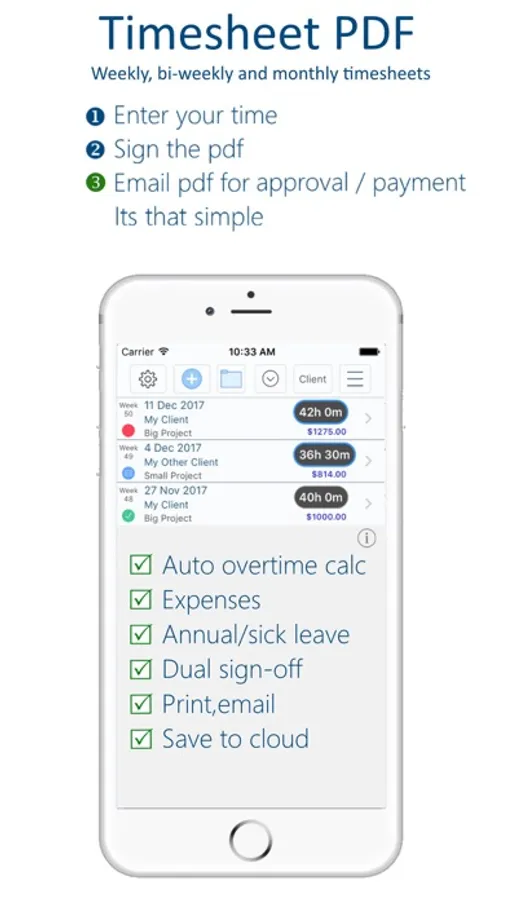
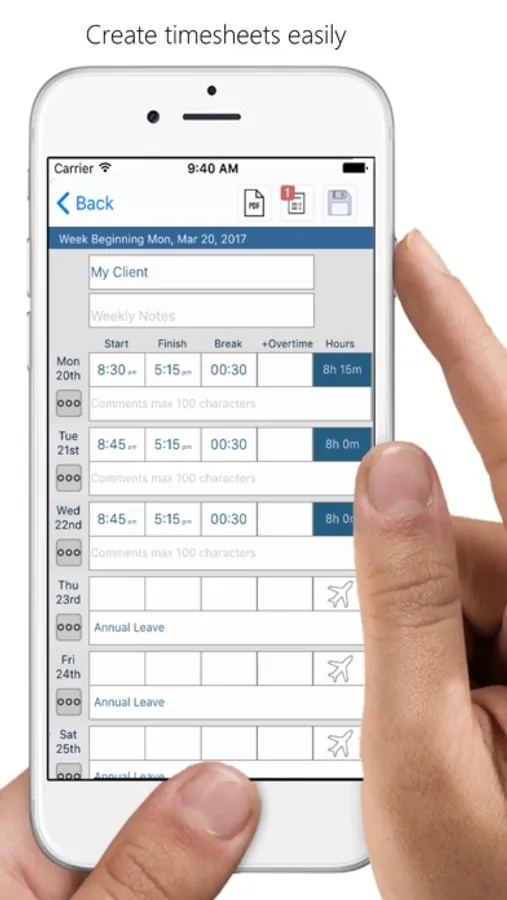
1.Enter your time.
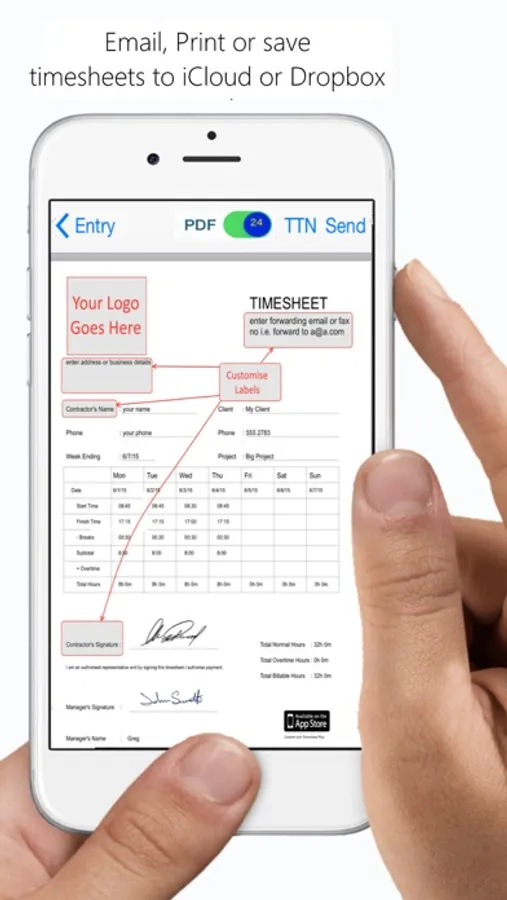
2.Sign and counter-sign the PDF.
3.Email for payment.
It's that simple
**Please Note - Free download is for evaluation and limited to 3 time sheets.
To subscribe In-App 12 month subscription is required.
See below for more details.
Feature list:
•Quick time entry - simply tap hours to pre-fill times with your defaults.
•Automatically calculate pay based on inputs.
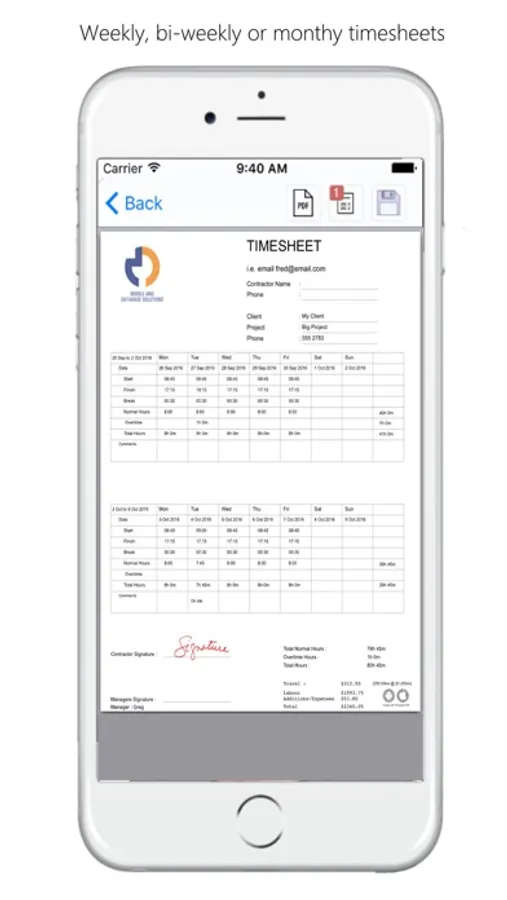
•3 reports to choose from
-Single Page Weekly PDF.
-Single Page Bi-Weekly PDF (2 weeks).
-Detailed PDF - you specify the date range.
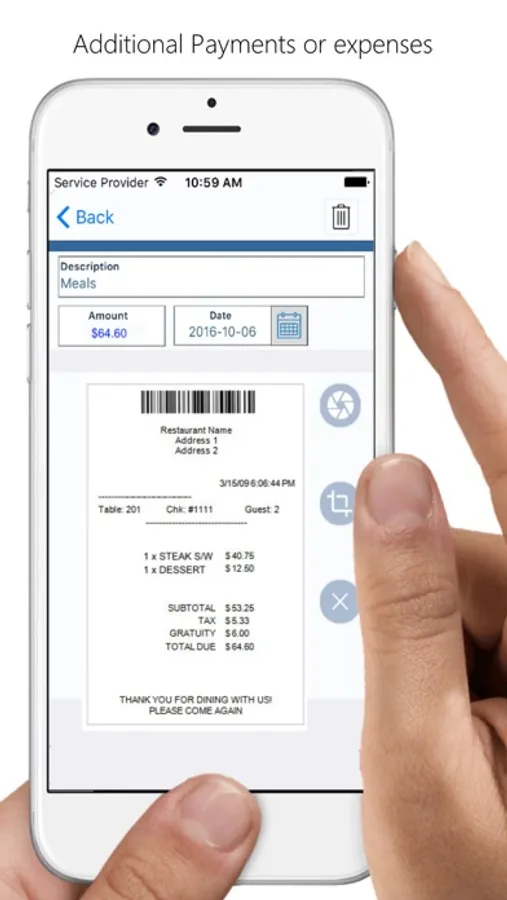
•Add expenses or additional payments.
•Per diem / allowance amounts.
•Holiday/Annual and Sick Leave.
•5 Overtime options to choose from
-Daily. Automatic daily calculation when hours exceed the daily limits you set.
-Weekly. Automatic weekly calculation when the weekly total hours exceed the limit you set.
-Daily Accrual or Weekly Accrual - Accrue overtime which can be paid later.
-Or Manual overtime entry.
•Multiple shifts per day.
•Set hourly rate and travel rate for each client.
•Change the overtime rate for individual shifts/days or public holidays.
•Custom logo from device photo library.
•Sign and send timesheet as PDF email attachment or upload to iCloud.
•Sync your hours to device Calendar (iCal).
•Optional comments for each day.
•Optional mileage or trips entry.
•Display time durations as decimal or hr/min.
•Tax Label and % option.
T&Cs
In accordance with fair use policy this app is limited to 1 user/employee per device.
The app contains validation of total hours for the week.
--------------------------------------------
This is a free app download. Within the app users can purchase 12 month auto renewing subscription
Available subscription is:
Timesheet PDF 12 months
• The subscription will renew automatically unless cancelled more than 24 hours before the end of the current period. You will be charged for renewal within 24 hours of the end of the current period, for the same duration and at the current subscription rate for the product.
• You may turn off the auto-renewal of subscriptions through your Account Settings, however you are not able to cancel the current subscription during its active period.
• Payment will charged to your iTunes account at confirmation of purchase and any unused portion of a free trial period, if offered, will be forfeited when a subscription to that publication is purchased.
---------------------------------------------
You can find our privacy policy terms and conditions here :
http://www.mobileanddata.com.au/privacy.html
Timesheet PDF Screenshots
Tap to Rate:
Reviews for Timesheet PDF
Dannv619
Glitchy
Very glitchy , kicked me out and said I wasn’t subscribed had to re download and then had to start from scratch what a headache Update I am a subscriber
chroko29
Best timesheet and invoice app in one!
I love this app! It’s so hard to find a decent time tracking app. (That isn’t price gauging you) And this is the best because it’s so easy to use, affordable, and you can track expenses and invoice. All so easily. I do wish that instead of having to re-enter the client information every time you have a different project, you could just select the client and add a new project.