AppRecs review analysis
AppRecs rating 4.1. Trustworthiness 75 out of 100. Review manipulation risk 24 out of 100. Based on a review sample analyzed.
★★★★☆
4.1
AppRecs Rating
Ratings breakdown
5 star
67%
4 star
13%
3 star
0%
2 star
0%
1 star
20%
What to know
✓
Low review manipulation risk
24% review manipulation risk
✓
Credible reviews
75% trustworthiness score from analyzed reviews
✓
High user satisfaction
80% of sampled ratings are 4+ stars (4.1★ average)
About Canopeo
Canopeo is a rapid and accurate green canopy cover measurement tool.
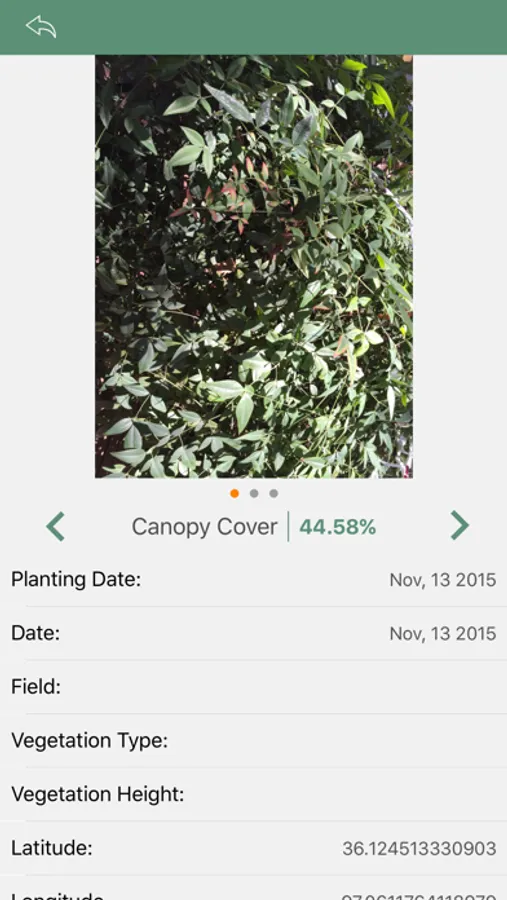
Use this app to quantify the percent canopy cover of live green vegetation for any agricultural crop, turf, or grassland based on downward-facing photos taken with your mobile device.
Replace the traditional visual scoring or the sometimes expensive desktop programs with this powerful and portable quantitative tool.
Canopeo is based on research conducted at Oklahoma State University and allows you to accurately determine the percent canopy cover in real-time, so that you can precisely monitor crop progress and make informed management decisions.
Potential applications include: quantifying canopy cover of small grains and row crops; measuring crop damage by freeze, hail, or herbicide; evaluating turf grass stands.
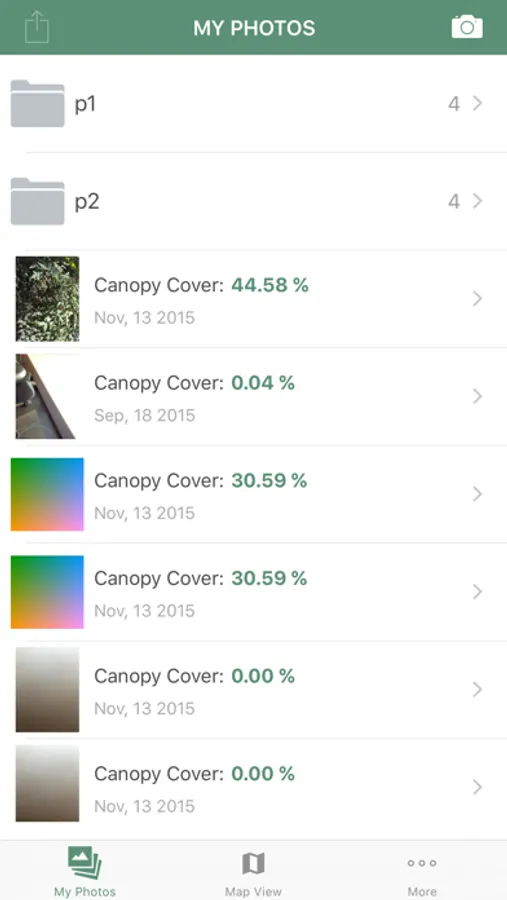
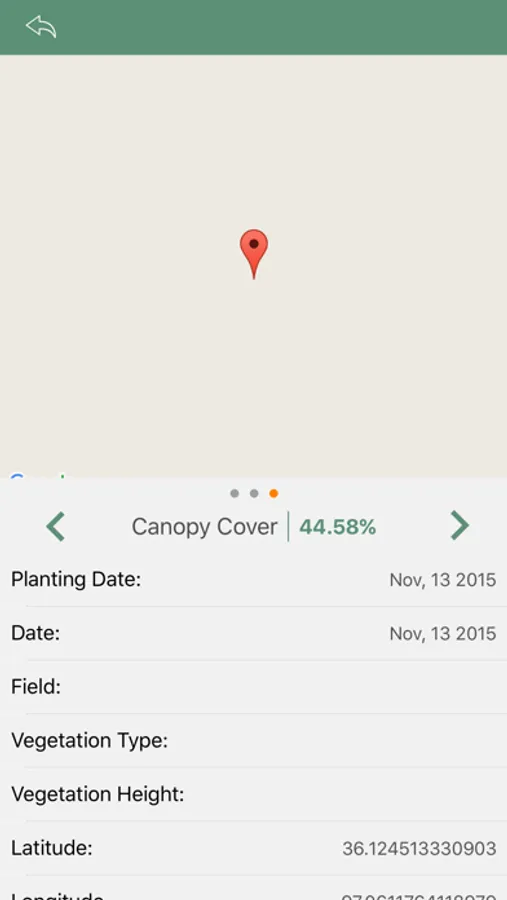
Canopeo enables you to add notes associated with each image and upload images to your account so that you can easily review and share the information gathered in the field from your office or at home at anytime. Canopeo automatically records the geographic coordinates and the current date and time so that you always know when and where each image was taken.
Also, any existing images in your photo roll can be accessed through Canopeo to calculate the percent canopy cover.
STEPS TO USE CANOPEO
[1] Download the Canopeo App and create your account.
[2] Take a downward-facing photo of the vegetative canopy using your mobile device. For best results keep the lens at least 0.6 m (2 ft) from the top of the canopy.
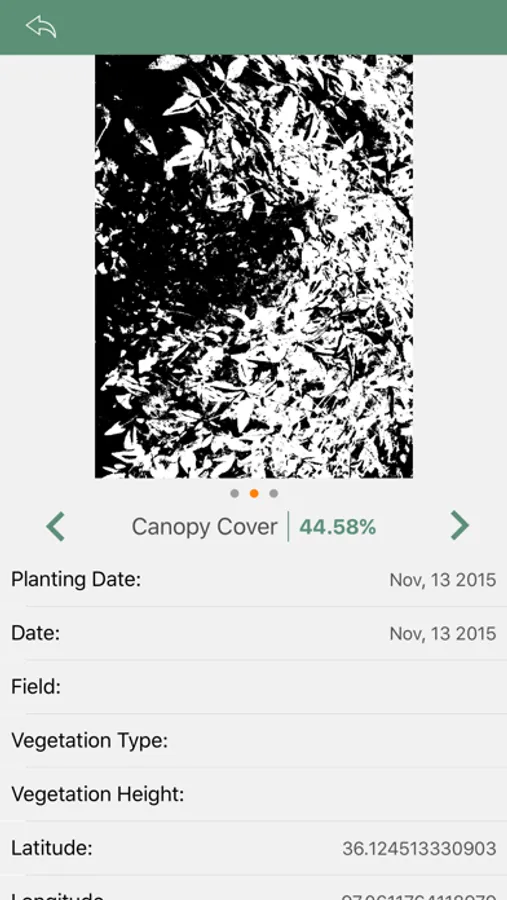
[3] In the second screen, compare the color image with the processed image to see whether the default settings are capturing the green pixels properly. In the processed image, the white pixels should match the green pixels in the original image. If you think that slight adjustments are needed to match the images, simply move the adjustments slider to correct the processed image. Typically the default settings provide accurate canopy cover estimates.
[4] Add notes for the image such as crop type, planting date, vegetation height, and more before uploading the images with the associated data to your personal account.
[5] From a web browser, sign in into your account and review your images, search for a particular image, or view all your images on a map.
Use this app to quantify the percent canopy cover of live green vegetation for any agricultural crop, turf, or grassland based on downward-facing photos taken with your mobile device.
Replace the traditional visual scoring or the sometimes expensive desktop programs with this powerful and portable quantitative tool.
Canopeo is based on research conducted at Oklahoma State University and allows you to accurately determine the percent canopy cover in real-time, so that you can precisely monitor crop progress and make informed management decisions.
Potential applications include: quantifying canopy cover of small grains and row crops; measuring crop damage by freeze, hail, or herbicide; evaluating turf grass stands.
Canopeo enables you to add notes associated with each image and upload images to your account so that you can easily review and share the information gathered in the field from your office or at home at anytime. Canopeo automatically records the geographic coordinates and the current date and time so that you always know when and where each image was taken.
Also, any existing images in your photo roll can be accessed through Canopeo to calculate the percent canopy cover.
STEPS TO USE CANOPEO
[1] Download the Canopeo App and create your account.
[2] Take a downward-facing photo of the vegetative canopy using your mobile device. For best results keep the lens at least 0.6 m (2 ft) from the top of the canopy.
[3] In the second screen, compare the color image with the processed image to see whether the default settings are capturing the green pixels properly. In the processed image, the white pixels should match the green pixels in the original image. If you think that slight adjustments are needed to match the images, simply move the adjustments slider to correct the processed image. Typically the default settings provide accurate canopy cover estimates.
[4] Add notes for the image such as crop type, planting date, vegetation height, and more before uploading the images with the associated data to your personal account.
[5] From a web browser, sign in into your account and review your images, search for a particular image, or view all your images on a map.
Canopeo Screenshots
Tap to Rate:
Reviews for Canopeo
Fook Scammers
Scam
This is not legit and will steal you’re information
wes & lemon
Potential for added feature
A feature that could be added is fluorescent meter through handheld smartphone fluorescent microscopy (HSFM) technology. I would pay for a feature like this if it was consistent and accurate.