
In this app, you can select images on Safari and save them directly to your device. Includes image filtering, background image saving, and quick access to recent URLs.
AppRecs review analysis
AppRecs rating 3.9. Trustworthiness 77 out of 100. Review manipulation risk 25 out of 100. Based on a review sample analyzed.
★★★☆☆
3.9
AppRecs Rating
Ratings breakdown
5 star
61%
4 star
9%
3 star
6%
2 star
5%
1 star
20%
What to know
✓
Low review manipulation risk
25% review manipulation risk
✓
Credible reviews
77% trustworthiness score from analyzed reviews
✓
Good user ratings
70% positive sampled reviews
About ImageDrain
ImageDrain is an Action Extension that provides an image download function for Safari. You can select and download images which you see on Safari.
- SIMPLE
* You can get images with an easy operation.
- SEAMLESS
* You can directly download images from Safari without launching other application.
- USABILITY
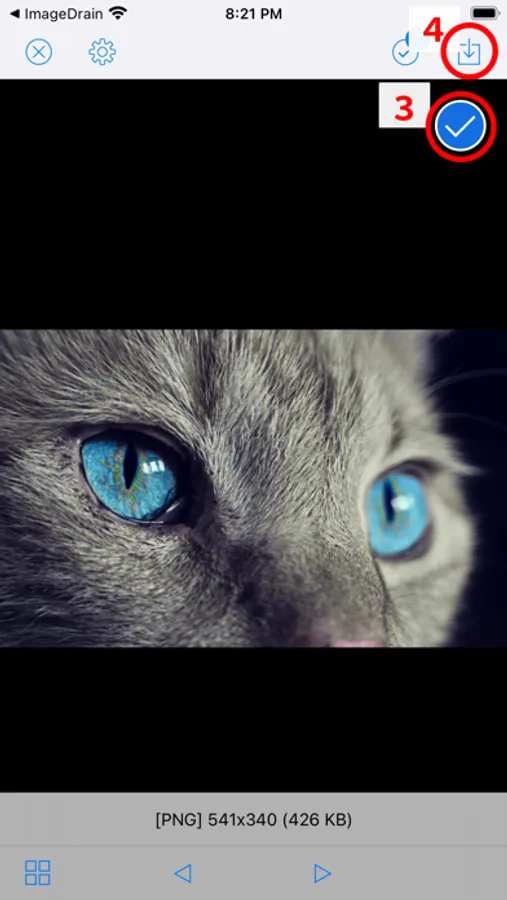
* You can switch between grid view and fullscreen view.
- ACCURACY
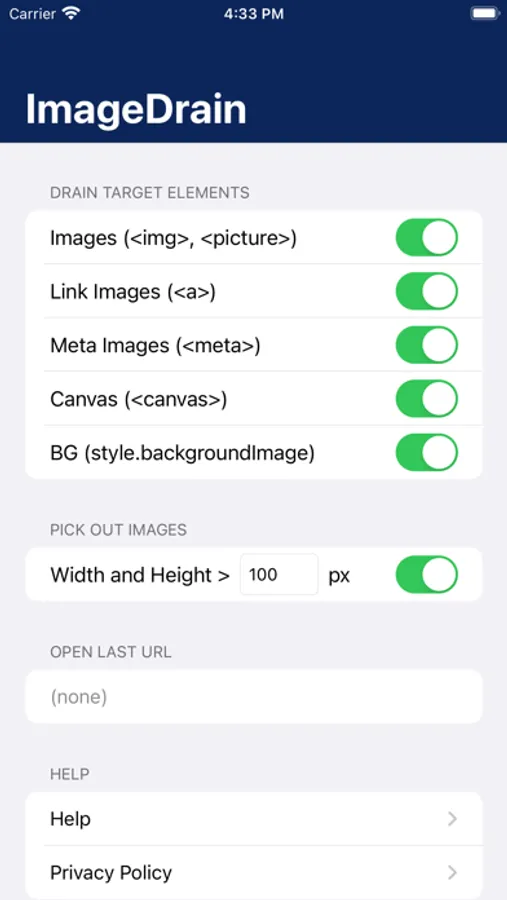
* You can save not only displayed images but also background and link images.
- FILTER
* You can select display images.
- QUICK ACTION
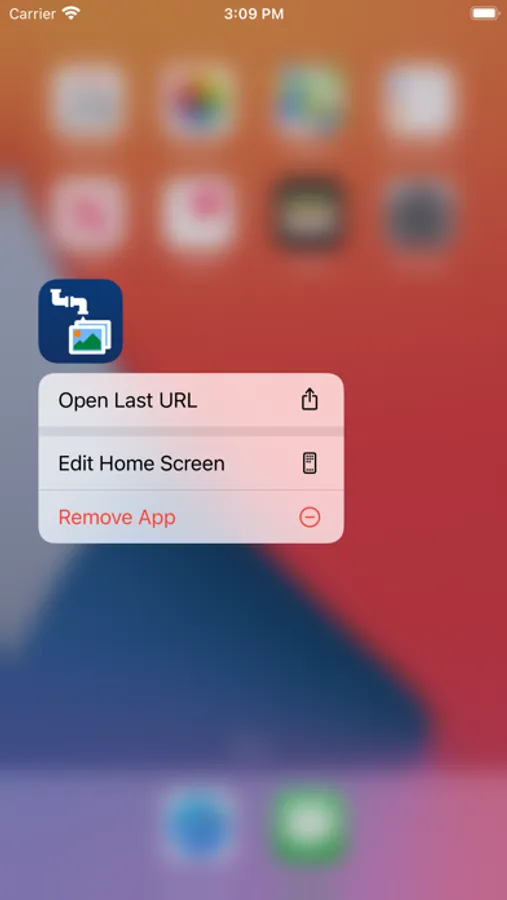
- You can quickly open a last URL from the quick actions menu.
# HOW TO USE
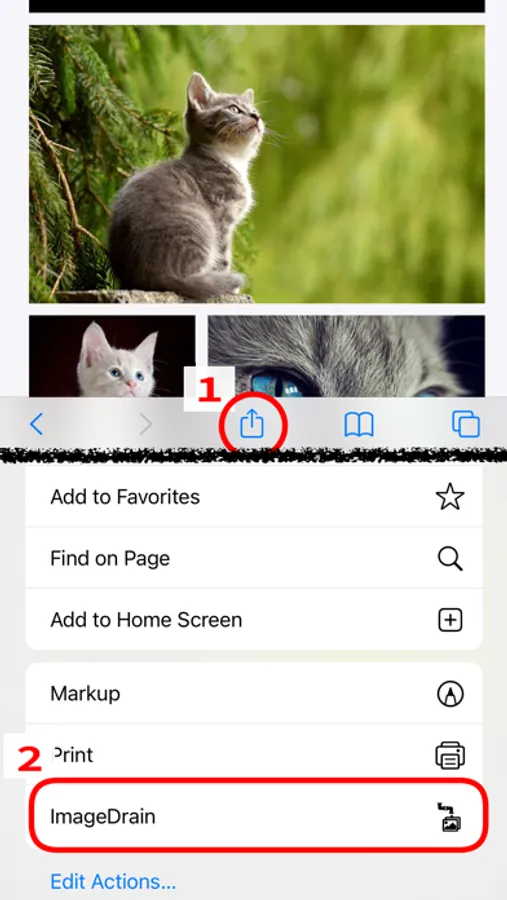
1. When you find images you want in Safari, tap the share button.
2. Tap ImageDrain icon to launch it.
* If you do not find ImageDrain icon, tap "Edit Actions..." on the share sheet and enable ImageDrain.
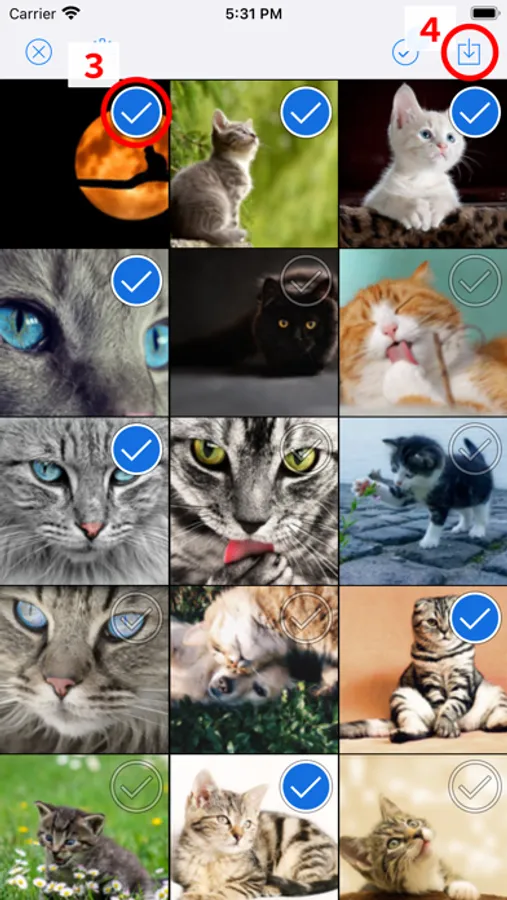
3. ImageDrain lists images that displayed in Safari. Select images you want.
4. Tap the save button.
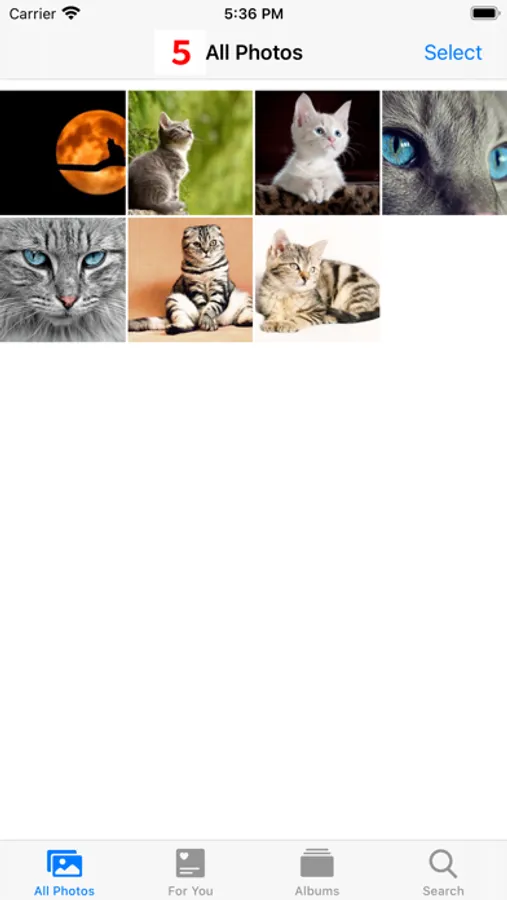
5. Selected images are downloaded to Camera Roll.
- SIMPLE
* You can get images with an easy operation.
- SEAMLESS
* You can directly download images from Safari without launching other application.
- USABILITY
* You can switch between grid view and fullscreen view.
- ACCURACY
* You can save not only displayed images but also background and link images.
- FILTER
* You can select display images.
- QUICK ACTION
- You can quickly open a last URL from the quick actions menu.
# HOW TO USE
1. When you find images you want in Safari, tap the share button.
2. Tap ImageDrain icon to launch it.
* If you do not find ImageDrain icon, tap "Edit Actions..." on the share sheet and enable ImageDrain.
3. ImageDrain lists images that displayed in Safari. Select images you want.
4. Tap the save button.
5. Selected images are downloaded to Camera Roll.
ImageDrain Screenshots

Tap to Rate:
Reviews for ImageDrain
Lopaka001
Not working with iOS 26
It doesn’t work in iOS 26, when I try to launch, it hangs my iPad and Safari crashes.
gamer1408
Second best usage saver
Sadly the best one no longer works in iOS 26. This one is pretty good but also could use a iOS 26 update, and desperately needs UI overhaul.