With this photo editing app, you can emphasize specific areas by adding color to grayscale images and trace or tap to select parts. Includes tools for image selection and color application.
AppRecs review analysis
AppRecs rating 4.3. Trustworthiness 0 out of 100. Review manipulation risk 0 out of 100. Based on a review sample analyzed.
★★★★☆
4.3
AppRecs Rating
Ratings breakdown
5 star
88%
4 star
0%
3 star
6%
2 star
0%
1 star
6%
What to know
✓
High user satisfaction
88% of sampled ratings are 5 stars
About Partially color photo effecter
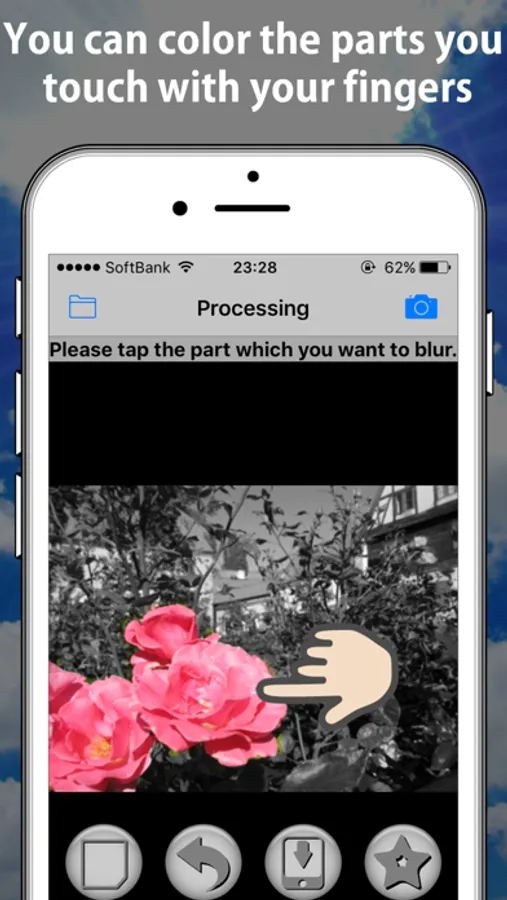
This application can emphasize the part of the image by coloring only the part of the photograph.
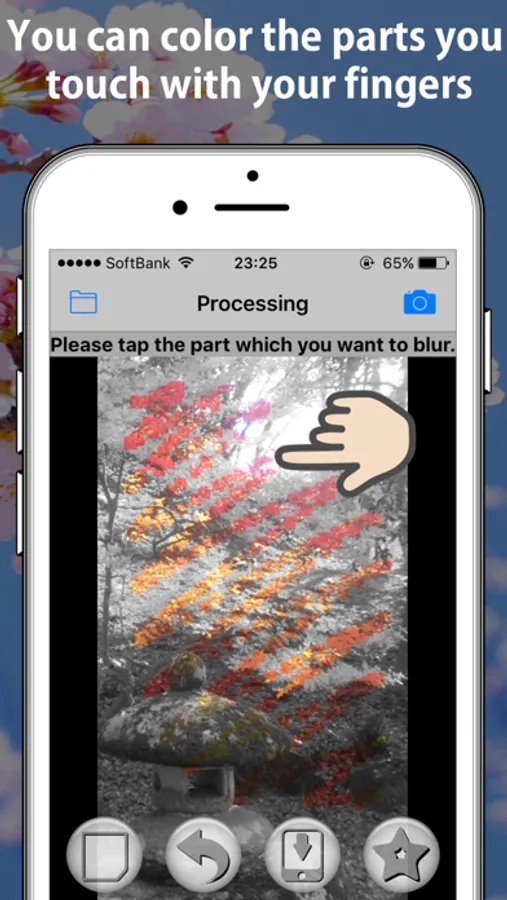
After a gray image was displayed, it is the simple operation that only touches the part which you want to color.
When you want to add stylish arrangement to a photograph or emphasize a part of the image, please use this application.
Step is shown below.
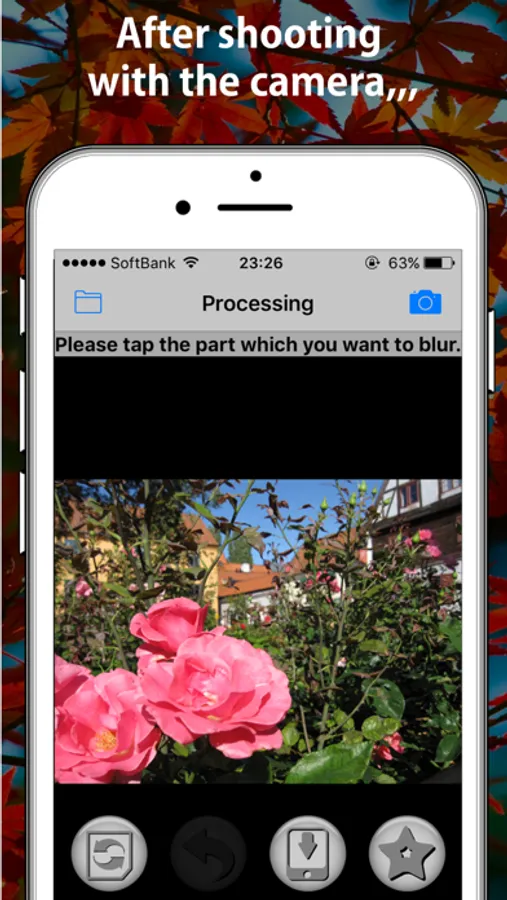
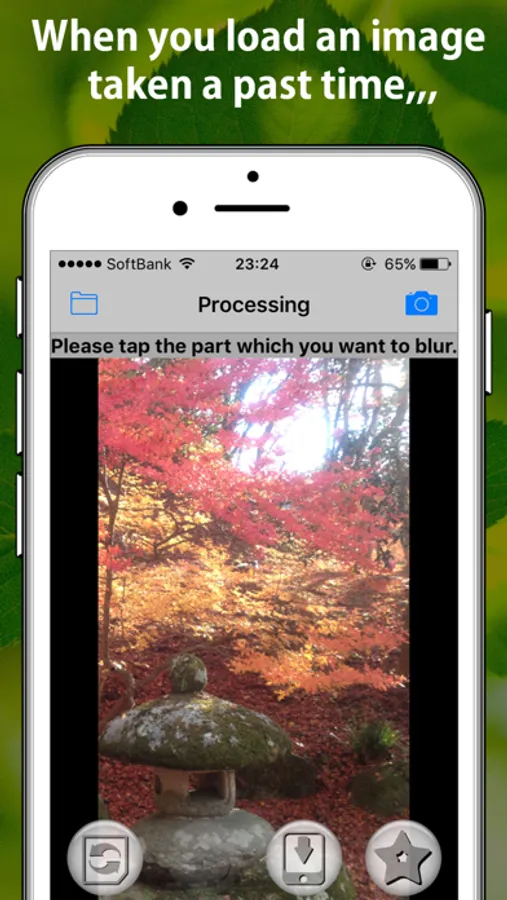
1. Take a photograph in the "Camera" tab.(※1) Or select a photo in the "Image Select" tab.
2. Trace or tap the part which you want to color in the “Processing” tab.(※2)
3. Push the "save" button.
※1 The camera icon of the top right of screen show the "Camera" tab, the folder icon of the top left show the "Image Select" tab.
※2 The image quality of that is a little bad in the “Processing” tab, but the quality of the image which you saved is the same as time when you read it.
Please look at support URL for details.
Thank you.
After a gray image was displayed, it is the simple operation that only touches the part which you want to color.
When you want to add stylish arrangement to a photograph or emphasize a part of the image, please use this application.
Step is shown below.
1. Take a photograph in the "Camera" tab.(※1) Or select a photo in the "Image Select" tab.
2. Trace or tap the part which you want to color in the “Processing” tab.(※2)
3. Push the "save" button.
※1 The camera icon of the top right of screen show the "Camera" tab, the folder icon of the top left show the "Image Select" tab.
※2 The image quality of that is a little bad in the “Processing” tab, but the quality of the image which you saved is the same as time when you read it.
Please look at support URL for details.
Thank you.
Partially color photo effecter Screenshots

Tap to Rate: