Found 20 search results.
Proximity Actions
"Proximity Actions" is a small, innovative and very useful utility, allowing you to perform various actions using the proximity sensor of your device. Users of Advanced Screen Control would recognize some of the functionality and would appreciate the cleaner UI and the additional features. This is

Proximity Screen Off Lite
Want to feel what gestures can do? here's an application which will let you turn of your screen just with a swipe!! yes that's right!! All you have to do is swipe your hand over the proximity sensor (Located near the earpiece on top of the phone). Features: 1) Turn off the screen by sliding your ha

Proximity Screen Off Pro
Want to feel what gestures can do? Here's an application which will let you turn off/on your screen just with a swipe!! Swipe your hand over the proximity sensor (Located near the earpiece on top of the phone). Features: • 3 modes to turn screen off: Timeout based, Root Screen Off support fingerp

Call Proximity Sensor Fix
I created this app because my Xiaomi has some bugs during the call and with my face I close the call or mute the microphone accidentally. The application does nothing but lock the screen when the phone is brought close to the ear during a phone call. Some special permissions are needed to lock the s

Proximity Camera
Inspired by Beme, this application allows you to record short videos by holding the phone to your chest. The app uses your phone's proximity sensor to detect when the front of the phone is covered, and starts recording. Recording stops when you stop covering the phone's screen. Videos are saved to

MyLife Proximity App
Before you connect or do business with anyone, check their Reputation Profile and Reputation Score to learn who they really are and to stay safe. Check out Everyone & Connect Safely with: Friends & Dates Neighbors & Relatives Home Service Providers & Other Pros Automatically Check All Your Contact
Proximity Screenshot
Tired of pressing Power-Volume key every time to take a screenshot?! Proximity Screenshot introduces a new way to capture screenshots. Try ‘Proximity Screenshot’ to get the most out of your android phone. This app supports Android 5.0 Lollipop or higher. [Basic Features] • Captures high-res scre
Proximity Screen Off
Proximity screen off help you to turn the screen off when you don't need the screen to be on simple UI ( no UI at all, only a single icon to start and stop ), tap the icon to start and stop or adding the quick setting tile for android 7.0 and above support Tasker plugin event to turn it on and off
Proximity Flashlight: Just Tap
Proximity Flashlight application is a simple utility to automatically On or Off camera LED flashlight using proximity sensor, instead of having to press any button manually. Proximity Flashlight is free, intuitive and easy to use torch app for Android. Our app uses the built-in camera LED flash and
Proximity Screenshot Capture
Proximity Screenshot Capture is an android app that introduces an easy and quick way to capture high-resolution screenshot with just a tap on proximity sensor. Not just videos, you can capture the screen in several apps such as games, wallpapers or any type of apps or videos. If you tired of pressin
Proximity Sensor Anti-Theft
TUTORIALS https://youtube.com/playlist?list=PLUskUU-NvGqhoQBL9ZxYF5i2bdkQwUYPc TROUBLESHOOTING https://julietapp.blogspot.com/p/troubleshooting-general.html HOW TO UNINSTALL Device administration must be disabled before uninstalling. Just disable the "Auto screen lock" option. This app allows you
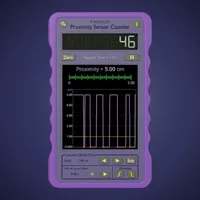
Proximity Sensor Counter
The proximity sensor in your device is continually monitored and when the detection level is crossed, the counter is increased by one. The proximity sensor is generally used to detect when the phone is placed to the head in answering calls. The proximity sensor is typically located near the speak

biggs' proximity detector info
Does your cell phone have a proximity detector? --Wait, what IS a proximity detector? It's a piece of hardware that some phones use to know if it is next to your ear or not. Well this program can find that information for you! And wait, that's not all! You also get some MORE information, just 'caus

Proximity Sensor Utils
With this app you can use your proximity sensor to light up your screen when the phone is in sleep mode.Like for instance when you take your phone out of your pocket it will light up automatically.To start the service simply run the app and click on the red button. More features will be avaliable
Smart Screen
Small, innovative and useful utility, allowing you to automate the screen turning on/off based on proximity. WARNING: The app hardly use any battery power. However, please note that if you do not use the screen LOCK option, the device would NOT go into deep sleep (power-saving mode) and WILL use
Notification Reader: Shouter
Voice notification does pretty much what the app name says it does. It reads out your notifications for you so you don't have to read them yourself and it comes with some more features like caller name announcement, message reading, battery state announcement, location proximity announcement. It com
Wave Unlock - Wave to unlock a
The best Wave To Unlock - Free Wave to unlock application for android. Wave Unlock is an app use Proximity sensor to unlock screen and lock screen by wave your hand over the proximity sensor. Wave to unlock is allows you to unlock your device just by waving your hand over the proximity sensor an

Air Call Answer
NOTE : The app uses in-built proximity sensor to detect whether you have waved your hand infront of the device. NEW : Based on the Light sensor to prevent auto-answer when the device is kept in your pocket . It shows alert, there is no light sensor in your device. ★ Air Call & Proximity Sensor!
Smart Cover Lite (Screen Off)
★ ★ ★ Flip Cover Explanation ★ ★ ★ 1. View Cover and Flip Cover Users is highly recommended. 2. After testing about 10 times on each step, select the step that work very well . 3. After upgrade ,the used step may not be appropriate. Then please select other step. 4. Does not recognize the

Auto Speaker
This simple application will automatically switch speaker status on\off during a phone call according to phone position. It uses the proximity sensor to know if the phone is near your ear or not. If you are using any type of headset, it will turn the speaker off, regardless of the proximity sensor