In this app, you can batch rename multiple files using customizable configurations and preview features. Includes options for date, metadata, case changes, and extensions adjustments.
AppRecs review analysis
AppRecs rating 3.7. Trustworthiness 0 out of 100. Review manipulation risk 0 out of 100. Based on a review sample analyzed.
★★★☆☆
3.7
AppRecs Rating
Ratings breakdown
5 star
59%
4 star
3%
3 star
13%
2 star
3%
1 star
23%
What to know
✓
Good user ratings
62% positive sampled reviews
✓
Authentic reviews
Natural distribution, no red flags
About Renamer
Renamer is a free tool which allows you to batch rename all your files from internal or external storage in a single operation.
This is an advanced version of the Bulk Rename application.
Note - This is NOT a file manager.
Batch rename your files in three simple steps:
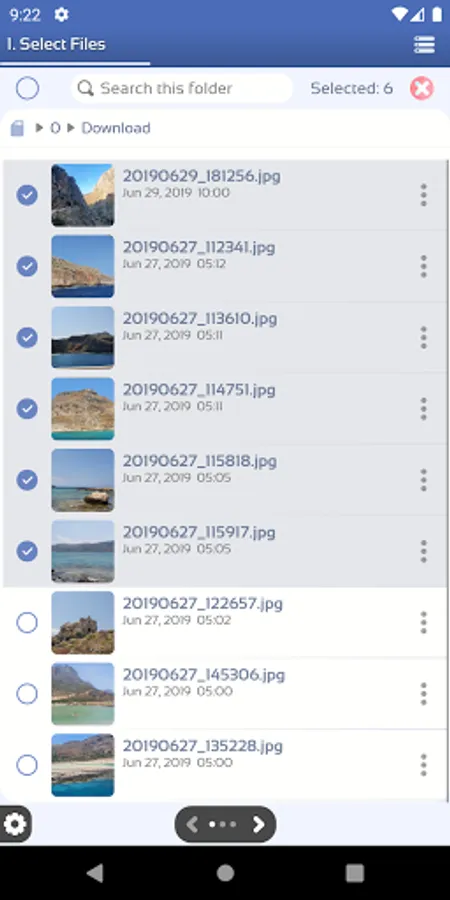
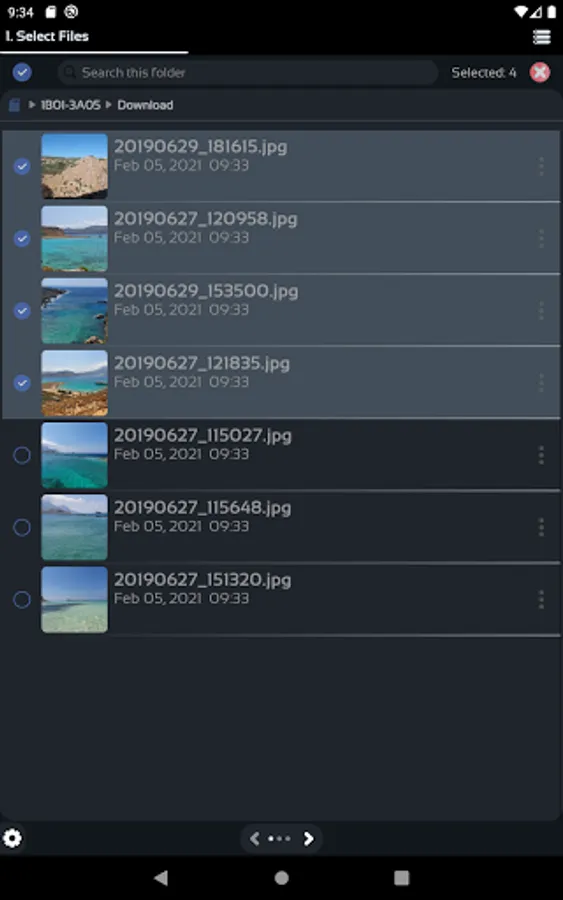
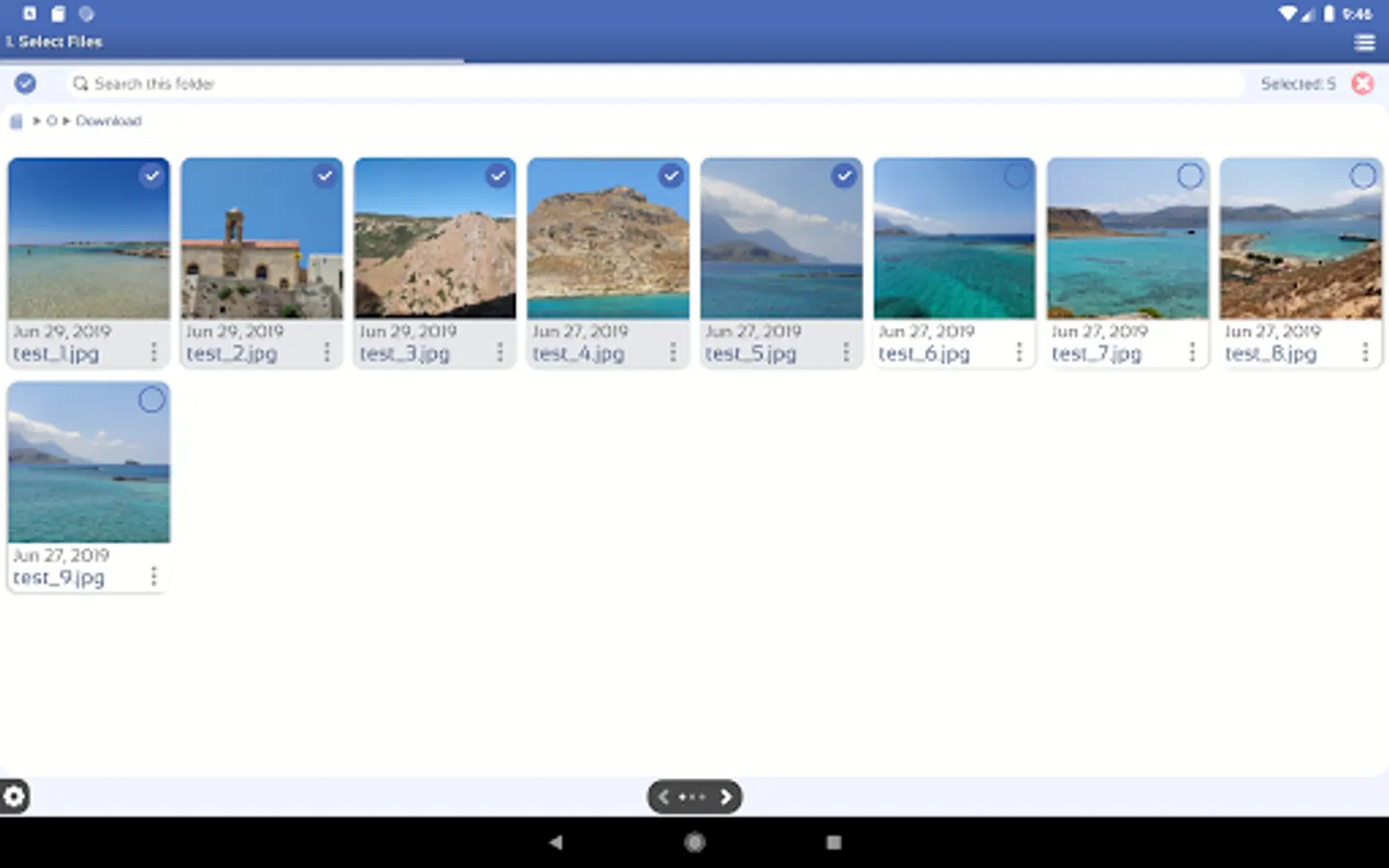
1. Select Input Files
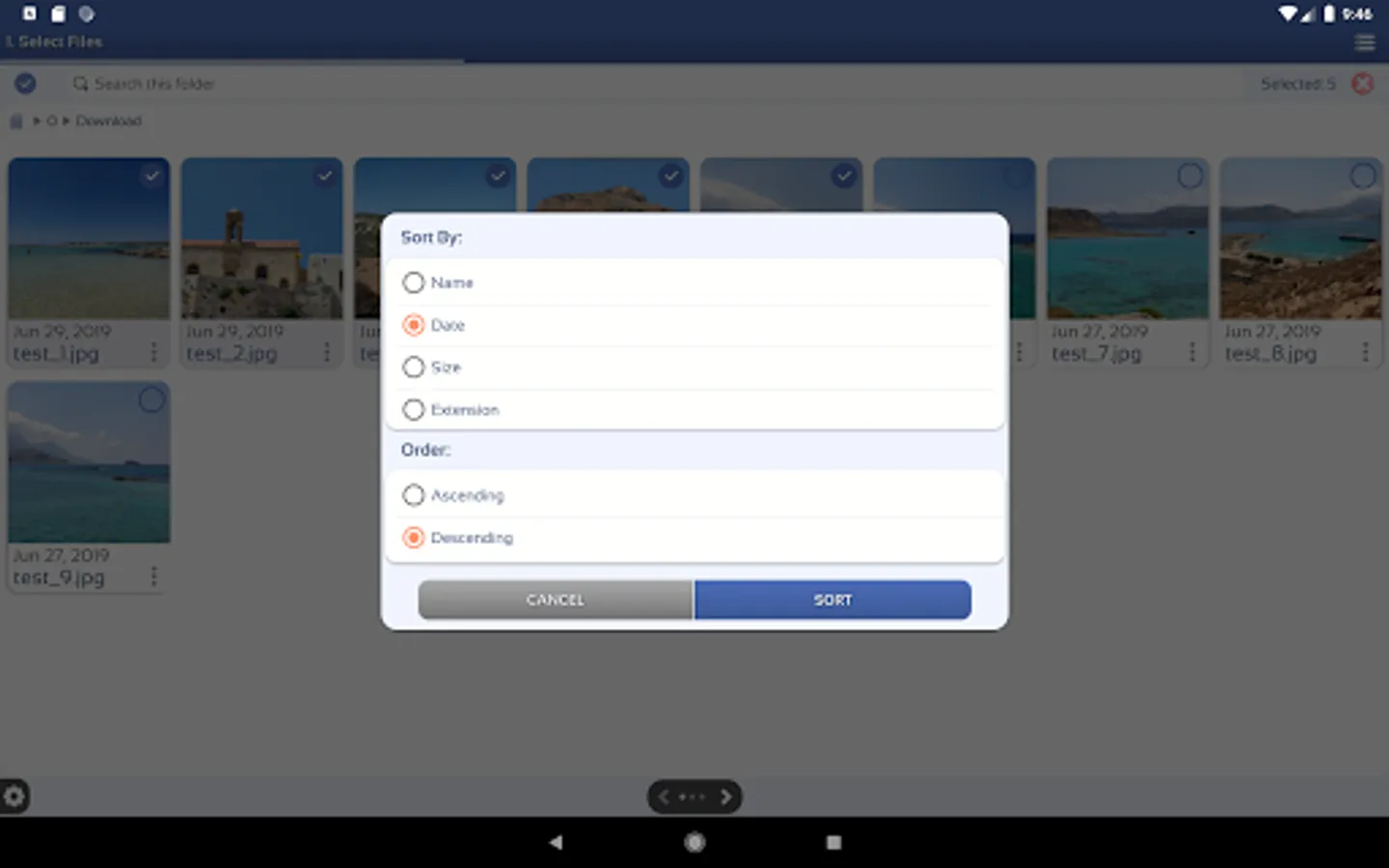
Use the in-app file browser to select the files you want to rename.
2. Select the rename configuration.
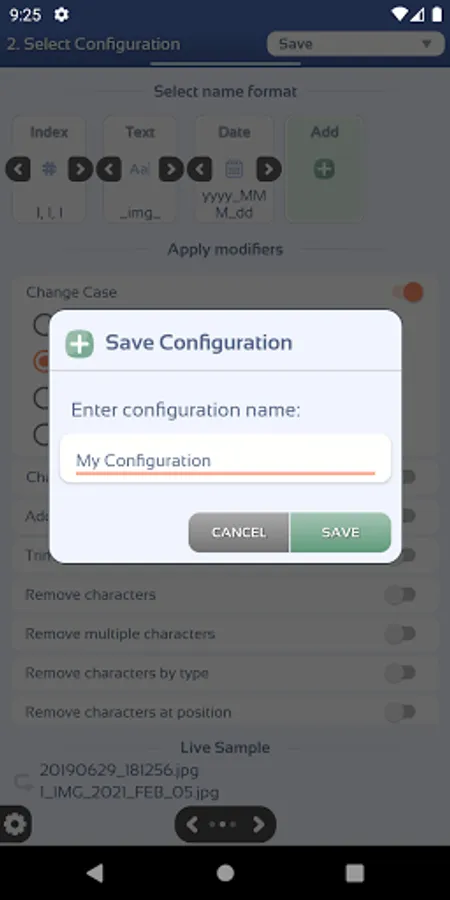
Create your own configurations using the provided features.
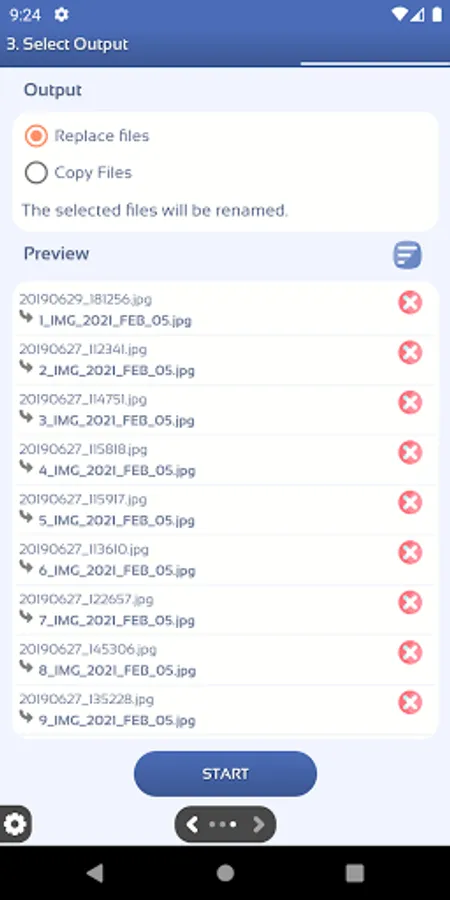
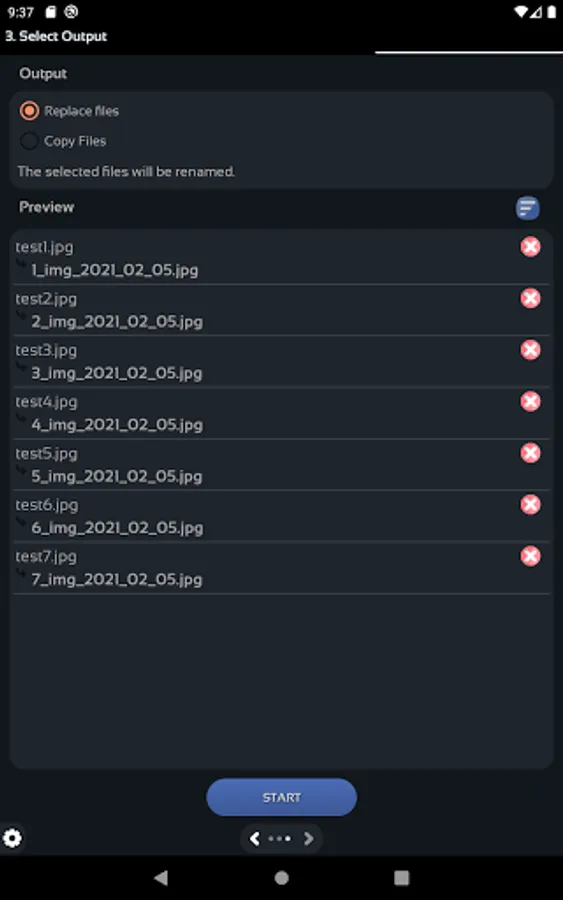
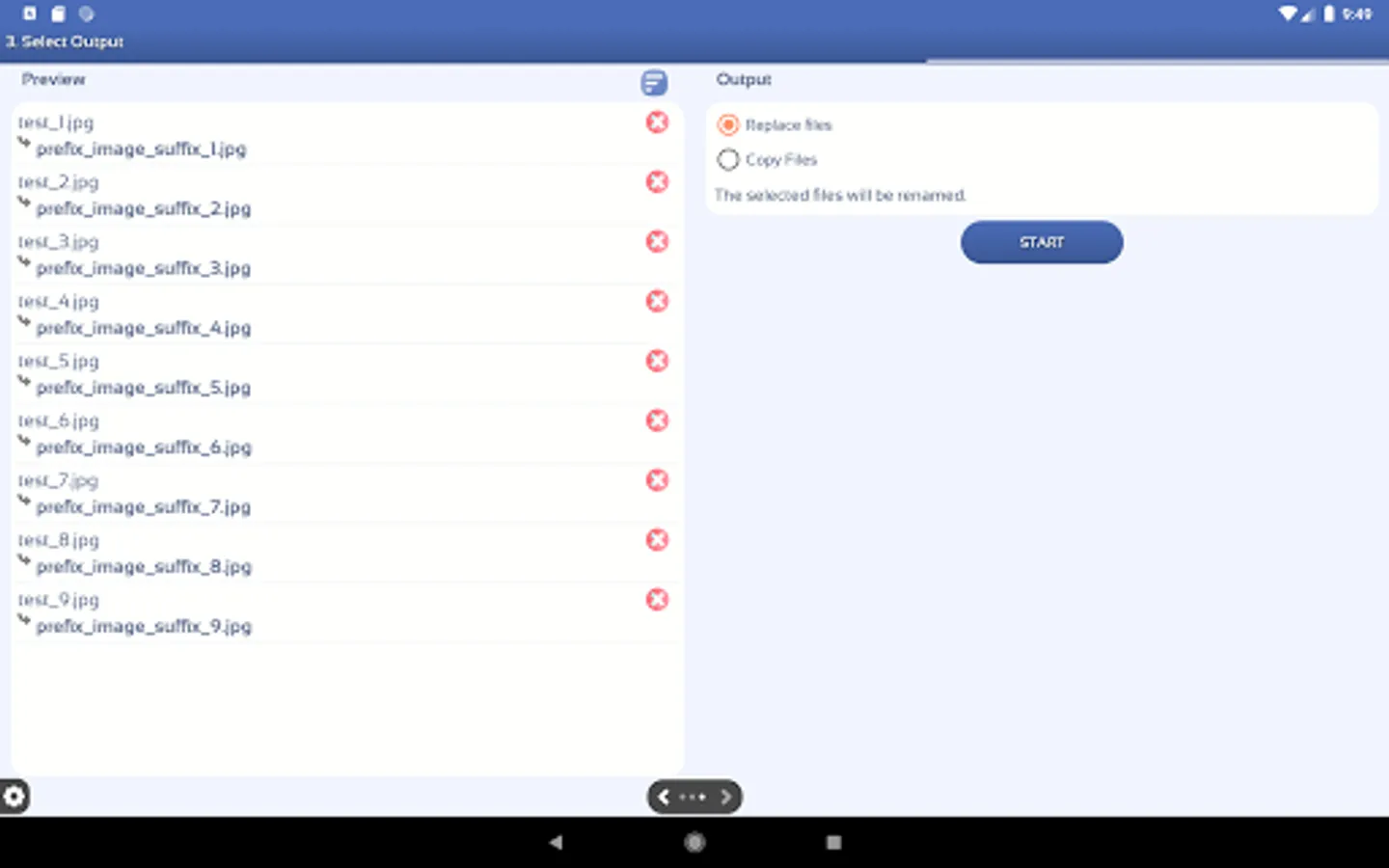
3. See a preview of the files and start.
See a preview of the new files before renaming
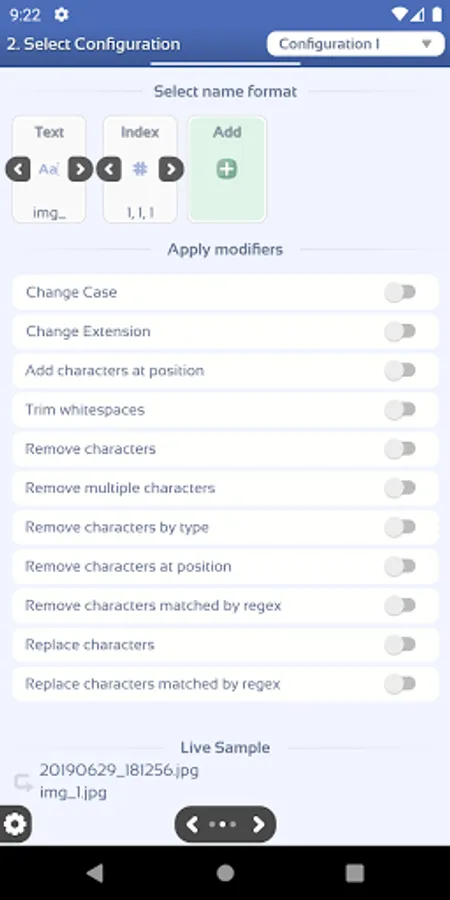
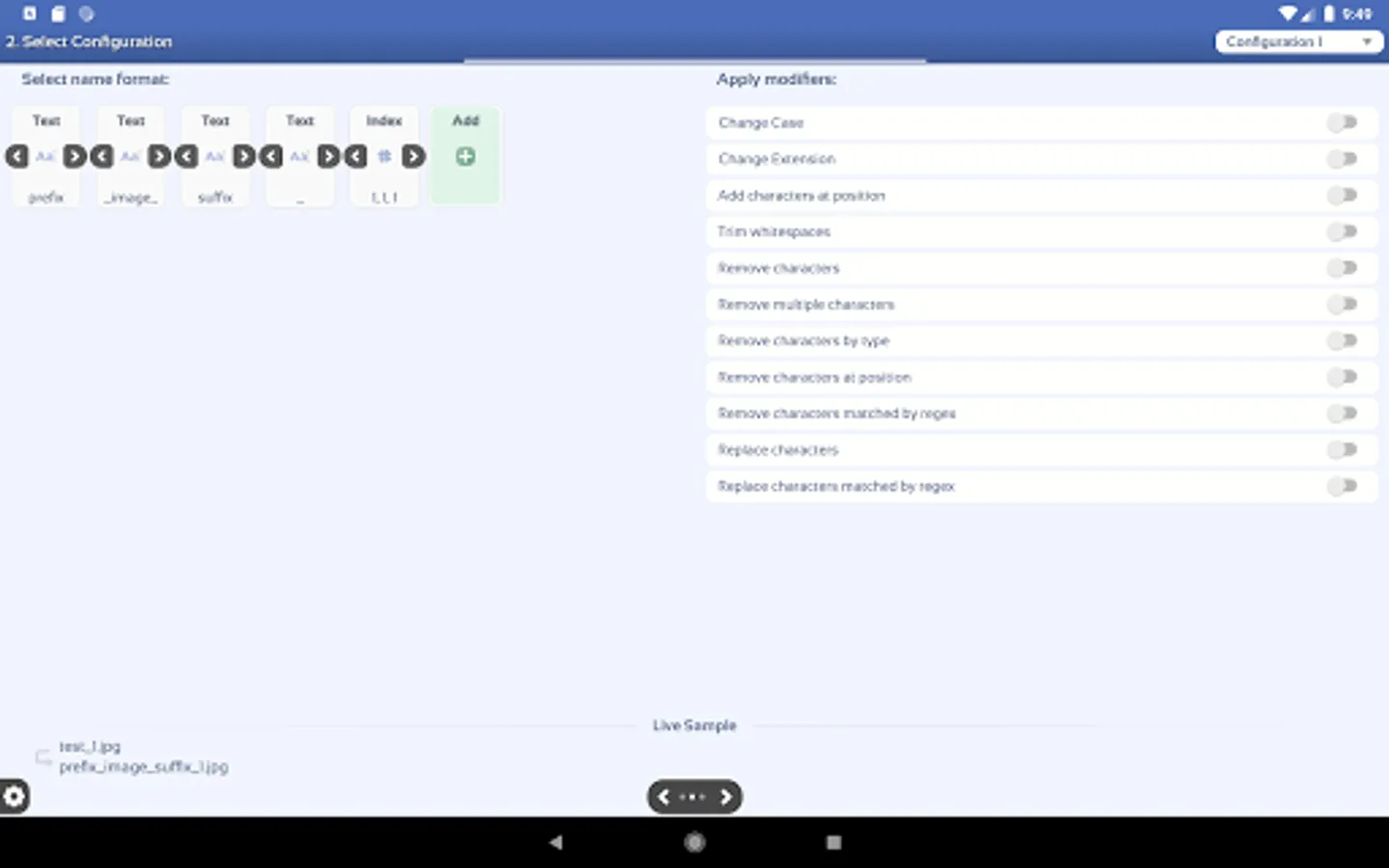
Rename Configuration
There are two steps in creating your own rename configuration.
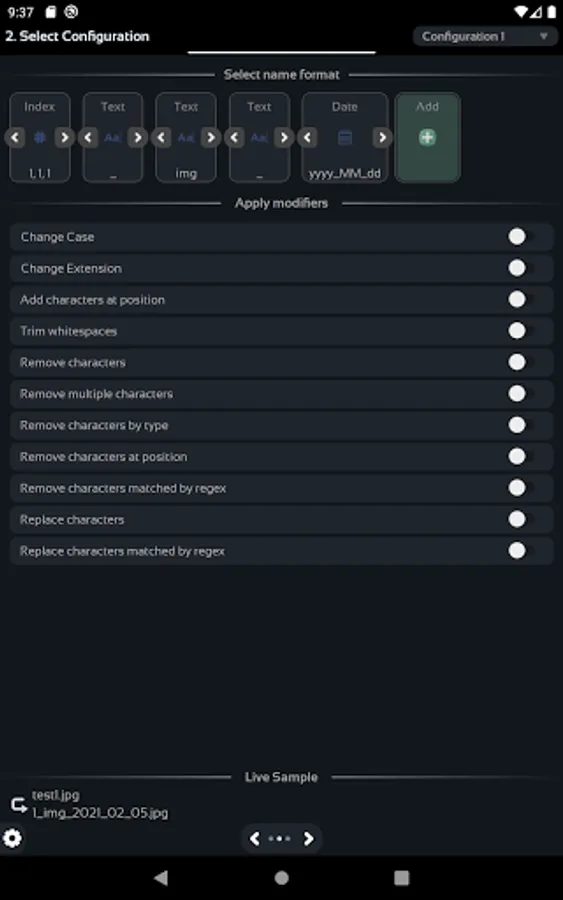
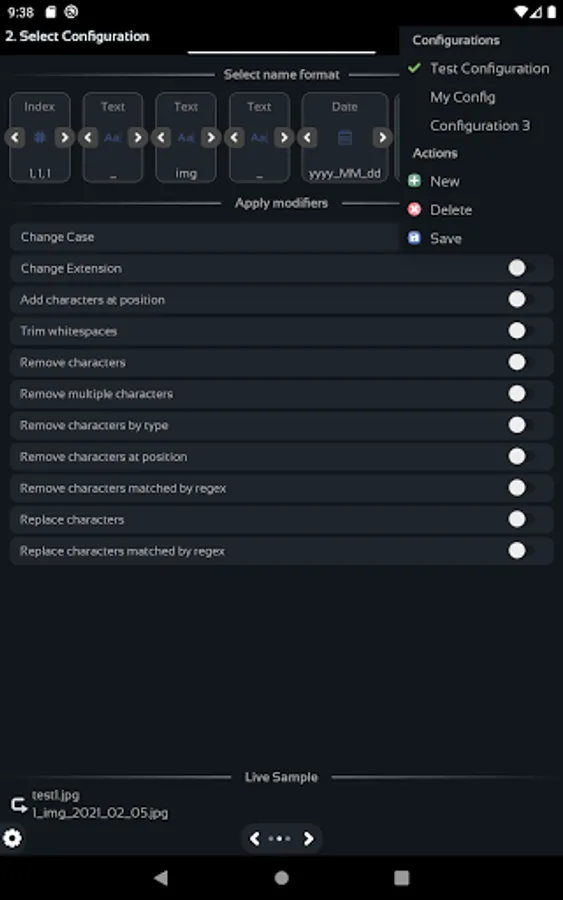
1. Select name format.
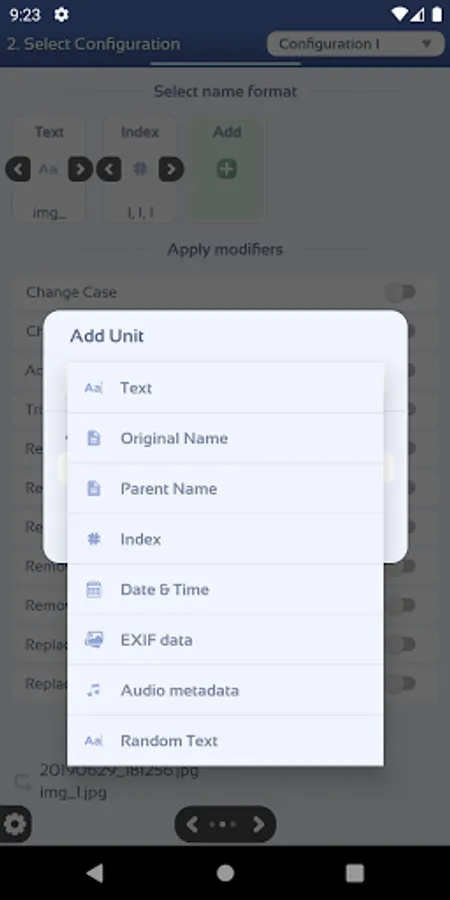
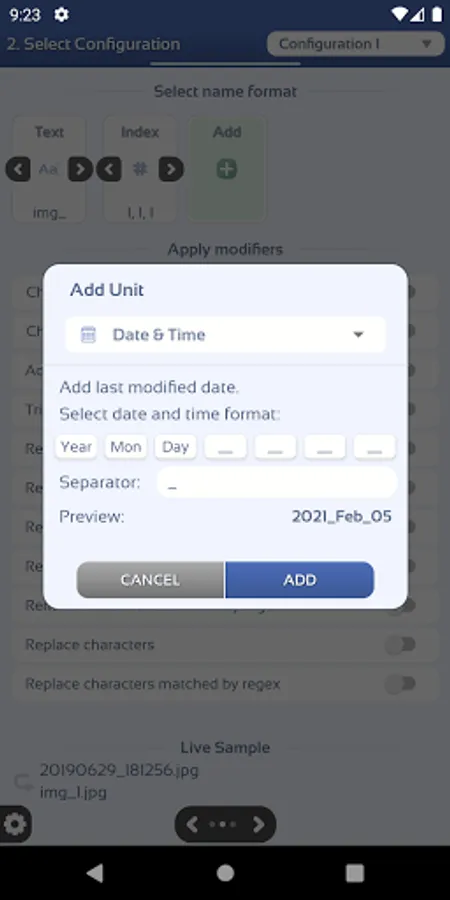
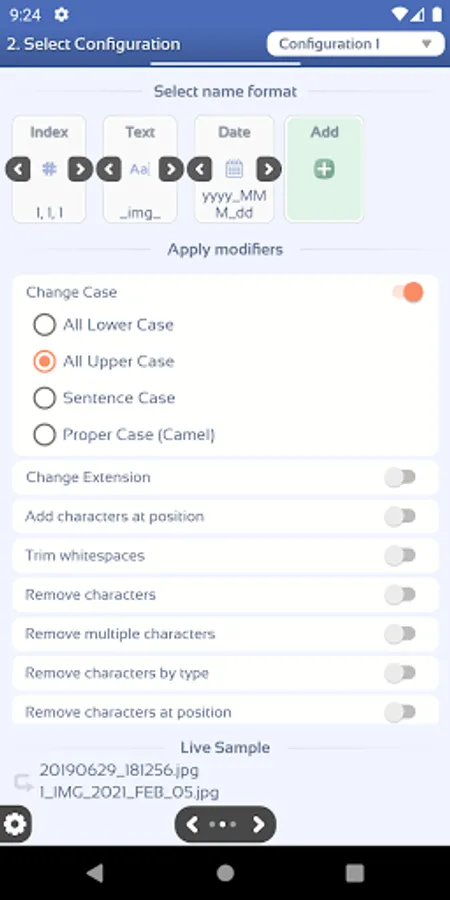
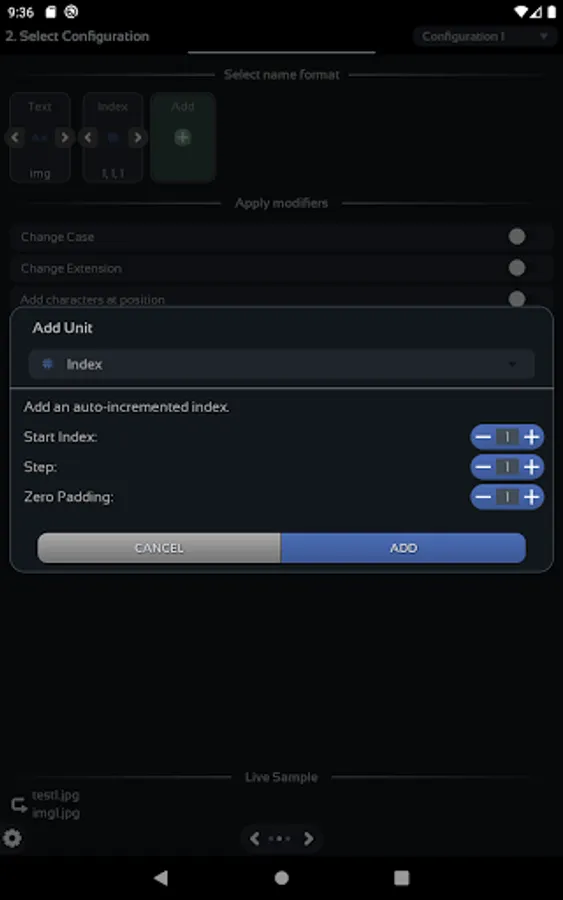
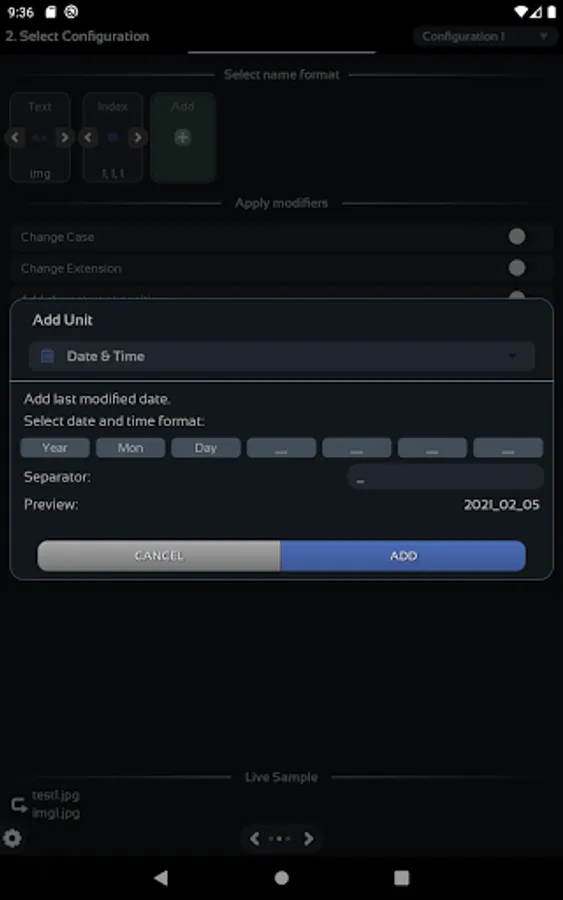
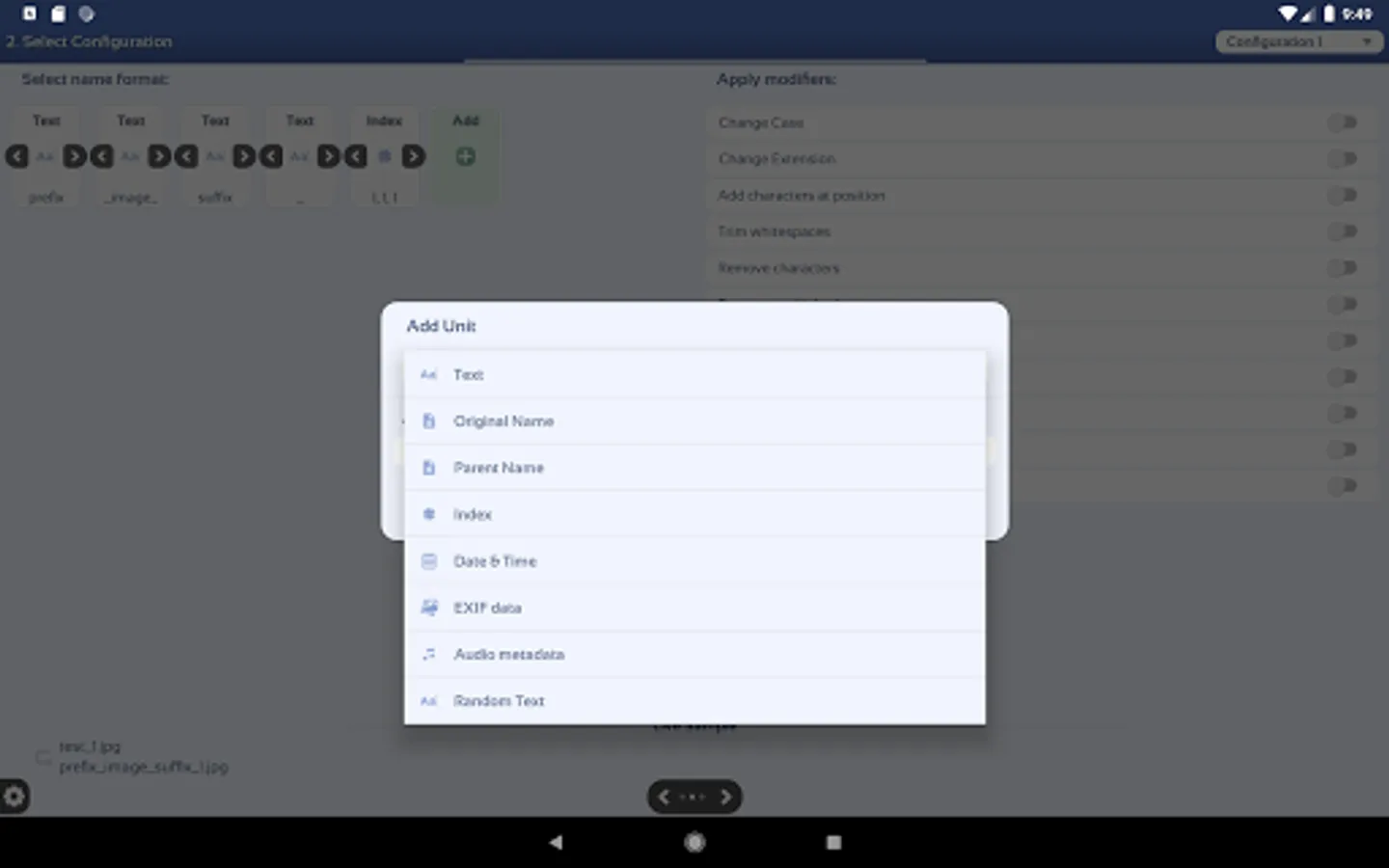
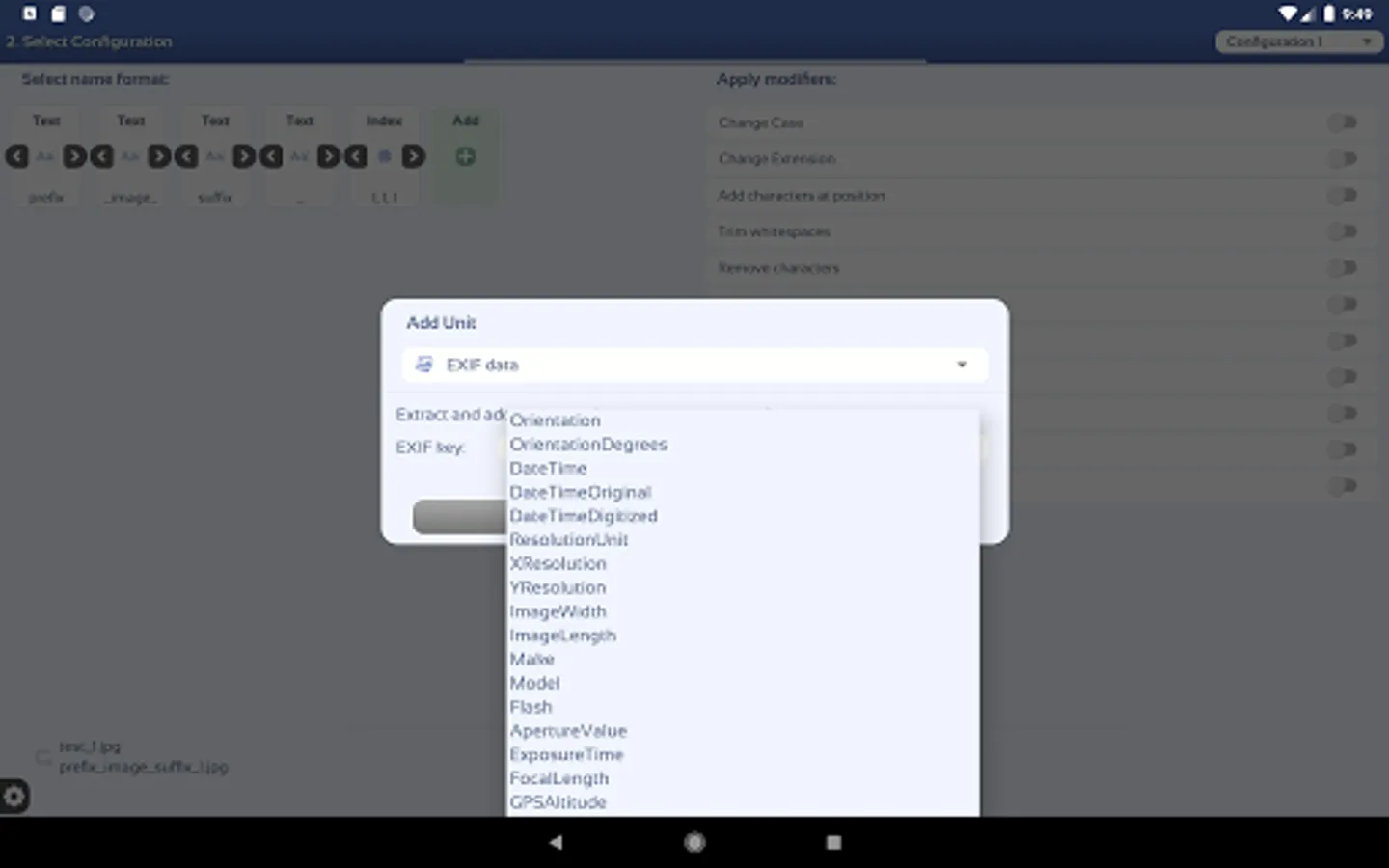
You have a variety of units you can use the build the new name format. These units can be customized and placed in the order you desire.
✓ Original Name - Adds the file's initial name. This is the starting point for every configuration.
✓ Parent Name - Adds the parent file's name
✓ Indexing - Adds an auto-incremented index. Options: start, step, zero padding.
✓ Text - Adds custom text
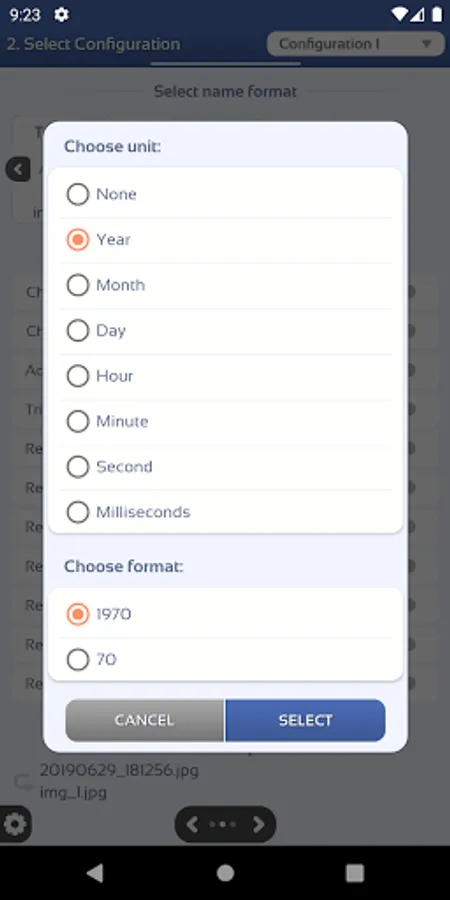
✓ Date & Time - Adds the file's last modified date and time. The format is fully configurable.
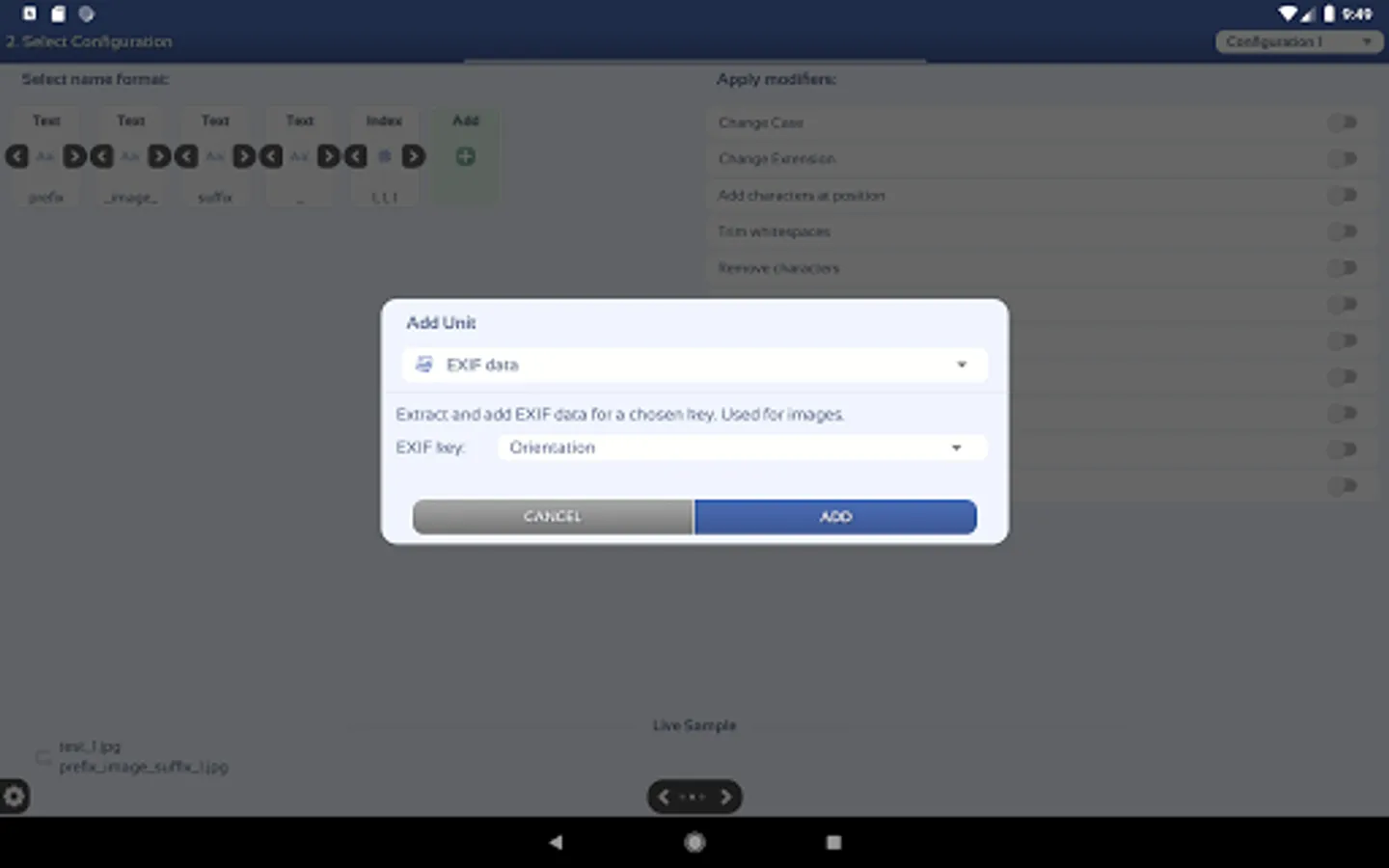
✓ EXIF Data - Extracts EXIF data from images and adds it to the file name.
✓ Audio Metadata - Extracts audio metadata from audio files and adds it to the file name.
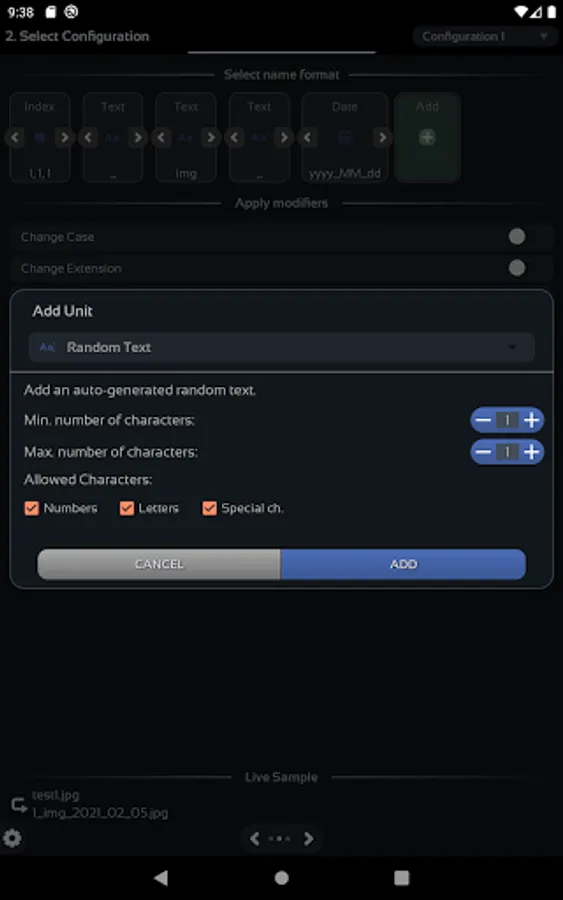
✓ Random Text - Adds randomly generated text Options: length and character type.
2. Apply modifiers (optional).
After building the name format, you can apply a set of modifiers to it.
✓ Change Case - Changes the name to lower, upper, sentence or camel case.
✓ Change Extension - Changes the extension of the file or removes it.
✓ Add character at position - Adds characters/words at the specified position
✓ Trim whitespaces - Removes whitespaces from start, end or all occurrences.
✓ Remove character(s) - Removes the chosen characters/words from the name.
✓ Remove multiple characters - Removes multiple characters/words from the name, separated by comma.
✓ Remove characters by type - Removes all numbers, letters, non-numbers or non-letters.
✓ Remove characters at position - Removes a chosen number of characters from the chosen position.
✓ Remove characters by regex - Removes characters matched by a regular expression.
✓ Replace characters - Replaces all occurrences of the target with the desired text.
✓ Replace characters by regex - Replaces all occurrences of the target with the desired text.
3. See the live sample.
You can see at any time a live sample which is updated every time you make a change in the configuration.
This is an advanced version of the Bulk Rename application.
Note - This is NOT a file manager.
Batch rename your files in three simple steps:
1. Select Input Files
Use the in-app file browser to select the files you want to rename.
2. Select the rename configuration.
Create your own configurations using the provided features.
3. See a preview of the files and start.
See a preview of the new files before renaming
Rename Configuration
There are two steps in creating your own rename configuration.
1. Select name format.
You have a variety of units you can use the build the new name format. These units can be customized and placed in the order you desire.
✓ Original Name - Adds the file's initial name. This is the starting point for every configuration.
✓ Parent Name - Adds the parent file's name
✓ Indexing - Adds an auto-incremented index. Options: start, step, zero padding.
✓ Text - Adds custom text
✓ Date & Time - Adds the file's last modified date and time. The format is fully configurable.
✓ EXIF Data - Extracts EXIF data from images and adds it to the file name.
✓ Audio Metadata - Extracts audio metadata from audio files and adds it to the file name.
✓ Random Text - Adds randomly generated text Options: length and character type.
2. Apply modifiers (optional).
After building the name format, you can apply a set of modifiers to it.
✓ Change Case - Changes the name to lower, upper, sentence or camel case.
✓ Change Extension - Changes the extension of the file or removes it.
✓ Add character at position - Adds characters/words at the specified position
✓ Trim whitespaces - Removes whitespaces from start, end or all occurrences.
✓ Remove character(s) - Removes the chosen characters/words from the name.
✓ Remove multiple characters - Removes multiple characters/words from the name, separated by comma.
✓ Remove characters by type - Removes all numbers, letters, non-numbers or non-letters.
✓ Remove characters at position - Removes a chosen number of characters from the chosen position.
✓ Remove characters by regex - Removes characters matched by a regular expression.
✓ Replace characters - Replaces all occurrences of the target with the desired text.
✓ Replace characters by regex - Replaces all occurrences of the target with the desired text.
3. See the live sample.
You can see at any time a live sample which is updated every time you make a change in the configuration.