DynamicG Popup Launcher
DynamicG
4.4 ★
4K ratings
100,000+
downloads
Free
With this popup launcher, you can bookmark apps, shortcuts, and web pages for quick access. Includes support for icon packs, custom icons, and limited permissions for enhanced privacy.
AppRecs review analysis
AppRecs rating 4.4. Trustworthiness 70 out of 100. Review manipulation risk 27 out of 100. Based on a review sample analyzed.
★★★★☆
4.4
AppRecs Rating
Ratings breakdown
5 star
74%
4 star
10%
3 star
5%
2 star
1%
1 star
10%
What to know
✓
Low review manipulation risk
27% review manipulation risk
✓
Credible reviews
70% trustworthiness score from analyzed reviews
✓
High user satisfaction
84% of sampled ratings are 4+ stars (4.4★ average)
About DynamicG Popup Launcher
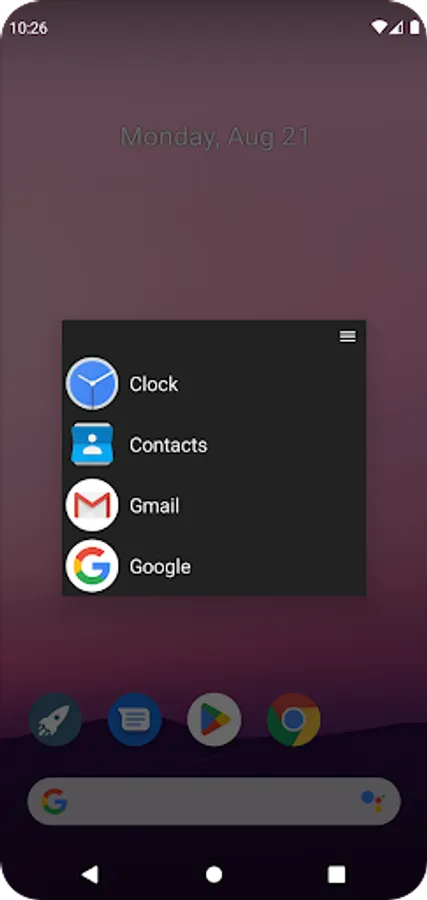
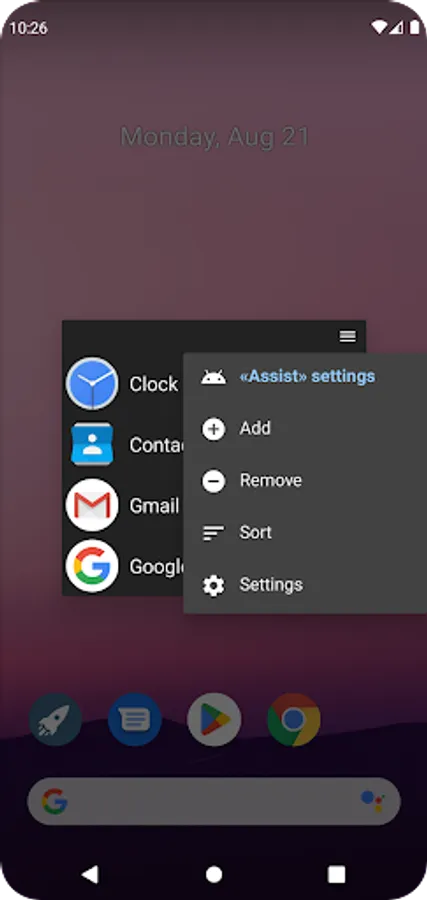
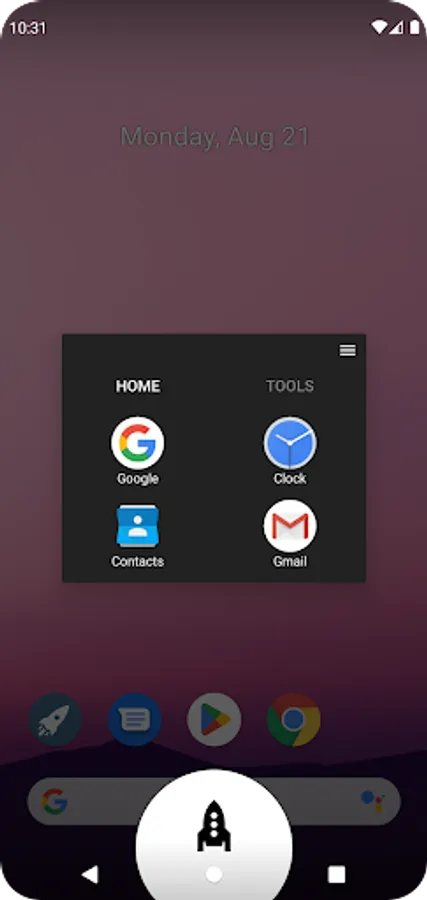
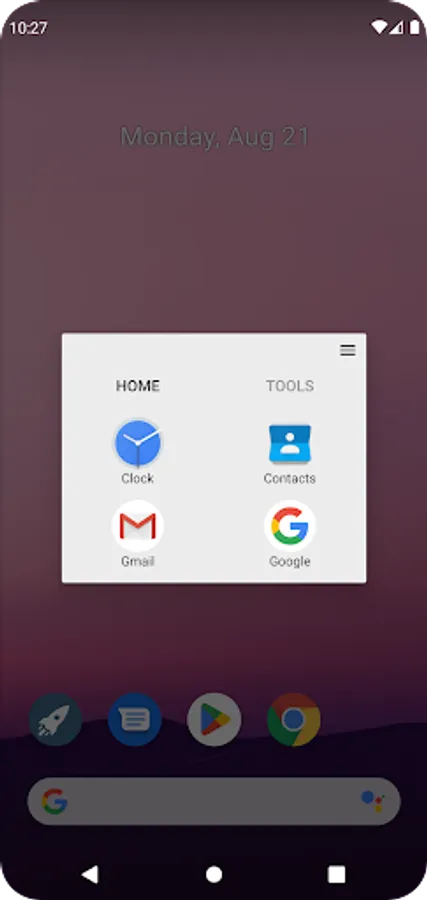
«DynamicG Popup Launcher» (previously called «Home Button Launcher») lets you bookmark your favorite apps, app shortcuts and web pages.
How to launch:
• On Pixel phones with gesture navigation, the app can be configured as “Digital assistant” and launched with “diagonal swipe from bottom corner”, more details see here: https://dynamicg.ch/help/098
• Alternatively, you can use the “Quick Settings” tile to open the app from your phone's notification bar.
• Or you just open the app from your home screen.
• Since One UI 7.0, Samsung uses “Power button long press” to launch the “Digital assistant”, which we think is a bad idea and makes that feature useless. Our app cannot override this behavior.
Features:
★ No advertisement
★ Optional tabs
★ Icon pack and custom icons support
★ Partial “App shortcut” support (many apps don't allow other apps to open their shortcuts, so the list of shortcuts is limited)
★ Minimal set of permissions:
- “QUERY_ALL_PACKAGES” to access the list of installed apps.
- “INTERNET” so the app can download its icons zip file.
- on-demand “CALL_PHONE” for those users who create a "Direct dial" contact shortcut.
How to launch:
• On Pixel phones with gesture navigation, the app can be configured as “Digital assistant” and launched with “diagonal swipe from bottom corner”, more details see here: https://dynamicg.ch/help/098
• Alternatively, you can use the “Quick Settings” tile to open the app from your phone's notification bar.
• Or you just open the app from your home screen.
• Since One UI 7.0, Samsung uses “Power button long press” to launch the “Digital assistant”, which we think is a bad idea and makes that feature useless. Our app cannot override this behavior.
Features:
★ No advertisement
★ Optional tabs
★ Icon pack and custom icons support
★ Partial “App shortcut” support (many apps don't allow other apps to open their shortcuts, so the list of shortcuts is limited)
★ Minimal set of permissions:
- “QUERY_ALL_PACKAGES” to access the list of installed apps.
- “INTERNET” so the app can download its icons zip file.
- on-demand “CALL_PHONE” for those users who create a "Direct dial" contact shortcut.
DynamicG Popup Launcher Screenshots
Tap to Rate:
Reviews for DynamicG Popup Launcher
Adr Mantap
11/4/2025
very very good, i love it, maybe for next update you can add feature like change tab bg color and support for split screen app shortcut, and lock the icons,,
Bear Cat
8/11/2025
Does not work on pixel 9a android 16.