Screen Draw Screenshot Pro
Kewitschka Apps
4.1 ★
3K ratings
100,000+
downloads
$3.49
With this app, you can draw on screens, capture screenshots and videos, and annotate content easily. Includes adjustable stroke options, export as PDF, and customizable toolbox placement.
AppRecs review analysis
AppRecs rating 4.1. Trustworthiness 79 out of 100. Review manipulation risk 26 out of 100. Based on a review sample analyzed.
★★★★☆
4.1
AppRecs Rating
Ratings breakdown
5 star
58%
4 star
18%
3 star
10%
2 star
5%
1 star
9%
What to know
✓
Low review manipulation risk
26% review manipulation risk
✓
Credible reviews
79% trustworthiness score from analyzed reviews
✓
High user satisfaction
76% of sampled ratings are 4+ stars (4.1★ average)
About Screen Draw Screenshot Pro
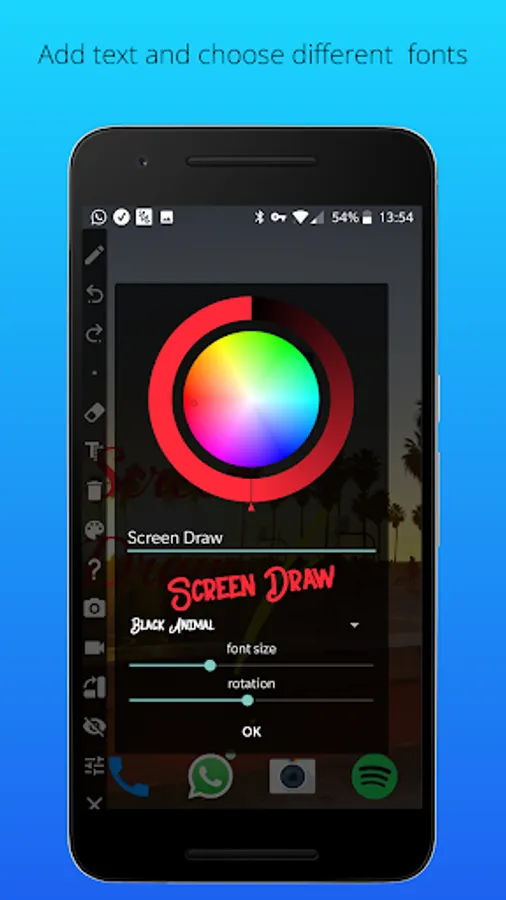
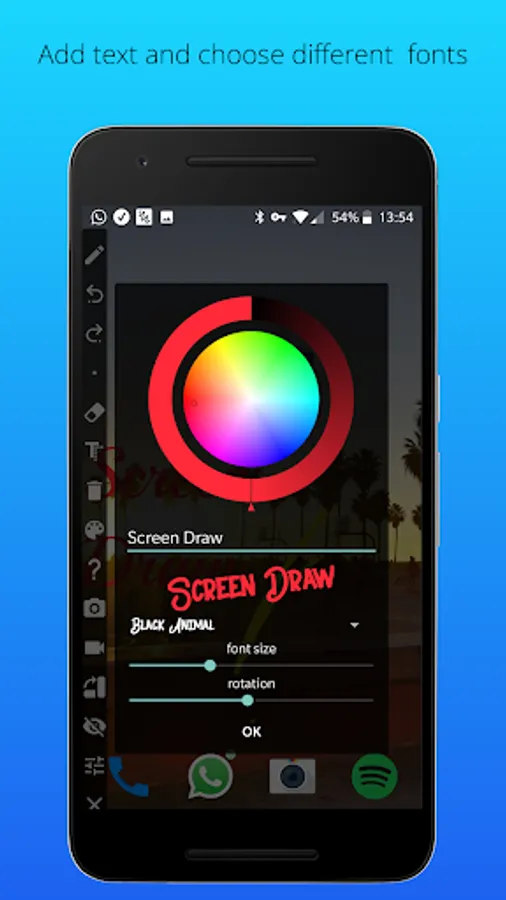
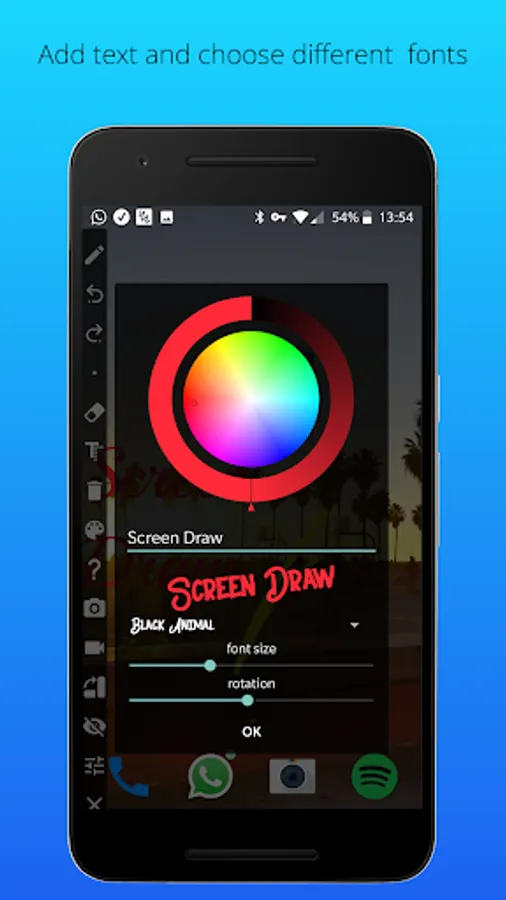
Transform the way you capture and express yourself on your smartphone with Screen Draw—a powerful tool that allows you to draw, annotate, and capture screenshots and videos effortlessly. Whether you're creating presentations, video tutorials, or just highlighting important information on your screen, Screen Draw is your go-to solution, always quick, accessible, and available wherever you are!
Key Features:
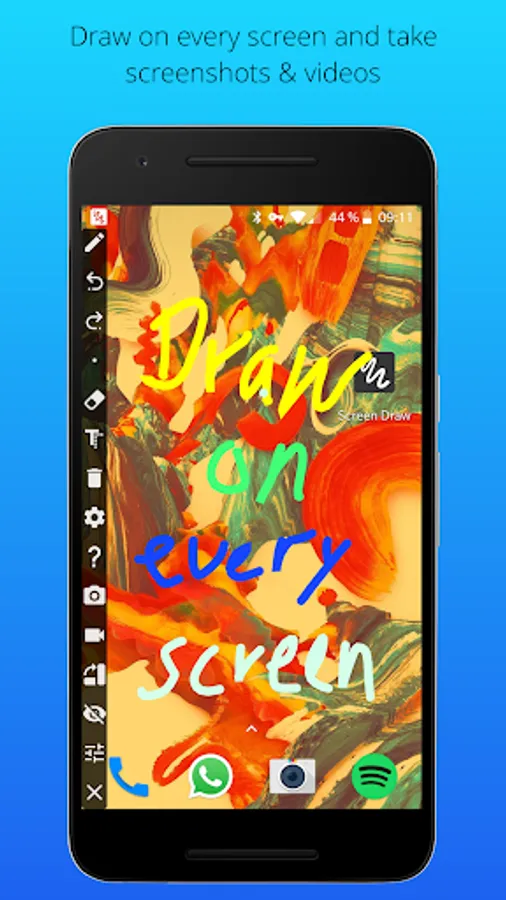
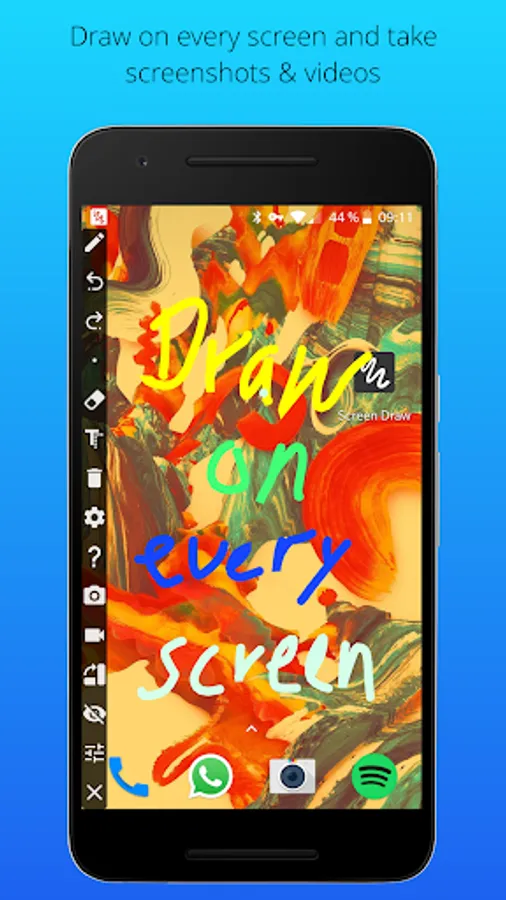
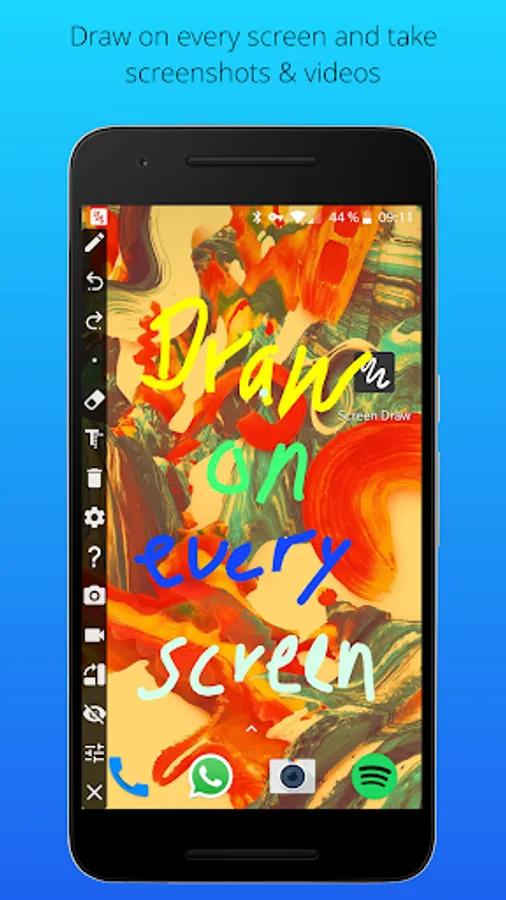
1. Draw on Every Screen:
- With Screen Draw, you have the ability to draw on any screen of your smartphone. Express your creativity, highlight essential details, or add annotations to make your content stand out.
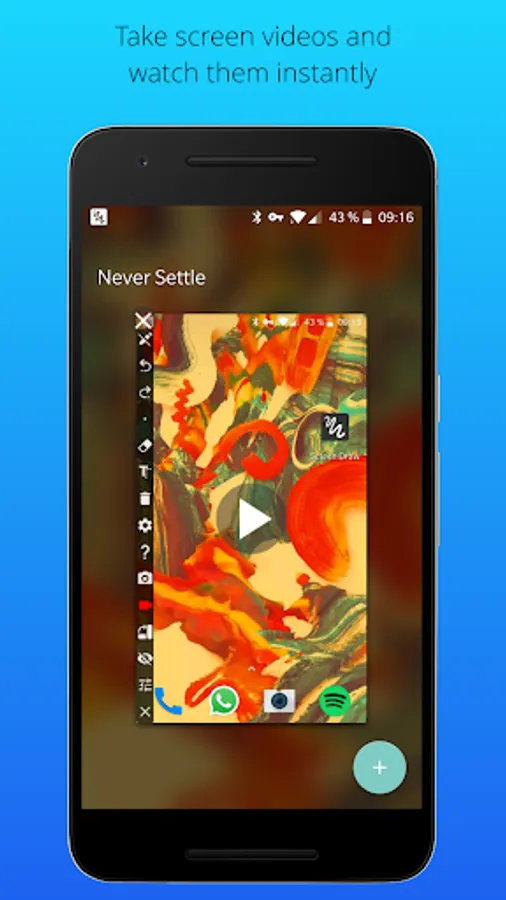
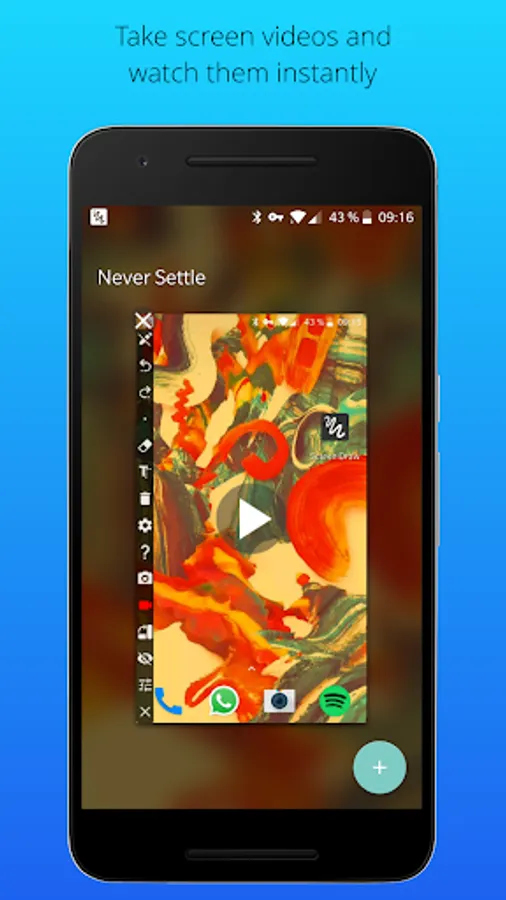
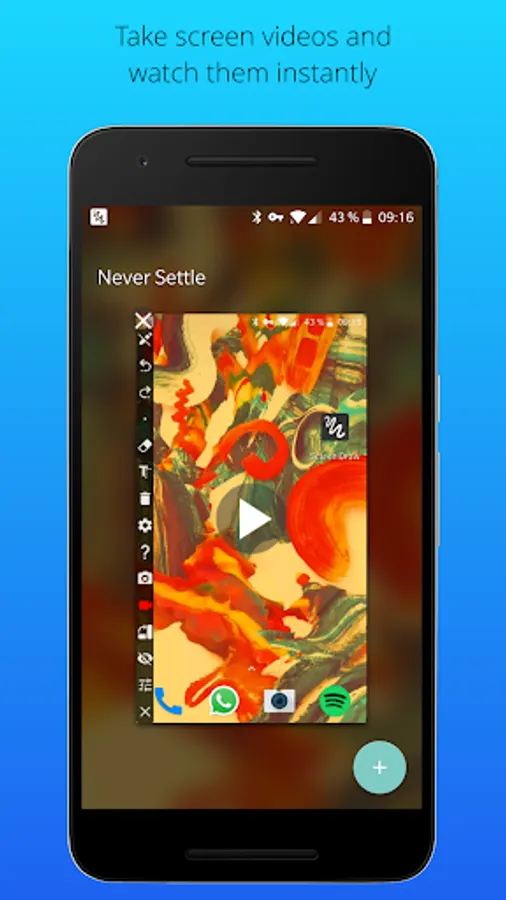
2. Take Screenshots and Videos:
- Capture your screen with just one click! Forget about cumbersome key combinations. Activate draw mode, mark or draw something, and simply click the screenshot button. You can also record videos (Android Lollipop or higher required).
3. Individual Toolbox Placement:
- Customize your experience by placing the Screen Draw toolbox exactly where you want it. Simply drag and drop the toolbox to your preferred location—horizontally or vertically.
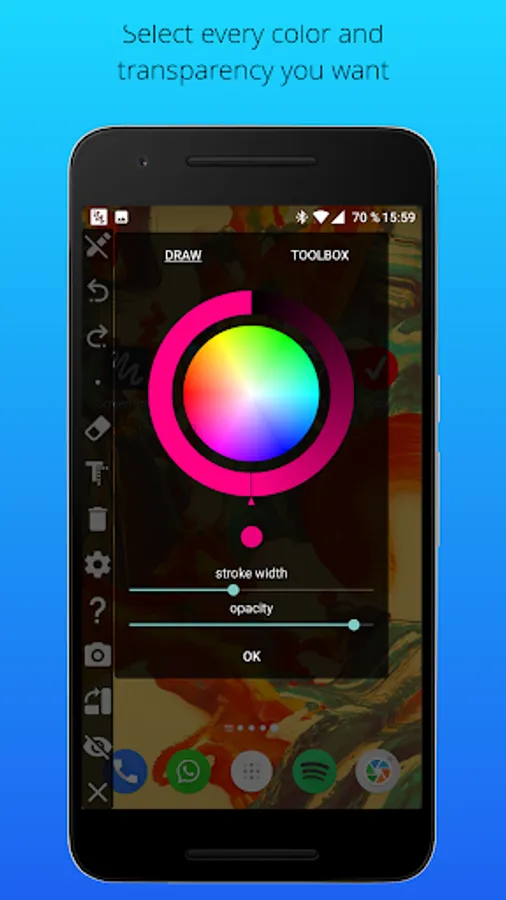
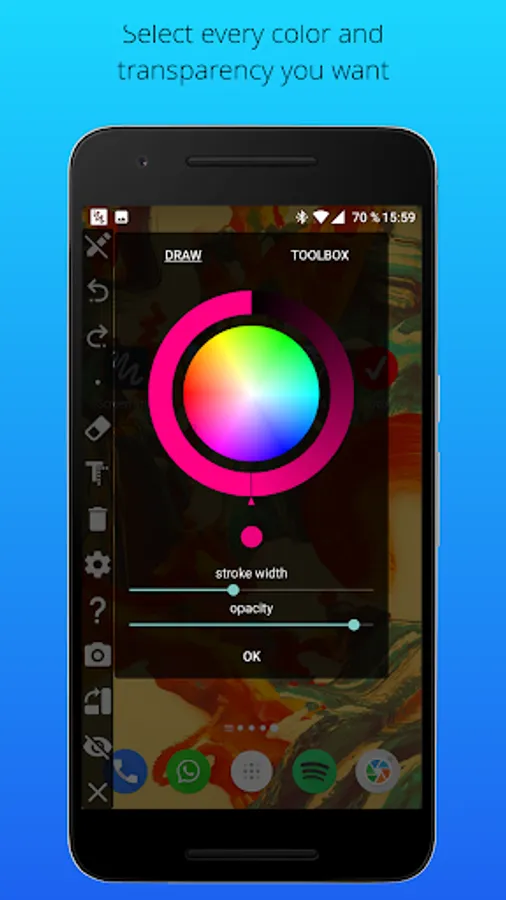
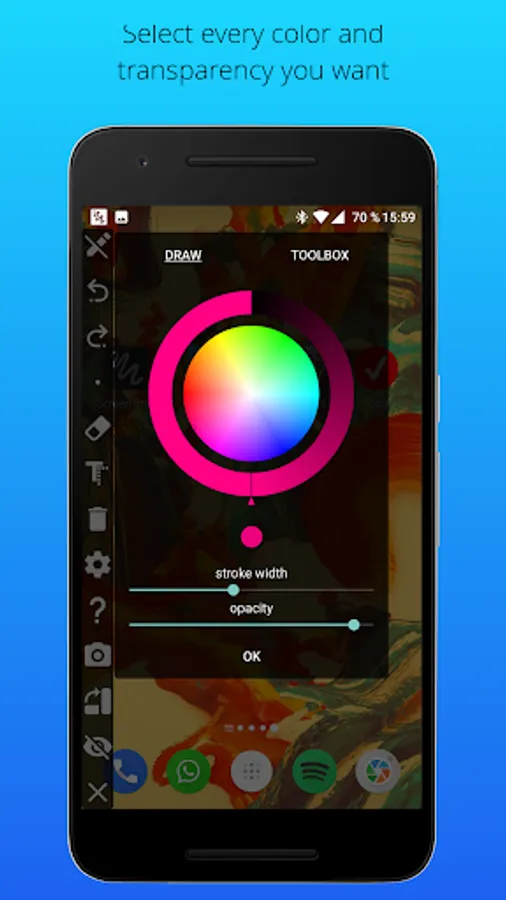
4. Adjustable Stroke Color and Width:
- Personalize your drawings with selectable stroke colors and widths. Choose the perfect combination to make your annotations and drawings visually appealing.
5. Hide Mode:
- Need a clear view of your screen? Easily hide the draw toolbox in the notification bar, keeping it out of the way until you're ready to create.
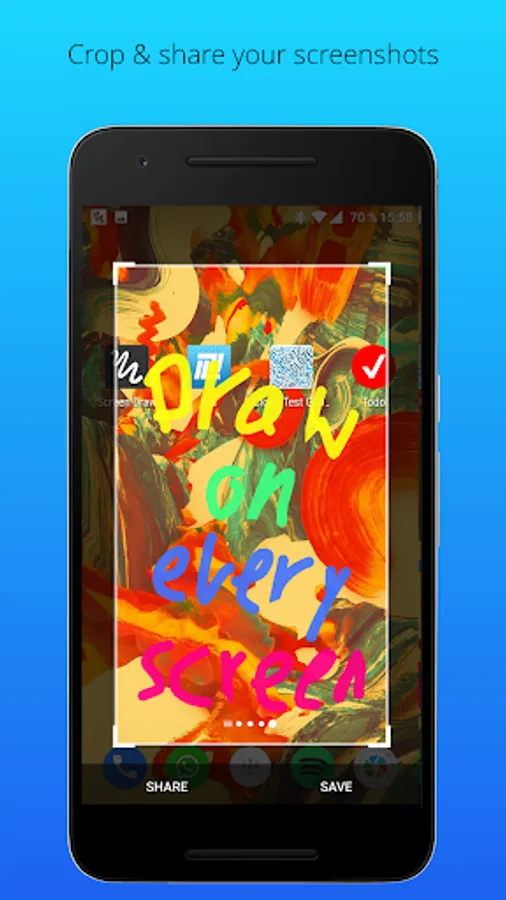
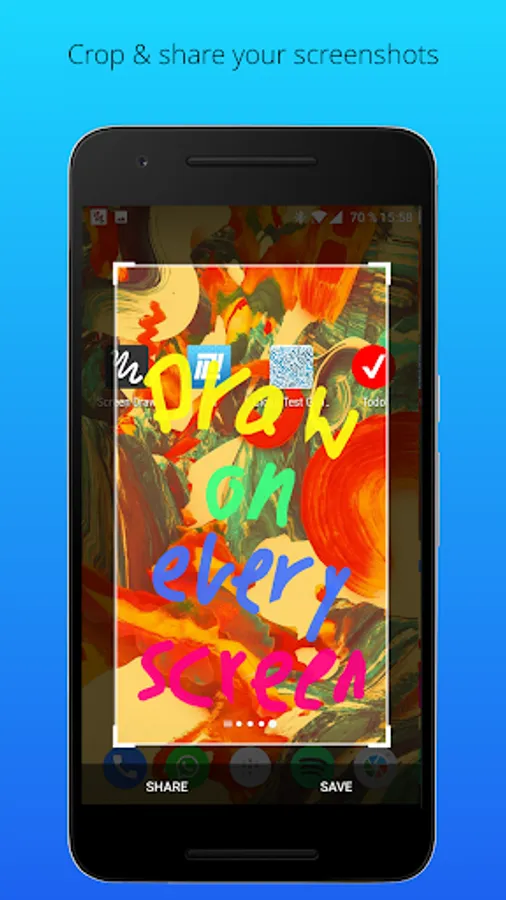
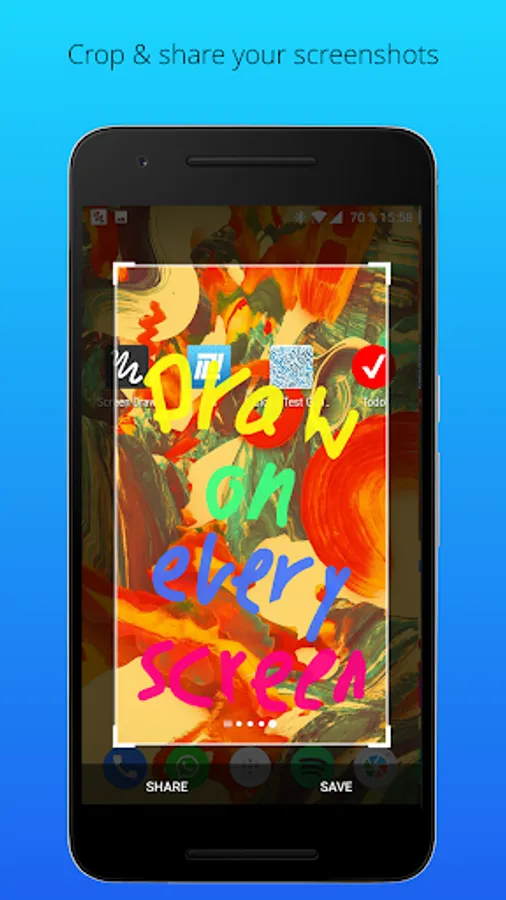
6. Export Screenshots as PDF:
- Take your screen captures to the next level by exporting them as PDFs. Share your annotated screenshots in a versatile and accessible format.
7. Always Accessible:
- Screen Draw is designed to be always accessible, ensuring that your creativity is just a click away. Access the draw toolbox with a single click, making the process seamless.
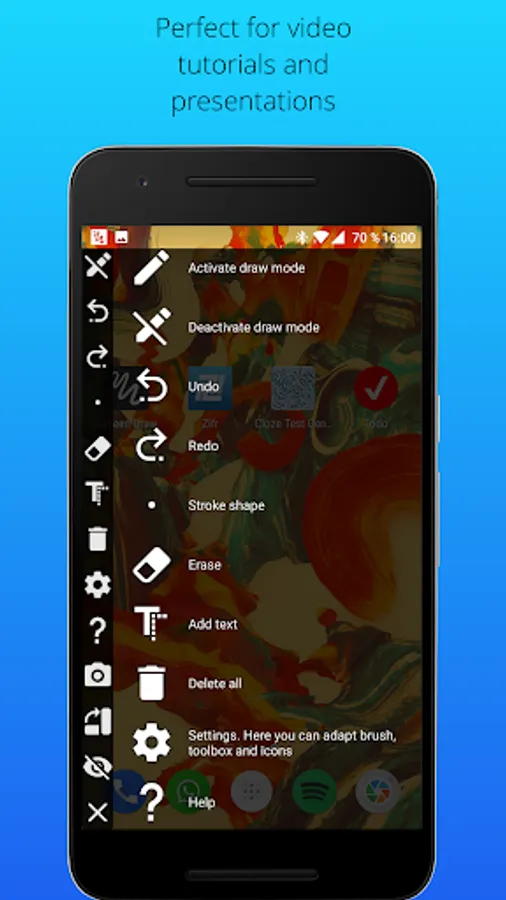
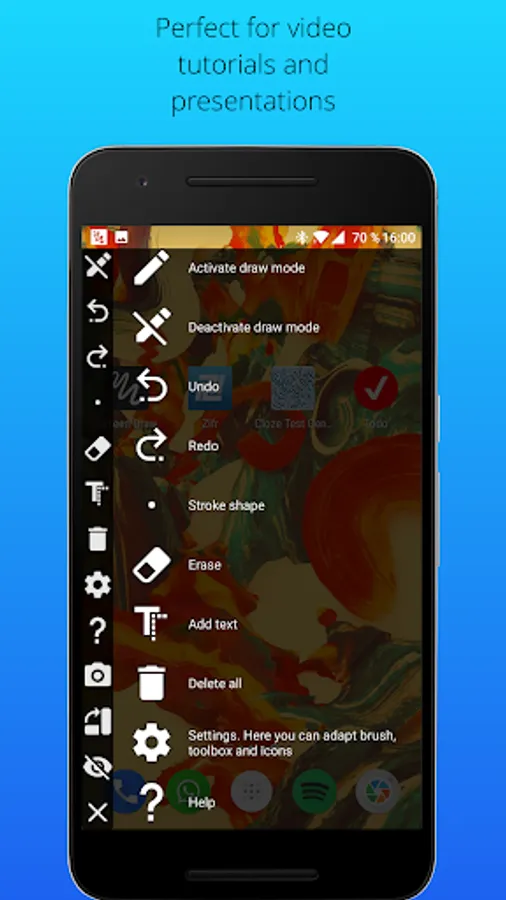
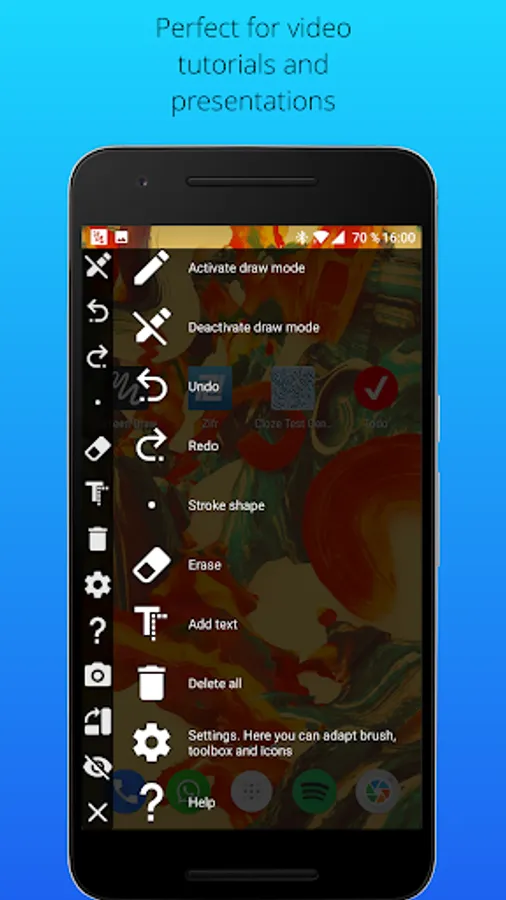
8. Undo/Delete Drawing Function:
- Made a mistake? No worries! Utilize the undo/delete drawing function to quickly rectify any errors or changes you want to make.
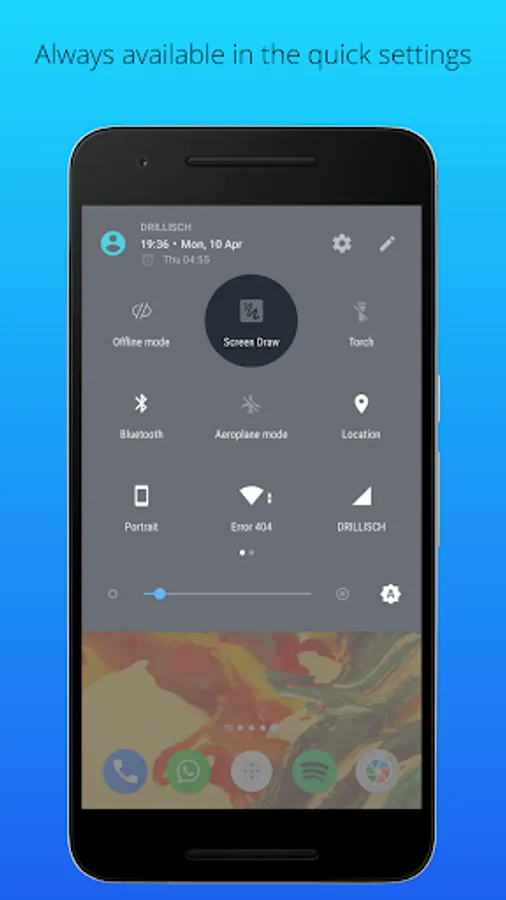
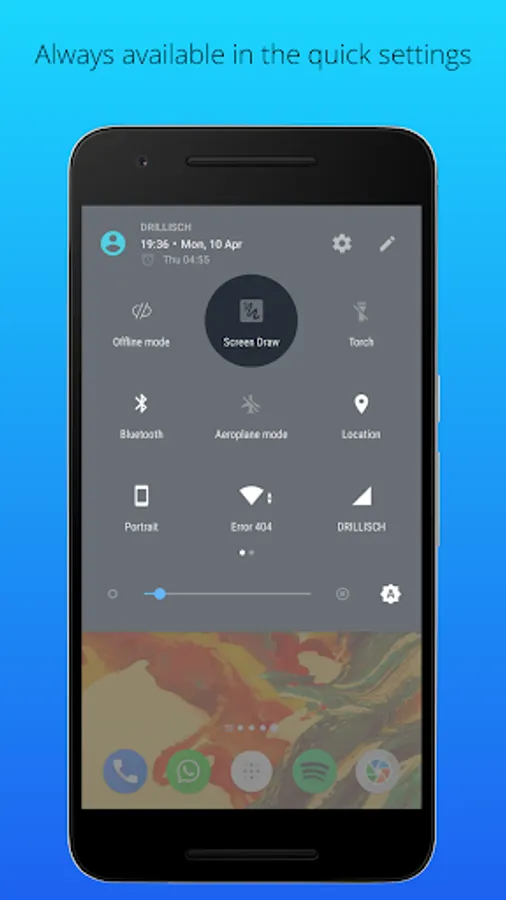
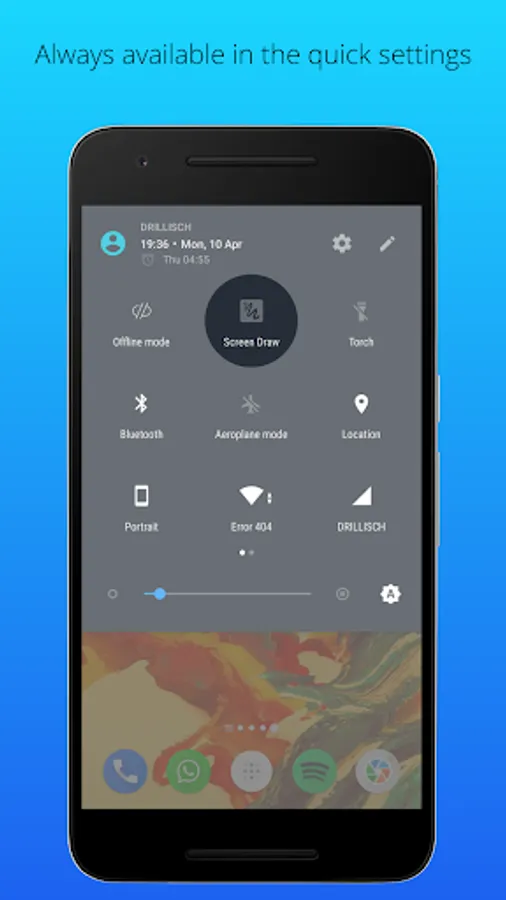
9. Quick Settings Integration:
- For Android 7 and above, add the Screen Draw icon to your quick settings for even quicker access to your drawing tools.
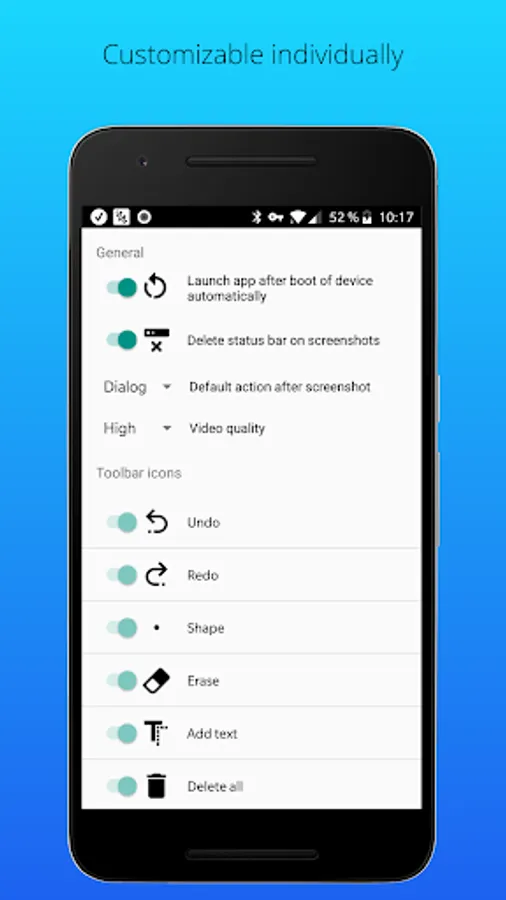
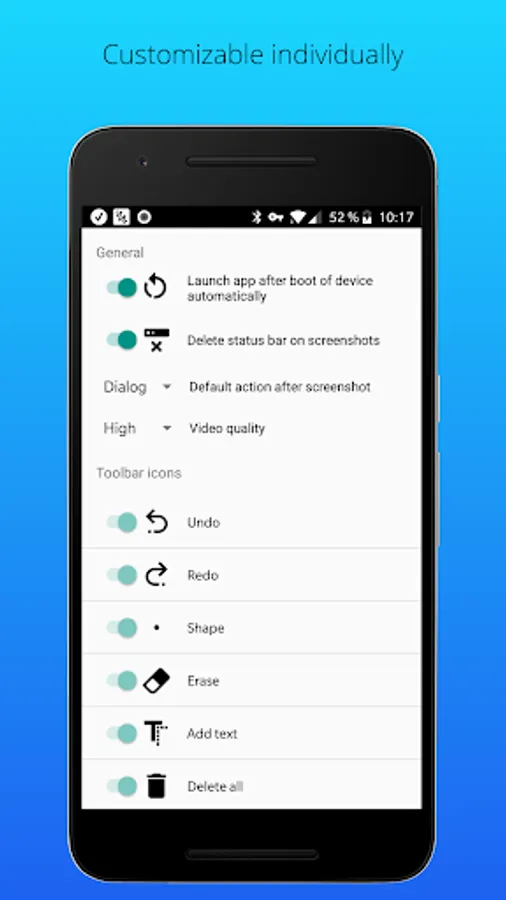
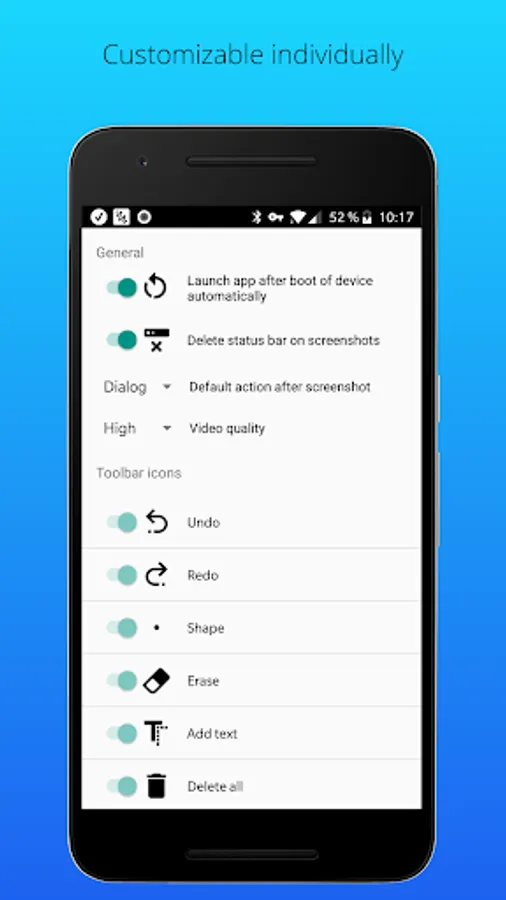
10. Autostart on Device Boot:
- Enable the autostart feature to ensure that Screen Draw is ready to go every time you boot up your device.
11. Delete Status Bar from Screenshots:
- Enjoy clean and professional-looking screenshots by removing the status bar. Your captures will focus solely on the content you want to share.
Say goodbye to complicated steps and hello to a more intuitive way of capturing, drawing, and sharing on your smartphone. Download Screen Draw now and unlock the potential to create standout content effortlessly! Whether you're a professional or just want to add a personal touch to your screen captures, Screen Draw is the perfect companion for your creative journey.
Key Features:
1. Draw on Every Screen:
- With Screen Draw, you have the ability to draw on any screen of your smartphone. Express your creativity, highlight essential details, or add annotations to make your content stand out.
2. Take Screenshots and Videos:
- Capture your screen with just one click! Forget about cumbersome key combinations. Activate draw mode, mark or draw something, and simply click the screenshot button. You can also record videos (Android Lollipop or higher required).
3. Individual Toolbox Placement:
- Customize your experience by placing the Screen Draw toolbox exactly where you want it. Simply drag and drop the toolbox to your preferred location—horizontally or vertically.
4. Adjustable Stroke Color and Width:
- Personalize your drawings with selectable stroke colors and widths. Choose the perfect combination to make your annotations and drawings visually appealing.
5. Hide Mode:
- Need a clear view of your screen? Easily hide the draw toolbox in the notification bar, keeping it out of the way until you're ready to create.
6. Export Screenshots as PDF:
- Take your screen captures to the next level by exporting them as PDFs. Share your annotated screenshots in a versatile and accessible format.
7. Always Accessible:
- Screen Draw is designed to be always accessible, ensuring that your creativity is just a click away. Access the draw toolbox with a single click, making the process seamless.
8. Undo/Delete Drawing Function:
- Made a mistake? No worries! Utilize the undo/delete drawing function to quickly rectify any errors or changes you want to make.
9. Quick Settings Integration:
- For Android 7 and above, add the Screen Draw icon to your quick settings for even quicker access to your drawing tools.
10. Autostart on Device Boot:
- Enable the autostart feature to ensure that Screen Draw is ready to go every time you boot up your device.
11. Delete Status Bar from Screenshots:
- Enjoy clean and professional-looking screenshots by removing the status bar. Your captures will focus solely on the content you want to share.
Say goodbye to complicated steps and hello to a more intuitive way of capturing, drawing, and sharing on your smartphone. Download Screen Draw now and unlock the potential to create standout content effortlessly! Whether you're a professional or just want to add a personal touch to your screen captures, Screen Draw is the perfect companion for your creative journey.
Screen Draw Screenshot Pro Screenshots
Tap to Rate:
Reviews for Screen Draw Screenshot Pro
Helen Jones
12/19/2025
Handy stuff
Nariman Ahani
12/14/2025
what the phase, my device is not this version