
iperf - Bandwidth measurements
Banana Studio
3.8 ★
41 ratings
1,000+
downloads
$1.99
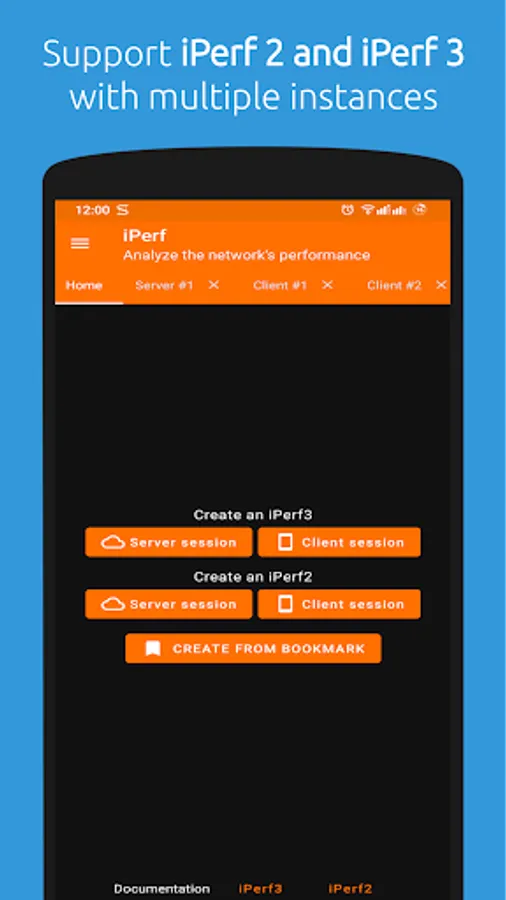
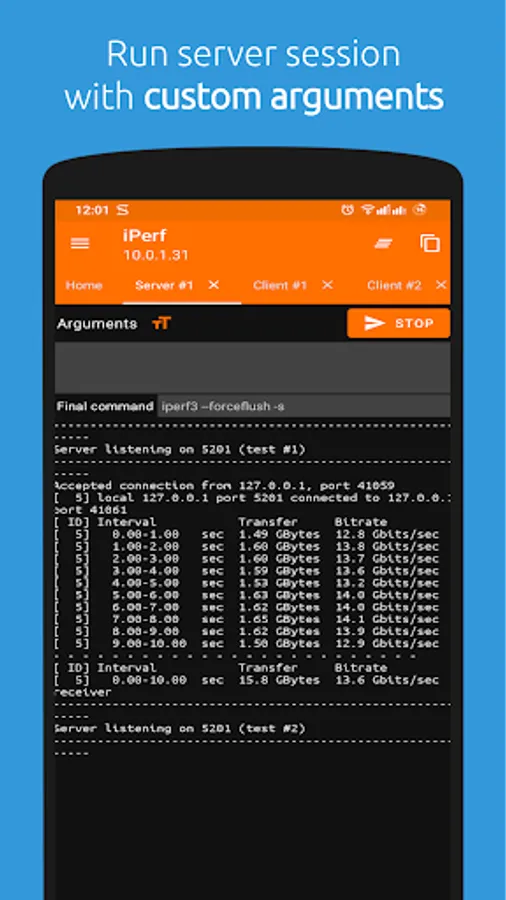
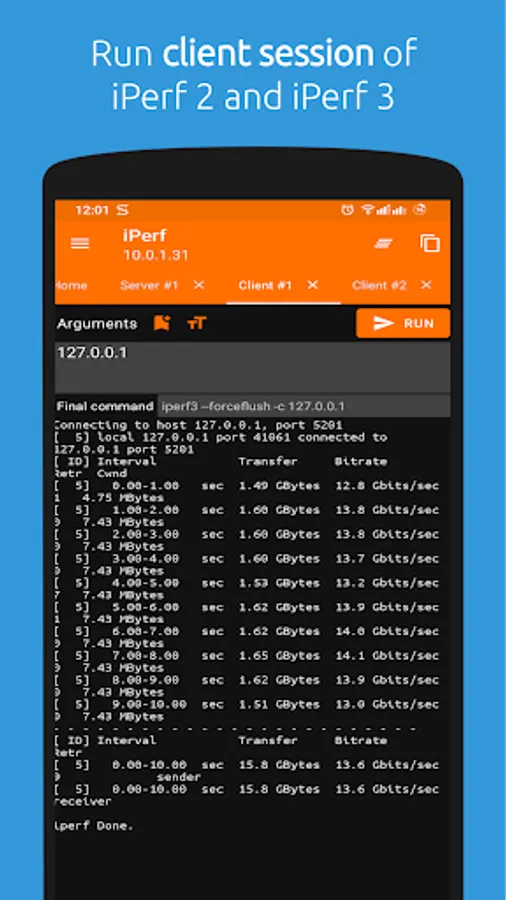
In this app, you can measure network bandwidth using iPerf3 and iPerf2 protocols by running tests over TCP, UDP, or SCTP. Includes support for multiple connections, interval reports, and JSON output options.
AppRecs review analysis
AppRecs rating 3.8. Trustworthiness 73 out of 100. Review manipulation risk 33 out of 100. Based on a review sample analyzed.
★★★☆☆
3.8
AppRecs Rating
Ratings breakdown
5 star
53%
4 star
16%
3 star
16%
2 star
0%
1 star
16%
What to know
✓
Credible reviews
73% trustworthiness score from analyzed reviews
✓
Good user ratings
68% positive sampled reviews
About iperf - Bandwidth measurements
This application is an iPerf3 and iPerf2 tool which is ported to Android device.
Latest iPerf binary versions:
- iPerf3: 3.17.1
- iPerf2: 2.1.9. Please prefer iPerf2 when testing network bandwidth.
iPerf is a tool for active measurements of the maximum achievable bandwidth on IP networks. It supports tuning of various parameters related to timing, buffers and protocols (TCP, UDP, SCTP with IPv4 and IPv6). For each test it reports the bandwidth, loss, and other parameters.
iPerf features
✓ TCP and SCTP
Measure bandwidth
Report MSS/MTU size and observed read sizes.
Support for TCP window size via socket buffers.
✓ UDP
Client can create UDP streams of specified bandwidth.
Measure packet loss
Measure delay jitter
Multicast capable
✓ Cross-platform: Windows, Linux, Android, MacOS X, FreeBSD, OpenBSD, NetBSD, VxWorks, Solaris,...
✓ Client and server can have multiple simultaneous connections (-P option).
✓ Server handles multiple connections, rather than quitting after a single test.
✓ Can run for specified time (-t option), rather than a set amount of data to transfer (-n or -k option).
✓ Print periodic, intermediate bandwidth, jitter, and loss reports at specified intervals (-i option).
✓ Run the server as a daemon (-D option)
✓ Use representative streams to test out how link layer compression affects your achievable bandwidth (-F option).
✓ A server accepts a single client simultaneously (iPerf3) multiple clients simultaneously (iPerf2)
✓ New: Ignore TCP slowstart (-O option).
✓ New: Set target bandwidth for UDP and (new) TCP (-b option).
✓ New: Set IPv6 flow label (-L option)
✓ New: Set congestion control algorithm (-C option)
✓ New: Use SCTP rather than TCP (--sctp option)
✓ New: Output in JSON format (-J option).
✓ New: Disk read test (server: iperf3 -s / client: iperf3 -c testhost -i1 -F filename)
✓ New: Disk write tests (server: iperf3 -s -F filename / client: iperf3 -c testhost -i1)
Support information
If there is any issues or feedback, please don't hesitate to contact support@xnano.net
Latest iPerf binary versions:
- iPerf3: 3.17.1
- iPerf2: 2.1.9. Please prefer iPerf2 when testing network bandwidth.
iPerf is a tool for active measurements of the maximum achievable bandwidth on IP networks. It supports tuning of various parameters related to timing, buffers and protocols (TCP, UDP, SCTP with IPv4 and IPv6). For each test it reports the bandwidth, loss, and other parameters.
iPerf features
✓ TCP and SCTP
Measure bandwidth
Report MSS/MTU size and observed read sizes.
Support for TCP window size via socket buffers.
✓ UDP
Client can create UDP streams of specified bandwidth.
Measure packet loss
Measure delay jitter
Multicast capable
✓ Cross-platform: Windows, Linux, Android, MacOS X, FreeBSD, OpenBSD, NetBSD, VxWorks, Solaris,...
✓ Client and server can have multiple simultaneous connections (-P option).
✓ Server handles multiple connections, rather than quitting after a single test.
✓ Can run for specified time (-t option), rather than a set amount of data to transfer (-n or -k option).
✓ Print periodic, intermediate bandwidth, jitter, and loss reports at specified intervals (-i option).
✓ Run the server as a daemon (-D option)
✓ Use representative streams to test out how link layer compression affects your achievable bandwidth (-F option).
✓ A server accepts a single client simultaneously (iPerf3) multiple clients simultaneously (iPerf2)
✓ New: Ignore TCP slowstart (-O option).
✓ New: Set target bandwidth for UDP and (new) TCP (-b option).
✓ New: Set IPv6 flow label (-L option)
✓ New: Set congestion control algorithm (-C option)
✓ New: Use SCTP rather than TCP (--sctp option)
✓ New: Output in JSON format (-J option).
✓ New: Disk read test (server: iperf3 -s / client: iperf3 -c testhost -i1 -F filename)
✓ New: Disk write tests (server: iperf3 -s -F filename / client: iperf3 -c testhost -i1)
Support information
If there is any issues or feedback, please don't hesitate to contact support@xnano.net
iperf - Bandwidth measurements Screenshots
Tap to Rate:
Reviews for iperf - Bandwidth measurements
Matthias Till
2/5/2026
I works, but it is very disappointing for a paid app, that you need to type all options in a textbox without gui-support. At least bookmarking your settings would be nice.
Patrick Nagel
10/9/2025
Use this tool if you want to know how fast your Wifi really is. You need to run the server counterpart on any computer in your network.