
SSH Server
Banana Studio
4.6 ★
163 ratings
5,000+
downloads
$1.39
+ in-app
In this app, you can run an SSH/SFTP server on your Android device and manage user access. Includes features for server control, user management, and authentication options.
AppRecs review analysis
AppRecs rating 4.6. Trustworthiness 83 out of 100. Review manipulation risk 24 out of 100. Based on a review sample analyzed.
★★★★☆
4.6
AppRecs Rating
Ratings breakdown
5 star
77%
4 star
10%
3 star
10%
2 star
0%
1 star
3%
What to know
✓
Low review manipulation risk
24% review manipulation risk
✓
Credible reviews
83% trustworthiness score from analyzed reviews
✓
High user satisfaction
77% of sampled ratings are 5 stars
About SSH Server
A powerful application allows you to run SSH/SFTP Server on your Android device with full functional terminal.
APPLICATION FEATURES
√ Use any network interfaces in your device including: Wi-Fi, Ethernet, Tethering...
- Tap on the addresses to generate the QR code
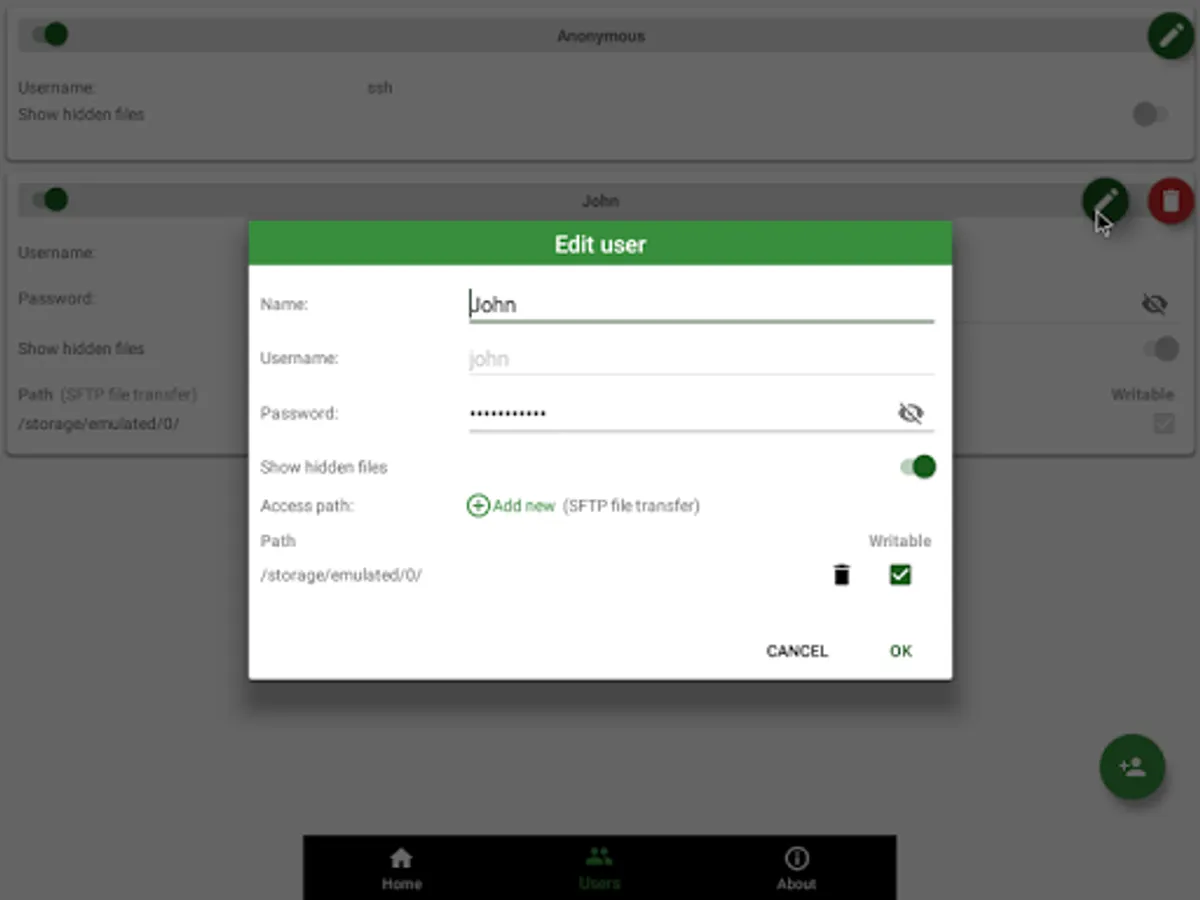
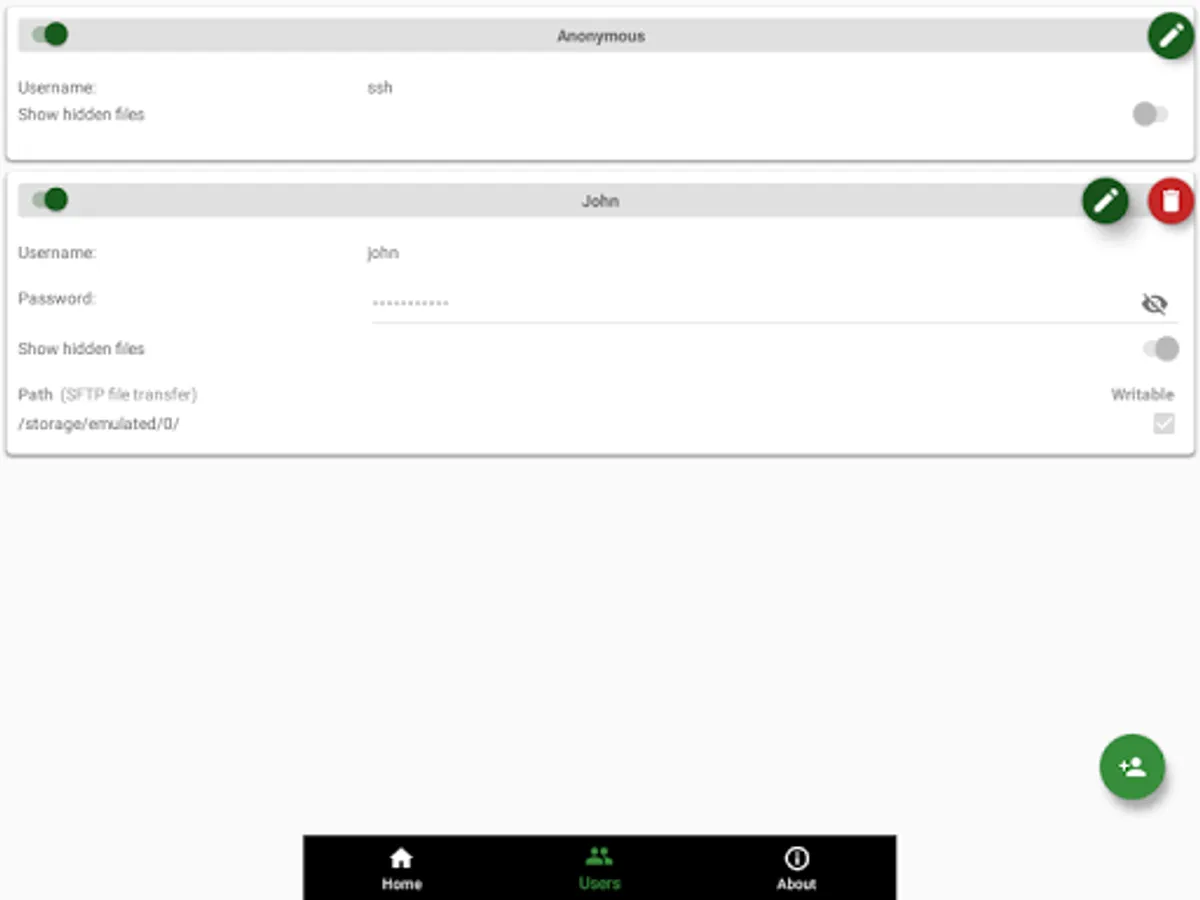
√ Multiple users (anonymous user included: username=ssh without password)
• Support Public key authentication
• [SFTP feature] Allow each user to show hidden files or not
√ [SFTP feature] Multiple access paths for each user: Any folders in your internal storage or external sdcard
• [SFTP feature] Can set read-only or full write access on each path
√ Automatically start SSH/SFTP Server when certain WiFi is connected
√ Automatically start SSH/SFTP Server on boot
√ Has public intents to support scripting
For Tasker integration:
Add new Task Action (choose System -> Send Intent) with the following information:
• Package: net.xnano.android.sshserver.tv
• Class: net.xnano.android.sshserver.receivers.CustomBroadcastReceiver
• Actions: either one of following actions:
- net.xnano.android.sshserver.START_SERVER
- net.xnano.android.sshserver.STOP_SERVER
APPLICATION SCREENS
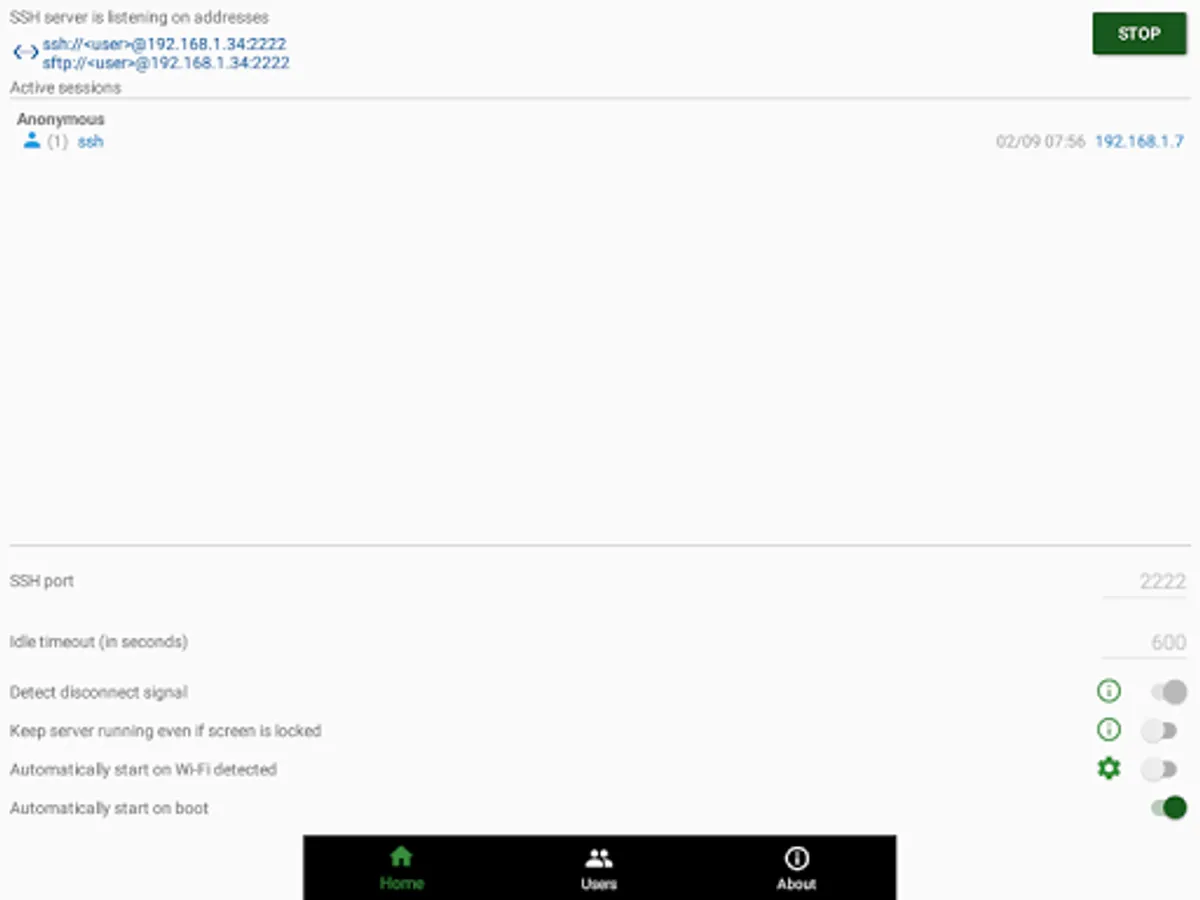
√ Home: Control the server configurations such as
• Start/stop server
• Monitor the connected clients
• Change port
- Ability to use the port 22 (only available on some ROMs)
• Enable automatically start on boot
• ...
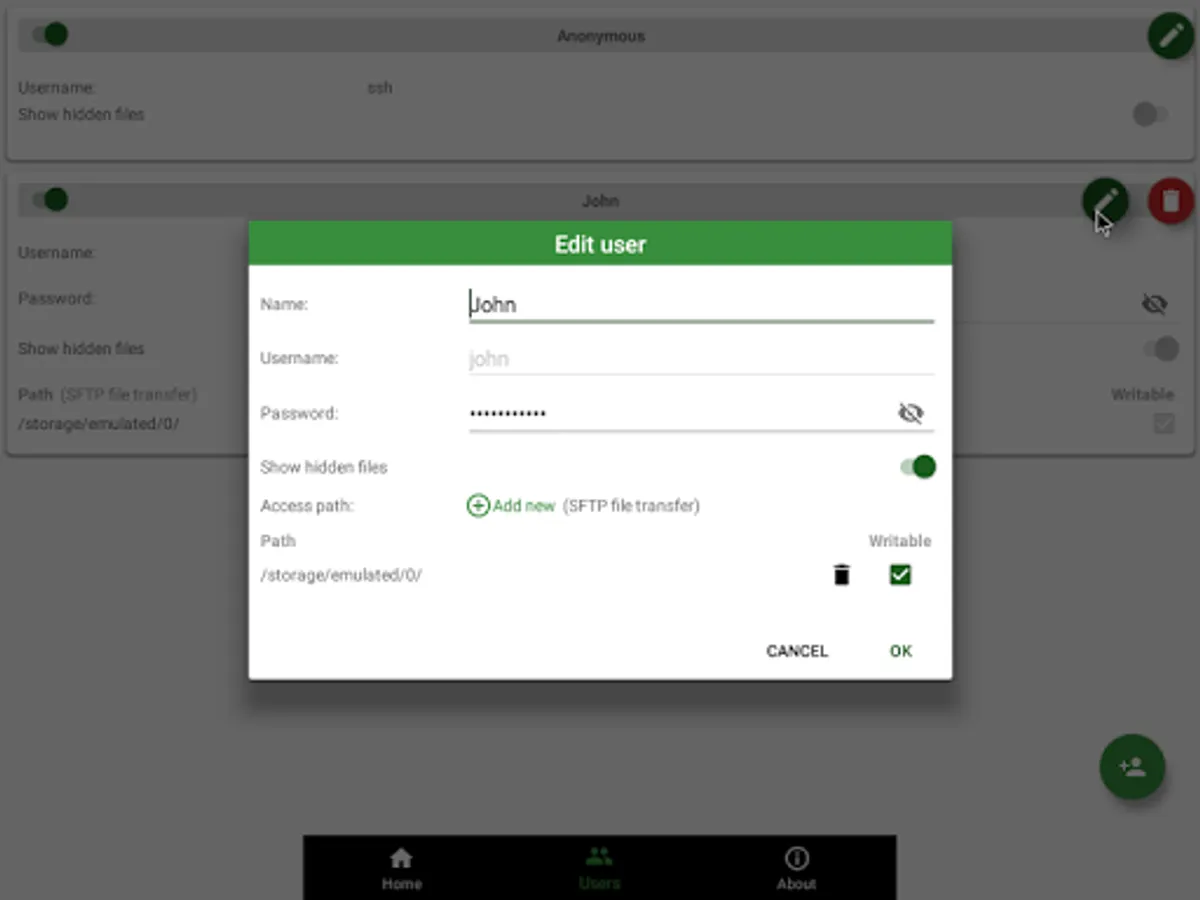
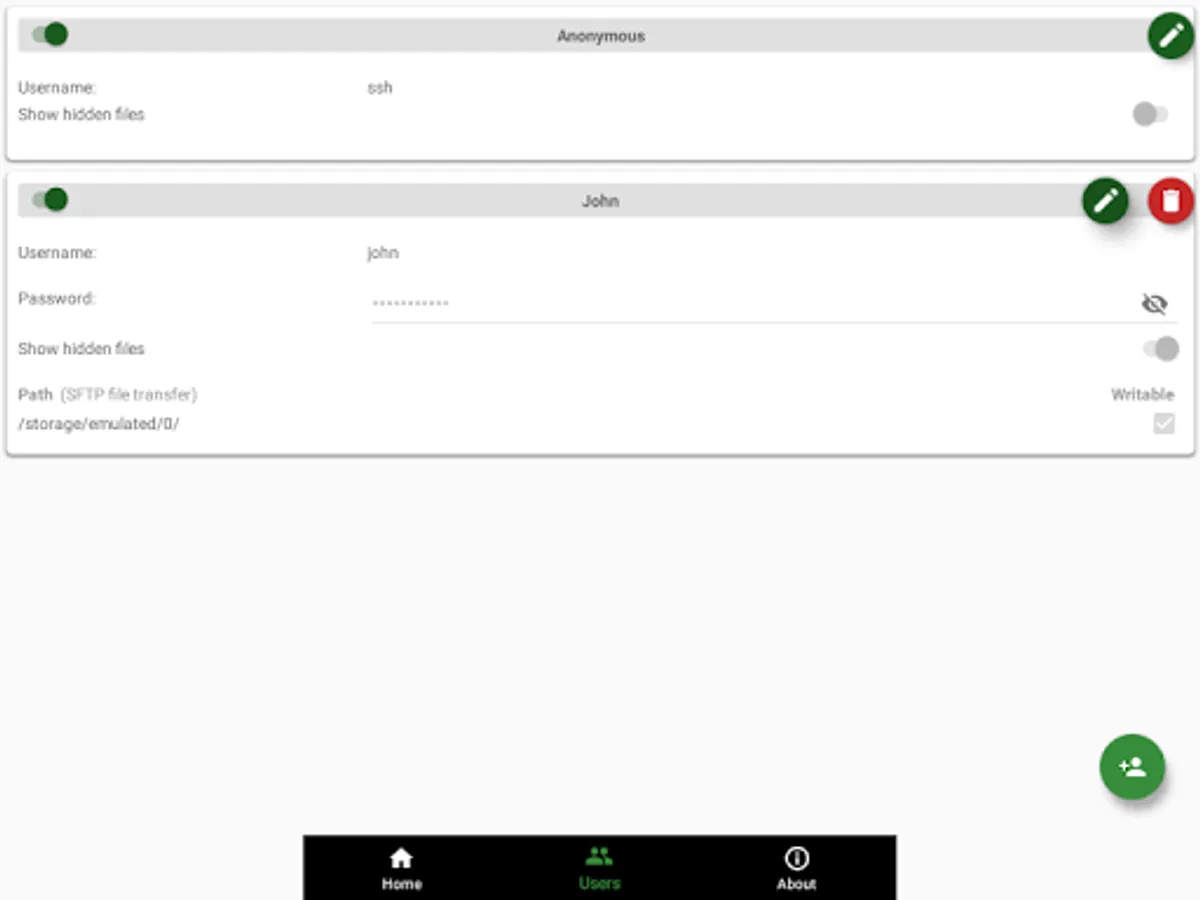
√ User management
• Manage users and access paths for each user
• Add public key authentication for each user
• Enable or disable user
√ About
• Information about SSH/SFTP Server
NOTICES
- Doze mode: Application may not work as expected if doze mode is activated. Please go to Settings -> Search for Doze mode and add this application to the white list.
PERMISSIONS NEEDED
√ WRITE_EXTERNAL_STORAGE and MANAGE_EXTERNAL_STORAGE (Android R+): Mandatory permission for SSH/SFTP Server to access files in your device.
√ INTERNET, ACCESS_NETWORK_STATE, ACCESS_WIFI_STATE: Mandatory permissions to allow user to connect to SSH/SFTP Server.
√ Location (Coarse location): Only required for user who wants to automatically start server on Wi-Fi detect on Android P and above.
Please read Android P restriction about getting Wifi's connection info here: https://developer.android.com/about/versions/pie/android-9.0-changes-all#restricted_access_to_wi-fi_location_and_connection_information
What SSH/SFTP Clients are supported?
√ You can use any SSH/SFTP clients on Windows, Mac OS, Linux or even browser to access this SSH/SFTP Server.
Tested clients:
• FileZilla
• WinSCP
• Bitvise SSH client
• Finder (MAC OS)
• Any terminal/File manager on Linux
• Total Commander (Android)
• ES File Explorer (Android)
SUPPORT
If you're facing any problems, want new features or have feedback to improve this application, don't hesitate to send it to us via the support email: support@xnano.net.
NEGATIVE COMMENTS can't help the developer solve the problems!
Privacy Policy
https://xnano.net/privacy/privacy_policy.html
APPLICATION FEATURES
√ Use any network interfaces in your device including: Wi-Fi, Ethernet, Tethering...
- Tap on the addresses to generate the QR code
√ Multiple users (anonymous user included: username=ssh without password)
• Support Public key authentication
• [SFTP feature] Allow each user to show hidden files or not
√ [SFTP feature] Multiple access paths for each user: Any folders in your internal storage or external sdcard
• [SFTP feature] Can set read-only or full write access on each path
√ Automatically start SSH/SFTP Server when certain WiFi is connected
√ Automatically start SSH/SFTP Server on boot
√ Has public intents to support scripting
For Tasker integration:
Add new Task Action (choose System -> Send Intent) with the following information:
• Package: net.xnano.android.sshserver.tv
• Class: net.xnano.android.sshserver.receivers.CustomBroadcastReceiver
• Actions: either one of following actions:
- net.xnano.android.sshserver.START_SERVER
- net.xnano.android.sshserver.STOP_SERVER
APPLICATION SCREENS
√ Home: Control the server configurations such as
• Start/stop server
• Monitor the connected clients
• Change port
- Ability to use the port 22 (only available on some ROMs)
• Enable automatically start on boot
• ...
√ User management
• Manage users and access paths for each user
• Add public key authentication for each user
• Enable or disable user
√ About
• Information about SSH/SFTP Server
NOTICES
- Doze mode: Application may not work as expected if doze mode is activated. Please go to Settings -> Search for Doze mode and add this application to the white list.
PERMISSIONS NEEDED
√ WRITE_EXTERNAL_STORAGE and MANAGE_EXTERNAL_STORAGE (Android R+): Mandatory permission for SSH/SFTP Server to access files in your device.
√ INTERNET, ACCESS_NETWORK_STATE, ACCESS_WIFI_STATE: Mandatory permissions to allow user to connect to SSH/SFTP Server.
√ Location (Coarse location): Only required for user who wants to automatically start server on Wi-Fi detect on Android P and above.
Please read Android P restriction about getting Wifi's connection info here: https://developer.android.com/about/versions/pie/android-9.0-changes-all#restricted_access_to_wi-fi_location_and_connection_information
What SSH/SFTP Clients are supported?
√ You can use any SSH/SFTP clients on Windows, Mac OS, Linux or even browser to access this SSH/SFTP Server.
Tested clients:
• FileZilla
• WinSCP
• Bitvise SSH client
• Finder (MAC OS)
• Any terminal/File manager on Linux
• Total Commander (Android)
• ES File Explorer (Android)
SUPPORT
If you're facing any problems, want new features or have feedback to improve this application, don't hesitate to send it to us via the support email: support@xnano.net.
NEGATIVE COMMENTS can't help the developer solve the problems!
Privacy Policy
https://xnano.net/privacy/privacy_policy.html
SSH Server Screenshots
Tap to Rate:
Reviews for SSH Server
Dennis Eijs
12/10/2025
Works fine on my Nvidia Shield TV's (2015 2017 2019 pro). On my Google TV streamer, Chromecast 4K, firetv sticks, Philips the one Android TV, MI stick 4K.
Roy Tan
11/16/2025
convert your spare phone into a cloud storage. great app!