
In this outlining app, you can create, organize, and edit nested lists using drag-and-drop, indentation, and formatting tools. Includes iCloud synchronization, rich editing features, and export options.
AppRecs review analysis
AppRecs rating 4.6. Trustworthiness 72 out of 100. Review manipulation risk 22 out of 100. Based on a review sample analyzed.
★★★★☆
4.6
AppRecs Rating
Ratings breakdown
5 star
69%
4 star
23%
3 star
3%
2 star
2%
1 star
3%
What to know
✓
Low review manipulation risk
22% review manipulation risk
✓
Credible reviews
72% trustworthiness score from analyzed reviews
✓
High user satisfaction
69% of sampled ratings are 5 stars
About Cloud Outliner - Nested Lists
Key Features
Organize and Protect
• Multi-level document manager
• Color tags for quick highlights
• Password protection
• Custom templates
• Duplicate documents
Powerful Outline Editor
• Drag & drop to reorder
• Swipe to change indentation
• Multi-select for bulk actions
• Checkboxes and auto-numbering
• Notes for list items
• Rich text formatting and highlighting
• Collapse or expand any level
• Filters, undo/redo, copy/paste
• Link and phone number detection
• Read-only mode
• Wireless keyboard support with shortcuts
Sync and Share
• Sync across iPhone, iPad, and Mac with iCloud*
• Mac version available
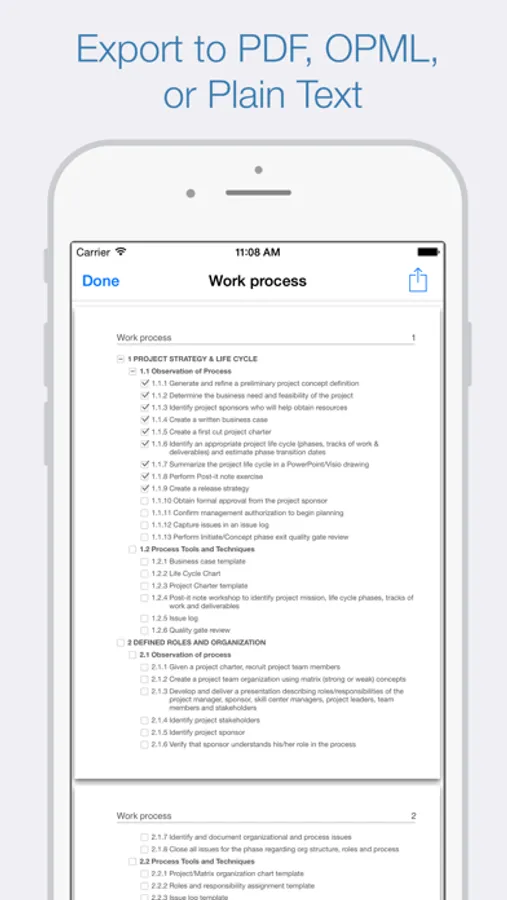
• Export to PDF, OPML, plain text
• Import OPML files
• Print via AirPrint
• Share by email or messenger
Extra
• Light and Dark mode
• Clean, intuitive design
• Portrait and landscape support
* Sync with Mac requires Cloud Outliner Pro for macOS, sold separately.
Cloud Outliner - Nested Lists Screenshots




Tap to Rate:
Reviews for Cloud Outliner - Nested Lists
smithchuck2
Works well but…
… it KEEPS PESTERING ME TO RATE IT so I’m subtracting a star for that.
Slingbob
Too many deficiencies to recommend
Very easy to use and intuitive. However, it lacks the ability to use a split screen, so you have to toggle back-and-forth between apps like a browser and the outliner. Also, pasting text from another program like a browser, loses the ability to cut and paste, which just appears to be a bug. I need to shut the program down to get these features back.